
Usage events
Usage events are used to measure product usage
Solvimon models usage as a series of events, each capturing how your customer interacted with your product.
Event structure
An event exists of the following properties:
- Customer
- Reference
- Timestamp (optional)
- Meter properties
- Meter values
When ingesting events manually via Desk, the system also creates an API request so engineers can easily use the code snippet to build the API integration.
Processing details
Once an event is ingested, the details of the processing outcomes can be checked.
The details consist of the original event and, if connected to pricing that is active for a customer, the linked subscription and invoice the event was connected to.
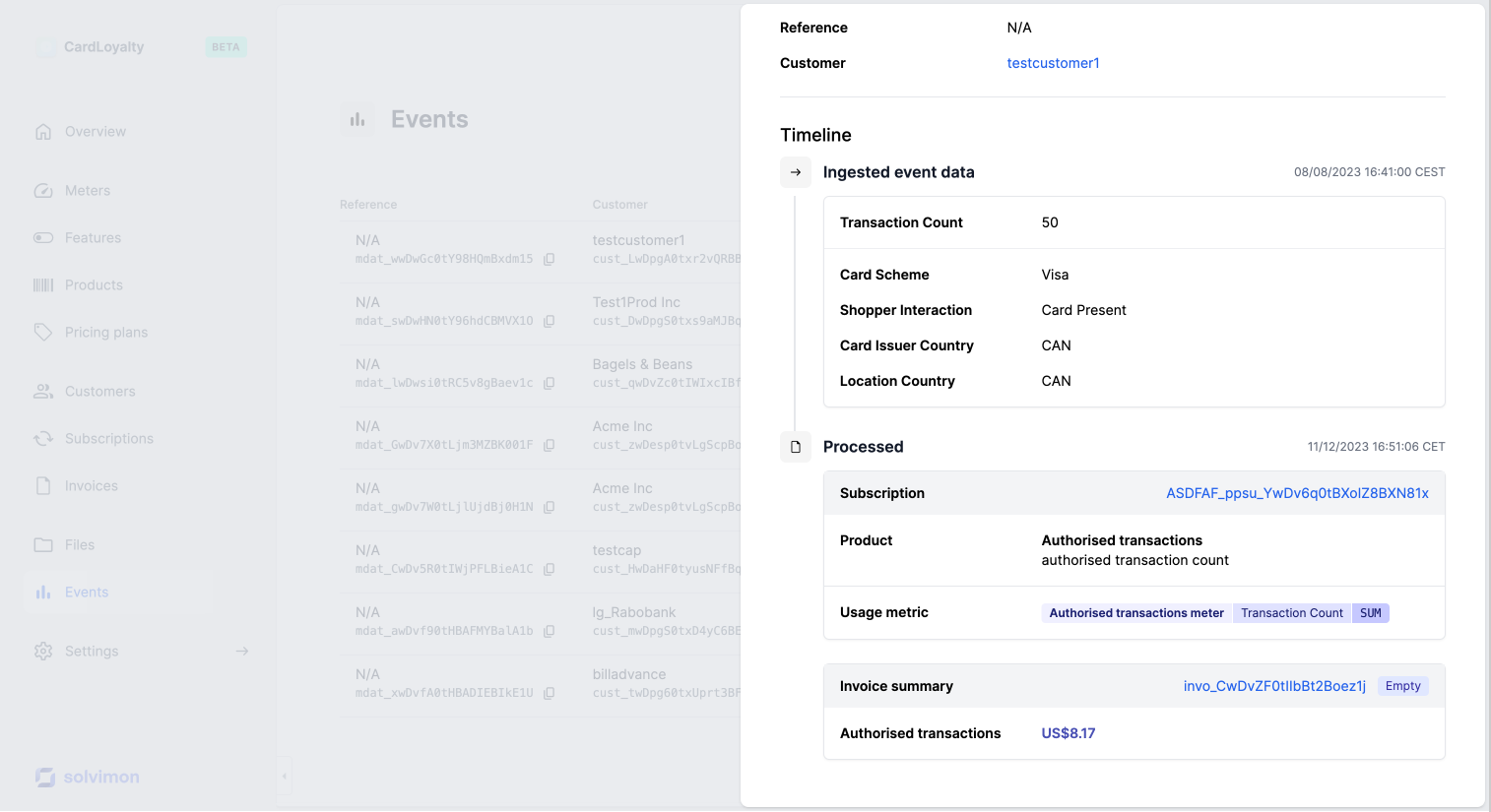
Event cost allocation
If a pricing was set up for this usage event within the subscription, a cost estimation will also be shown. Be aware that a cost prediction given in the invoice summary, might not be an exact cost allocation for the invoice.
Read more about event cost prediction in this article.
Cost prediction ≠ cost allocationIn the event processing details, an estimation of the allocation costs are given. However, based on the total usage of the billing period, the actual allocation costs for the unique event might differ.
Usage metering, not usage pricing
While usage events are the foundation of usage-based billing, it’s important to note that this data is purely about usage, and is not intended to carry any information about how you charge your customers. The configuration for pricing is done in the product catalog and pricing plans.
Feel free to use as many event types and properties as needed to appropriately describe how your customers use your product, even if some of this data is not currently used for billing. This way, you will get a more comprehensive view of customers' usage via Solvimon Insights.
Unlock opportunities to evolve your pricing further down the line with low effort, and even test pricing changes against historical usage data.
Best practice: send granular dataIndividual usage events configured at the most granular level possible enable you to measure different types of usage and switch pricing strategies easily.
Ways to upload usage data to Solvimon
There are 4 ways to ingest data: manually, via files, with an data warehouse integration or by integrating with our API. Below you can find the differences in setup, engineering power needed, and a link to the documentation page.
Best practices for defining meters and events
To stay flexible, define events at the most granular level possible. For example, if you are already tracking the monthly usage for each of your customers in your internal systems, it might be tempting to upload this pre-aggregated data as aggregated event ingestions.
This approach can be reasonable in some scenarios but will cause friction when iterating your pricing in ways that require changes to the aggregation logic. An example might be when you switch from a raw count of events to a sum of an event property, breaking down events into more granular groups that are priced differently, or changing the billing frequency.
Updated 4 months ago
Once you've set up meters and know how product usage of your customers can be ingested into the Solvimon system, it's time to set up your product catalog