
Credit Notes
Creating credit notes to correct final iinvoices.
When an invoice is FINAL, it cannot be changed anymore. Any corrections needed will have to be done through a Credit Note.
This is a new invoice which is linked to the original invoice and can be seen linked under the main invoice.
Full credit note (API & Desk)
Invoices can be fully corrected by creating a full Credit Note.
Via Desk:
-
Go to the invoice you'd like to credit
-
In the menu, select 'Credit entire invoice'
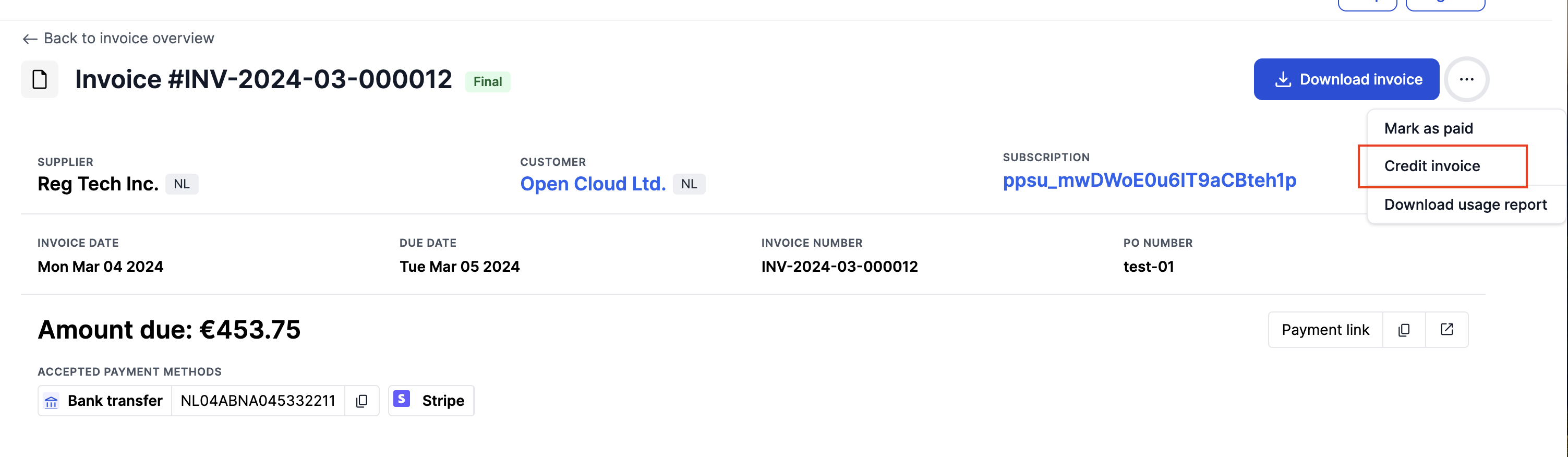
-
Add an optional note and create the credit note
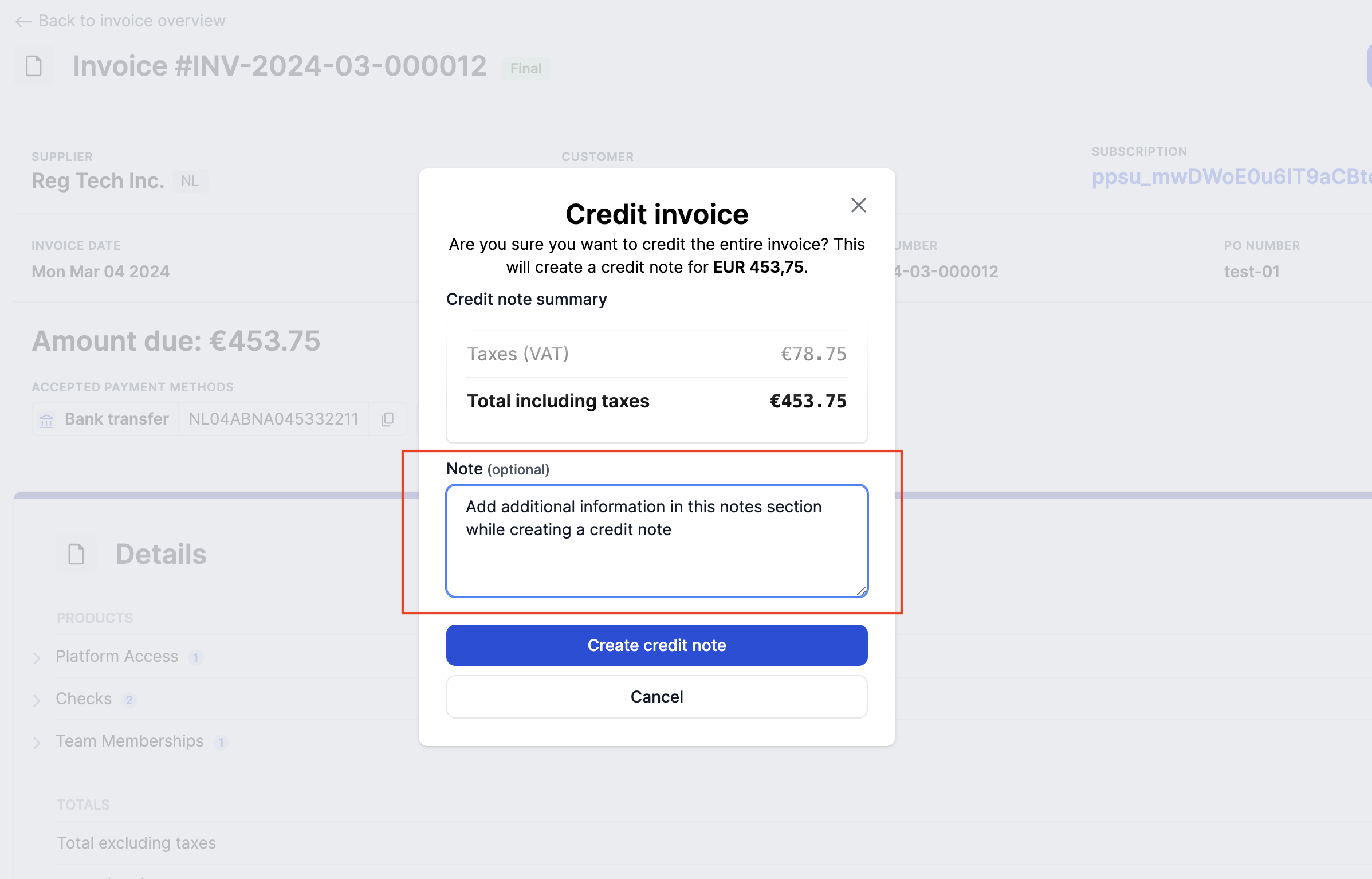
-
The credit note page will be created, the user is navigated to the credit invoice where the PDF can be downloaded. The original invoice is linked to the credit invoice as shown below
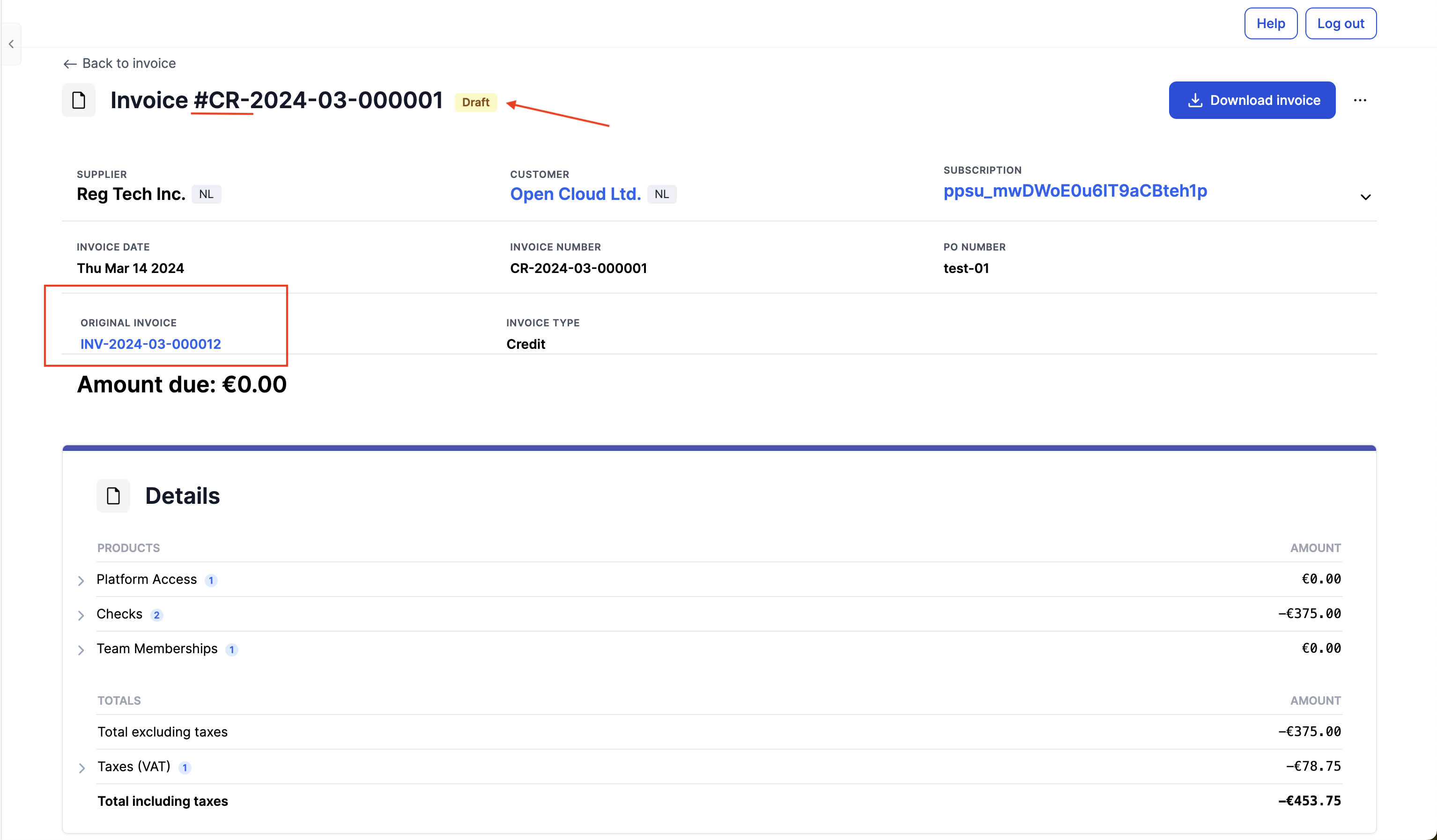
-
Once a credit note is created on the invoice, the main invoice remains in
FINALand the new credit invoice, denoted by a 'CR' in the prefix, is created inDRAFTstatus -
The Credit invoice is also linked in the main invoice
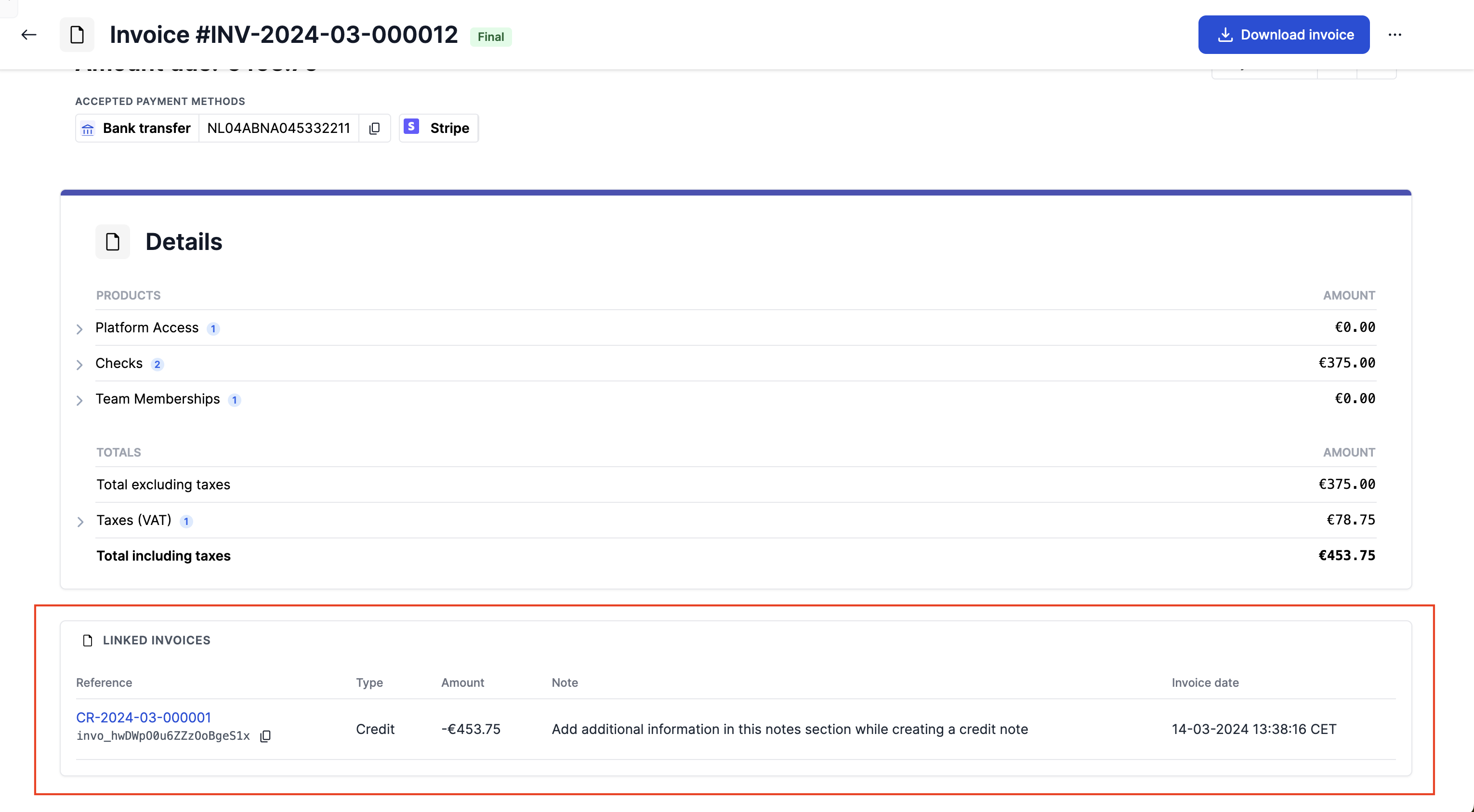
Via the API:
- Create a POST action on the invoice that needs to be credited
- Do not specify any invoice lines - it will credit the entire invoice automatically
- The invoice number of the credit invoice is
Partial credit note (API)
Invoices can also be partially credited, by specifying the invoice lines and the credit amount in the credit action on the invoice.
Via the API:
- POST a credit action on the invoice that needs to be credited
- Specify the invoice lines and amounts
- Receive the credit invoice number in the response
To read more about creating and managing credit notes via the API, read our documentation here
Updated 10 months ago