
Step 2: API Credential Configuration
To enable Solvimon to process payments via Adyen, the following access and user roles must be configured within your Adyen Customer Area:
-
Account Access:
- Grant access to either:
- The Adyen Company Account: Provides broad access across all merchant accounts within your company structure.
- A specific set of Merchant Accounts: Limits access to only the designated merchant accounts required for Solvimon's operations.
- Grant access to either:
-
Payment User Roles:
The Adyen user account used by Solvimon's integration must be assigned the following roles:
-
Merchant PAL Webservice role: This fundamental role is mandatory for Solvimon to execute any API calls to the Adyen platform. Without this role, API requests will be rejected. -
Checkout webservice role: This role is required to enable Solvimon to interact with Adyen's Checkout API. The Checkout API is essential for initiating payment sessions, handling payment requests, and processing payment responses. -
Merchant recurring role: This role is necessary for Solvimon to leverage Adyen's recurring payments functionality. It grants the permissions needed to securely store shopper payment details and subsequently authorize recurring transactions (e.g., subscriptions, installments). -
Checkout encrypted cardholder data: This role is essential if Solvimon needs to transmit encrypted cardholder data using the Adyen Client-Side Encryption (CSE) libraries or SDKs. Important: Obtaining this role requires adherence to Payment Card Industry Data Security Standard (PCI DSS) compliance. Specifically, a Self-Assessment Questionnaire A (SAQ A) must be completed and submitted as part of the assessment process to demonstrate secure handling of sensitive card data.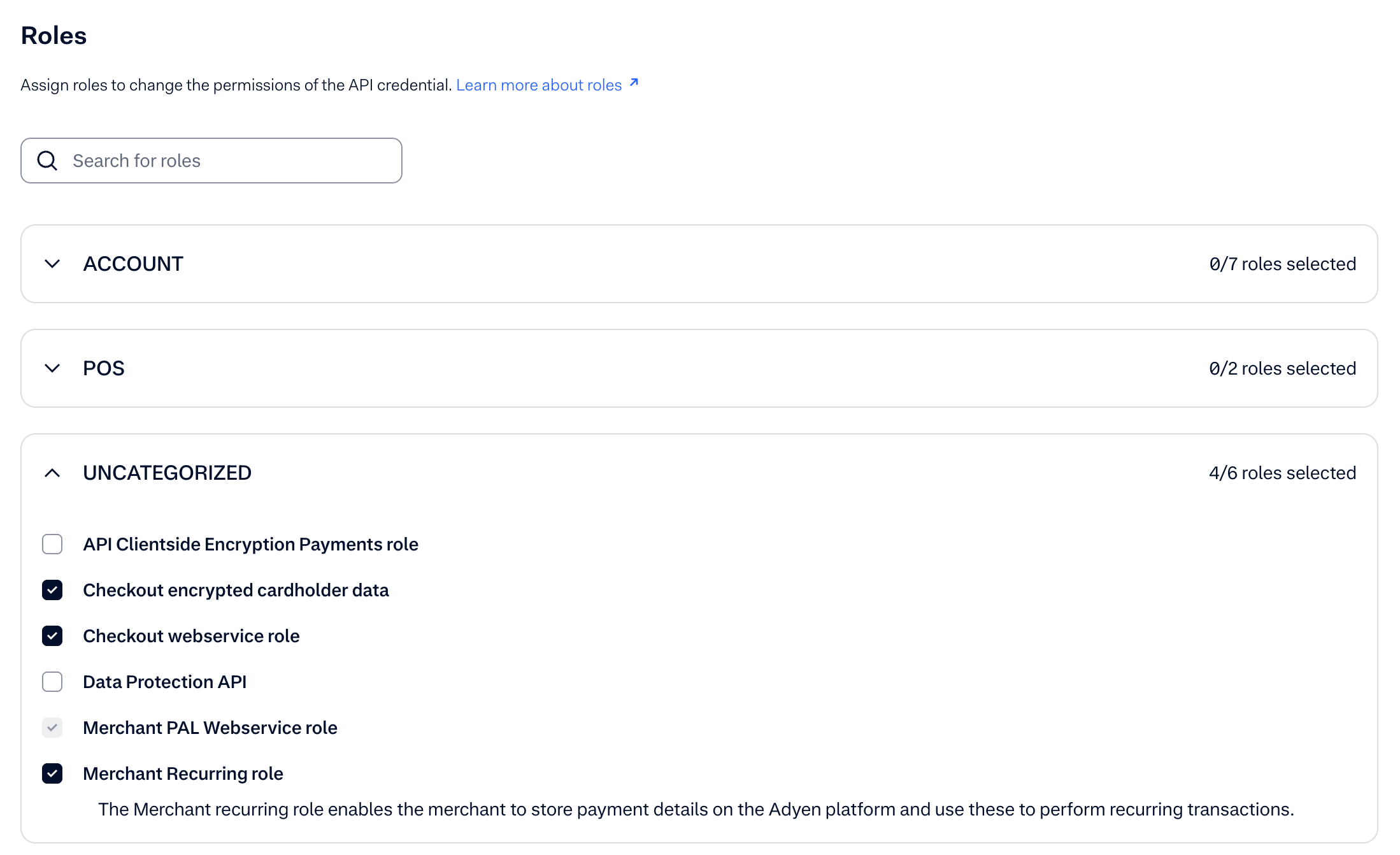
-
Management API - API credentials read and write: This role is necessary for Solvimon to check if the webservice user exists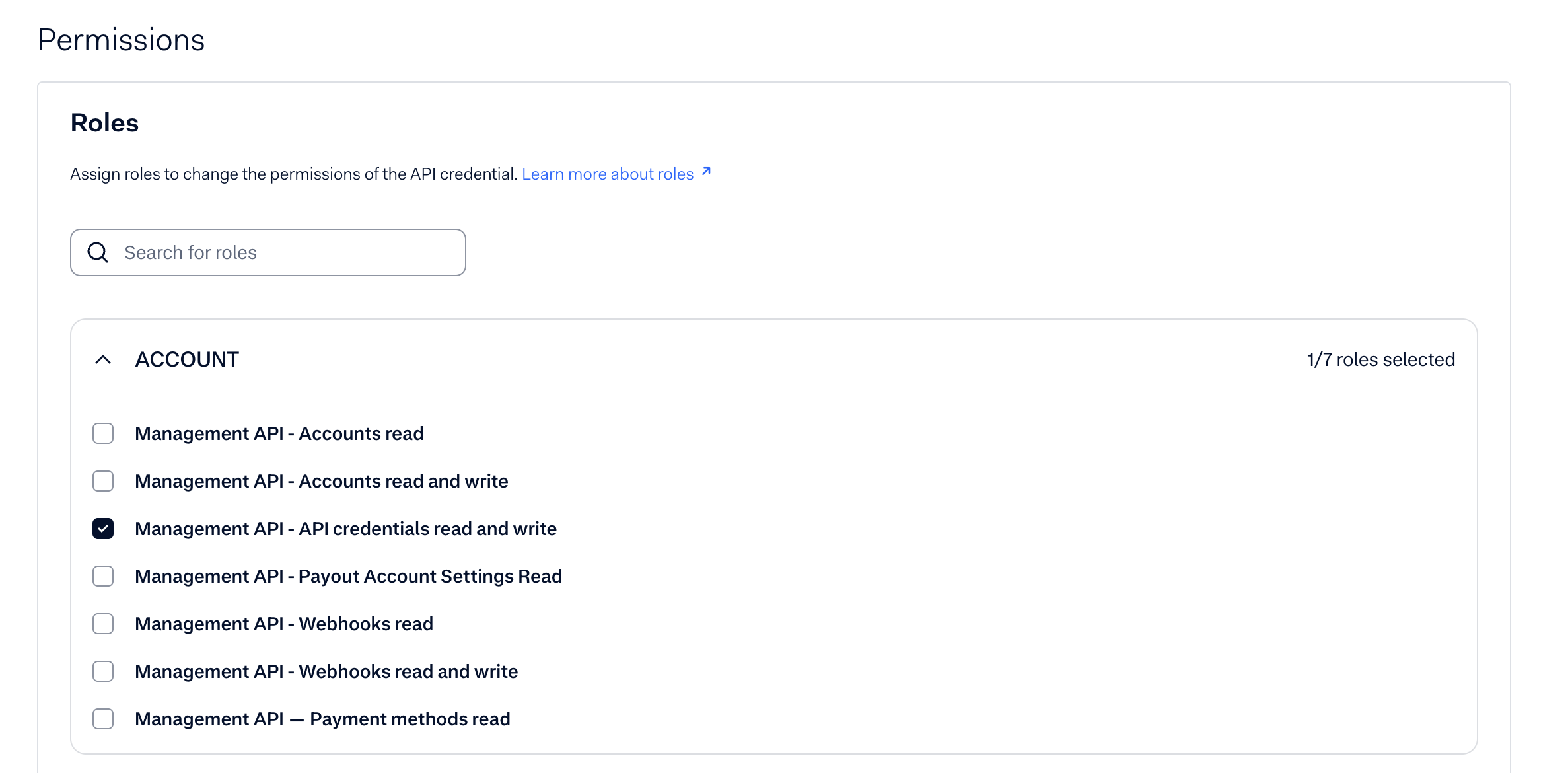
- Management API User Roles:
This step can be omitted if you do not want to grant company level access, as this is required for some API calls
The following user roles within the Adyen Management API control the permissions of API credentials, enabling Solvimon to interact with specific account management functionalities:
Management API—Account read: Grants the API credential the ability to retrieve information about the company and merchant accounts that it has been explicitly granted access to. This role is essential for Solvimon to identify the available accounts for processing.Management API—API credentials read and write: Provides comprehensive control over API credentials. With this role, the API credential can view, create, modify, and delete other API credentials within its permitted scope. Exercise caution when granting this powerful role.Management API—Webhooks read: Allows the API credential to view the existing webhook configurations that it has access to. This is useful for monitoring and understanding how Adyen communicates event notifications.Management API—Webhooks read and write: Extends the read permission to include the ability to create, modify, and delete webhook configurations within the API credential's scope. This role is necessary for programmatically managing event notifications.Management API—Payment methods read: Enables the API credential to retrieve information about the payment methods configured within the accessible accounts. This allows Solvimon to understand the available payment options.
Ensuring these grants and roles are correctly configured in your Adyen Customer Area is crucial for the successful integration and operation of Solvimon's payment processing capabilities. Failure to provide the necessary permissions will result in errors and prevent Solvimon from interacting with the Adyen platform as intended.
- Copy API and Client Keys:
- Copy the API key generated by Adyen
- Generate client key and copy the Client Key
- Add allowed origins (Only required for Solvimon Portal use-cases)
- Test environment: https://test.portal.solvimon.link
- Live environment: https://portal.solvimon.link

- Click SAVE CHANGES:

Updated 9 months ago