
Combining usage volumes
Explaining how to set up pricing for contracts that include combining volumes of multiple meters or products.
There are several ways to combine usage volumes. This article explains how combining volumes can be done for one or more pricings for one customer.
If you want to combine volumes of multiple customers on an invoice for the parent customer entity, please read the article about parent-child contract setups here.
Combining usage of multiple products
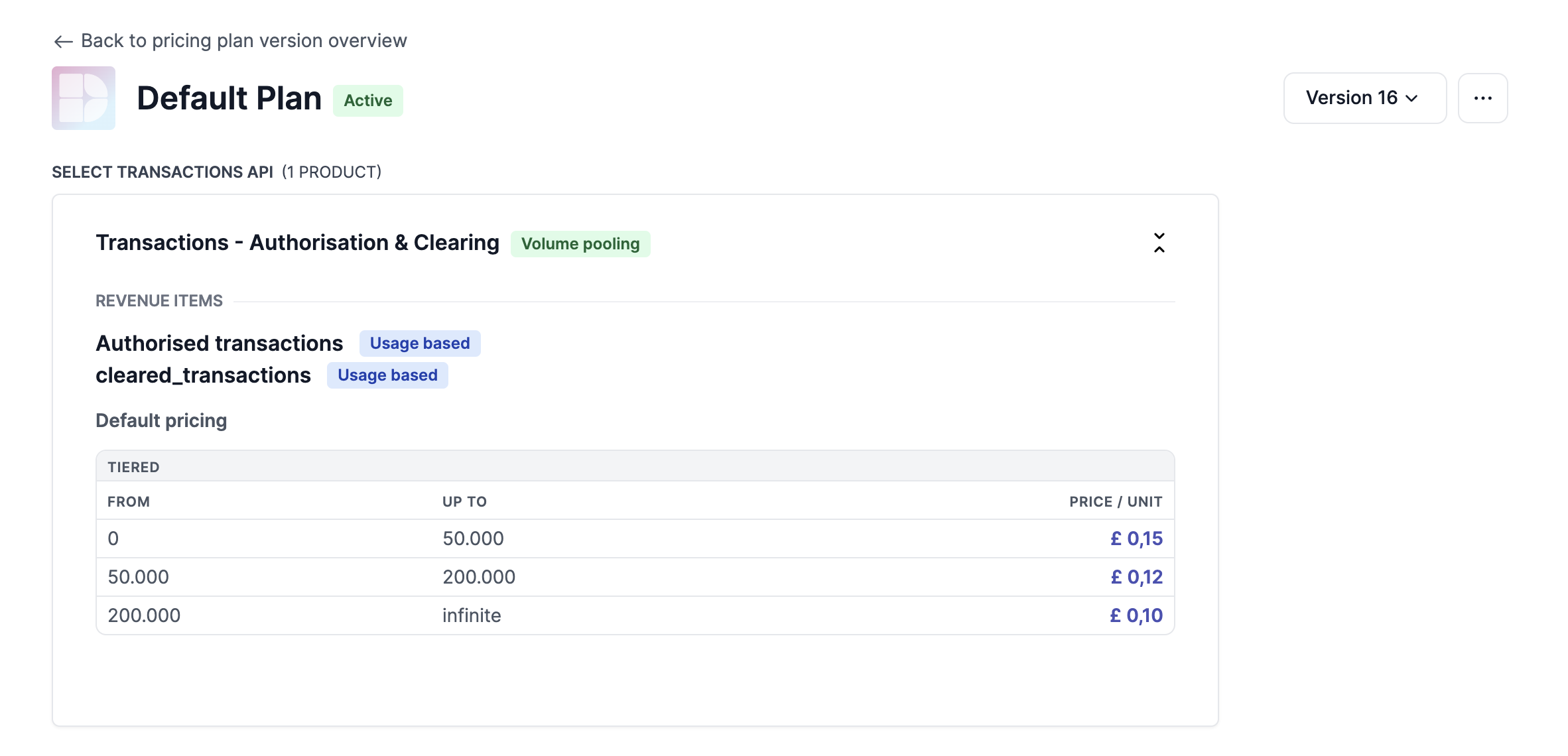
In various industries, usage volumes are often combined into one 'pool' for pricing tiers. This means that products are grouped together and treated as a single entity for the purpose of calculating fees and discounts.
Volume pooling are a way to negotiate pricing with customers and to give them better prices when volumes of multiple products within their usage go up.
To understand more about this, you can read about Subscription groups.
Combining volume across price rules
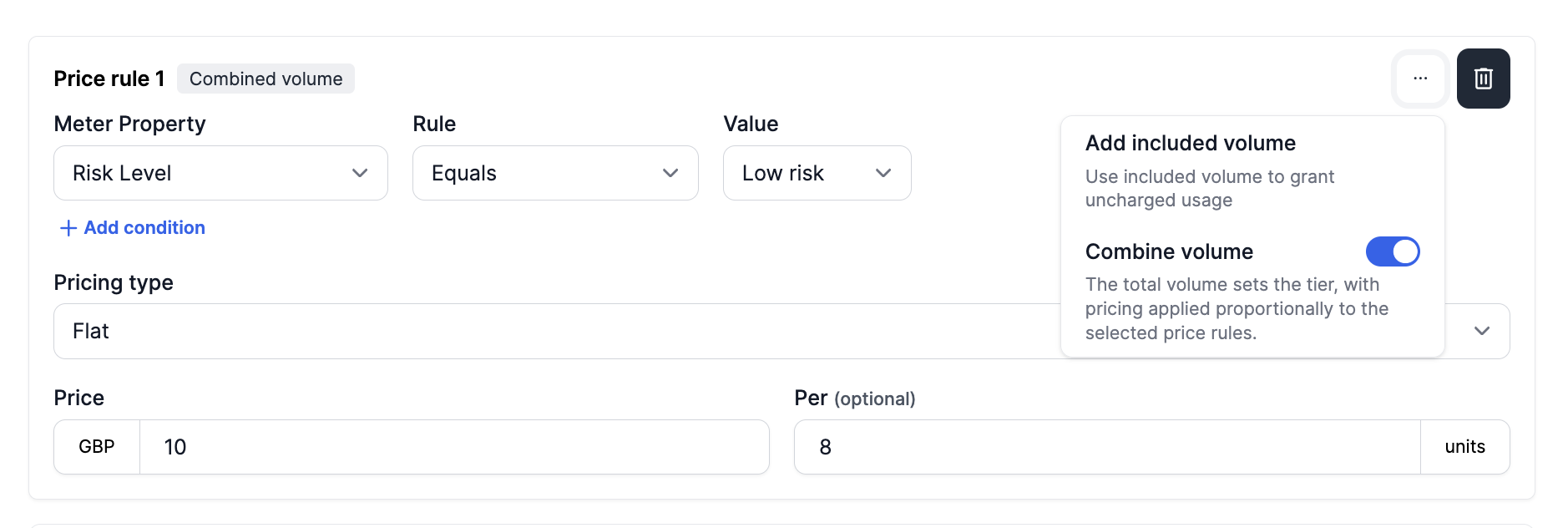
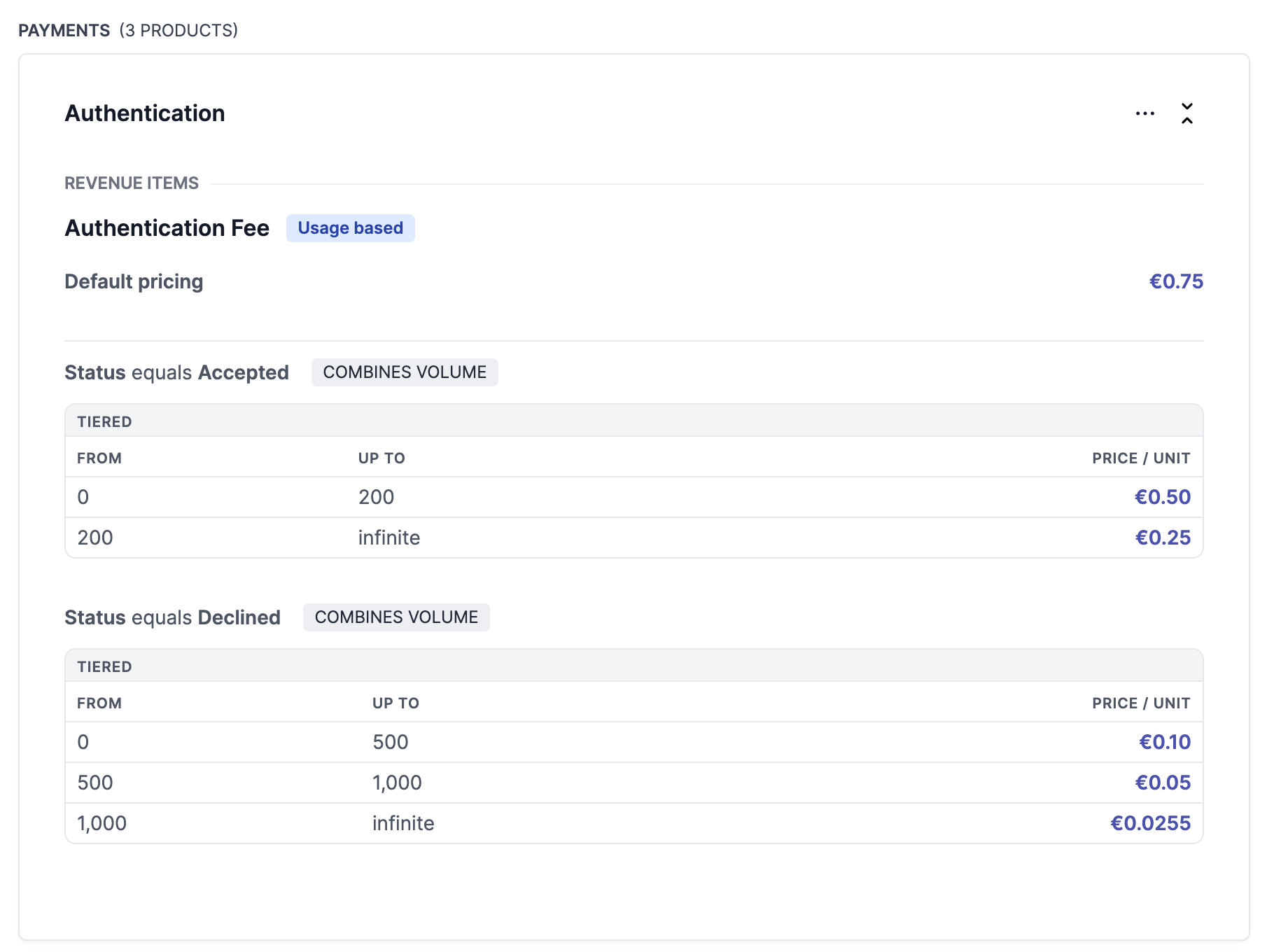
Another option for combining volumes is within pricing rules. For each rule, whether it is the 'Default' pricing rule or subsequent pricing rules with meter property conditions, can be set up with the 'Combine volume' tag.
When set, the total volume determines what tier is applied, but each pricing is applied proportionally according to the volume in that specific price rule.
Updated 10 months ago
Read more about ways to set up products and extra pricing configurations in the following articles: