
Delivery methods
Decide how you would like to deliver the invoices to your customers
Selecting the right invoice delivery method is crucial for prompt and accurate invoice delivery. Solvimon has multiple ways to receive and send invoices.
Email
The most standard way to send invoices to your customers is by email. For this, Solvimon offers integrations with the most widely used emailing platforms.
Read more about setting up sending invoices per email in this documentation article.
API
Step 1: Configure Webhook on Invoice Resource
Configure a webhook restricted to INVOICE.UPDATED using the inclusive_actions field. This will trigger webhook events on every invoice update, such as an invoice moving from DRAFT state to FINAL state.
The payload INVOICE.UPDATED of the event will contain essential details such as:
- Invoice Amount
- Customer Billing Email Address
These details can be used to dynamically generate a customer facing email to notify customer of the new invoice.
TIPSolvimon webhooks are compatible with tools such as Zapier, MessageBird Engagement Platform, Twillio Studio. These tools can be used to easily setup a customer facing invoice process. In which you can manage Email templates, Email configuration, Dunning process and more.
When the webhook has been received and processed, for more details on accepting a webhook see: Webhooks, you can move on to step 2:
Step 2: Call Get Invoices Endpoint
Call the GET invoices endpoint to fetch the FINAL invoice PDF
https://docs.solvimon.com/reference/get_v-version-invoices-resourceid-pdf
Manual download
Through the Solvimon desk a user can download invoices manually
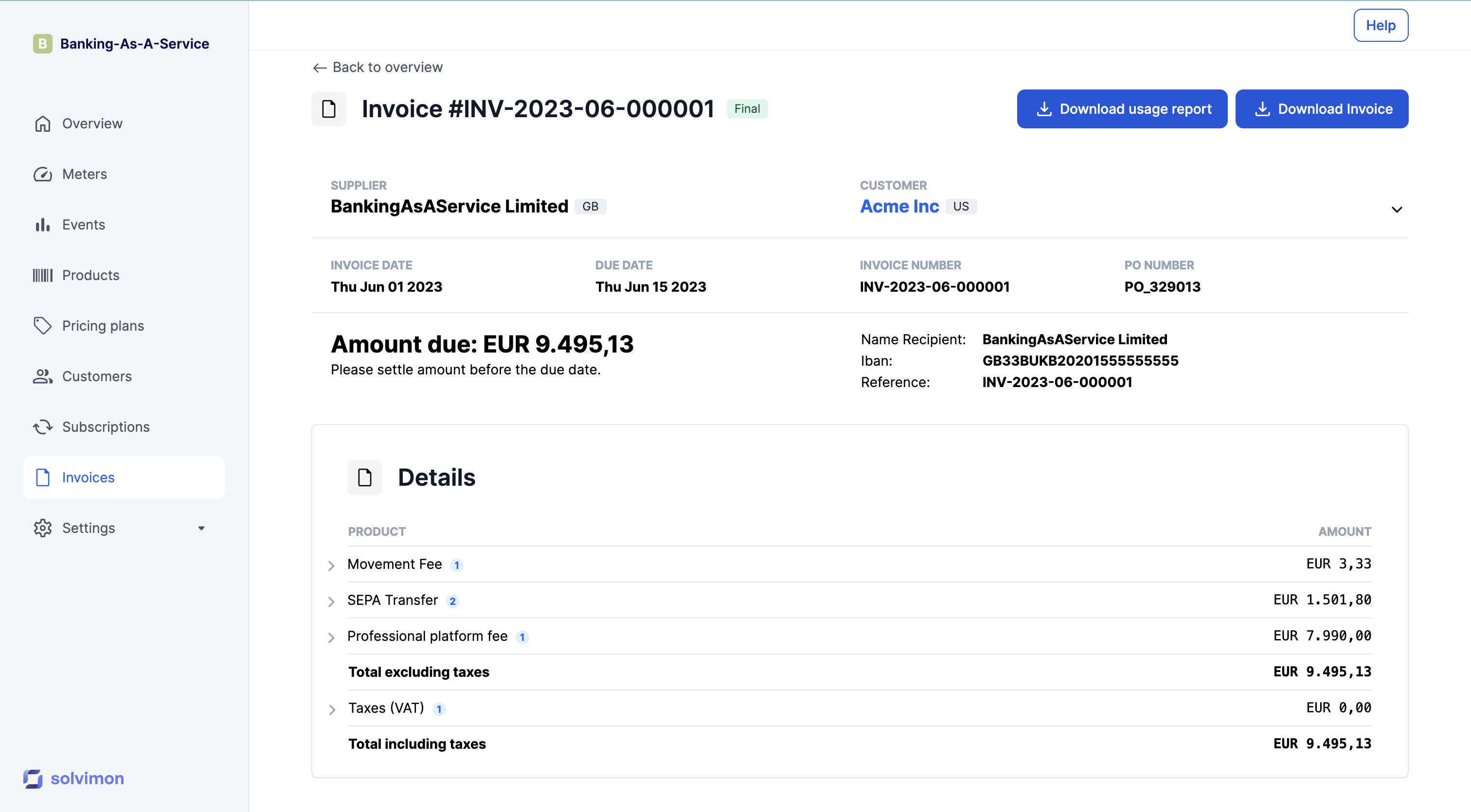
Good to knowYou can download a usage report and view all unique events that were ingested for this specific invoice.
.CSV file download
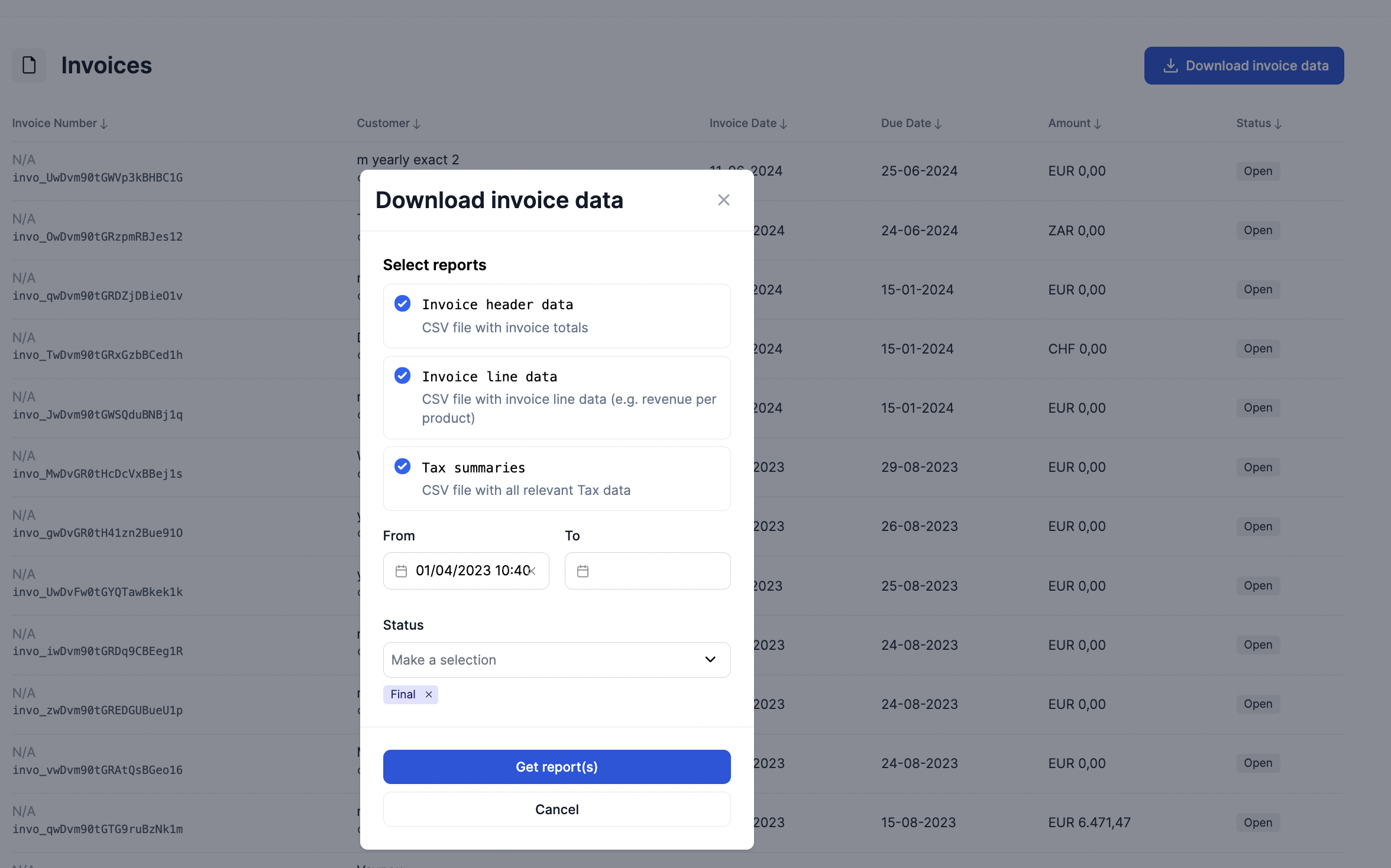
Invoice data can be retrieved in .CSV form and uploaded into an ERP system, for example.
There are 3 levels of CSV files:
- Invoice header data: One row per invoice summarising the invoice header level data points such as total invoice amount and total tax
- Invoice line data: One row per invoiced product in order to retrieve revenue per product
- Invoice tax summaries: One row per invoice per tax rate summarizing all tax data
Google Buckets
Solvimon uses Google Cloud Buckets to store and archive Invoice PDF files. Enterprise customers can contact support to get access to the Google cloud bucket.
Enterprise FeatureReceiving invoices through Google Cloud Buckets is an enterprise feature. Please contact our support team to get more information about getting access to this functionality
Updated 10 months ago