
Customising subscriptions & pricing
Tailored pricing for specific customers within their own contracts.
We understand that every business is unique, and one-size-fits-all pricing plans may not always align with your specific requirements. That's why we offer the configuration of custom pricing plans that can be used for customers which do not fit your standard pricing offerings.
Subscription configurations
There are two types of custom settings that can be managed in a subscription. One of them is the subscription schedule configurations: settings for general tailoring of a pricing plan, such as discounts, commitments, included usage volume and included seats. These settings can easily be changed and do not change the underlying pricing structure of the plan.
The various ways of subscription configurations are handled here.
Customise pricing within subscriptions
When a customer needs tailored pricing, the underlying pricing structures are changed and a new, custom, pricing plan is created for a customer. A custom priced plan can be created within the subscription menu.
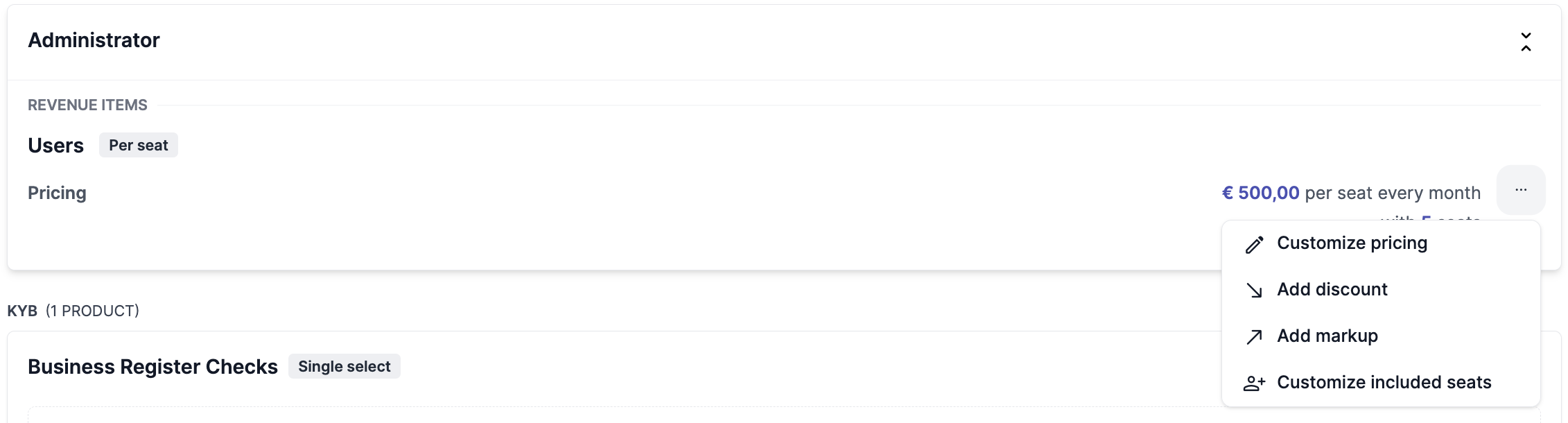
If you want to offer tailored pricing to your customer, you only need to click the edit button on a pricing configuration within a subscription schedule. The platform will create a custom pricing plan and take you to the price editing configuration screen right after. Once you are done editing the pricing, you can save the subscription.
You can Edit a pricing item to create a custom pricing plan as shown below by clicking on the three dots that appear when you hover on the product item
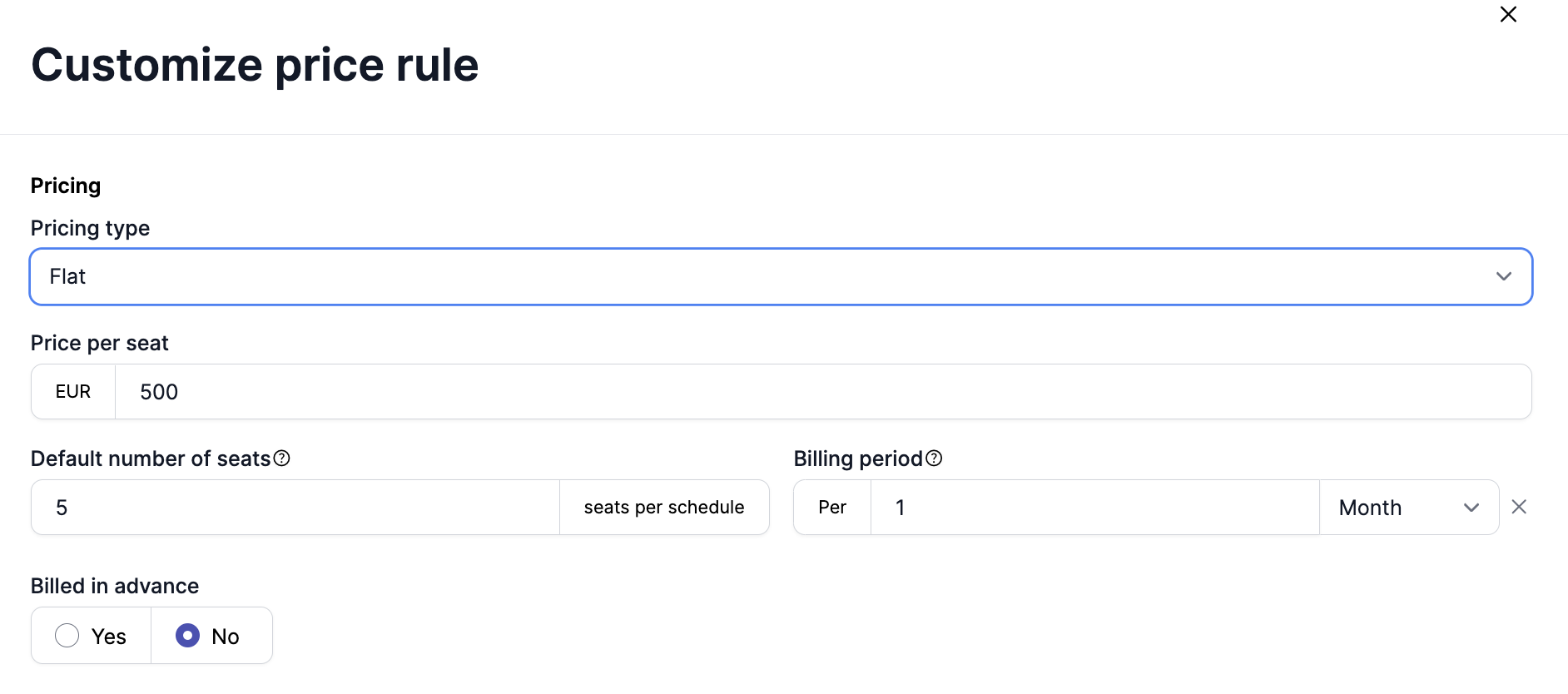
Select Customize pricce rule and add the custom pricing details in the form as shown below
US Sales Tax configuration
You can read more about it here
Updated 10 months ago