
Billing entities
Set up multiple billing entities to bill your customers from as your business grows internationally
We allow a platform to set up multiple billing entities which can be used to issue invoices to customers. The country code of the billing entity will determine the tax regime applied to the invoices issued to the entity.
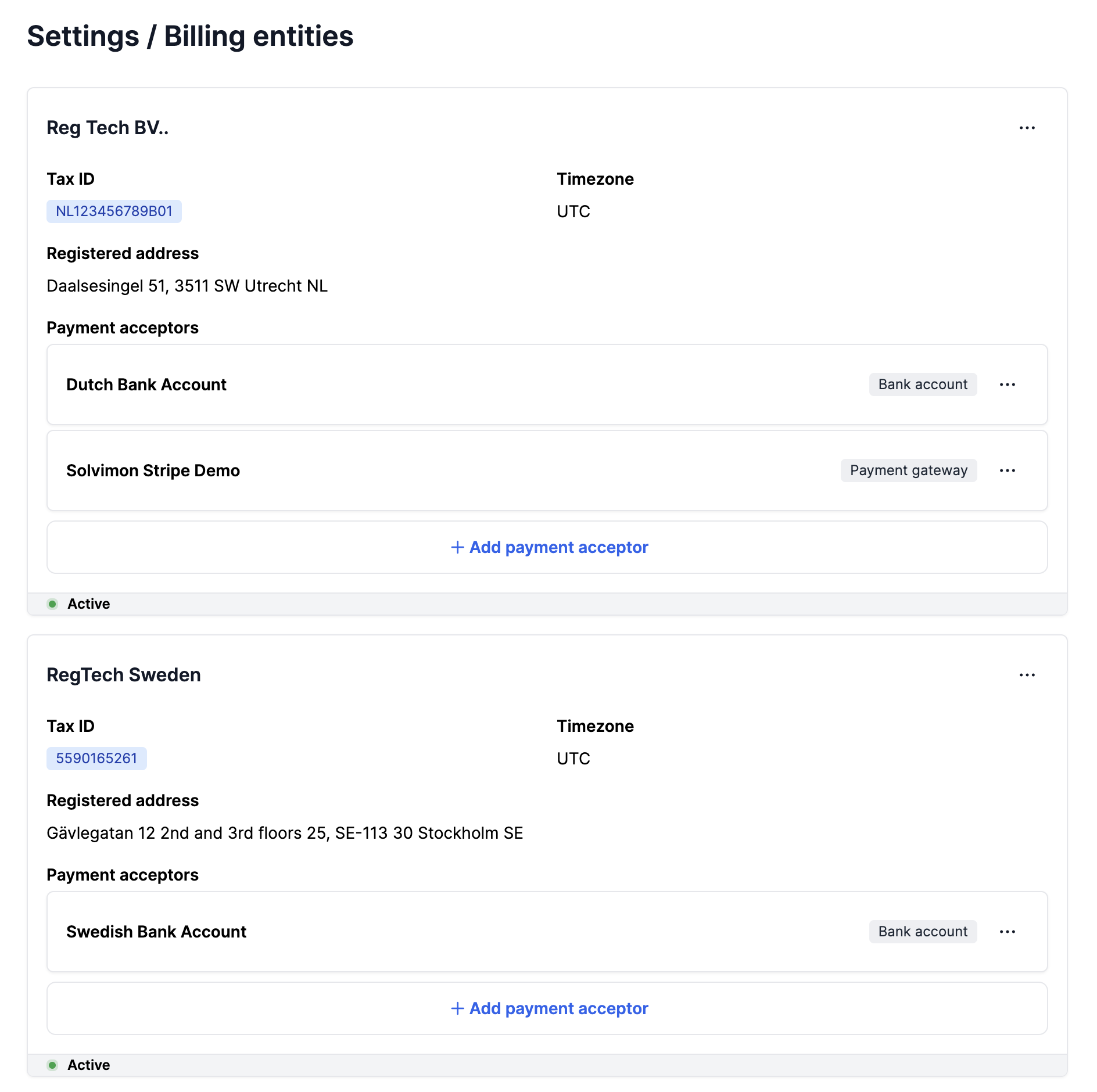
You can create a billing entity on the Solvimon Desk from the Settings Menu → Billing Entity
| Field | Example |
|---|---|
| Legal name | Cloud Shipment BV |
| Reference | cloud-shipment-bv |
| Status | ACTIVE |
| Tax ID / VAT | 559016526199 |
| Registered address | Dorpsstraat 122, 2nd and 3rd floors, 3520XZ Utrecht, The Netherlands |
| Time zone | UTC time |
| Created at | Date time of creation of the record |
| Custom Field | Any Metadata you want to store |
You can create Custom Fields with the Resource Type as Billing Entity which will show up when creating a Billing Entity as shown above in the Billing Merchant ID field.
You can use this to store any metadata and/or synchronisation keys for integrations to you ERP and CRM systems
Updated 10 months ago
What’s Next