
One-off invoices
Collect a charge outside of the customers' subscription.
You can generate an invoice for a customer for one-time or ad-hoc charges that are outside their regular subscription.
Creating a one-off invoice allows you to immediately bill one or several add-ons to a customer.
- One-off invoices are generated by default in
DraftandOn Holdstatus and can be moved toOpen/Finalmanually - They can contain the same product multiple times with same/different dates and unit pricing
- Within the invoice settings, you can define additional meta-data such as the PO number or values for custom fields. Go to Settings > Edit invoice info
- Default tax settings are applied to the one-off invoice that are defined at the Customer and Billing entity level.
- Discounts or Commitments are not applicable to one-off invoices.
- Invoice numbers are generated once the invoice status has been changed to Final
Steps to take to create a One-off Invoice
Go to Invoices > Create one-off invoice to generate one from the Desk portal.

You will be asked to fill in some details such as the customer, billing entity, and other information. Once you've created the invoice, you can add one or several invoice lines to it.
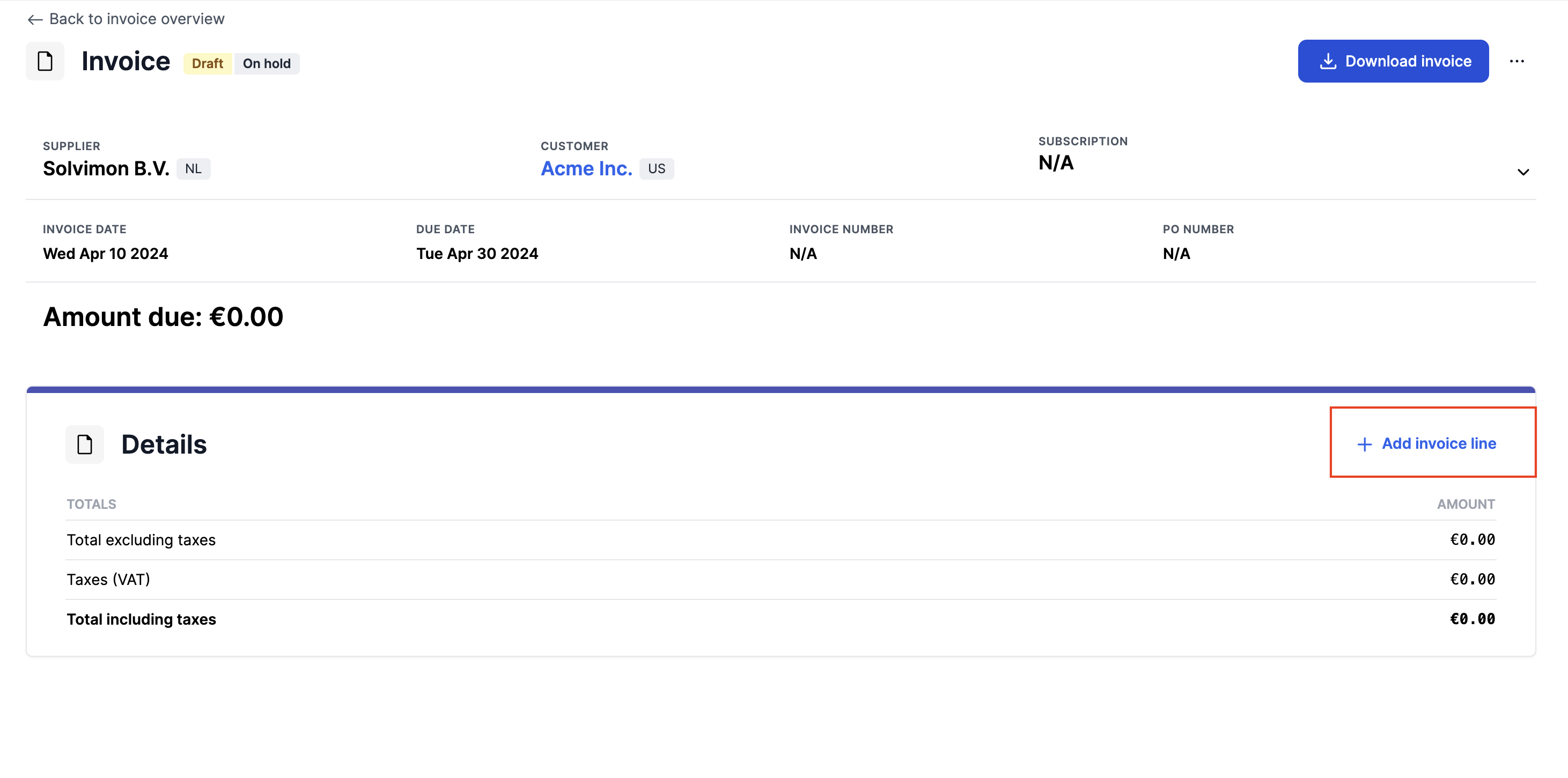
- Click "Add invoice line" to include new invoice lines
- Specify the billing period of the invoice line, this can be 1 full day, or an entire period
- Choose the Product Item or Product Line Item from the dropdown menu, or, if you do not want to select an existing product, you can provide a pricing name for the line item that you wish to display on the invoice lines instead
- Adding only a product level line item to a one-off invoice will result in the invoice showing the same product name in the lines and sub-line level
- Input the price amount of the invoice line
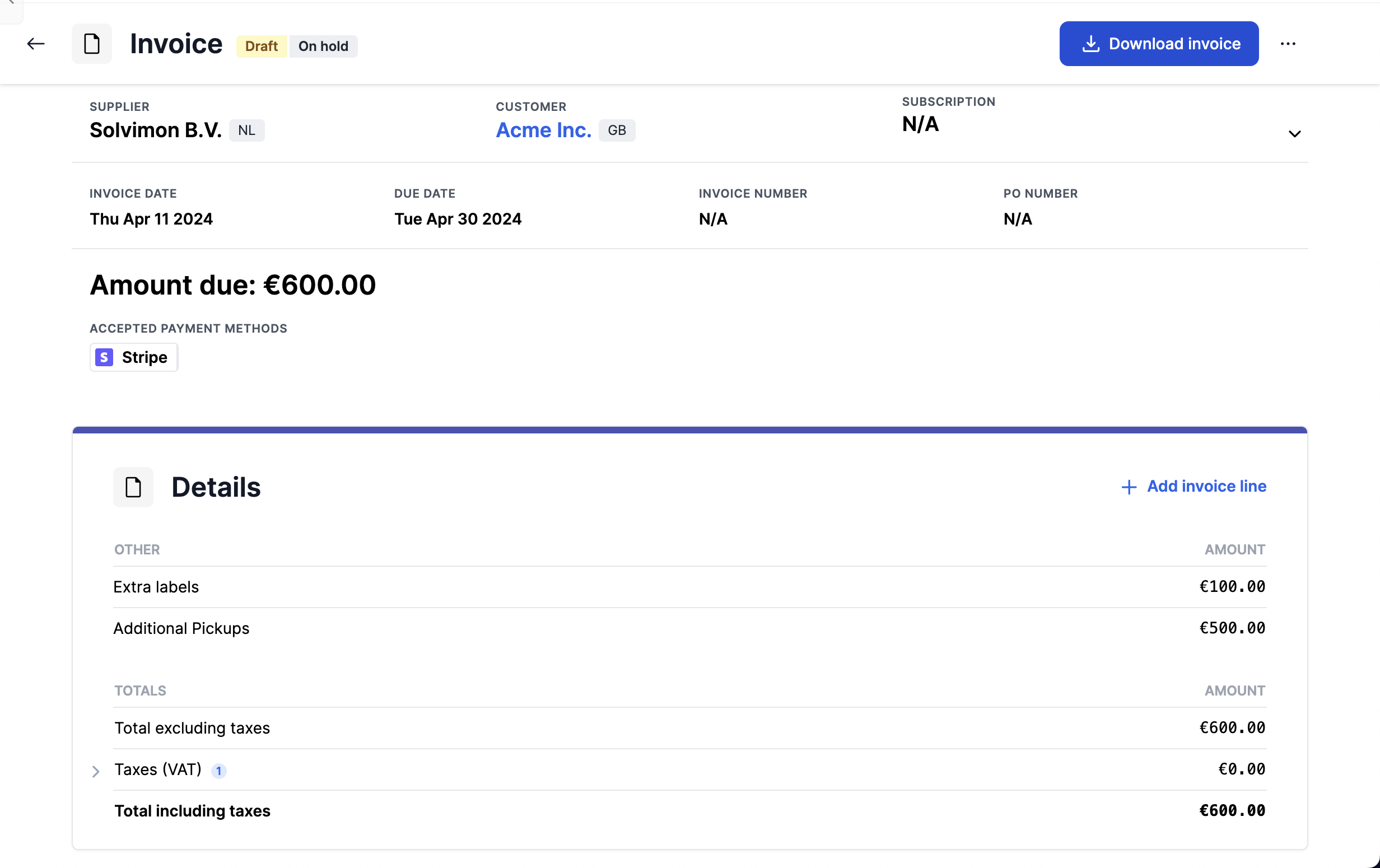
- Once you add an invoice line item, it will be displayed in the invoice as depicted below. You can then view the total amount along with the tax calculations for the invoice
Updated 10 months ago
What’s Next