
Step 5: Adyen Auto Rescue
Avoid Churn with Adyen AutoRescue
PrerequisiteIn order for Adyen Auto Rescue to work a configuration by Adyen support is required, for more details see: https://docs.adyen.com/online-payments/auto-rescue/
Email to [email protected]:
Hi Adyen support team,
Could you please enable Adyen Auto-Rescue on the following Merchant Account: XXX
for Cards only, please.Best Regards
Solvimon has a native integration to Adyen Auto-Rescue.
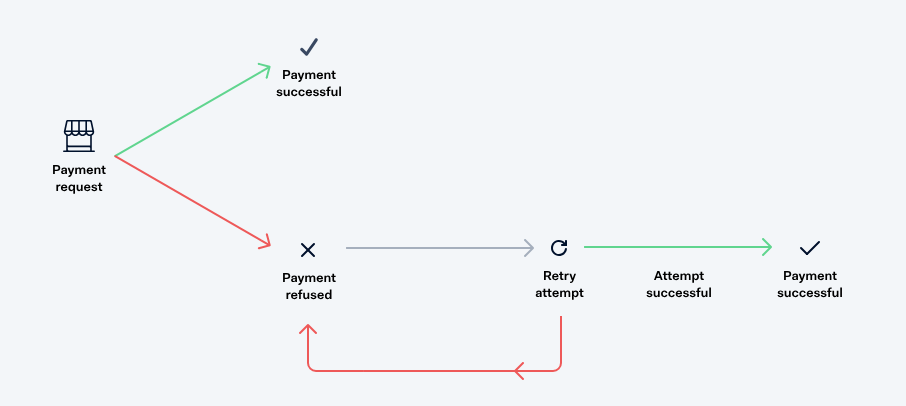
Adyen's Auto Rescue automatically retries refused or charged back shopper-not-present transactions such as subscription renewals. It uses smart logic to decide which payments can succeed when retried later, and performs these retries at optimal times.
A payment can be refused, in case of card transaction, or charged back, in case of a SEPA direct debit transaction, due to many reasons. In some cases, for example, when the shopper's account has insufficient funds, the payment may still succeed when submitted again at a later point in time. In other scenarios, for example when the shopper's account has been closed, the payment is declined permanently.
Auto Rescue schedules retries for refused or charged back payments that have a chance of succeeding. It may take several retry attempts to rescue a payment. These attempts occur within a rescue window.
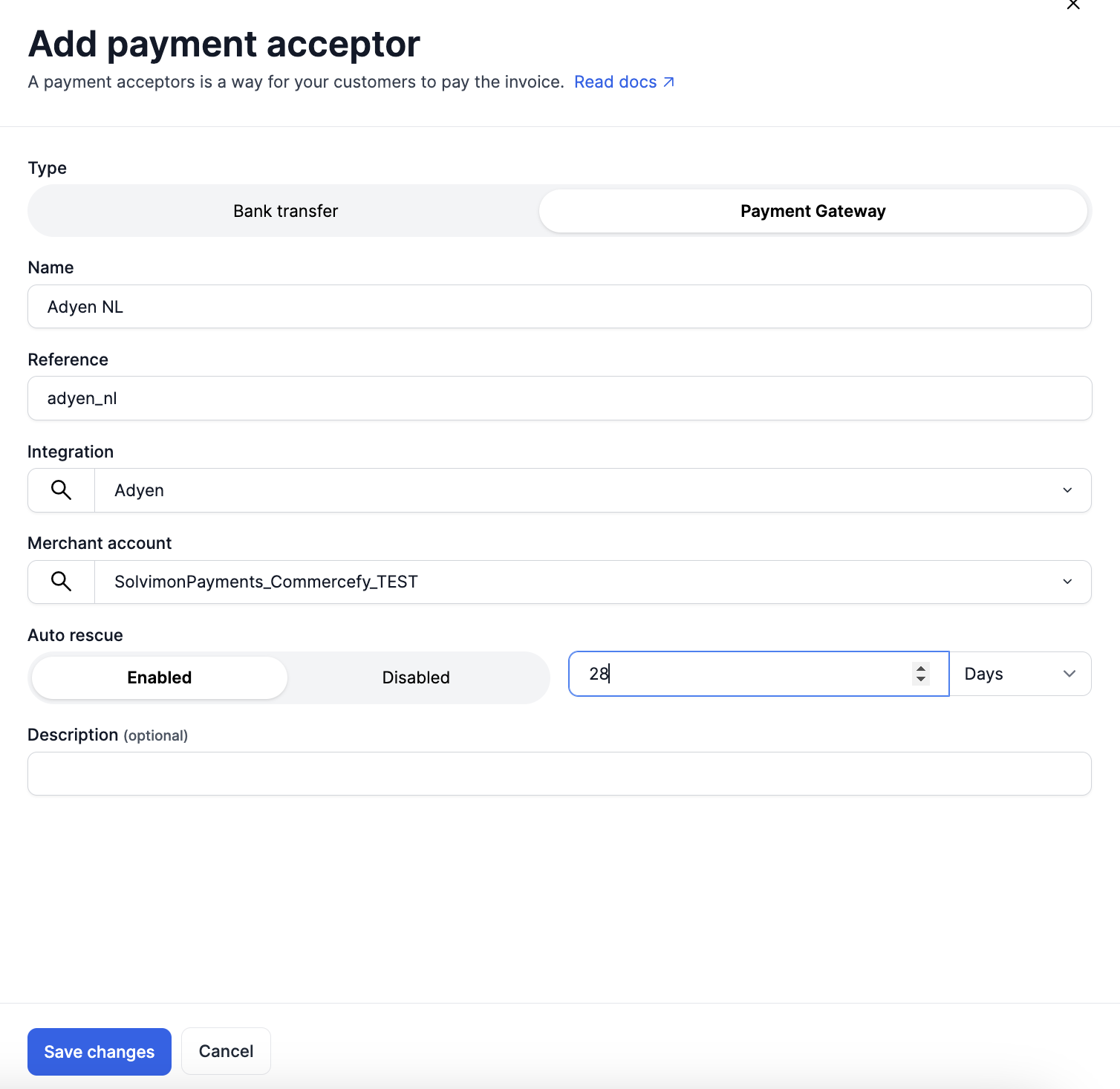
Setting the Auto-rescue window in Solvimon can be done in the Billing Entity - > Payment Acceptor settings.
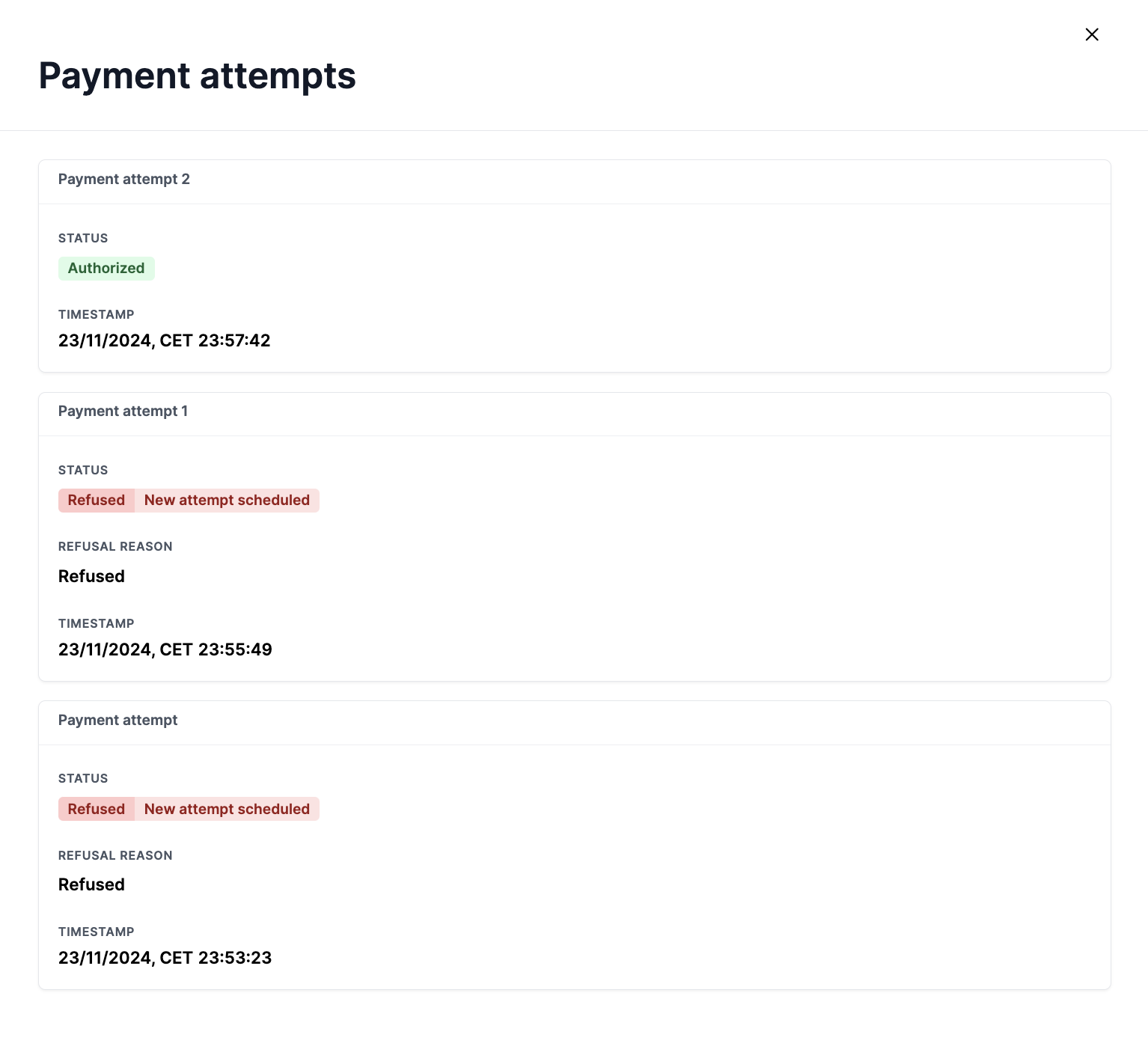
On the invoice level you can find Payment Attempts to see the dunnings process.
More information about Adyen Auto-rescue can be found here:
https://docs.adyen.com/online-payments/auto-rescue/
Updated 10 months ago