
Pricing Plans
Configuring template pricing plans by connecting products to pricing.
A pricing plan defines how much to charge for an individual product or bundle of products offered to a customer. The product, on the other hand, determines the type of pricing, such as subscription-based or usage-based. The pricing plan specifies the specific price ("how much") to be charged, while the product defines the overall approach to pricing ("how").
Solvimon currently has four charge types that define how a pricing structure can be set up for a specific product item: usage-based, per-seat, recurring, and one-off pricing charge types. Read about product charge types here.
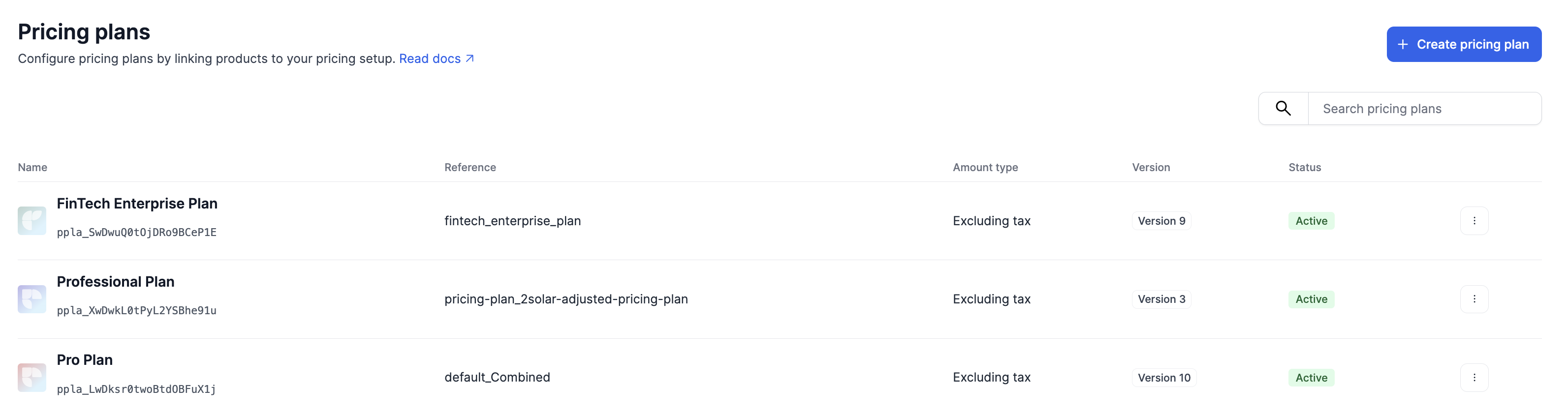
By default, for B2B customers, all pricing plans are configured with amounts set to exclude tax, as shown below. For B2C customers, however, prices are typically set to include tax, so this setting should be adjusted to 'Including Tax' accordingly.
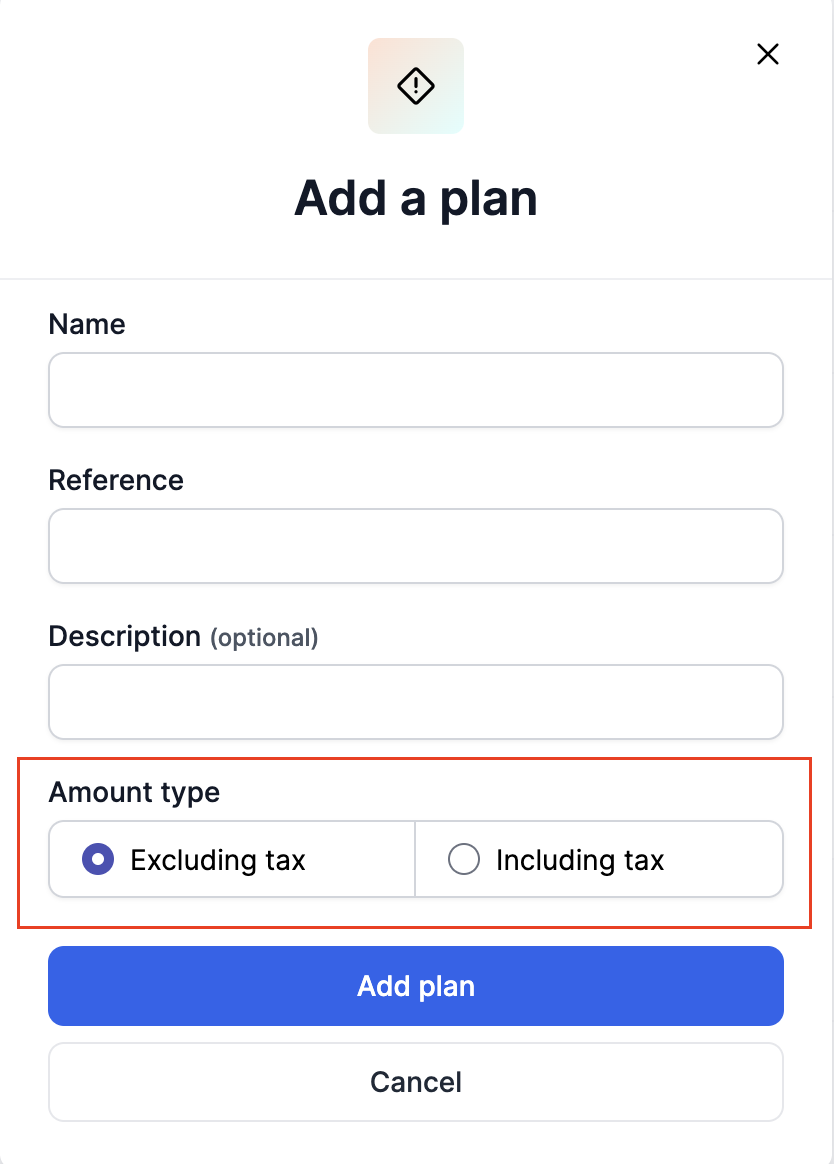
Configuring a pricing plan
The basic components of a Pricing plan are
- Pricing plan details
- Pricing items configuration
- Pricing groups
Versioning
Pricing plans are versioned in order to maintain an audit trail and history, as pricing impacts the platform's revenue and customer costs. It is important to keep track of changes to pricing plans over time in order to accurately reflect the cost of products and services to customers.
In short, Pricing Plans combine everything you've set up before and enable you to connect your Customer to a Pricing Plan using the Subscription module.
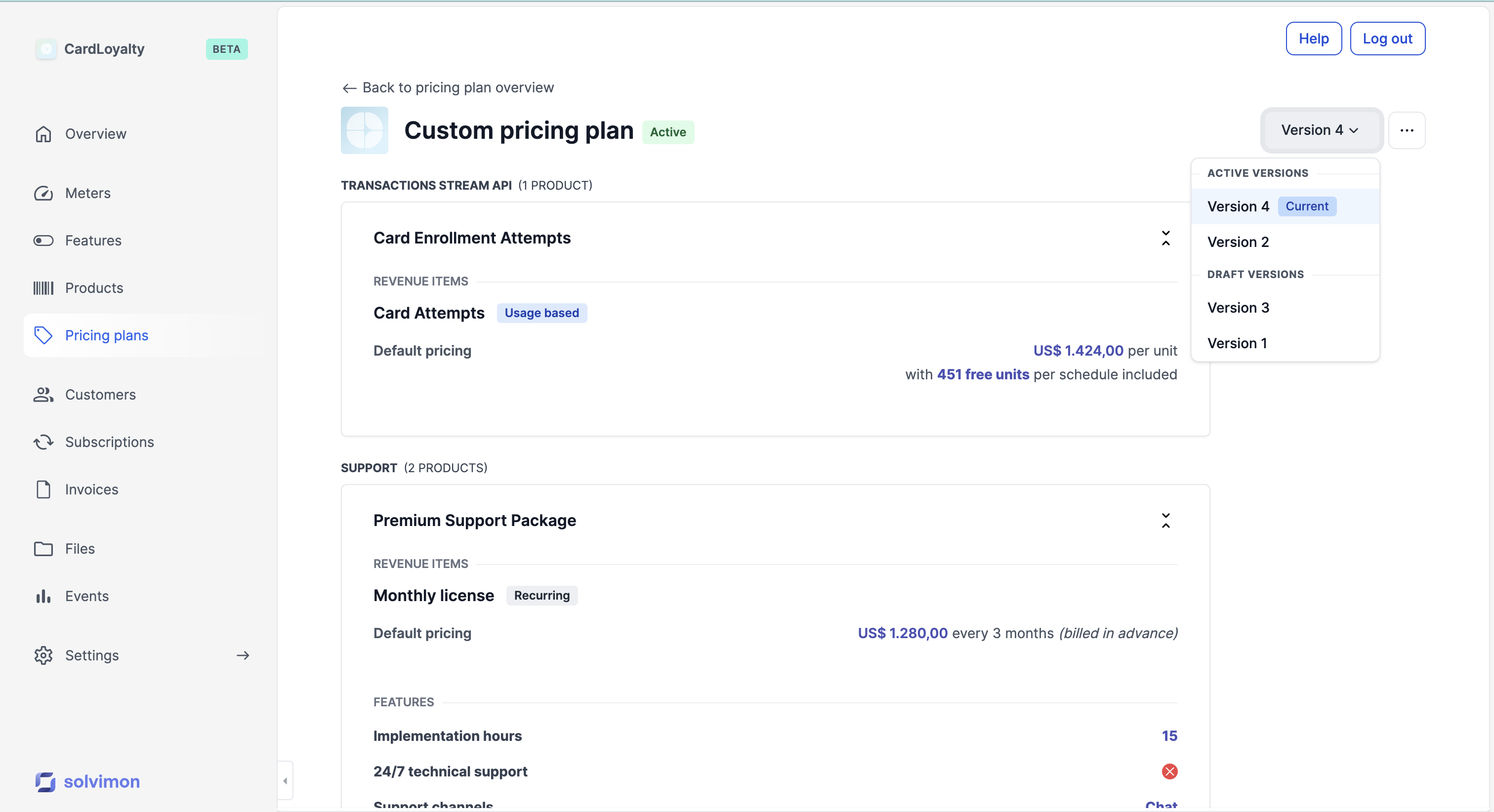
Duplicate version
A pricing plan version can be created by either duplicating the last version of create an empty version and make it entirely from scratch
Ordering pricing items
You can organise the pricing items in a Draft pricing plan, as shown in the video below. Pricing can be arranged at both the product level and the product item level.
The order of the pricing will determine the sequence of line items displayed on the invoice.
Changes to the pricing order can only be made while the pricing plan version is in Draft status. Once the pricing plan version is updated to Active, the order is finalised and cannot be altered.
To know more about the default ordering of invoice line items, refer to this document.
Demo
Updated 10 months ago
Read more about different pricing strategies and how to set them up through the platform: