
Invoice Usage Report (event level)
Allow your customers to reconcile the invoice
Events billed on an invoice are referred to as matched events. These are events that have been accepted by Solvimon and correctly mapped to the customer and their corresponding subscription.
For invoices with usage-based product items, you can view the number of events matched to the subscription along with a detailed breakdown.
You can download the matched events report for an invoice from Desk, as demonstrated below.
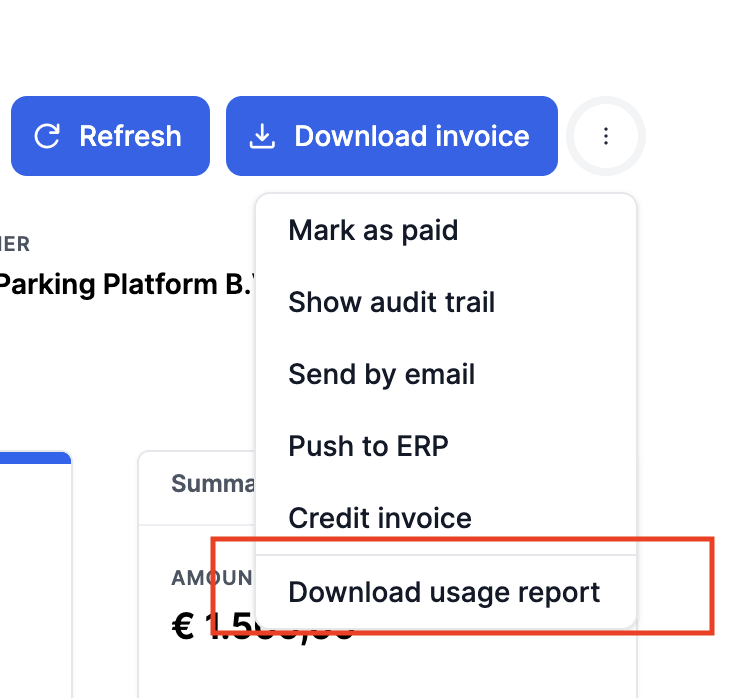
These reports are also automatically generated when an invoices moves to final and will be stored in your google (Folder Name: INVOICE_USAGE) bucket for archiving purposes.
Or alternatively the report generation can be triggered for non-final invoices by API:
curl -s --request POST -H "X-API-KEY: XXXXX" -H "X-PLATFORM-ID: XXXXX" -H "Content-Type: application/json" --url https://api.solvimon.com/v1/report-generate-requests --data '{"report_code":"INVOICE_USAGE","invoice_id":"XXXX"}'`
Event level cost prediction
Optionally we can add columns to the report in order to have the actual cost associated with the event. This requires more storage and therefore this feature will be available as premium add-on.
Available cost columns:
Cost Amount Quantity: The cost calculated by spreading tiered discounts over all transactions during the billing period. This provides a normalised view where discounts are distributed proportionally across all events in the month.
Cost Amount Quantity Pre Normalised: The cost calculated by following the pricing tiers to set the cost price on a single event basis. This shows the actual tier-based pricing applied to each individual event before any normalisation.
Cost Amount Currency/ Cost Amount Currency Pre Normalised: The currency in which the costs are denominated.
Expecting more usage on your invoice but not seeing it? Is the usage report displaying incorrect information? It’s possible the events weren’t matched to the invoice. Learn more about unmatched events here
Updated 5 months ago