
Currencies & Exchange rates
Always invoice in the right currency and according to the latest exchange rates
In the dynamic landscape of global business, managing sales and invoices across multiple regions often involves dealing with diverse currencies.
The Solvimon platform allows you to fill in any currency on all data points where monetary amounts are managed. Places where you can configure a currency for a monetary value are:
- Event ingestion
- Pricing configurations
- Subscriptions & Quotes
Good to knowWe can add any currency that you use to the platform directly. Please let our team know which currency want added and it will be available within 1 working day.
Event ingestion
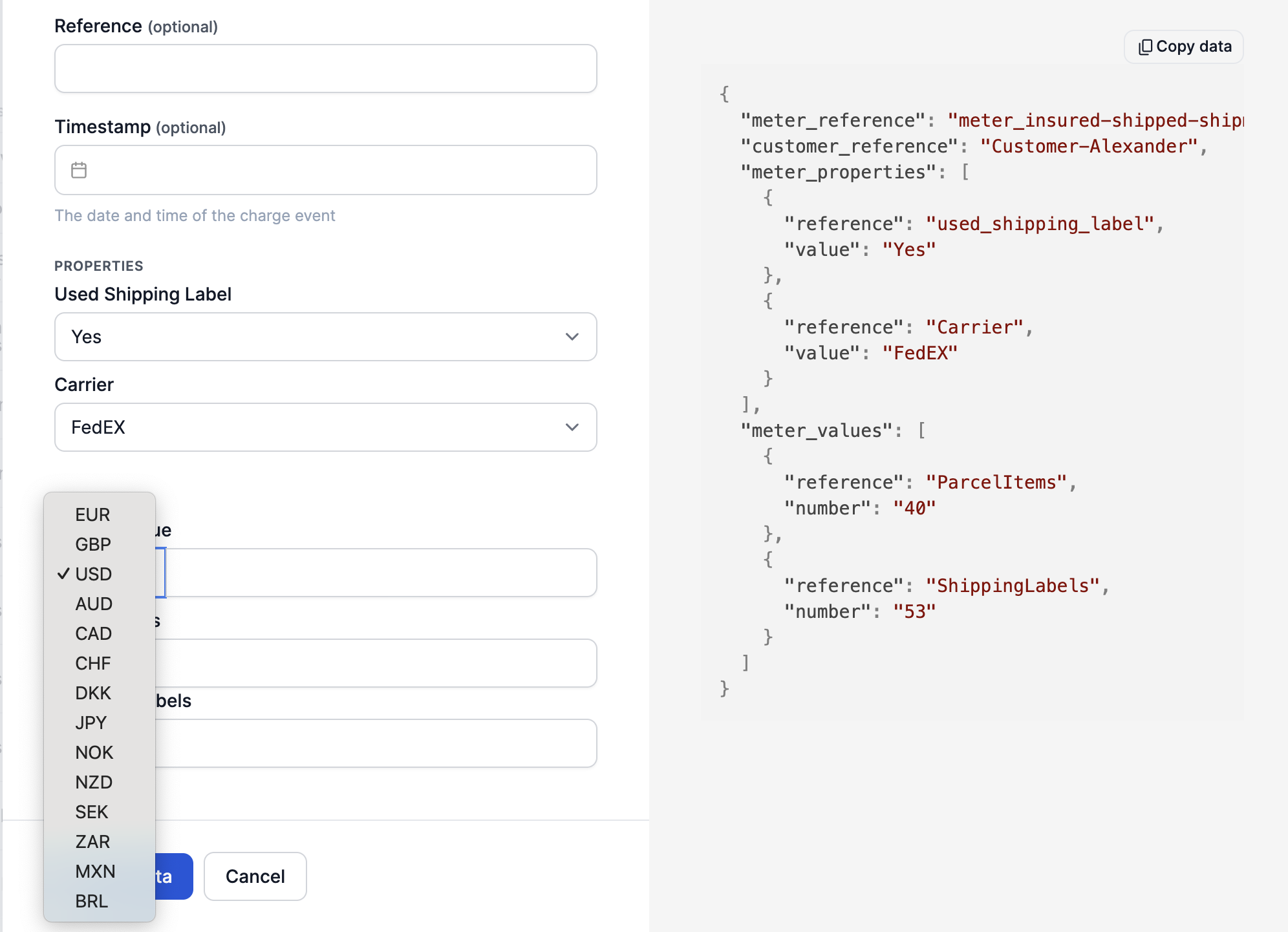
When ingesting usage events for meters that have meter values with the type AMOUNT, a currency can be configured.
On the invoice, however, the billing currency is shown on the price column of the invoice because ingested events can be of any currency, and the invoice line can only show one price. Moreover, in case of tiered pricing, the amounts are summed to determine the price that was applied per event.
In the usage report of the invoice one can view the originally ingested amounts with the original currency.
Pricing configurations
When configuring pricings, you can also use any currency you might have pricing for. Pricing plan versions consist of one or more pricing configurations, and these all can have their own currency setting. This means one pricing plan version can have pricings of several currencies all at once.
Are you offering your entire plans in multiple currencies? The best way to implement this is to set up multiple pricing plans depending on the currency the plan is in. For example, if you are offering your services in both EU and the US, you can create a pricing plan fully configured in Euro's and one in US dollars.
Subscriptions & Quotes
Subscriptions (and therefore, quotes for subscriptions) have an option to select a billing currency. A subscription billing currency is what the invoice lines will be converted into, and in what currency the total payable amount will be communicated to your customer.
When a product pricing is in a different currency (say, euro's) than the billing currency of the customer's subscription (dollars), the original price is shown and the total amount is shown in the billing currency.
Exchange rates
Exchange rate retrieval frequency
Exchange rates are updated on a daily basis on the Live platform from the platform APILayer. APILayer retrieves their exchange rates from numerous databases and banks to give the most accurate exchange rate.
APILayer uses many commercial sources to receive the highest possible level of data coverage and accuracy:
Our spot exchange rates are sourced from a very broad base of commercial sources and banks around the world, each of varying types and frequencies. The larger weighting particularly for major currencies is towards commercial sources as they more accurately reflect the trading occurring in the markets. In order to ensure the highest possible level of data coverage and accuracy, the exchangeratesapi.io system relies on a very distinct “validation and fallback” algorithm, assigning different priorities to each data source and validating each forex rate as it enters our databases. If a source fails to deliver an accurate quote, the next highest provider is queried for this particular currency pair. This enables us to sort out possible inaccuracies and provide the vast majority of all spot exchange rates with a precision of six decimal places.
Updated 10 months ago