
Tax
We take care of the tax management, so you don't have to
Tax is automatically calculated and depends on the billing entity's configured country and the country of the billed customer.
Ensure country codes are selected at both the billing entity and customer levels to apply accurate tax calculations
Tax configurations
Tax can be configured on multiple levels. Depending on the resource, the type of configuration can change.
For example, tax categories can be set on all levels within the product catalog, and customers can be exempted from tax entirely.
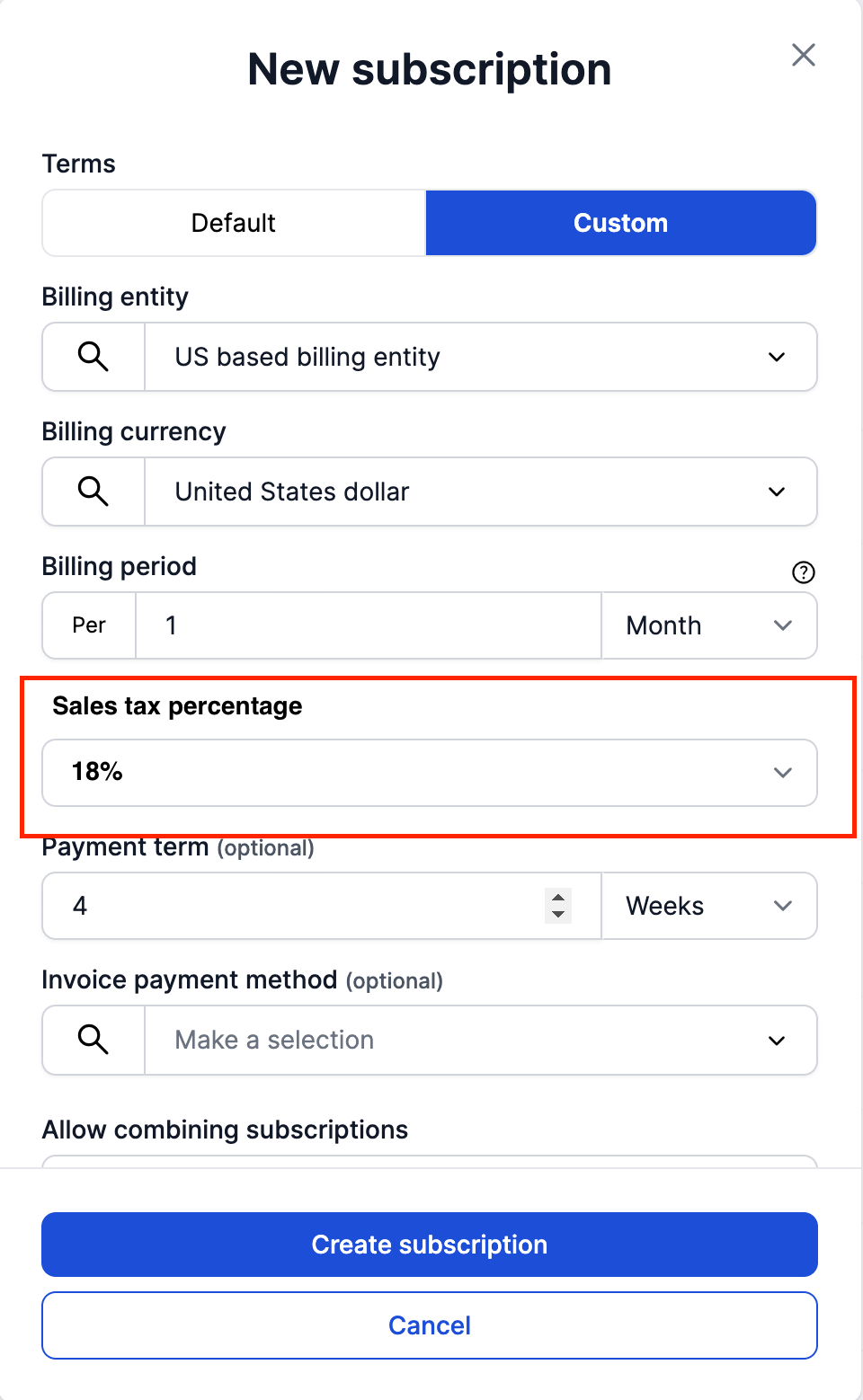
US sales tax percentageFor US billing entities and customers, a sales tax percentage can be set up on the subscription level.
Tax exemption
Customers can optionally be exempt from tax. It is possible to add a note to the tax exemption so that it is clear why this customer is exempted from tax in invoices. This setting is configured on the customer resource.
Tax categories
Tax categories can be managed in the product catalog per each level. A tax category is always set on a product category. Optionally, tax categories can be set on the product or even product item level if they are different from the product category.
Product tax categories can be different depending on the regions in which your company has billing entities. Currently, there are 3 available tax categories:
- Standard
- Zero
- Exempt
- Reduced
- Super Reduced
- Sales Tax
Tax Notes
You can view tax notes in the invoices generated for Reverse charges applied on the invoice.
- When invoicing an entity outside the EU, a reverse charge applies; however, it operates differently from intra-EU reverse charges.
- For transactions within the EU, the reverse charge mechanism is still in effect but follows specific intra-EU regulations.
- Similar reverse charge mechanisms also apply to services between the EU and Great Britain, as well as within Great Britain.
US Sales Tax
Support for US sales tax for US based billing entity, US based customer or both is available via APIs and also Desk. You can configure a sales tax percentage on a subscription level as shown in the screenshot below
This configured Sales tax percentage will be used to calculate the invoices for the above mentioned use cases, i.e., US based billing entity and/or US based customer
Updated 10 months ago