
Pricing groups
Create multiple pricings within one group with settings to select only one, or give the option to multi-select.
Pricing groups enable you to create multiple options within one pricing selection, enabling many more combinations and improving the user experience of your team.
It is possible to combine more options within a pricing plan itself, thus needing less unique pricing plan templates.
An example use case is a Platform fee that can be billed in different frequencies, or multiple types of platform fees while the usage pricing is the same.
Example: three different levels of platform fees
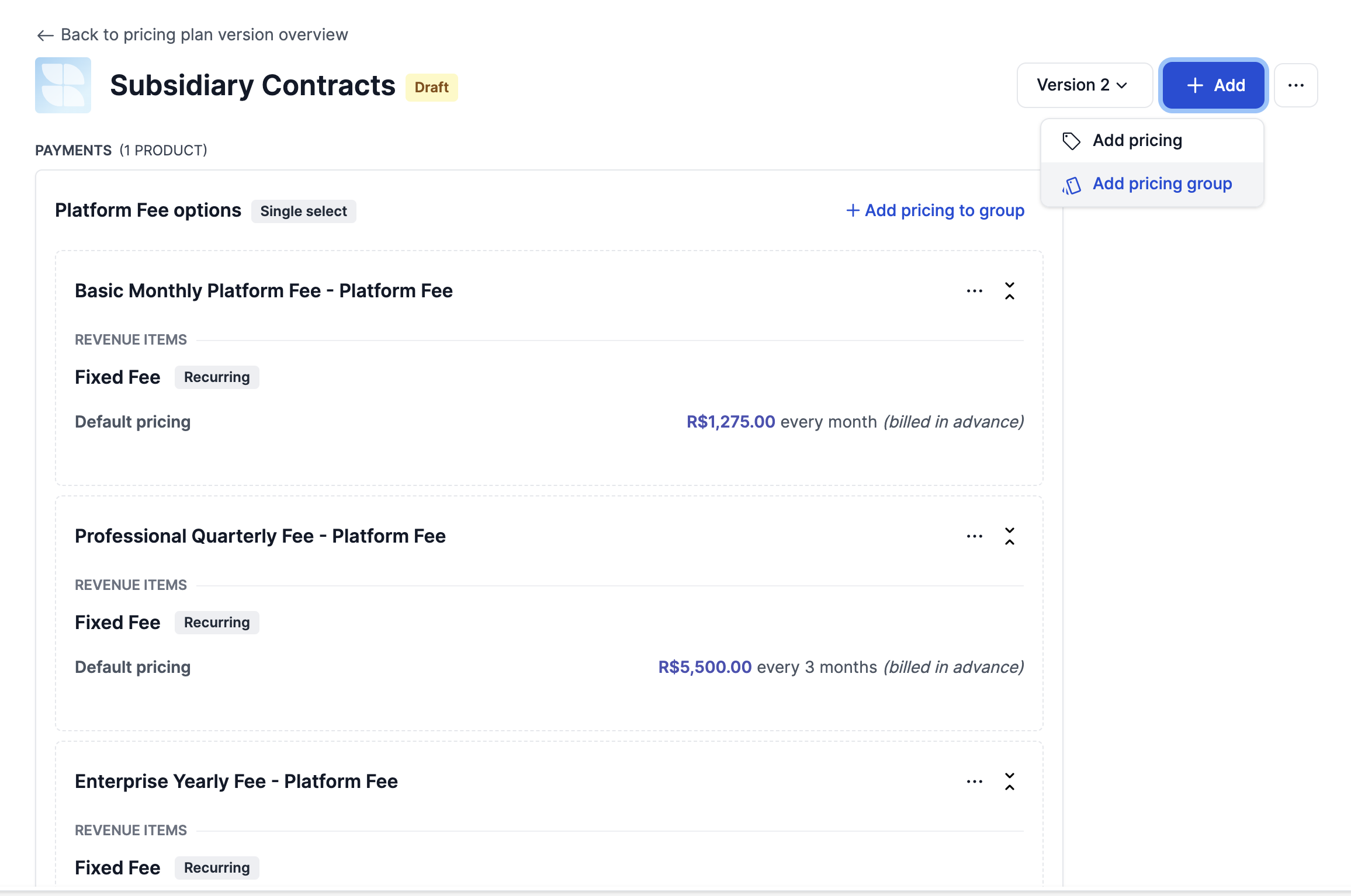
Creating a pricing group
A pricing group has a a few parameters that define it's characteristics. There is a Group type that can be either Default or Add-on and Group options that can be either Single select or Multi select.
The single select option means that there can only be one choice. In case of the 'Default' pricing type, the user must choose one pricing to be applied within a subscription.
When the pricing group is configured to be multi select, it will allow the user to select one or multiple pricings. Additionally, if the group is an add-on, the user does not have to choose a pricing at all.
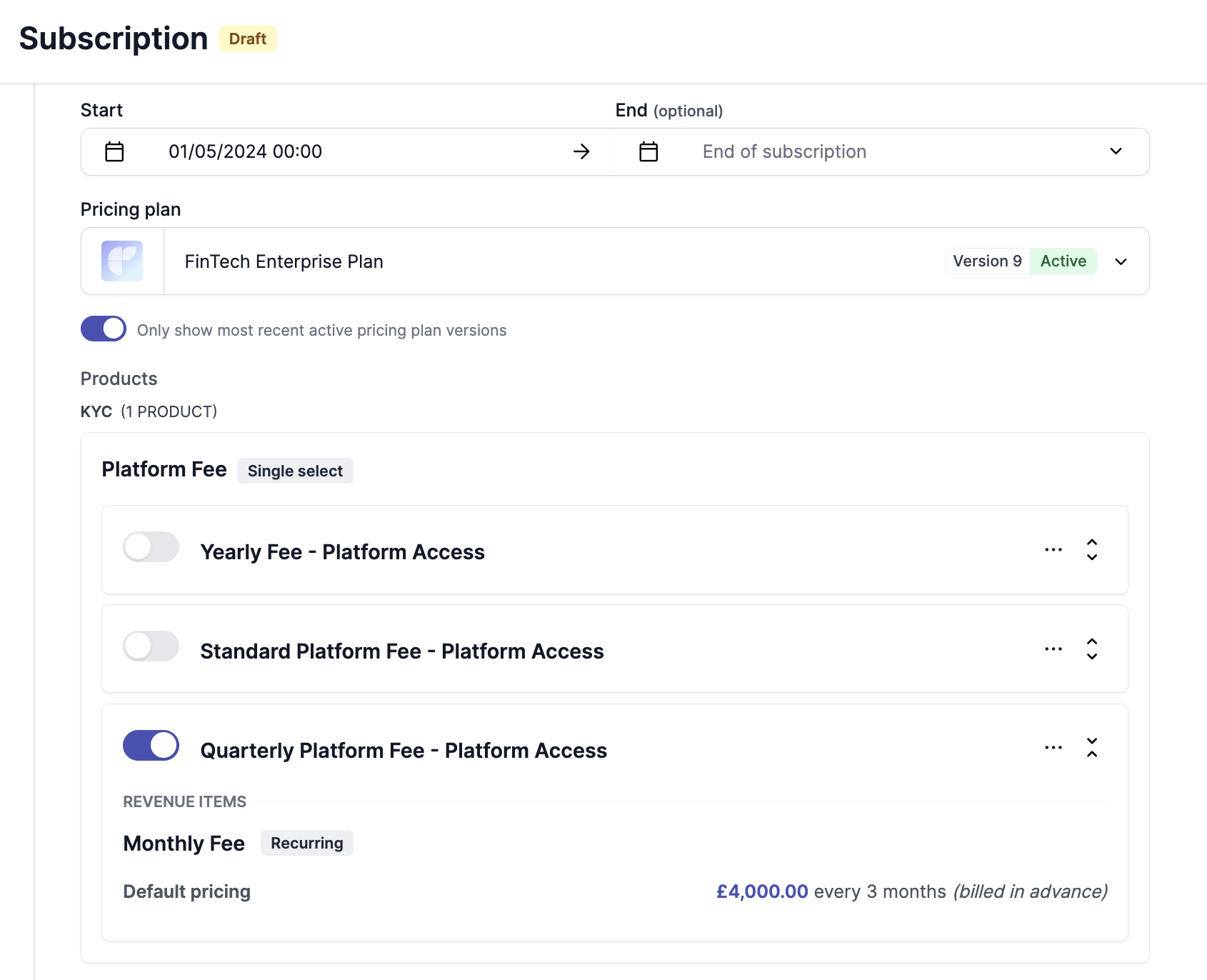
Single select pricing group
Pricing group add-ons
Solvimon also allows you to configure pricing groups as an add-on. With this setting activated, the person configuring the subscription can either select:
- none
- one (single select)
- or multiple (multi select) pricing from the group
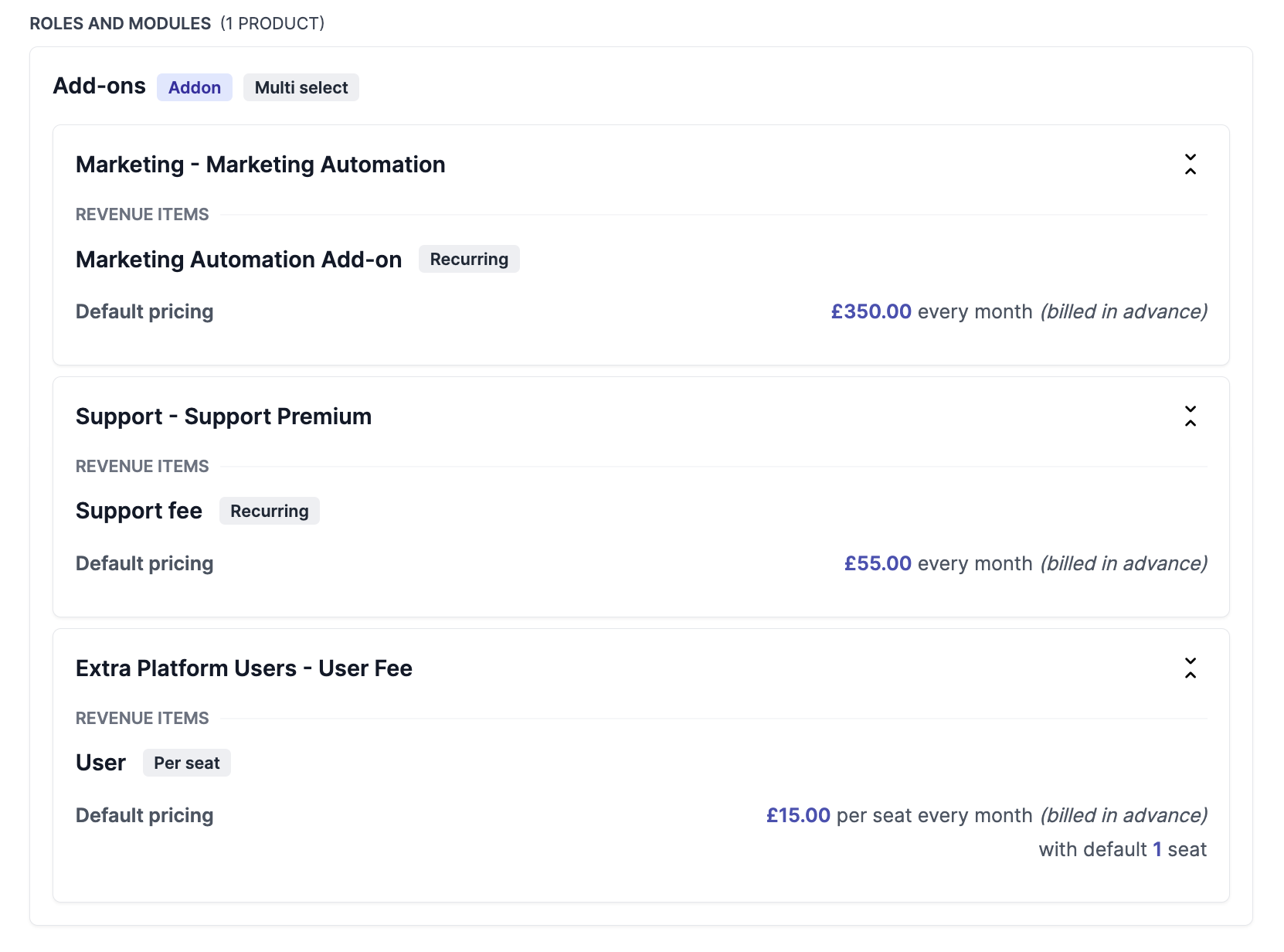
Multi-select pricing group
Customizing pricing groups
It is also possible to customize pricing for the selected pricing within a pricing group. There are no differences in the way it works compared to normal pricings.
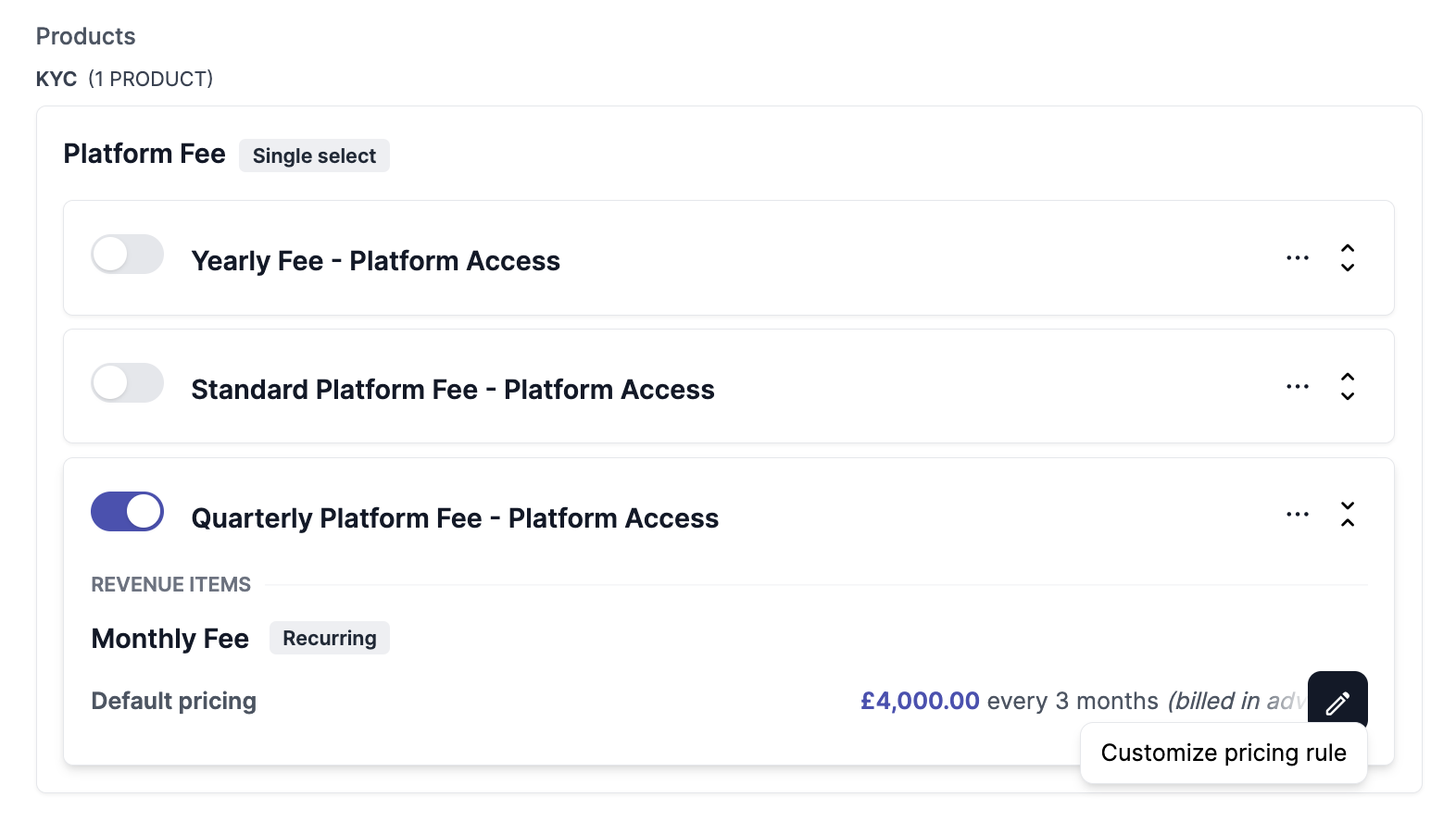
Updated 10 months ago
Read more about subscription groups and customized pricing in the following articles: