
Alert Rules
The Alert Rules feature allows you to proactively monitor key events across your customers, helping you take timely action and reduce operational risks. Whether it's an invoice that's approaching or past due, or an entitlement nearing its consumption threshold, you can set up rules that trigger alerts—keeping your team informed and in control.
With Alert Rules, you can:
- Get notified when invoices are overdue by a specific time period.
- Track entitlement usage and receive alerts when thresholds are reached.
- Configure alerts globally for all customers or tailor them to individual customer needs.
An Alert Rule can be created by going to Settings→ Alert Rules and then by clicking on the + Add Alert Rule button.
🔔 Types of Alerts
We currently support two types of alerts:
1. Invoice Alerts
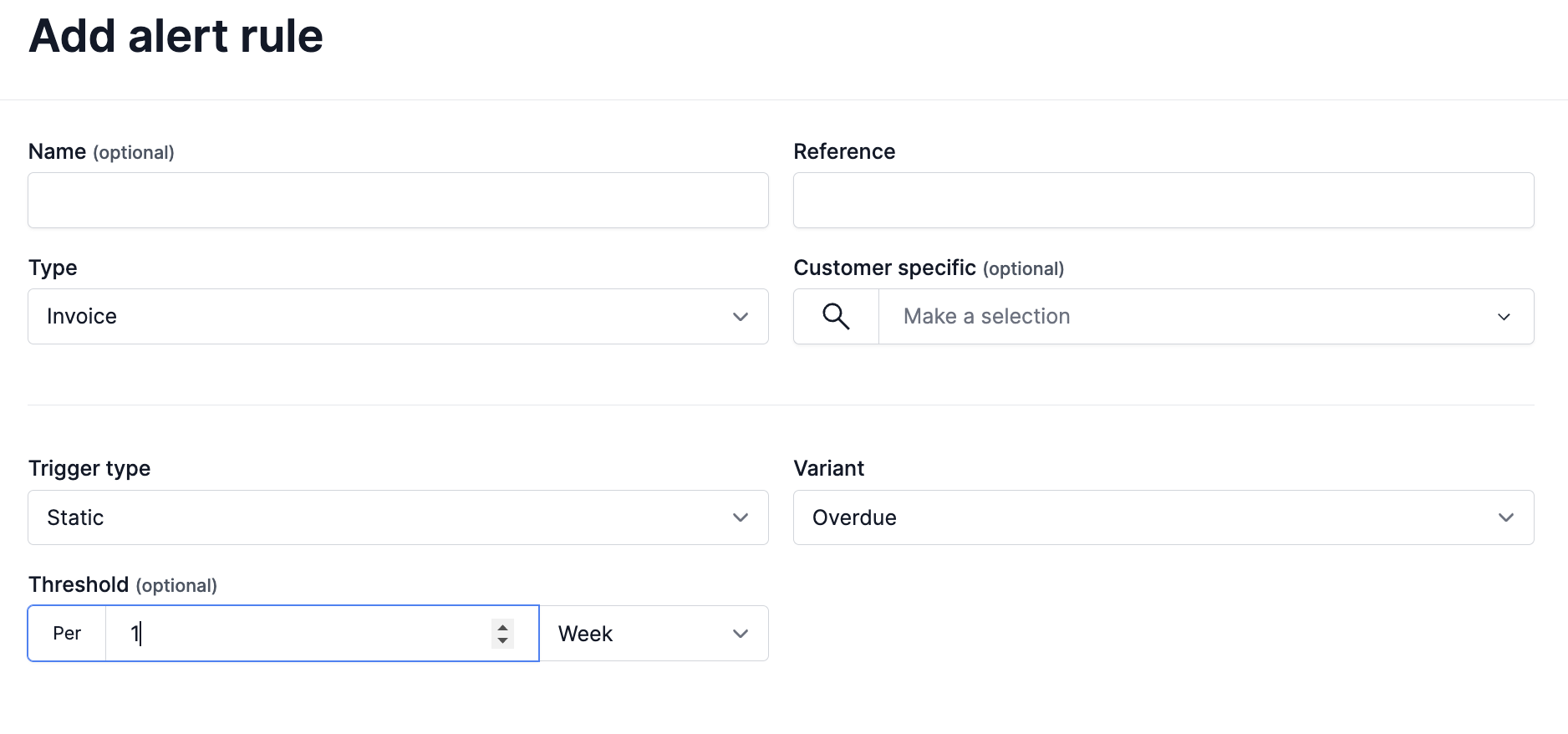
Invoice Alerts notify you when an invoice is past due by a defined time period. You can specify how long after the due date the alert should be triggered.
-
Threshold Options:
- Days
- Weeks
- Months
- Years
For example, you can create a rule to alert if an invoice is unpaid 7 days after its due date, or 1 month after.
2. Entitlement Alerts
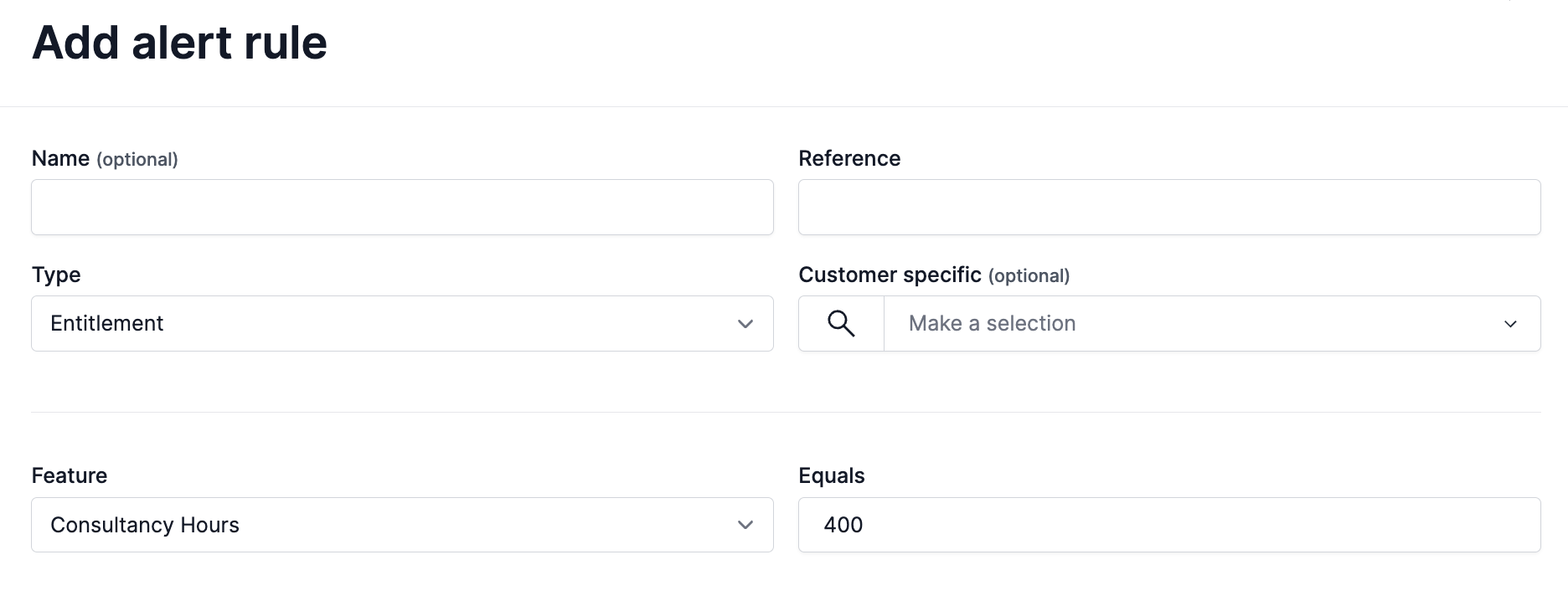
Entitlement Alerts are triggered when a customer's entitlement reaches or exceeds a specified value. This is useful for tracking consumption-based usage or usage caps.
- Threshold: A numeric value that, when reached, will trigger the alert.
For example, you can set an alert to notify you when a customer's entitlement usage reaches 80% of their allocation.
👥 Customer Scope
Alert Rules can be applied in two ways:
- Global Alerts: Apply the rule across all customers, ideal for company-wide monitoring policies.
- Customer-Specific Alerts: Target the rule to individual customers when you need granular, tailored alerting.
This flexibility ensures you can define broad alerting strategies while still customising rules for high-priority or at-risk accounts.
✅ Summary
The Alert Rules feature helps your team stay ahead of missed payments and overused entitlements. With flexible rule definitions and targeting options, you can build a proactive alerting strategy that matches your business processes.
Alerts and WebhooksAlert rules and Alerts Webhooks can be configured to automatically inform your external systems when an alert is triggered!
Updated 8 months ago