
Subscriptions
Connecting customers to pricing plans
A subscription is a concept in which the commercial relationship between the customer and the platform is captured It is the contract between the billing entity and the customer. In the Solvimon platform, they are what ties a customer to their pricing and what eventually results in invoices.
Subscription terms
A subscription is essentially tying a pricing plan version to a customer with some terms and conditions to generate invoices. The subscription terms consist of basic rules for creating a subscription that would be adhered to, in order to generate invoices for the customer based on the pricing selected.
Subscription details
Selecting the customer, for whom the subscription is being created for and it's variant are mandatory.
The variant of a subscription defines the structure of invoicing and event calculation for that customer. It is usually of default variant by default and can also be of type forward billing. To know more about the use of Variant, read about parent-child accounts setup
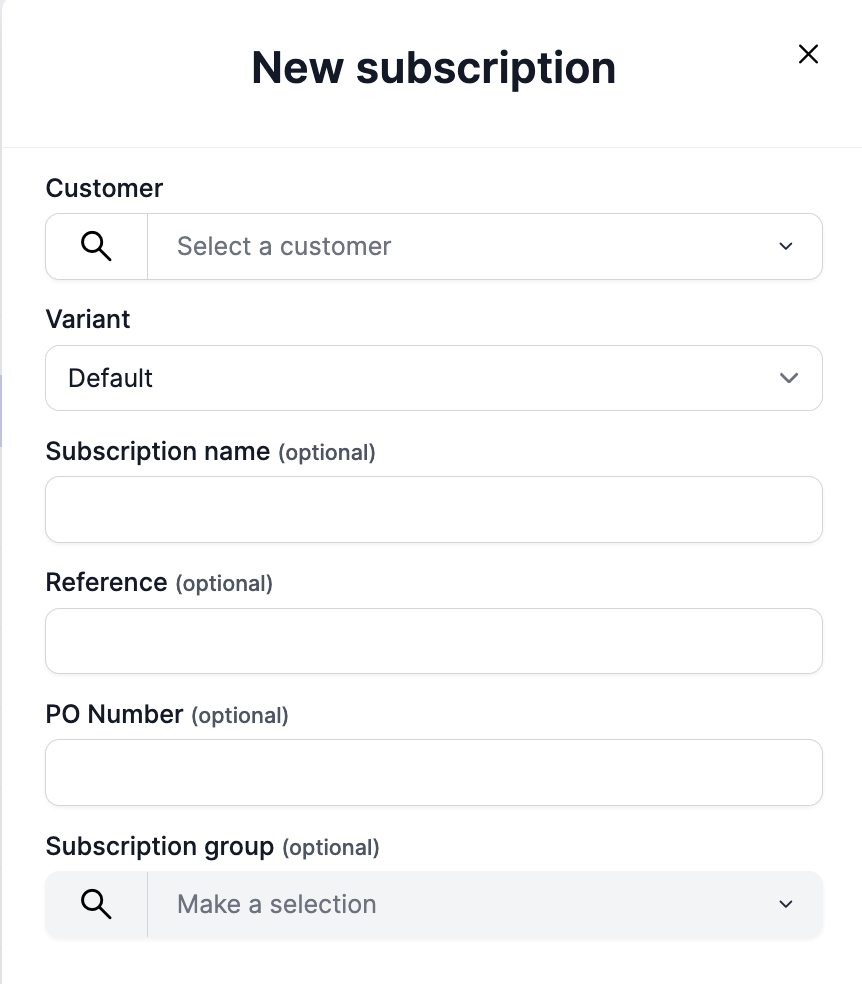
Additional information, that's optional, can also be added to a subscription like a Name Reference and PO number. The reference of the subscription is unique across all subscription resources and can be used to identify individual subscriptions. There is no such validation on the Name field.
Subscription terms
Subscription terms are the technicalities that need to configured for the invoicing and billing.
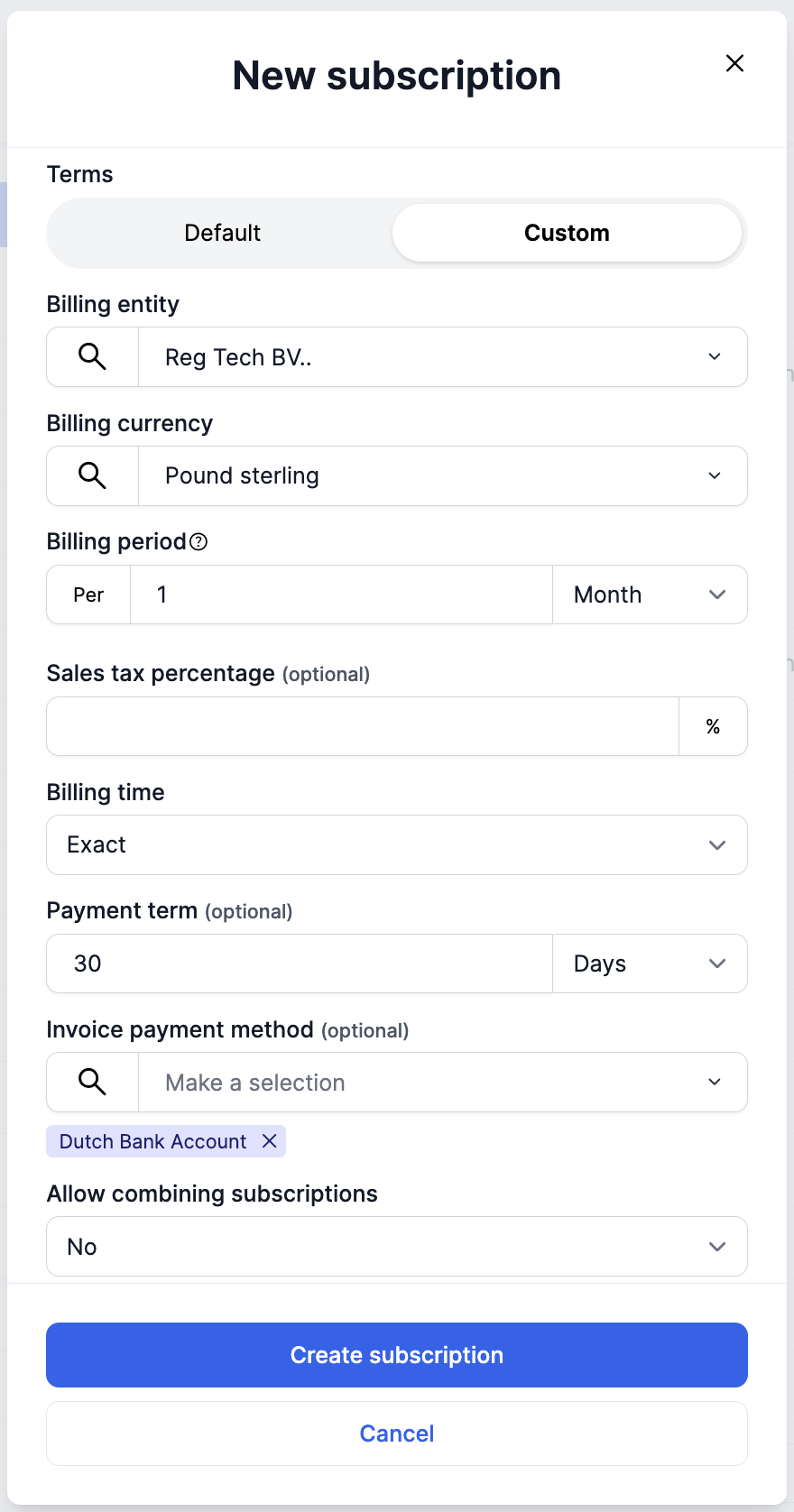
Default terms can be set in subscription settings on a platform level. Read more about it here
The country code on the billing entity and the country code on the customer selected on a subscription level decide the taxation on the line items on the invoice.
The billing currency, payment terms and billing time can be set on the subscription terms. The billing time can either be set to calendar billing or exact (anniversary billing). Read more about it here
Setting the invoice payment method(s) on the subscription level ensures that this information is on the invoice generated. The payment methods populate on the dropdown based on the billing entity selected.
Combining subscriptions
Solvimon provides the option to combine multiple subscriptions for one customer. You can have two or more subscriptions, that are combined on the subscription level and have the same terms i.e. Billing entity, currency, time and payment terms.
If the subscription combine is set to true, and the terms match then there will be a single invoice generated for that Customer with the product items from each subscription showing up as invoice lines.
If one of the subscriptions from the combined group is Voided, and the invoice is not final, then the invoice lines from that subscription will be removed from the invoice
How to configure a subscription
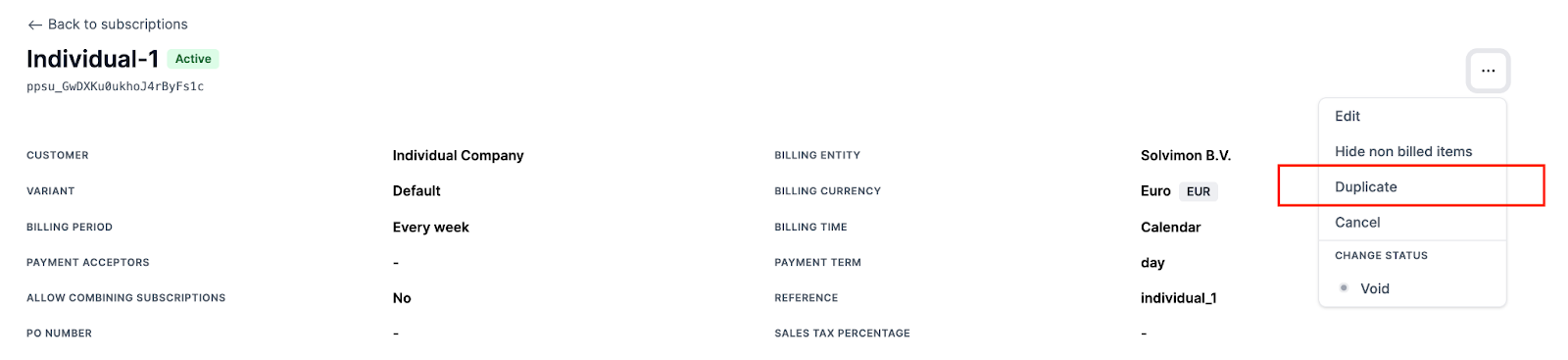
Duplicating Subscriptions to create a new subscription
You can duplicate a subscription to create a new subscription. This allows you to copy over the entire subscription in Draft status including all schedule(s), discounts, commitments and overwrites.
Ramp-up periods
Ramp-up periods can significantly enhance the onboarding experience for your customers. By gradually introducing them to your software and offering cost-effective solutions, you can increase customer satisfaction and long-term retention, ultimately driving business growth.
By adding multiple schedules with adjusted pricing to a customer's subscription, you can create any ramp-up that you want.
There are multiple ways in which ramp up periods can be created
Fixed ramp-up pricing plan template
If a ramp-up period is a standard offering and prices are fairly fixed, the ramp-up prices can be created in a standard pricing plan and version.
Updated 10 months ago