
Email Providers
Integrations with email providers to send out templated emails
To facilitate sending out templated emails automatically from the Solvimon platform we offer direct integrations with selected email providers.
Supported integrations
We currently support the following integrations:
When you are not using an email provider yet and want to start using one, we recommend using Sendgrid.
Sendgrid also allows sending up to 100 emails a day for free.
If your email provider is not supported yet, please contact us as we are happy to facilitate this.
Supported flows
Currently we offer support for various types of emails that are linked to specific events in the Solvimon platform. Below an overview is given of the support flows.
| Flow Name | Description |
|---|---|
| Send Final Invoice Email with PDF | Sends a templated email when an invoice reaches the Final status to the customer. |
| Send Invoice Payment Reminder | Sends a templated email with the invoice details and PDF to the customer whenever triggered manually. For all invoices that are Final and not marked as Paid |
| Free Trial Reminder | Sends a templated email to the customer a configurable number of days before the end of their free trial period. |
Customer email address is required.The email flows use the customer's email address hence this is required to be set for sending out these emails. We do not offer support for sending out to contacts yet.
These flows can be enabled or disabled on the integration page, the flows can be identified by the Flow Name.
For other automated email use cases, please contact us as we are happy to facilitate this.
Templates and formatting
Templates
We have a few text box templates which can directly use for your email template.
Invoice text box example (customer: organization)
Dear {{ customer_legal_name }},

Here is your invoice for {{ invoice_date }}.

{{ invoice_currency }} {{ invoice_amount }}

Thank you for using Solvimon.

Best regards,
The Solvimon Team
Invoice text box example (customer: individual)
Dear {{ customer_first_name }} {{ customer_last_name }},

Here is your invoice for {{ invoice_date }}.

{{ invoice_currency }} {{ invoice_amount }}

Thank you for using Solvimon.

Best regards,
The Solvimon Team
Variables
You can use handlebars to include pre-filled Solvimon's variables directly in your email template. When creating your own templates you can use handlebars to insert invoice information into the template.
The following handlebar variables are supported
| Variable name | Description |
|---|---|
invoice_amount | The invoice total invoice amount including tax. |
invoice_currency | The invoice currency, e.g. EUR. |
invoice_due_date | The due date of the invoice in the following format (English); Month Day, Year (e.g. December 26, 2023). |
invoice_date | The date of the invoice in the following format (English); Month Day, Year (e.g. December 20, 2023). |
invoice_number | The invoice number associated with the invoice, e.g. INV-2024-01. |
customer_type | Returns whether the customer type is INDIVIDUALorORGANIZATION |
customer_legal_name | The customer's legal name if customer type is Organization. Returns undefined if not available. |
customer_first_name | The customer's first name if customer type is Individual. Returns undefined if not available. |
customer_last_name | The customer's last name if customer type is Individual. Returns undefined if not available. |
billing_entity | The legal name of the associated Billing Entity. |
payment_url | The URL of the associated Payment Action. |
invoice_type | Type of the invoice: Either STANDARD, CREDIT,ONE_OFF |
invoice_note_1 | The the first note on the invoice, |
To insert handlebars into the template you can use the {{ variable }} syntax. In case you'd like to use other information in your template, please let us know as we are happy to facilitate this.
Email flows and templates
Each email flow ships with a default template. When you set up the integration on your platform, we automatically push the default templates for the available flows. You can override the template at any time by specifying the name of another template you prefer to use in the integration configuration panel.
Flows are event-driven and can be enabled or disabled from the integration section in your platform.
Templates support handlebars so you can insert variables directly into your email content using {{ variable }}. If you need additional variables, let us know and we’re happy to facilitate.
Customer email address is required. The email flows use the customer’s email address and won’t send without it. We do not support sending to contacts yet.
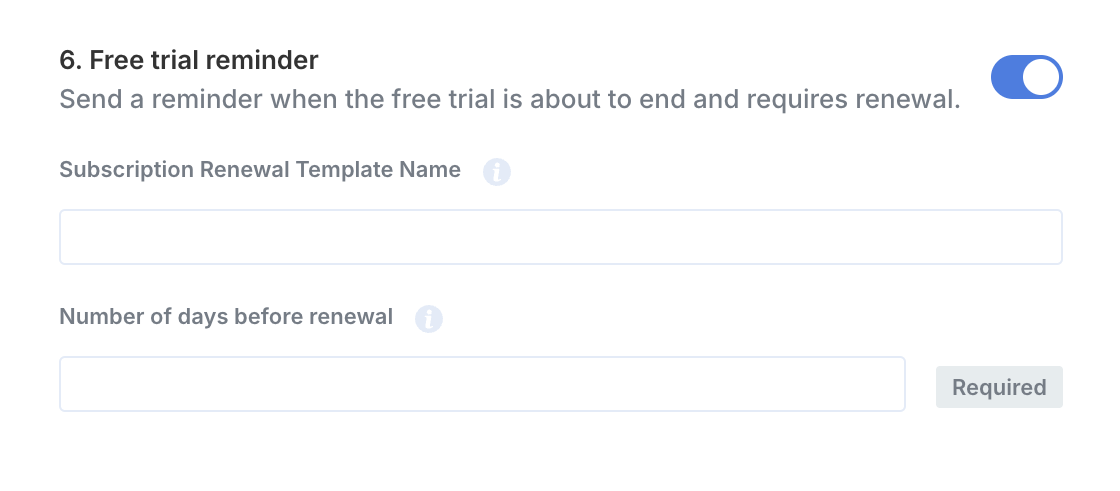
Free Trial Reminder
Description
Sends a templated email to notify the customer that their free trial is nearing its end. This helps customers review or update their payment method before the first renewal.
When it triggers
- Once per configured day before the trial end.
- If you provide multiple days (e.g., 1,3,7), the flow sends one email at each day bucket (7 days before, 3 days before and 1 day before).
Configuration
- Template Name (optional): specify the name of a template to use instead of the default. If left blank, the default template is used.
- Number of days before renewal (required): a comma-separated list of integers (e.g., 1,3,7). Each value schedules a single reminder at that offset.
Default template example
Dear {{ customer_legal_name }},

Your free trial for {{ subscription_name }} with {{ billing_entity }} will end soon.
You have an upcoming payment on {{ trial_end_date }}.

Your card ({{ payment_method_details }}) will be charged at that time, unless you cancel.

You can update your payment method here:
{{ payment_method_url }}

Questions?
Contact us at {{ support_email }}.
Variables
| Variable name | Description |
|---|---|
product_name | Product name displayed in the email header. |
billing_entity | Name of the billing entity displayed in the email header and body. |
trial_end_date | Date when the free trial ends. |
customer_legal_name | Customer’s legal name or company name in the case the customer is an organization. Shown in the greeting if available. |
subscription_name | Name of the subscription associated with the free trial. |
payment_method_details | Masked payment method details (for example, Visa ••1234), shown if available. |
payment_method_url | Link to the page where the customer can update their payment method. |
support_email | Support contact email address displayed in the “Questions?” line. |
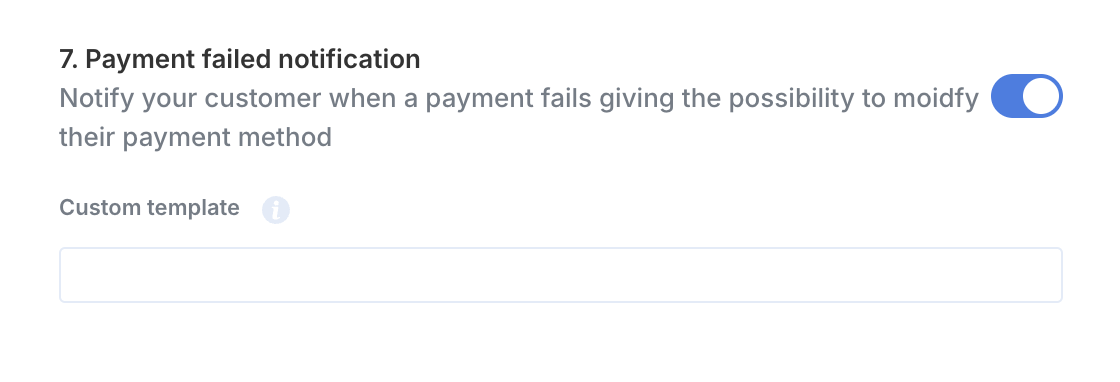
Payment failed notification
Description
Notifies the customer when a payment attempt was unsuccessful and prompts them to update their billing details.
When it triggers
- Once per failed payment attempt.
Configuration
- Custom template (optional): specify a template name to override the default. If left blank, the default “Payment failed” template is used.
Default template example
Dear {{ customer_legal_name }},

We were unable to process your payment attempt on {{ payment_date }}. Please update your billing details to continue your subscription.

Amount: {{ payment_currency }} {{ payment_amount }}
Attempted on {{ payment_date }}

You can update your payment method here:
{{ payment_method_url }}

Questions?
Contact us at {{ support_email }}.
Variables
| Variable name | Description |
|---|---|
product_name | Product name displayed in the email header. |
billing_entity | Name of the billing entity displayed in the email header and body. |
payment_currency | Currency used in the title and amount block. |
payment_amount | Payment amount used in the title and amount block. |
payment_date | Date/time of the failed payment attempt. |
customer_legal_name | Customer’s legal name or company name in the case the customer is an organization. Shown in the greeting if available. |
payment_method_url | Link to the page where the customer can update their payment method. |
support_email | Support contact email address displayed in the “Questions?” line. |
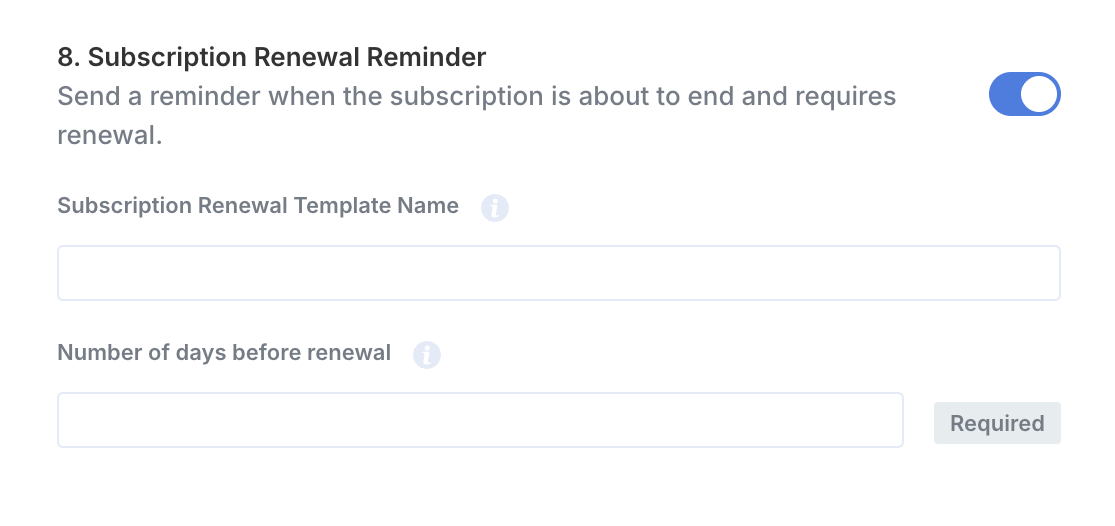
Subscription renewal reminder
Description
Sends an email reminder when a customer’s subscription will renew soon.
When it triggers
- Runs on the days you configure (comma-separated list of integers representing “days before renewal”). If the current subscription’s renewal date is exactly one of those offsets, the email is sent.
Configuration
- Subscription Renewal Template Name (optional): Use a custom template by name. If left blank, we send the default template below.
- Number of days before renewal (required): Comma-separated integers (e.g., 1,3,7). Each value creates a reminder at that offset.
Default template example
Your subscription will renew soon

Dear {{ customer_legal_name }},
This is a friendly reminder that your {{ subscription_name }} subscription will automatically renew on {{ renewal_date }}.

Your {{ payment_method_details }} will be charged at that time.

If your billing information has changed, you can update your payment details now.

Update payment method:
{{ payment_method_url }}

Questions?
  Contact us at {{ support_email }}.
Variables
| Variable name | Description |
|---|---|
product_name | Product name displayed in the email header. |
billing_entity | Name of the billing entity displayed in the email header and body. |
customer_legal_name | Customer’s legal name or company name in the case the customer is an organization. Shown in the greeting if available. |
subscription_name | Name of the subscription in the intro sentence. |
renewal_date | Date on which the subscription will automatically renew. |
payment_method_details | Default payment method of the customer |
payment_method_url | Link to the page where the customer can update their payment method. |
support_email | Support contact email address displayed in the “Questions?” line. |
Updated 4 months ago