
Meters
Measure product usage by setting up meters.
Usage meters are a users' action within your product and consist of meter values and usage metrics, and meter properties.
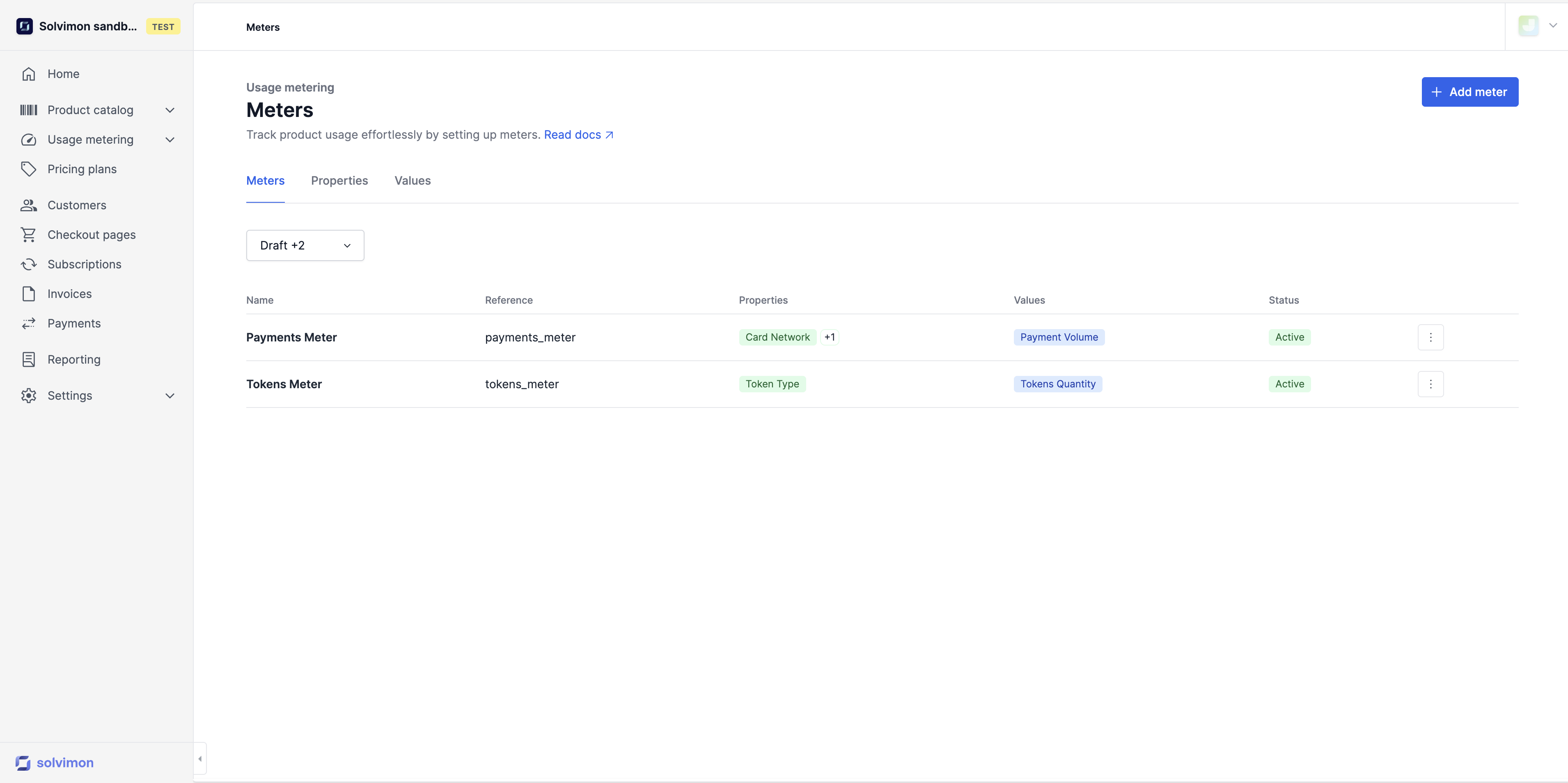
Setting up a Meter
To start ingesting events, you simply need to set up and activate a meter. The APIs can handle high volumes of traffic and allow you to either ingest individual events in real-time or push predefined aggregated events. The option to send real-time events enables you and your customers to have up-to-date visibility into revenues throughout the billing period.
A Meter that is connected to a product consists of at least one meter value that, together with a calculation method, becomes a usage metric. Optionally, it also consists of one or more meter properties.
When you configure a meter, you need to fill in the following information as shown in the form below
- Name
- Reference
- Meter value
- Meter properties
Good to knowMeters can consist of multiple meter properties and multiple meter values, but can also be configured with one of each only.
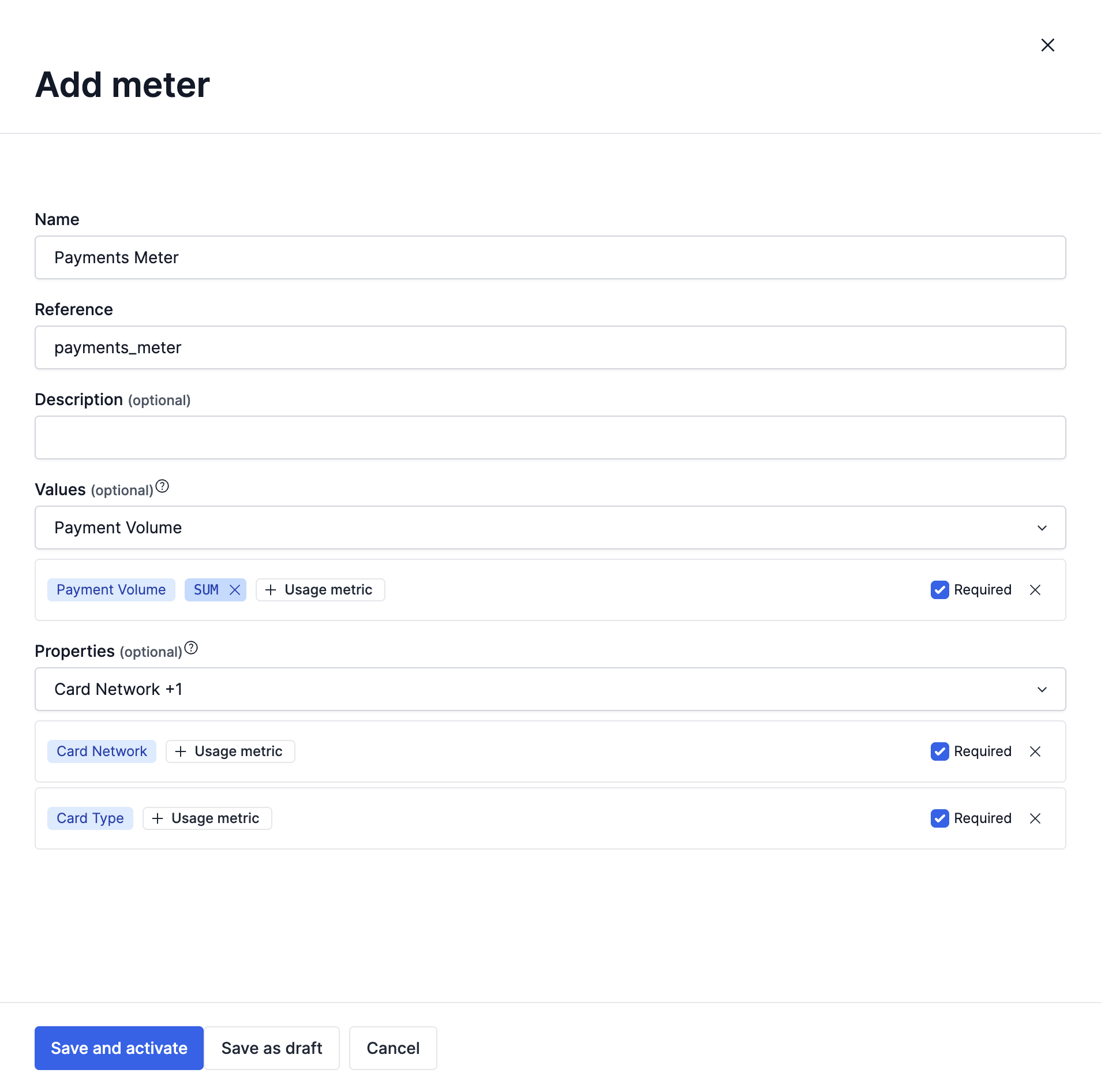
Required or optional
When adding a meter value and meter property, you need to specify if they are required, as shown in the screenshot above. Once you select the Required checkbox, you must add the usage metric information, which has been defined in the meter values and meter properties
Making a metric value and/or property required or not required determines the information you need to send for that meter in the events. If it's not required, the event data for that meter can be ingested without those values or properties. Conversely, if it is required and missing, it may cause an error in event ingestion.
Pricing ConditionsIn order to use Properties when setting up different pricing conditions, the property must be configured as required
Updated 3 months ago