
Usage metrics
Create metrics that are billable for usage based pricing
Meter values should always be configured with a calculation method - it is the basis on which calculations can be made and outcomes are generated. The configuration of calculation methods is not mandatory, but without a calculation method, your meter cannot be connected to a product.
The meter value in combination with a calculation method eventually results in a quantity on an invoice. Once you have meters configured with calculation methods, they can be connected to products in the product catalog section.
Calculation methods
The calculation methods of your meter values define what calculation is performed while aggregating the events:
Sum
The most common calculation method to aggregate events is a summation. The meter values are summed within the subscription billing period.
Max
Determines the maximum of all given meter values within a subscription billing period.
Min
Determines the minimum value of all received events within a billing period.
Unique
Count of unique events for a certain meter property value.
Average
The average value of all received meter value events within a billing period.
Rolling / Persist functionality
All of the above calculation metrics can be used in combination with the Rolling, or Persist tag, means that the calculation of all received events will not be reset at the beginning of a new invoice billing period, but it will be taken into the next billing period.
The calculation metrics are called:
- Rolling Sum
- Rolling Max
- Rolling Min
- Rolling Average
The customer is thus billed each time for the entire number. This functionality is used most for seat-based pricing where events can be either positive (a seat was added) or negative (a seat or account was subtracted).
Persisting within multi-schedule subscriptions
The persist functionality means that the calculation is done over multiple billing periods, but within the subscription schedule.
If the subscription has one schedule from the 1st of March until 31st of December with a monthly billing cycle, a product item with a rolling usage metric will be charged at the end of the schedule (e.g. on the invoice of 1 january of the next year).
Creating usage metrics
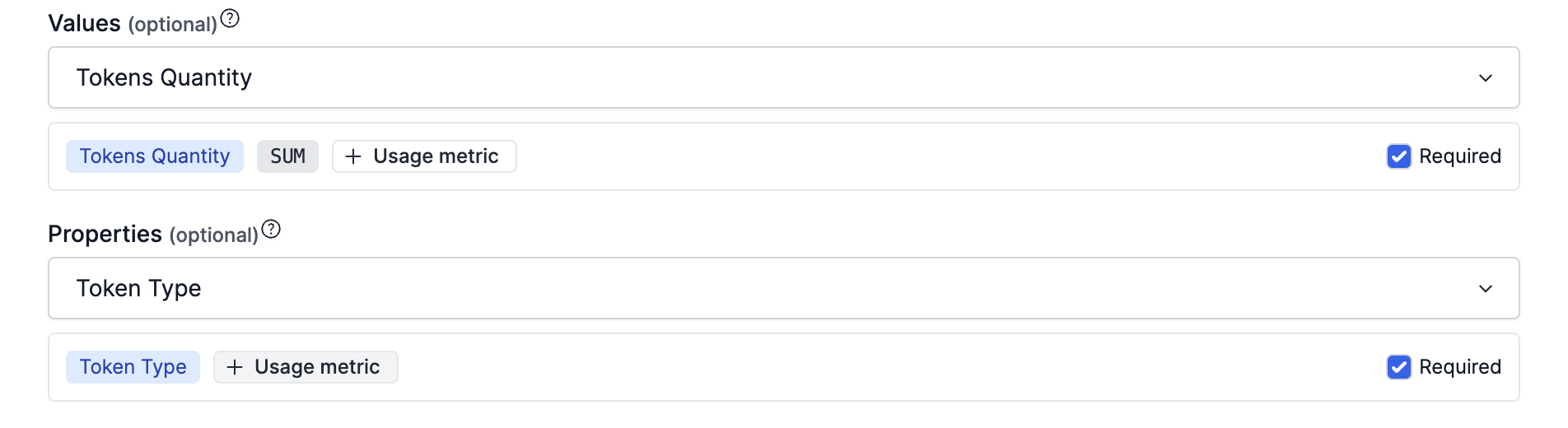
Usage metrics (meter values in combination with a calculation method) can be created in the Meters section of Desk. Add calculation methods to existing meters to create user metrics or create new ones from scratch.
Usage metrics can in turn be connected to Features and Product Items.
Updated 4 months ago
Billable metrics are connected to usage-based pricing configurations through product items.