
Credit types & wallets
Credit types & wallets
Credit types define what a “credit” means in your system. Wallets hold a customer’s credit balance. You need both before you can grant credits through a pricing plan.
Credit types
A credit type is the unit of account for credits in your system. Before you can create a wallet or grant credits to a customer, you need at least one credit type defined.
Go to Product Catalog in the sidebar, then open Credits & Wallets and select the Credits tab. Click Add credit type.
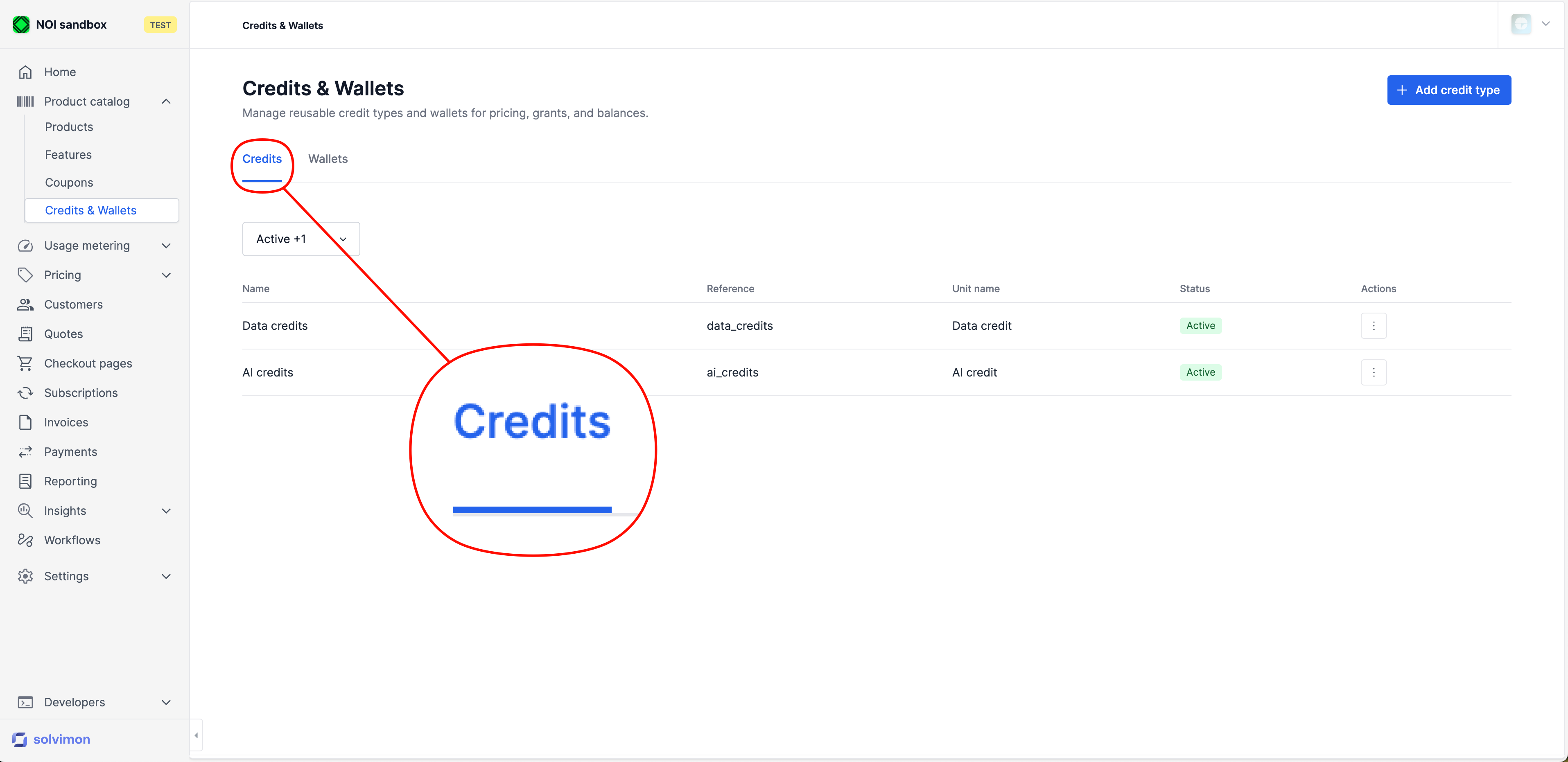
Fill in the following fields:
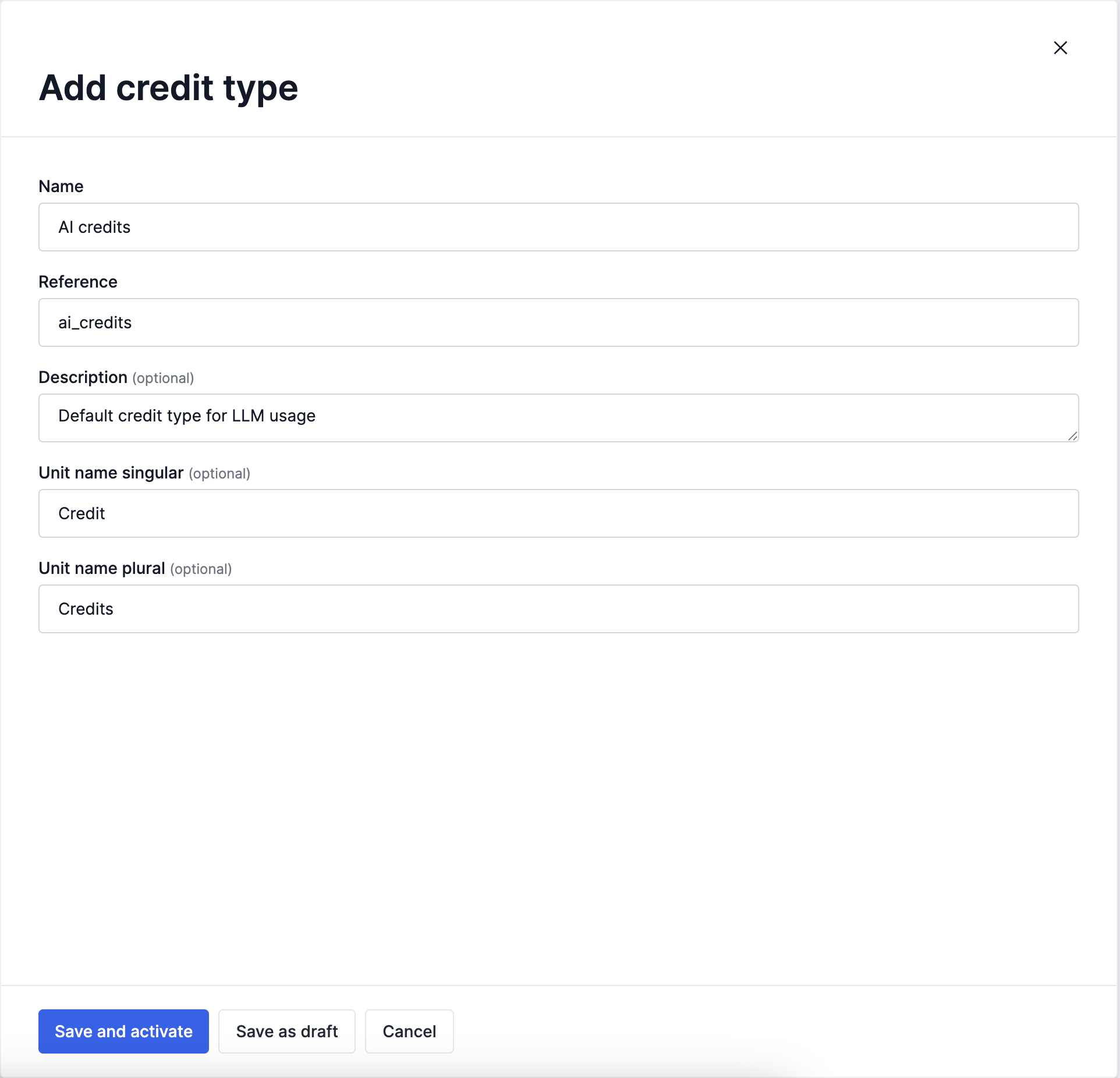
Click Save and activate to make the credit type available immediately, or Save as draft if you want to complete the configuration in a second moment.
Wallets
A wallet holds a customer’s balance for a given credit type. When credits are granted through a subscription, they are deposited into the matching wallet. When a customer consumes a usage-based product priced in credits, the balance is drawn down.
In Credits & Wallets, open the Wallets tab and click Add wallet.
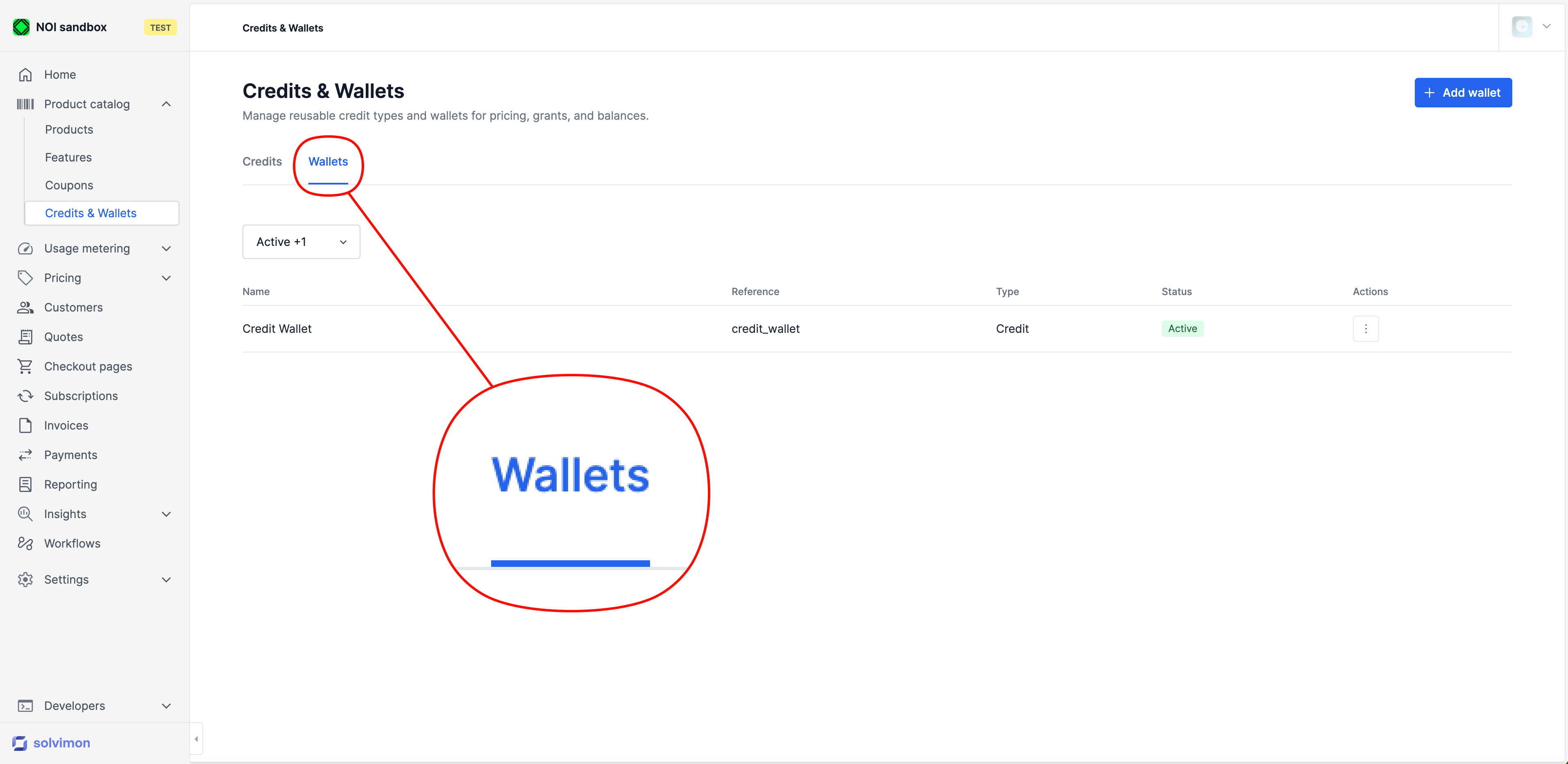
Fill in the following fields:
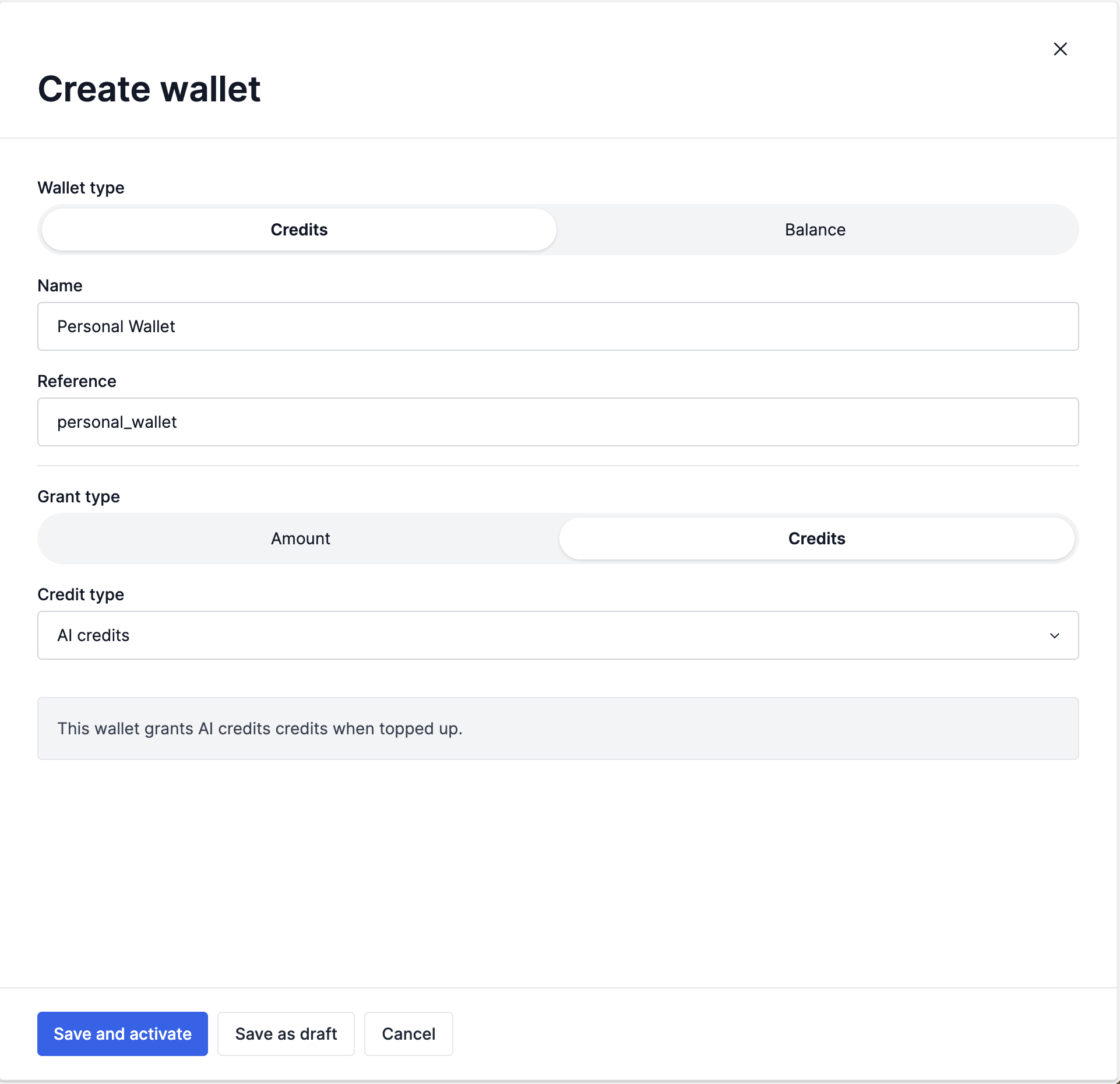
A wallet is a template-level definition. The actual per-customer balance is tracked when a customer subscribes to a pricing plan that grants credits into this wallet.
Once a wallet exists, see Wallet top-ups for how credits get into it after the initial grant, including customer-driven purchases and automatic top-ups when the balance runs low.
Wallet types
A wallet holds either credits or money, set by the wallet type:
The wallet type is a template. Each customer who subscribes to a plan that grants into it gets their own wallet, and each grant into that wallet is tracked separately.
A CREDIT wallet type funded with an amount (credit.amount_grant) carries a tax_category and a default_currency. Both are the declared spending scope of the wallet type: money funded under one tax category must not become spendable under another. Once wallets exist for the wallet type, neither can be changed or removed; an attempt is rejected with a validation error on credit.amount_grant.tax_category or credit.amount_grant.default_currency. Changing either is still allowed on a wallet type that has no wallets yet.
Wallets follow the standard resource lifecycle. A newly created wallet is in DRAFT until you activate it with POST /v{version}/wallets/{resourceIdOrReference}/activate, and can later be deactivated, deprecated, or archived.
Spend on an amount-denominated wallet books out at final
A CREDIT wallet type funded with an amount keeps its ledger in a currency. Usage covered by such a wallet is held as a reservation while the invoice is not yet final: the available balance already reflects the reservation, so a second invoice cannot spend the same money, but the money has not yet left the wallet.
When the invoice goes FINAL, the covered amount leaves the wallet, oldest-expiring grant first. Solvimon recognises it as revenue with no tax, because tax was already charged on the top-up that funded the balance.
Voiding or recalculating the invoice before it is final releases the reservation, and the balance becomes spendable again. Re-running a final invoice does not book the spend twice.
Read a wallet with its type and top-up rules
GET /v1/wallets and GET /v1/wallets/{id} accept expand[], which saves resolving a wallet’s denomination and its funding rules through separate calls:
The same expansions apply when a wallet is reached through the customer balance call, using the nested key:
Rendering a wallet with its denomination and its top-up rules took three calls before these expansions. See Expanding responses for how expand[] behaves generally.
See whose usage reserved the balance
A wallet balance shared by several child customers, or spent through several subscriptions, reports one reserved figure with no way to see where it came from. Pass include_customer_details on a balance call to get the reserved balance split per customer:
Each entry in the returned customer_details carries customer_id and that customer’s share of the reserved balance. The split is recorded when an invoice is built or refreshed, so it reflects usage that has actually been drafted against the wallet, not a live estimate. It only covers credit wallets: a BALANCE wallet returns an empty customer_details, since the attribution is recorded per credit type on the invoice line. The same flag works on POST /v1/customers/{id}/wallets/balance. It defaults to false, so existing integrations are unaffected. See Seat-based credits for a worked example on a seat-scaled pool.
Credit pools and commitments
Two things are commonly mistaken for credit pools. Neither is one:
- A wallet is not shared across customers. Every wallet balance belongs to a single customer. A parent company and its children each hold their own wallets; there is no cross-customer pool that several customers draw from, and there is no pooling across a customer’s own wallets. Consumption priced in a given credit type draws only from the wallet holding that credit type.
- A minimum-spend commitment is not a credit balance. A commitment sets a floor on what a customer is invoiced over a period. If actual charges fall short, the shortfall is invoiced as a true-up. Nothing is prepaid, nothing is granted into a wallet, and nothing expires. See Schedule configurations.
Use a wallet when the customer pays up front and draws down. Use a commitment when the customer promises a spend level and you bill against it. The two can coexist on one subscription: a committed annual spend that is delivered as monthly credit grants.