
Credits in pricing plans
This page covers how to configure credits inside a pricing plan: granting credits to customers, pricing usage-based products in credits instead of currency, and handling overage when a wallet runs out.
Granting credits
A wallet grant attaches to a revenue item in a pricing plan. When a subscription is activated, Solvimon deposits the configured credits into the customer’s wallet.
To add a wallet grant, click the three dots menu on a revenue item and select Add wallet grant. You can attach a wallet grant to both recurring and one-off revenue items. On a recurring item, credits are deposited at subscription activation and renewed at the start of each billing period. On a one-off item, credits are deposited once at activation.
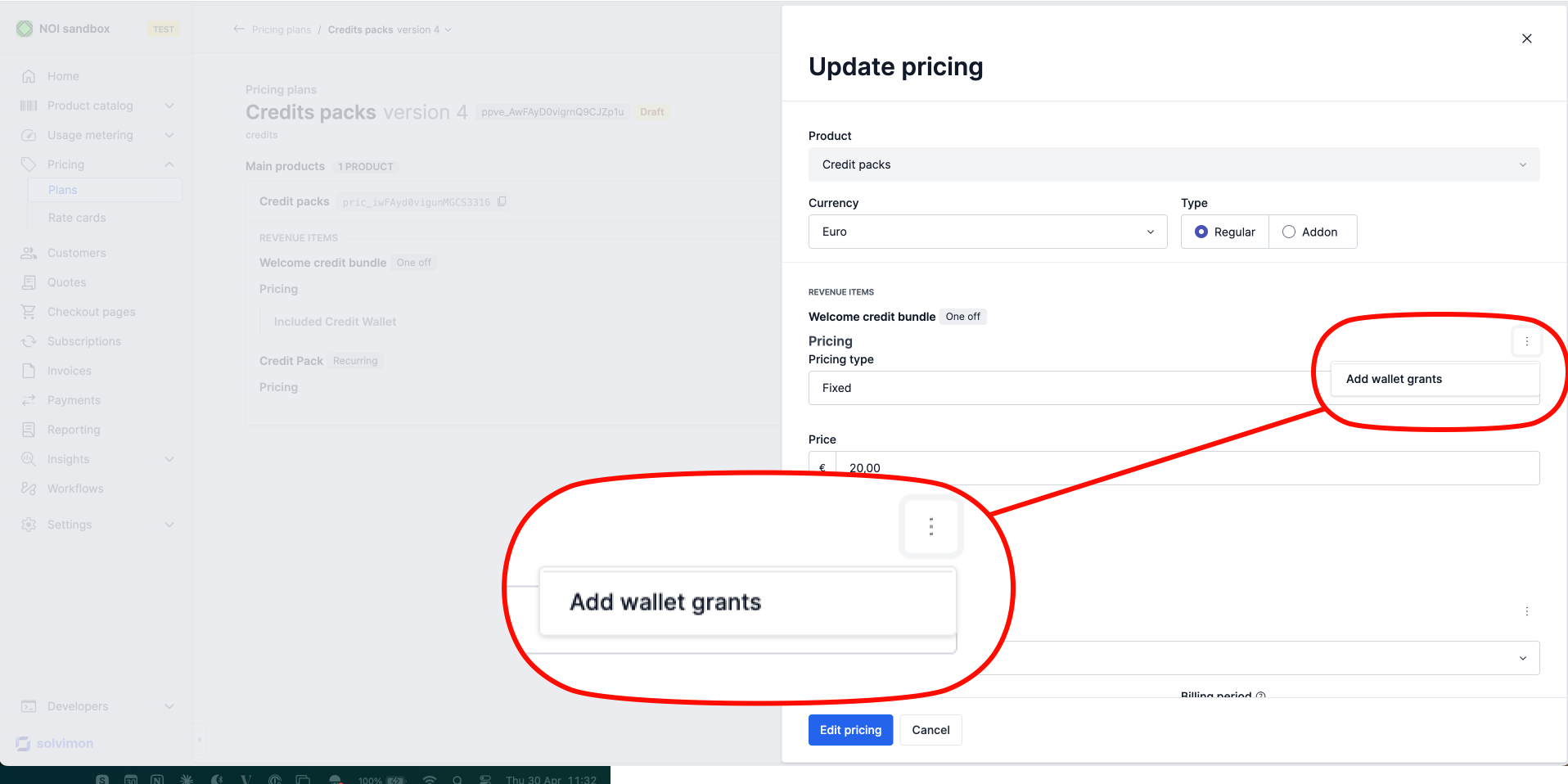
Select the Wallet to fund, set the Balance topup amount, and configure the Expiry period if you want unused credits to expire at the end of each period.
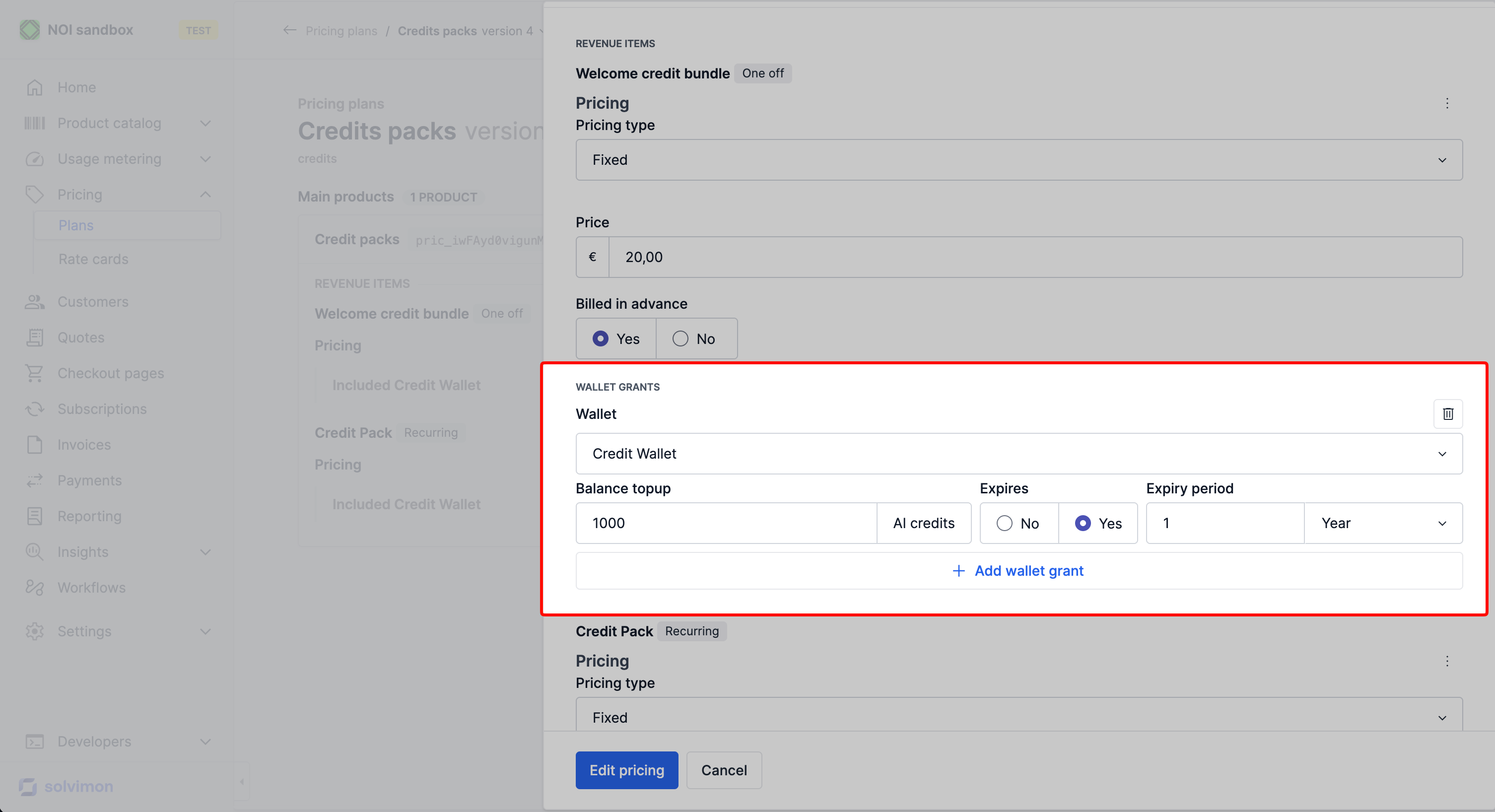
When the grant is created
A recurring grant is created at the start of the pricing period it belongs to, not when the invoice covering that period is issued and not when it is paid. The customer can spend the credits from the first day of the period, whether you bill in advance or in arrears, and whether or not the invoice has been settled.
Each pricing period produces its own wallet grant with its own start_at and expire_at, rather than adding to an existing one. That is why a customer can hold several grants in one wallet at the same time, and why consumption follows the earliest expiry first rule.
Where the pricing period is shorter than the billing period, one invoice carries several periods and therefore several grants. A monthly item billed twice a year is charged for six months on one invoice and deposits six monthly grants, each valid for its own month, rather than one grant for the whole invoice. A monthly expiry_policy then behaves as configured: the customer gets a fresh monthly allowance that expires unused, not half a year of credits at once.
Because credits are granted at cycle start rather than on payment, a customer who never pays the invoice can still consume that period’s credits. If credits must be withheld until payment, price them as a top-up purchase instead of a recurring grant.
Grant fields in the API
A grant configured on a pricing item produces a WalletGrant on the subscription. The fields you will read back:
On the pricing item, a credits grant can convert an amount into credits using a conversion rate against a credit type, so the same plan can express the grant in currency and deposit credits. See Credit revenue & breakage for how paid_amount drives revenue recognition.
Create a grant directly through this endpoint to issue credits outside a pricing plan, for example a goodwill grant after an incident. Set type to PROMOTION so the grant is distinguishable in reporting, and set paid_amount to zero so it recognises no revenue when consumed.
Pricing usage in credits
A usage-based revenue item can be configured to consume credits from a wallet instead of charging currency directly. The price is expressed as a number of credits per unit of usage.
When adding a usage-based revenue item to the pricing plan, set the pricing currency to the credit type you want to consume, then define the rate (e.g. 1 credit per 30 seconds, or 1.5 credits per 50 seconds).
You can use meter property filters to set different rates for different conditions, exactly as you would with currency-based usage pricing.
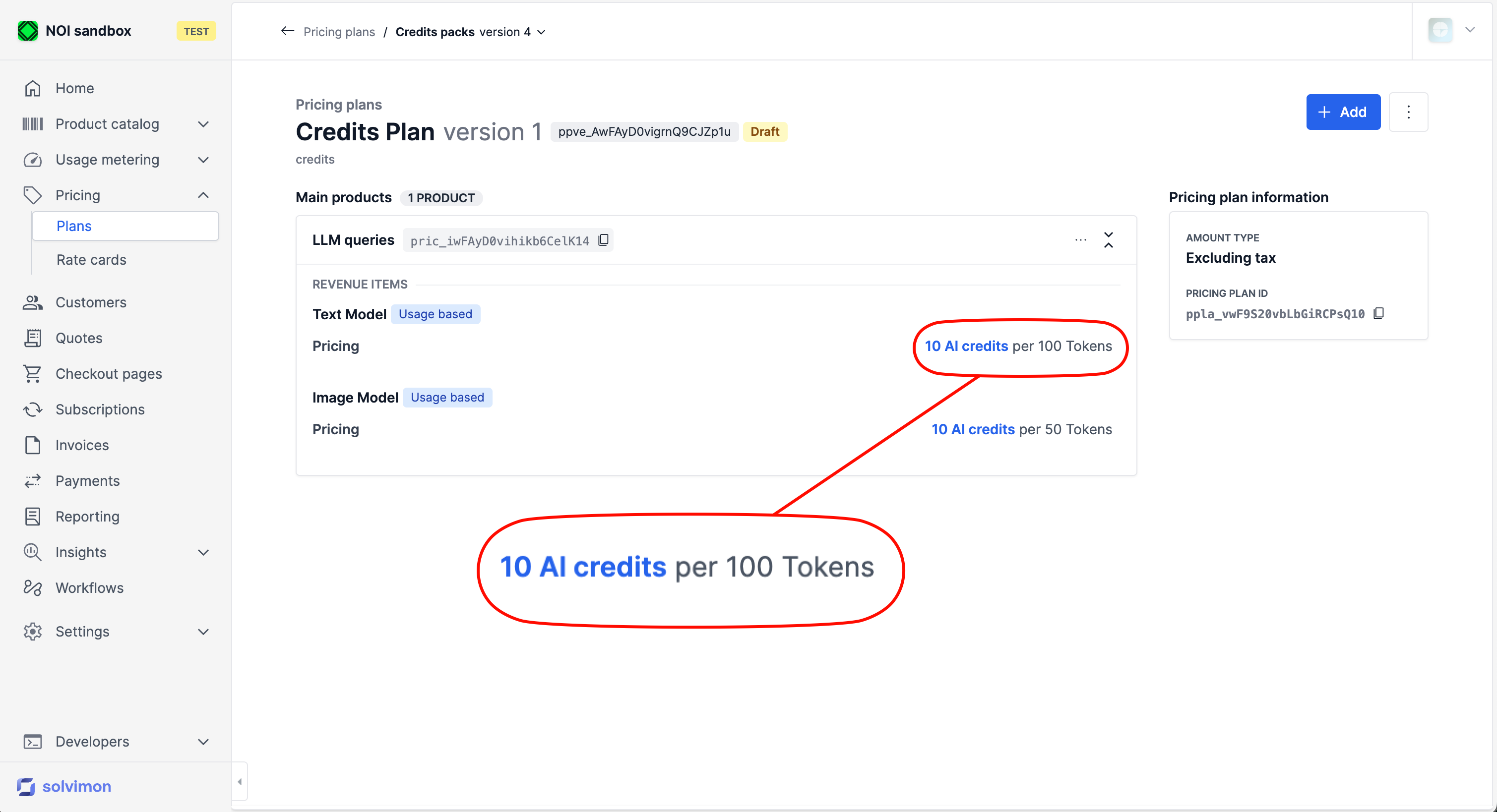
Usage items priced in credits appear as “Not billed” on the invoice in terms of currency. The credit deduction is tracked on the wallet balance, not as a monetary charge.
Overage
When a customer’s wallet balance reaches zero, you can charge them for additional usage in currency by adding a Credit-type revenue item to the pricing plan.
Start by creating a revenue item in the product catalog and set its Model type to Credits.
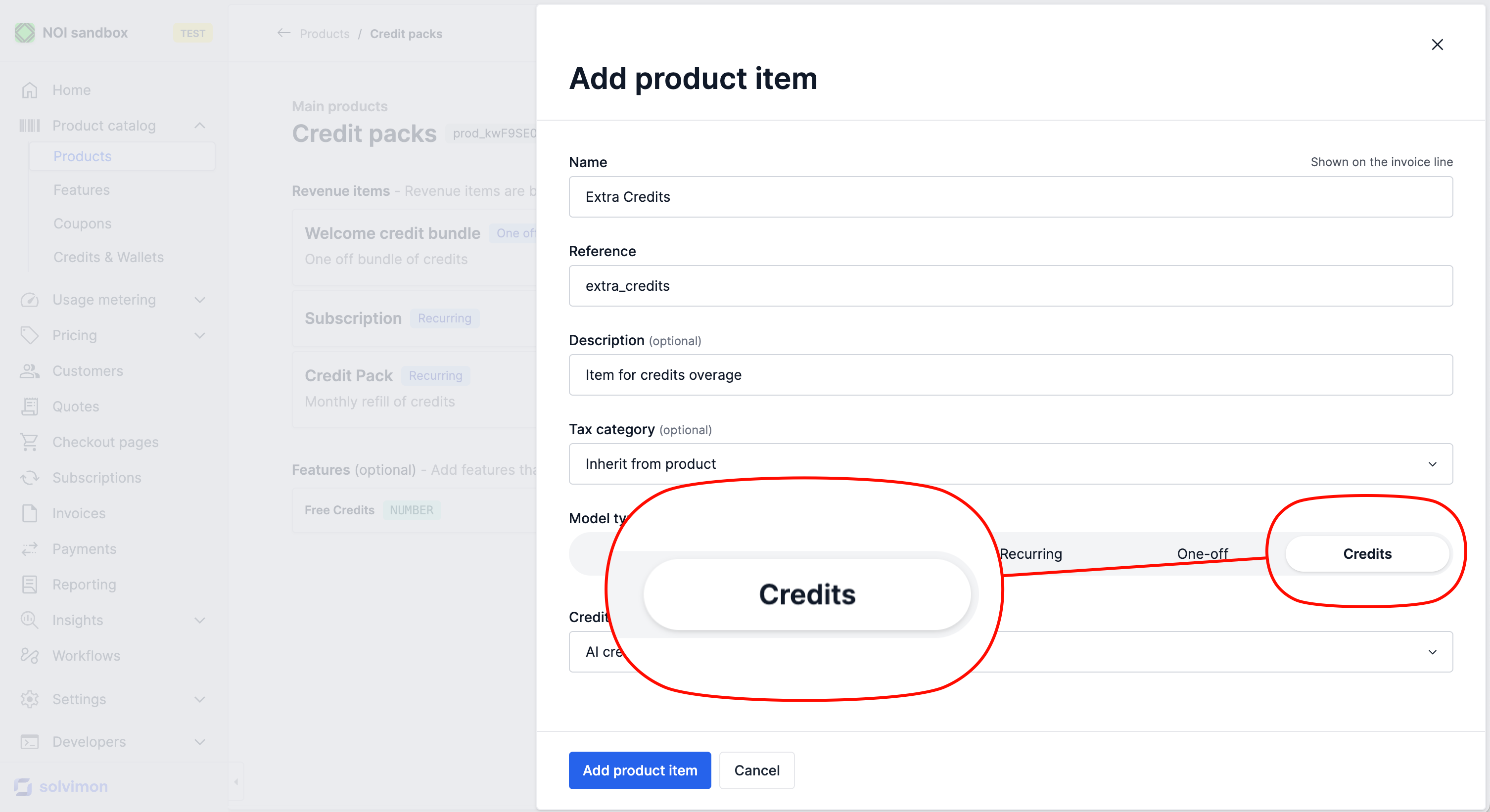
Once the revenue item is created, add it to the pricing plan and set the price per credit in currency (e.g. $0.10 per credit).
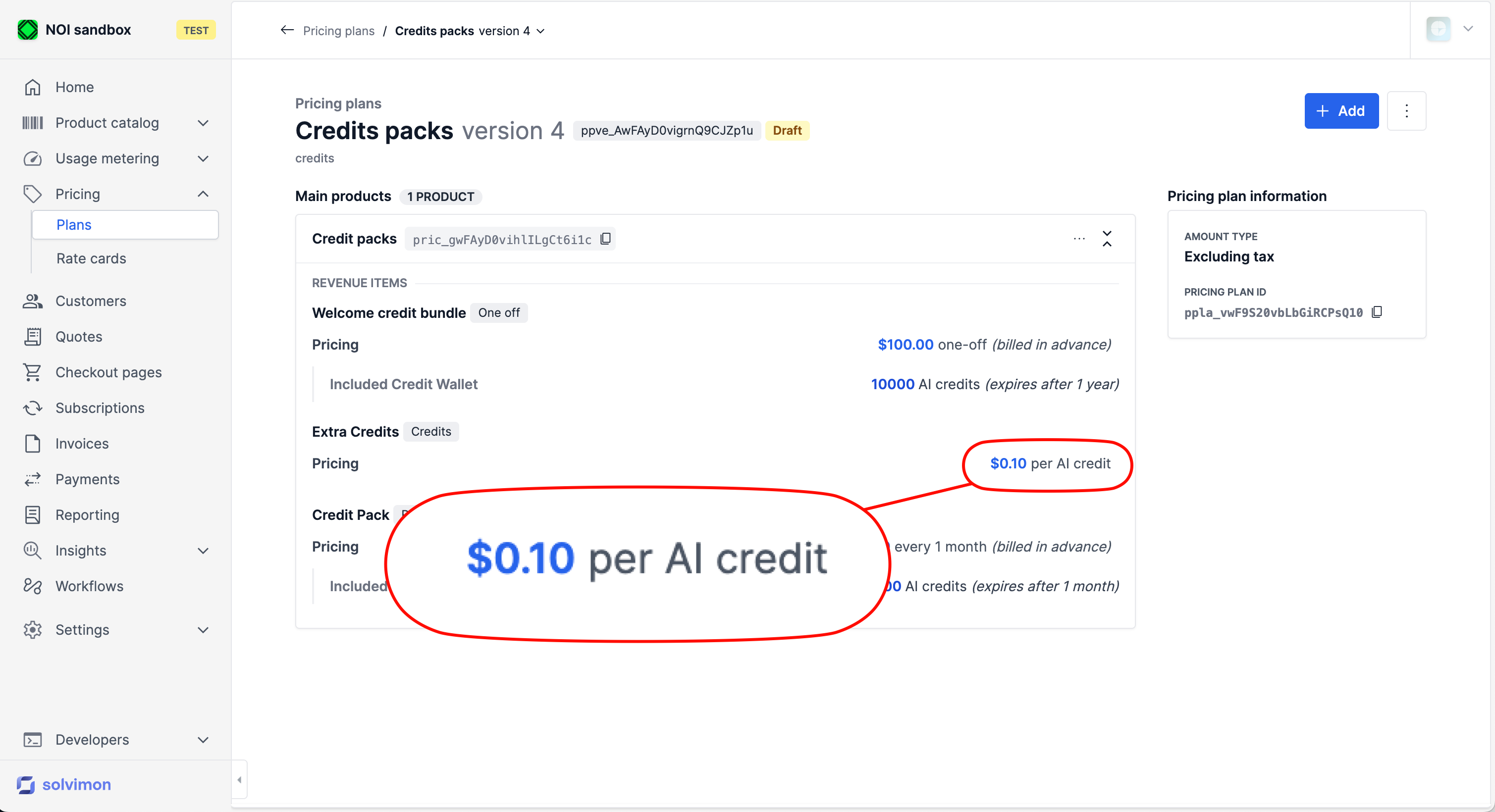
If you don’t add a Credits overage item, usage after the wallet is empty will not be charged. Make sure your pricing plan covers the overage case if that’s a requirement.
Overage is one way to handle an empty wallet. The other is to refill it: see Wallet top-ups.
Billing and pricing periods follow the credits item
A pricing item config priced in credits takes its billing_period and pricing_period from the CREDITS item that settles the credit type it consumes. It cannot declare periods of its own.
This keeps overage on the same invoice as the credits it draws on. Where a credits-priced config used to declare its own periods and they disagreed with the credits item’s cadence, each pricing period’s overage could land on an invoice of its own instead of the invoice for the billing period.
Solvimon rejects three configurations: a credits-priced config with its own billing_period or pricing_period, a CREDITS item that disagrees with the config’s cadence, and a pricing period wider than its billing period.