
Payment Collections
This feature is available if a PSP integration has been enabled in your Solvimon account and the payment acceptor method has been set to that Stripe account on your billing entity
Invoices can be collected via all sorts of payment methods, but also by connecting a Payment Service Provider (PSP) to your Solvimon account. This integration allows for the generation of an invoice payment link that enables your customer to pay the total amount due of the invoice.
To point that payment link at a system of your own rather than a PSP, use a custom redirect payment acceptor.
Payments integration with Stripe
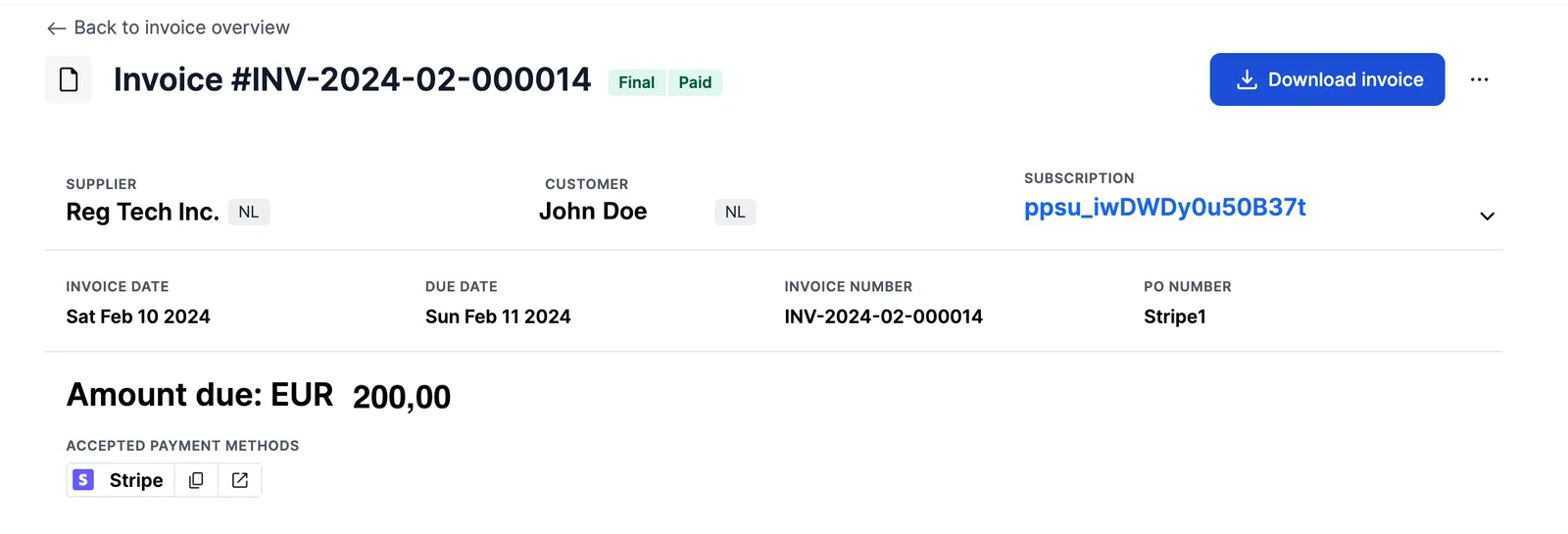
When you configure a Payment Service Provider on your Billing entity, invoices are automatically generated with a payment link directly attached. This feature allows your customers to conveniently pay invoices via the link provided in the invoice.
They can click the link directly from Solvimon Desk, or you can copy it to the clipboard and share it by email
Invoice Payment Status
Once payments are completed through the payment integration via Solvimon, the invoice’s payment_status is also automatically updated to reflect it. If you have an integration with an ERP system, this status can also be synchronized to update the amount receivable.

Payment status
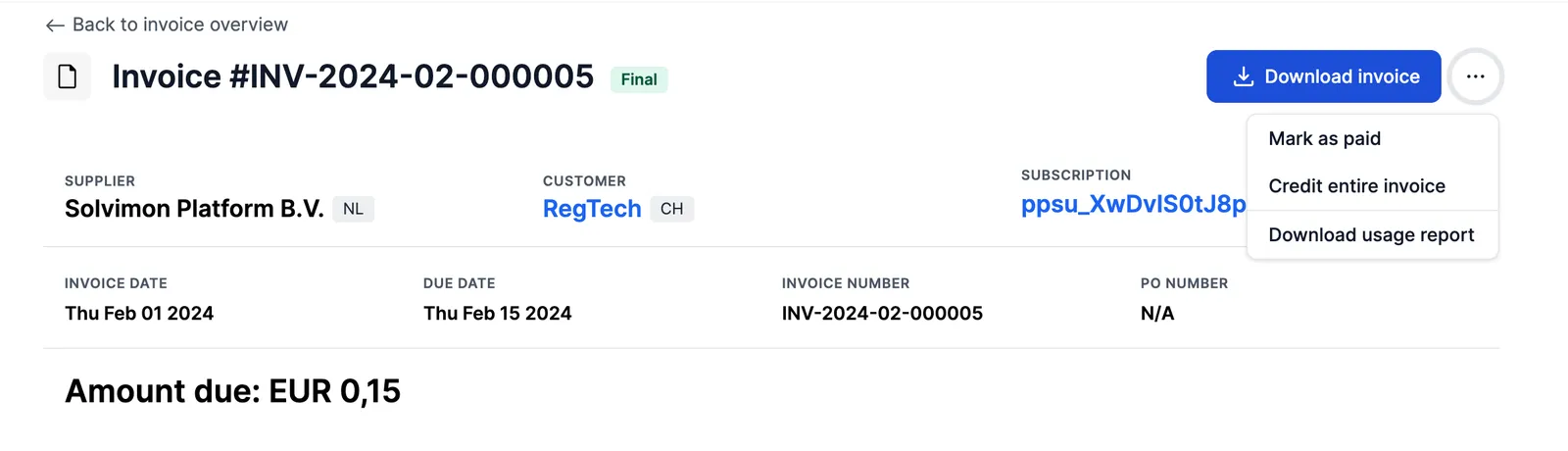
Invoices expose a payment_status of UNPAID, PARTIALLY_PAID, PAID or OVERPAID, shown on final invoices to indicate how much of the invoiced amount has been received. An invoice can be marked PAID manually as demonstrated below, and it will also switch automatically once the invoice is paid using the payment service provider link provided. See invoice payment status for details.
How to set it up?
Collecting on an invoice
Beyond the payment link, a payment can be raised against an invoice directly. This is what you use to charge a stored payment method as part of a billing run, rather than waiting for the customer to click a link.
The payment’s context says what the payment is for: paying a specific invoice, a direct payment, an on-demand charge, or a payment request. The result reports the outcome, using AUTHORIZED, PENDING, REFUSED, CANCELLED, ERROR, REFUNDED, or CHARGED_BACK, with the provider’s detail in result_details.
To see what has already been collected or attempted on an invoice, read GET /v{version}/invoices/{resourceId}/payments for the payments and GET /v{version}/invoices/{resourceId}/payment-attempts for the attempt chain behind them.
The rest of collections
Refunds and reversals
Two different operations, easily confused:
- Refund returns funds for a payment that was captured. Use
POST /v{version}/payments/{resourceId}/refund. The payment result becomesREFUNDED. - Reverse cancels a payment that has not settled, so the funds are never taken. Use
POST /v{version}/payments/{resourceId}/reverse.
Neither changes the invoice itself. To correct what was invoiced, issue a credit note; see Correcting invoices.