
How Solvimon works
Before configuring anything, it helps to understand how Solvimon’s building blocks relate to each other. This page covers the core resources, how they connect, and what sets Solvimon apart from other billing platforms.
How it fits together
At a high level, the flow is:
Meters capture usage → Products define what you sell → Pricing plans set how you charge → Subscriptions attach a plan to a customer → Invoices are generated automatically each billing period.
What makes Solvimon different
API-first. Every action available in Desk is also available via the REST API. Nothing is UI-only, so you can put your entire billing configuration under version control and automate it end-to-end.
Versioned pricing plans. Active plans are immutable; changes create a new version. You always know exactly which terms a customer was billed under, and plan changes roll out without touching historical invoices.
A reprocessable event pipeline. Usage events are stored raw and matched to meters asynchronously. If a meter was misconfigured or events arrived with the wrong shape, you can fix the configuration and reprocess events; no re-sending data or manual invoice corrections.
Real-time cost visibility. Because events are metered as they arrive, you and your customers can see accumulating usage and predicted cost during the billing period, not after the invoice lands.
Interfaces
Desk
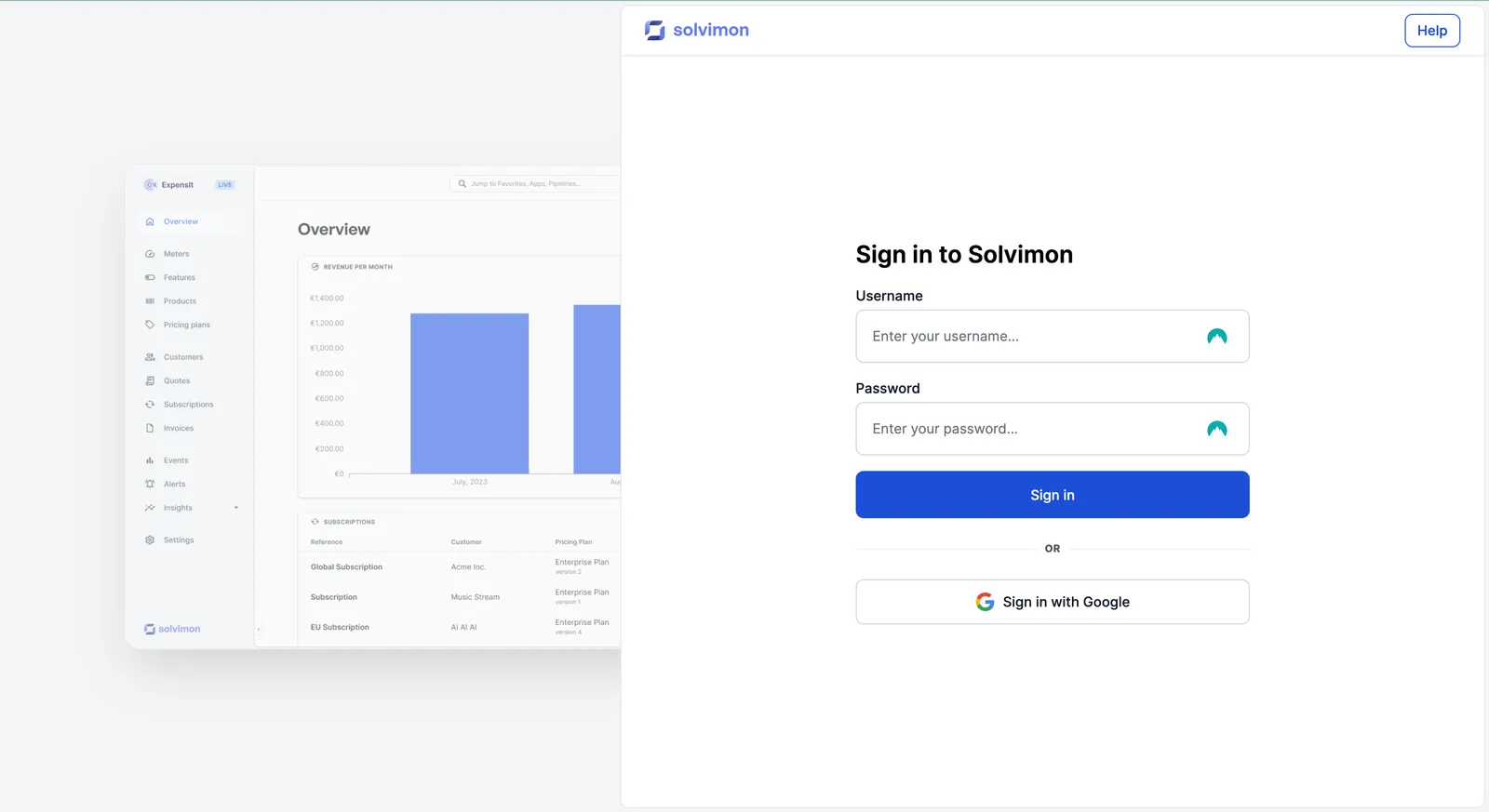
Solvimon Desk is the web application for managing your billing operation. It covers the full platform — creating pricing plans, reviewing invoices, managing customers, importing data, and more. Teams without engineering resources can run entirely from Desk.
REST API
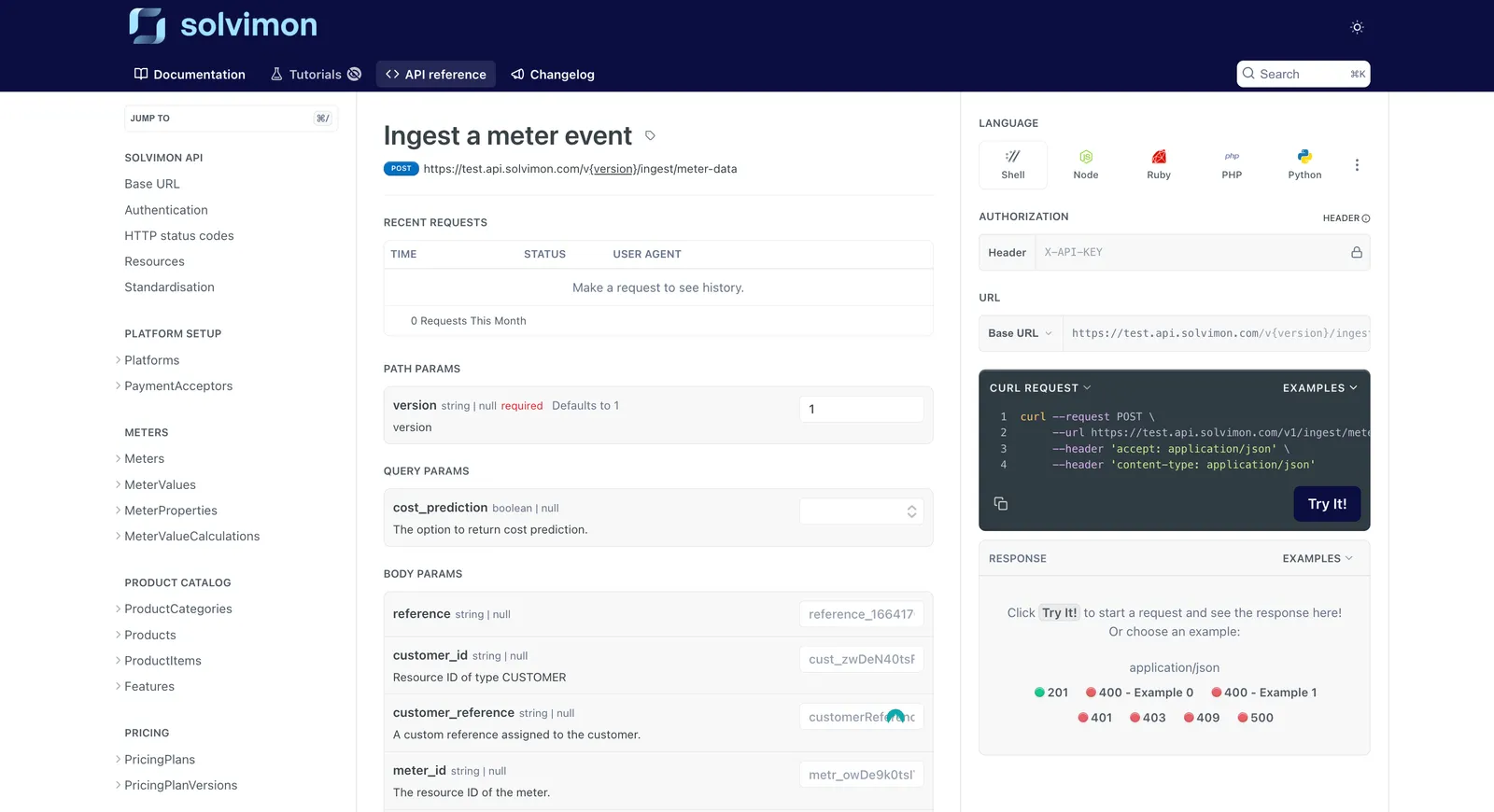
Solvimon is API-first. Every action available in Desk is also available via the REST API, so you can automate customer management, usage ingestion, subscription changes, and invoice delivery from your own systems.
See For developers for authentication, error handling, and endpoint reference.
Core resources
Meters
Define how usage is measured and aggregated. A meter specifies what events to count (or sum, or max) and what filters to apply. Meters are the foundation for usage-based pricing.
Events
Usage events are the raw data you send to Solvimon — each event represents a unit of usage (an API call, a seat, a GB processed). Events are matched to meters and turned into billable quantities.
Product catalog
The catalog is where you define your products and their line items. A product item maps to a line on an invoice. Usage-based items link to a meter; flat items do not.
Features
Entitlements you want to communicate on plans (e.g. “Up to 10 users”, “Priority support”) but don’t directly bill for. Features appear on plans and subscriptions but not on invoices.
Pricing plans
Templates that define price and terms for a product. Plans are versioned — once a version is active you can’t edit it, only create a new version. Plans are assigned to customers via subscriptions.
Coupons
Reusable discount templates you attach to subscriptions to reduce what a customer is charged. A coupon defines the discount type (percentage, fixed amount, or usage credit), how long it applies, and optionally which products or product items it covers. Coupons can be distributed through promotion codes — human-readable codes like SUMMER25 — or applied directly by ID.
Customers
The companies or individuals you bill. A customer holds contact info, address, tax details, and payment method links. Customers can have parent-child relationships for consolidated billing.
Subscriptions
Subscriptions represent the product details a customer subscribes to and enable you to charge them on a recurring basis. A subscription links a customer to a pricing plan and defines the billing terms — currency, period, start and end dates, and any customer-specific overrides. A subscription can have multiple schedules to represent plan changes over time, such as upgrades, downgrades, or price adjustments mid-contract.
Invoices
Statements of amounts owed by a customer, tracking payments from draft through paid. Subscriptions automatically generate invoices at the end of each billing period; you can also create one-off invoices manually. An invoice shows all charges for a billing period — usage-based line items calculated from meter data, plus any flat charges from the customer’s pricing plan, including any customer-specific pricing agreements or discounts. Corrections are handled via credit notes.
How resources connect
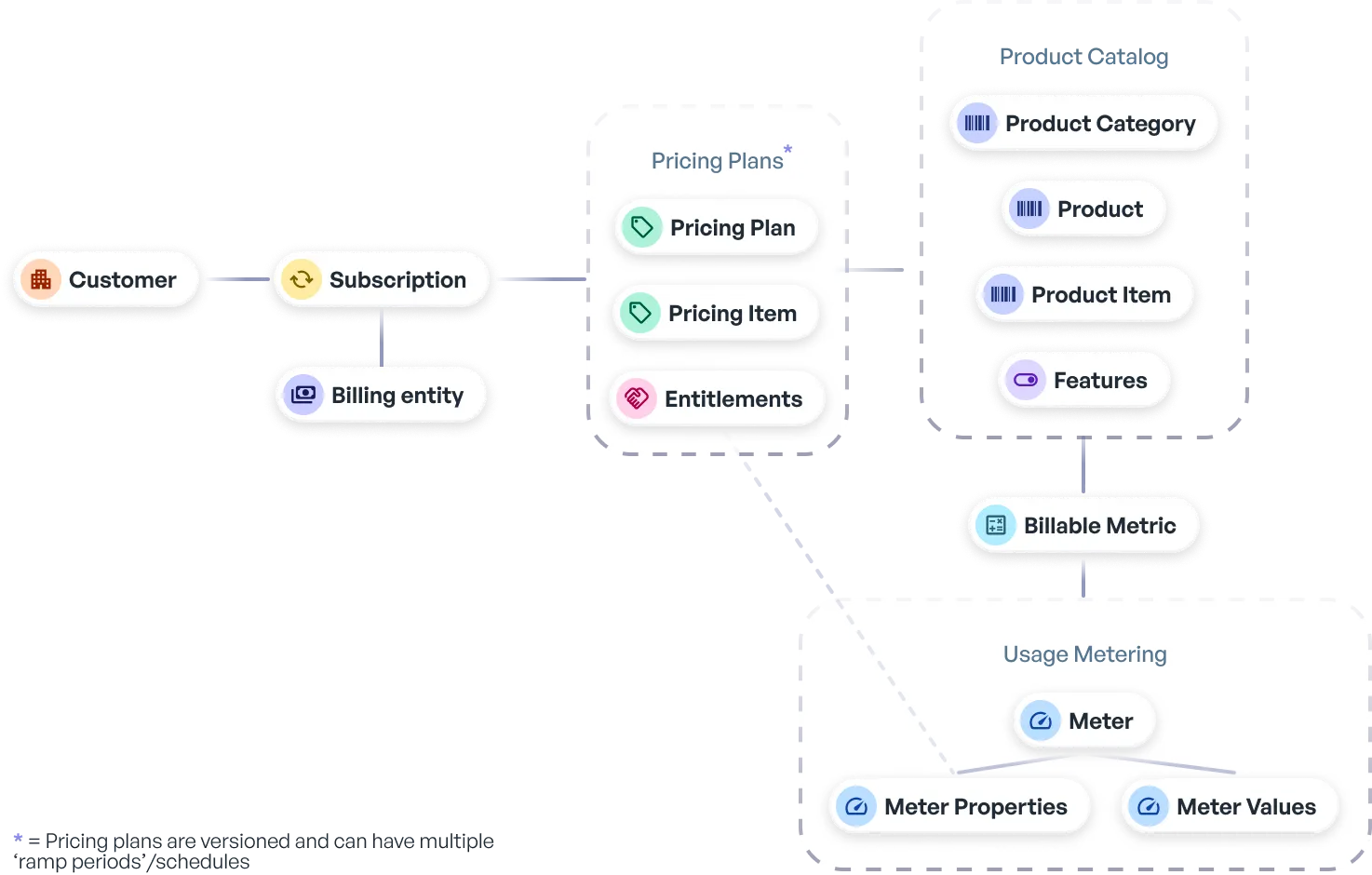
The diagram below shows the high-level flow of how these resources relate from a business perspective: customers receive subscriptions to pricing plans, which bundle products, which are priced and linked to usage through meters.
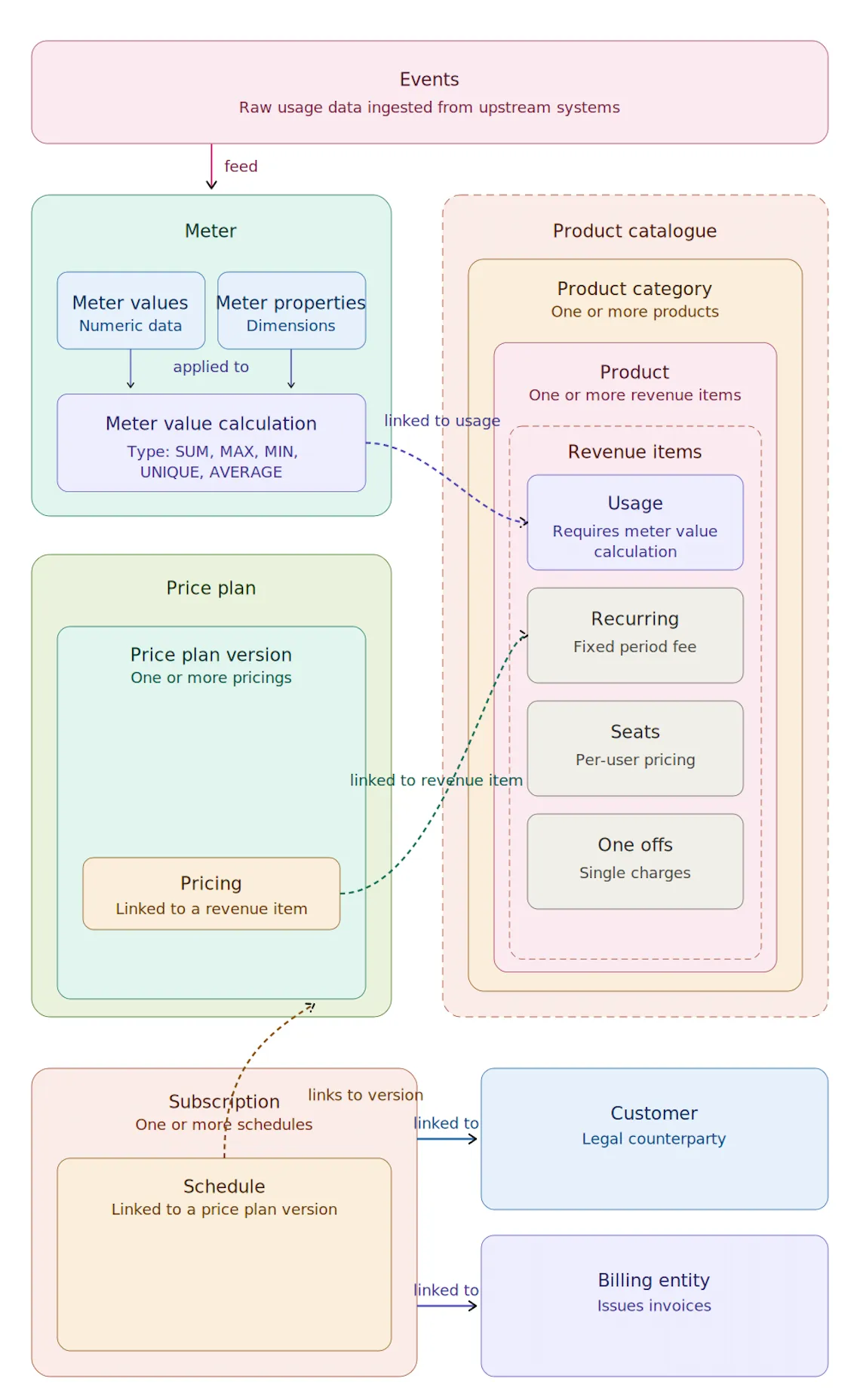
For a detailed breakdown of the resource structure—showing exactly how price plans contain versions, versions contain pricings, pricings link to product items, and product items reference meter value calculations—see the diagram below.
Resource statuses
Meters, products, and pricing plans share a common status lifecycle designed to protect billing integrity and maintain an audit trail.
Subscriptions and invoices have their own status flows, covered in their respective sections.