
Invoice payment status
Invoices track collection state separately from their lifecycle status. This page covers the payment_status field, and the deprecated paid boolean it replaces.
Payment status
Every invoice exposes a payment_status field, giving a more precise view of collection state than a simple paid/unpaid flag:
Desk shows this status on the invoice screen. It updates automatically once the customer pays through the invoice’s payment link, or it can be set manually as shown below.
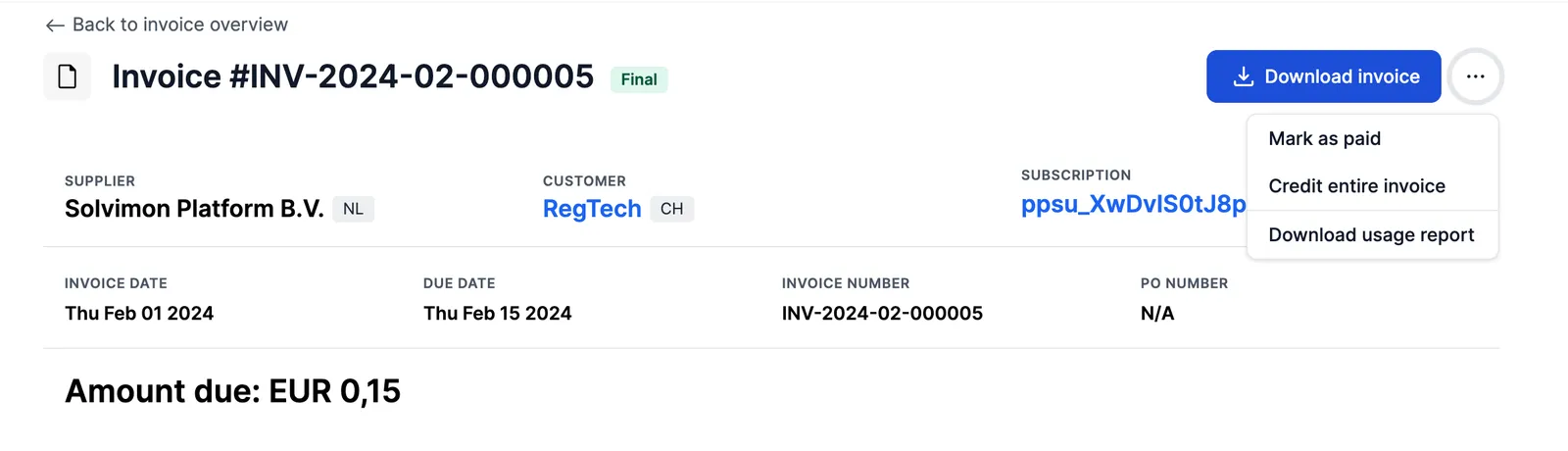
Set the status through the API
Settlement that happened outside Solvimon can be recorded on the invoice directly, with PATCH /v1/invoices/{id}:
The invoice has to be FINAL. Only PAID and UNPAID can be set this way. PARTIALLY_PAID and OVERPAID are derived from the paid and open amounts, so they are rejected. The field cannot be set while creating an invoice.
Setting payment_status moves the deprecated paid boolean with it. Sending both, with values that contradict each other, is rejected on payment_status.
Refunds
open_invoice_amount and paid_invoice_amount account for refunds. A payment pending refund or reversal still counts as paid; a settled refund reduces paid_invoice_amount and reopens the corresponding part of open_invoice_amount.
Marking an invoice paid by hand sets payment_status along with the paid flag and the open amount. All three fields stay consistent with each other.
Deprecated: the paid boolean
Invoices also still expose a paid boolean, which only distinguishes paid from unpaid. It continues to work for backwards compatibility, but it can’t represent a partial or over-payment. Use payment_status instead.