
Correcting invoices
Correct an invoice after it was generated: negate wrongly ingested usage, adjust its lines, or issue a credit note once it’s FINAL.
Why this matters
Invoices need corrections for predictable reasons: a billing mistake (wrong quantity, price, tax, or discount), a service issue such as downtime or an SLA breach, a partial cancellation or return, or a goodwill gesture where you reduce what the customer owes. Which correction method to use depends on the invoice’s status and what you want the customer to see on the final document.
Choosing a correction method
Adjustment events
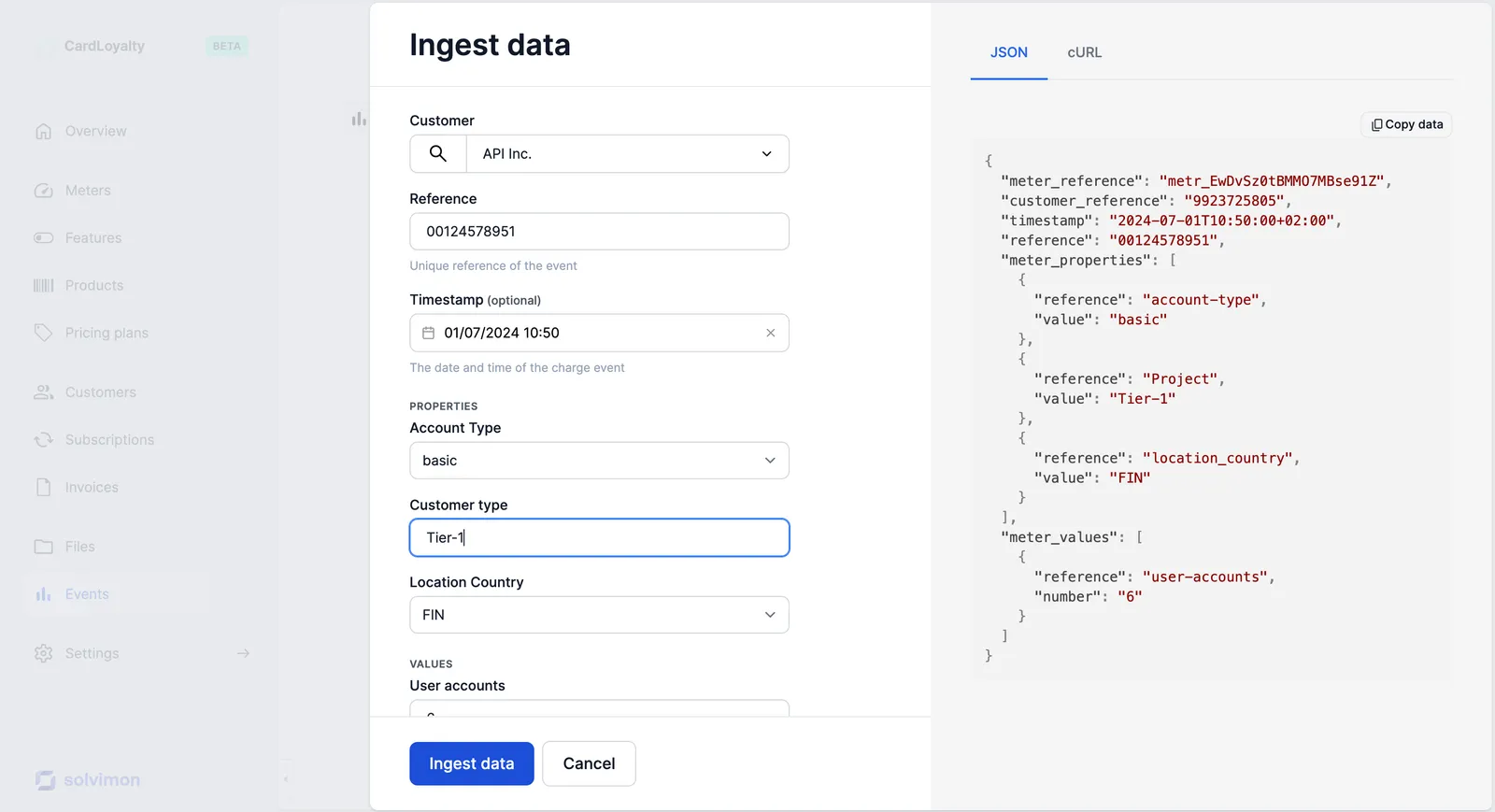
The cleanest way to correct wrongfully ingested usage is to ingest negative events that negate the incorrect ones. This makes sure the total invoice quantity and events are correct, so the customer sees the right usage without an extra refund line.
Create the correction event as a ‘mirror’ event with the same meter properties as the original, in case you have price rules that are triggered by the event. Ingest it through the API, manually, or with a file upload, just like your regular ingestion process.
Manual adjustments
When an invoice has status OPEN, you can correct mistakes or add extra charges by adjusting its lines directly. An adjustment has the type charge or refund, can have its currency set manually, and is shown in the product section as a separate invoice line, clearly marked as an adjustment. Adjustments cannot be made on FINAL invoices.
Via the API, add a line with POST /v1/invoices/{id}/add-line and remove one with POST /v1/invoices/{id}/delete-line:
In Desk, open the invoice and add the adjustment from the invoice lines section:
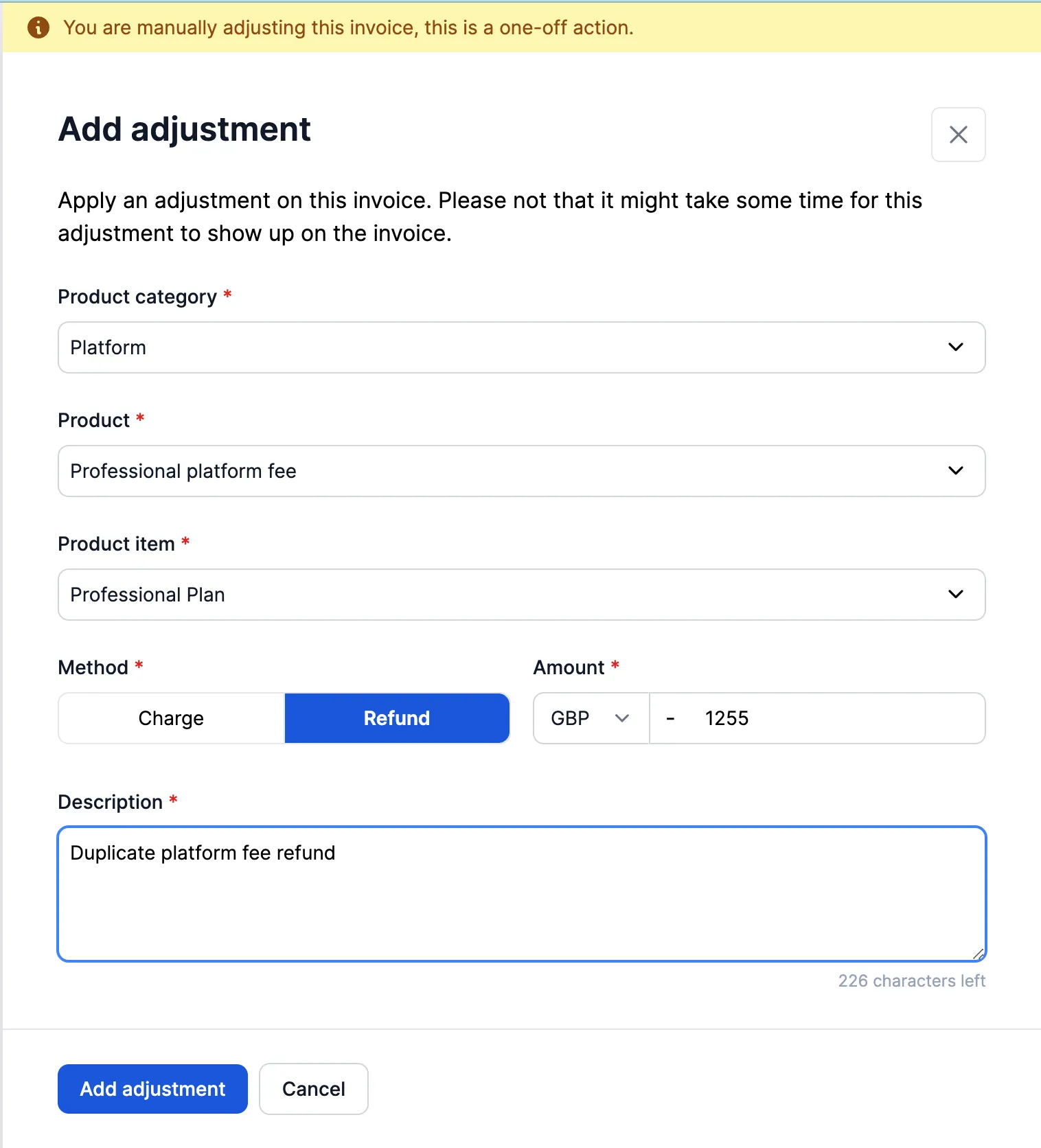
Adjustment events are created for every manual adjustment on an invoice, and reports are available so your team can analyse how often manual invoice corrections occur.
Credit notes
A credit note is an official accounting document that reduces the amount a customer owes on an invoice after that invoice has been finalized. It is the inverse of an invoice: instead of asking the customer to pay more, you formally acknowledge that they should pay less or receive money back.
Once an invoice is FINAL it cannot be changed, so any correction happens through a credit note: a new document linked to the original invoice, crediting it in full or in part. See Credit notes for creating them and controlling which customer details they carry.
If the original invoice was paid through a PSP, crediting alone doesn’t return any money. Trigger a referenced refund on the finalized credit note to refund the original payment back to the customer’s payment method.
Refreshing invoice data
A correction isn’t always about amounts. If details like the customer’s name or address, the billing entity, or custom field values changed after an invoice was generated, refresh the invoice to reflect the new values with POST /v1/invoices/{id}/refresh:
In Desk, use the refresh action on the invoice page:

See also: Invoice lifecycle and Credit notes.