
Subscription schedules
A subscription schedule is the period of billing or the duration for the invoice.
A subscription consists of one or more schedules, each with a pricing plan version and a start and end date. There are many options for configuring subscriptions to fit what you agreed with the customer.
A subscription always has 1 or more schedules, and an optional set of:
One can also take a pricing plan and fully customise the pricing based on the agreements you have made with your customer. Read more about pricing overrides here.
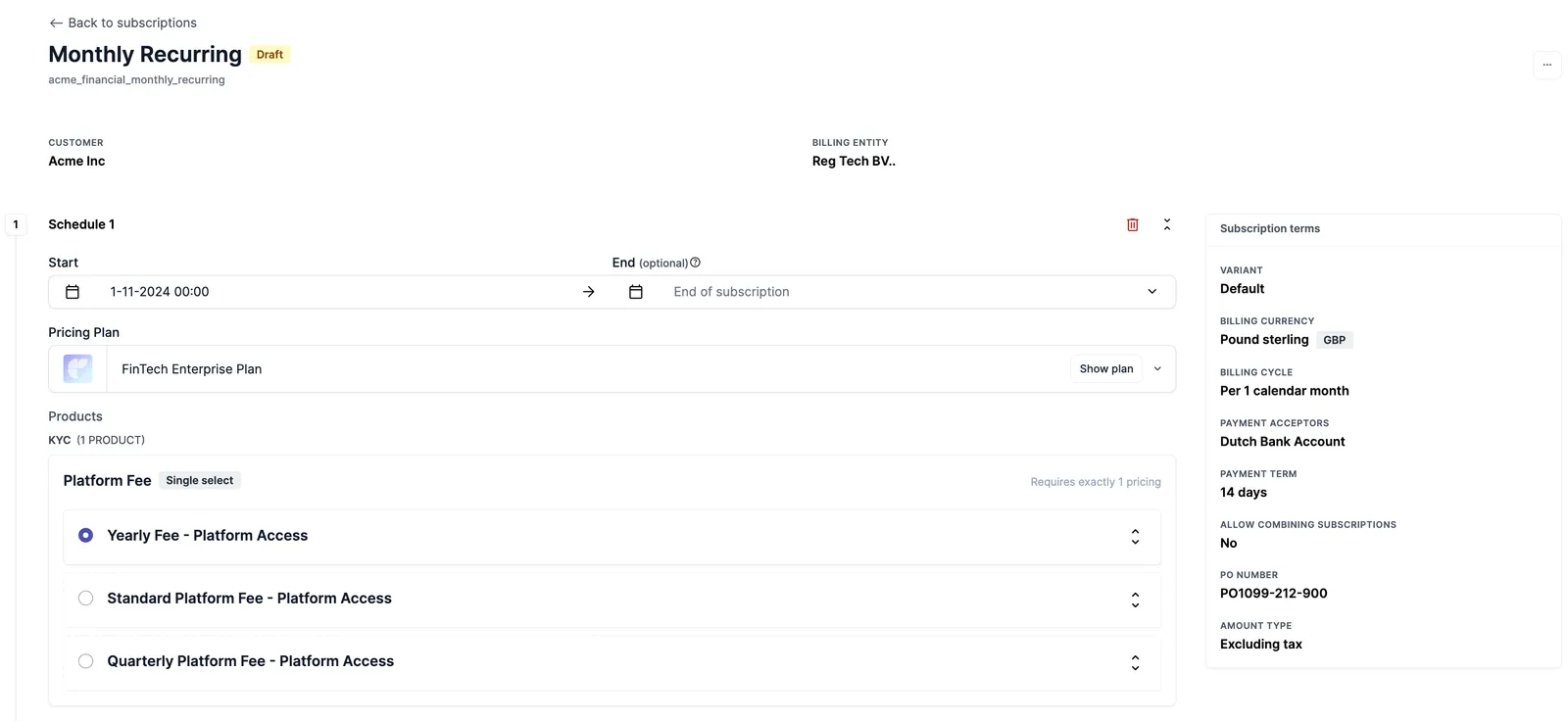
Creating a subscription schedule
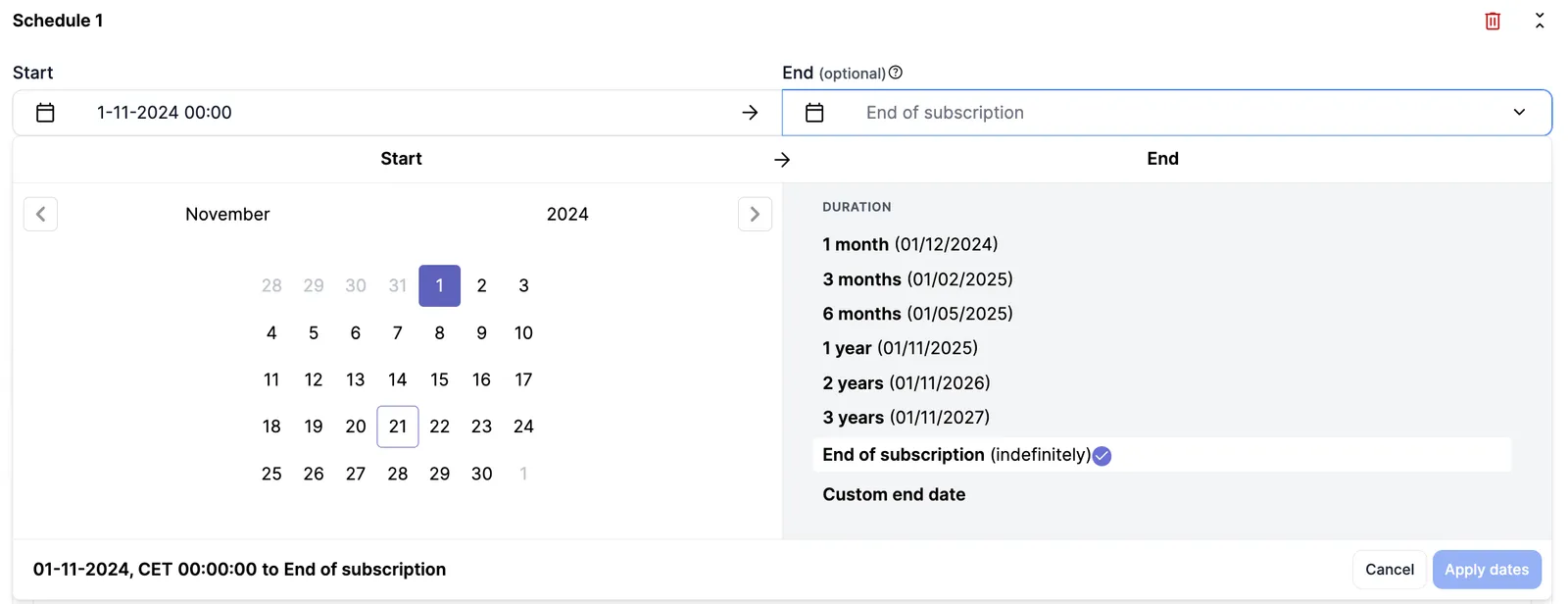
A start date is mandatory with an optional end date for the schedule which means that it renews indefinitely unless updated.
An active schedule without an end date can be updated with an end date of the future.
No two schedules within one subscription can overlap or leave a gap. The end date of one will be the beginning or start date of the next schedule. If the first schedule has no definitive end date, then the start date of the next schedule will set the end date of the previous schedule.
Schedule status
A schedule carries a status of either DRAFT or ACTIVE. ACTIVE is the default when the field is absent, so a schedule created without one behaves as it always has: live the moment it exists.
Two read-only fields sit alongside it. approval_status reflects the approval request attached to the schedule, and is_current combines the schedule’s date window with an ACTIVE status so you can tell what the customer is on today in one read.
Use a draft when a change needs review before it bills. See Draft schedules for the full flow, the activate actions and the permissions that separate preparing a change from releasing it.
Cloning subscription schedules with overrides
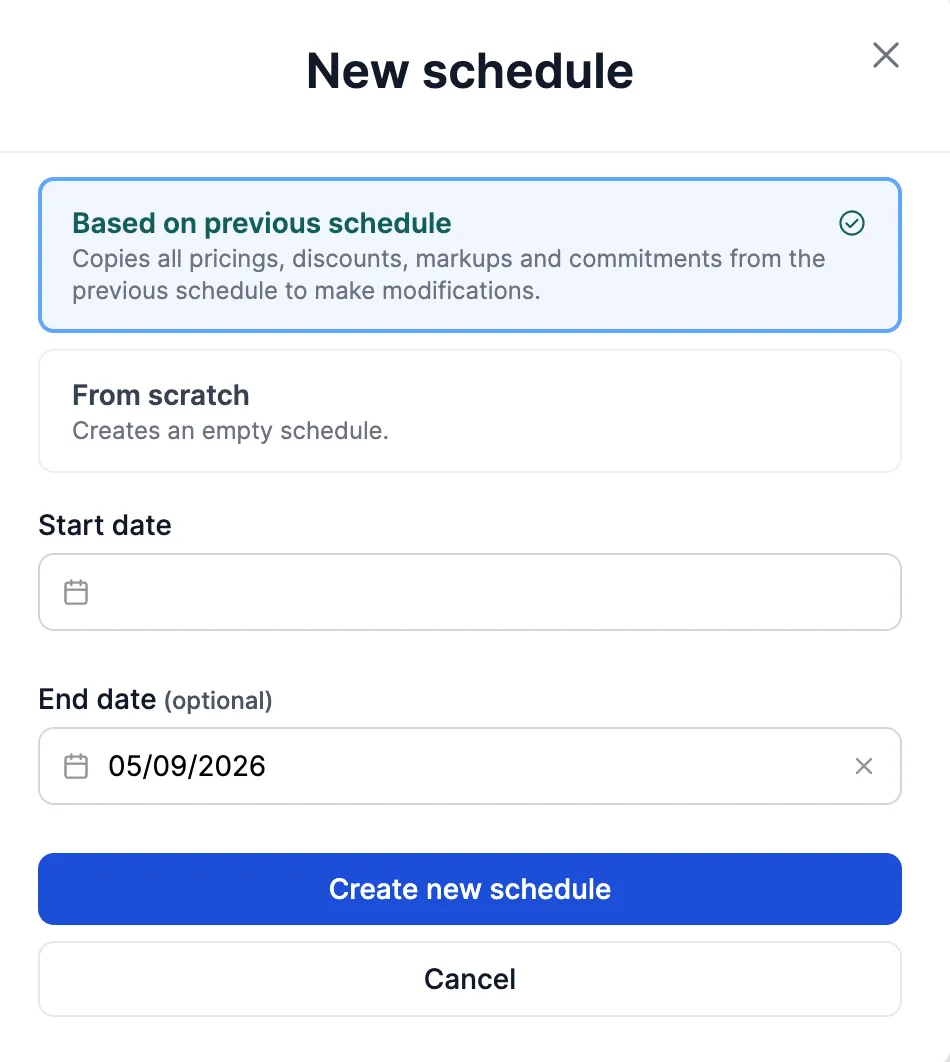
While creating a new schedule in an active subscription, if the previous schedule has overrides, you can copy them onto the new schedule or start from scratch.
Tracing invoices back to schedules
Invoices expose a read-only pricing_plan_schedule_ids field listing the schedules the invoice bills for, next to the existing pricing_plan_subscription_ids. It is a list because an invoice can span multiple subscriptions and can include usage and pay-in-advance fees from different schedules around a cut-over. Use it to trace every invoice line back to the schedule that produced it without expanding each line.
Setting units on a one-off item
A one-off pricing item priced FLAT bills a unit price and a quantity. The plan-level default for that quantity is default_units on the pricing item config. A schedule can override the quantity for one subscription with units, keyed on the pricing item config the same way seats_values is:
A count of zero is valid and bills no line. Copying or migrating the schedule carries its units across. See One-off pricing for how units combines with fixed_amount and amount on the line.
Indexing prices
When a contract carries an annual uplift, you do not have to edit each price by hand. Copying a schedule can apply a percentage to every price it bills, or to a chosen subset, and return the result as a new schedule while the current one stays intact.
See Price indexation for the settings, the rounding modes and what indexation does and does not move.