
Skip to navigation

Payment options

Payment acceptors are ways for your customers to pay the invoice. They go further than payment methods, since they also cover integrations with payment service providers.

The API supports three types of payment acceptor:

TypeWhat it does
BANK_ACCOUNTThe customer transfers to a bank account shown on the invoice
PAYMENT_GATEWAYPayment is collected through a connected payment service provider
CUSTOM_REDIRECTThe customer is sent to a URL you control to pay; see Custom redirect

Payment acceptors are set within your billing entity. You can add multiple payment acceptors to a single billing entity. Once they are set up, they can be chosen as the payment acceptance mode in the subscription and will be shown on the invoice.
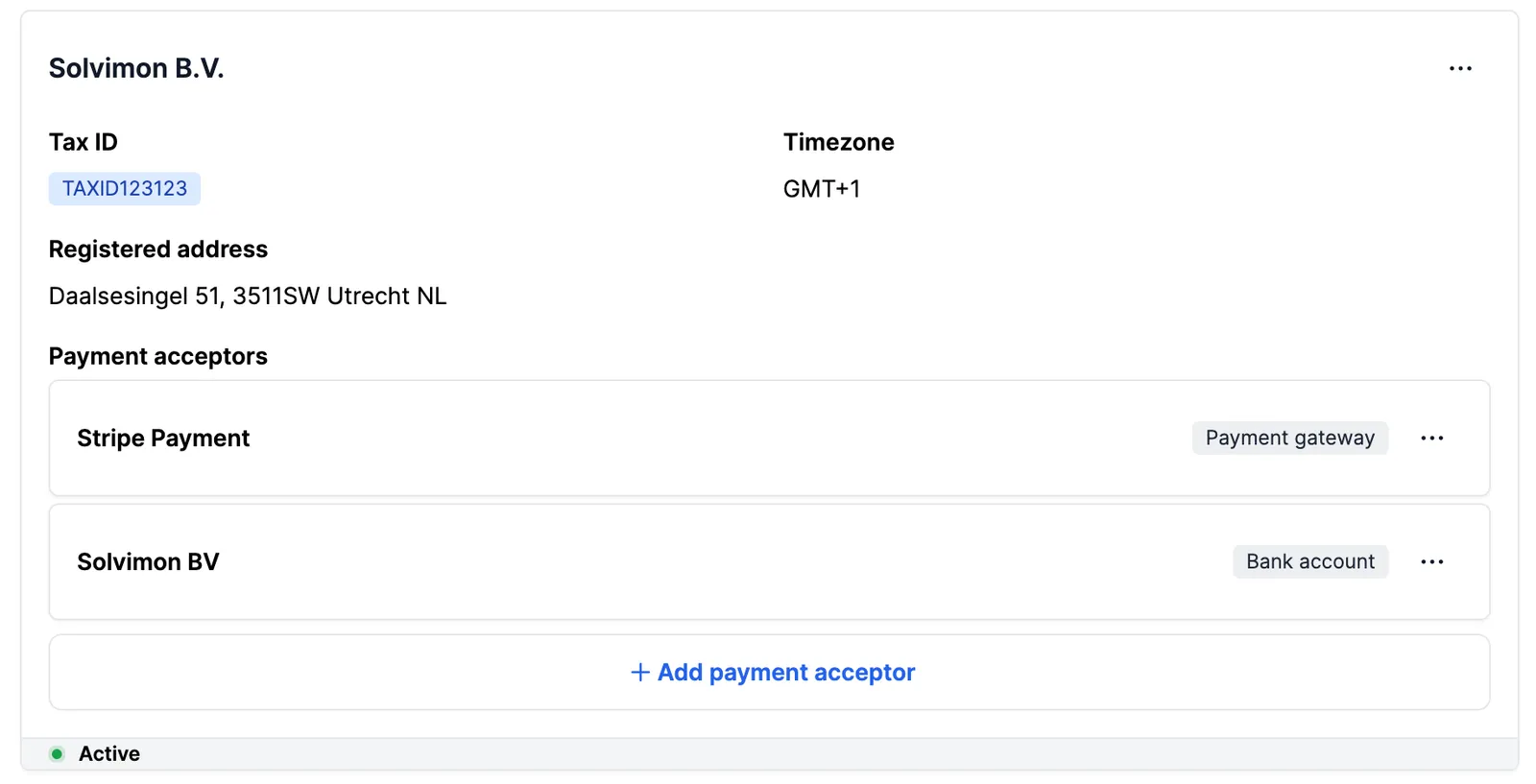
Payment acceptors on a billing entity


Bank account

Add a bank account acceptor to a billing entity by entering the account details in the form below.
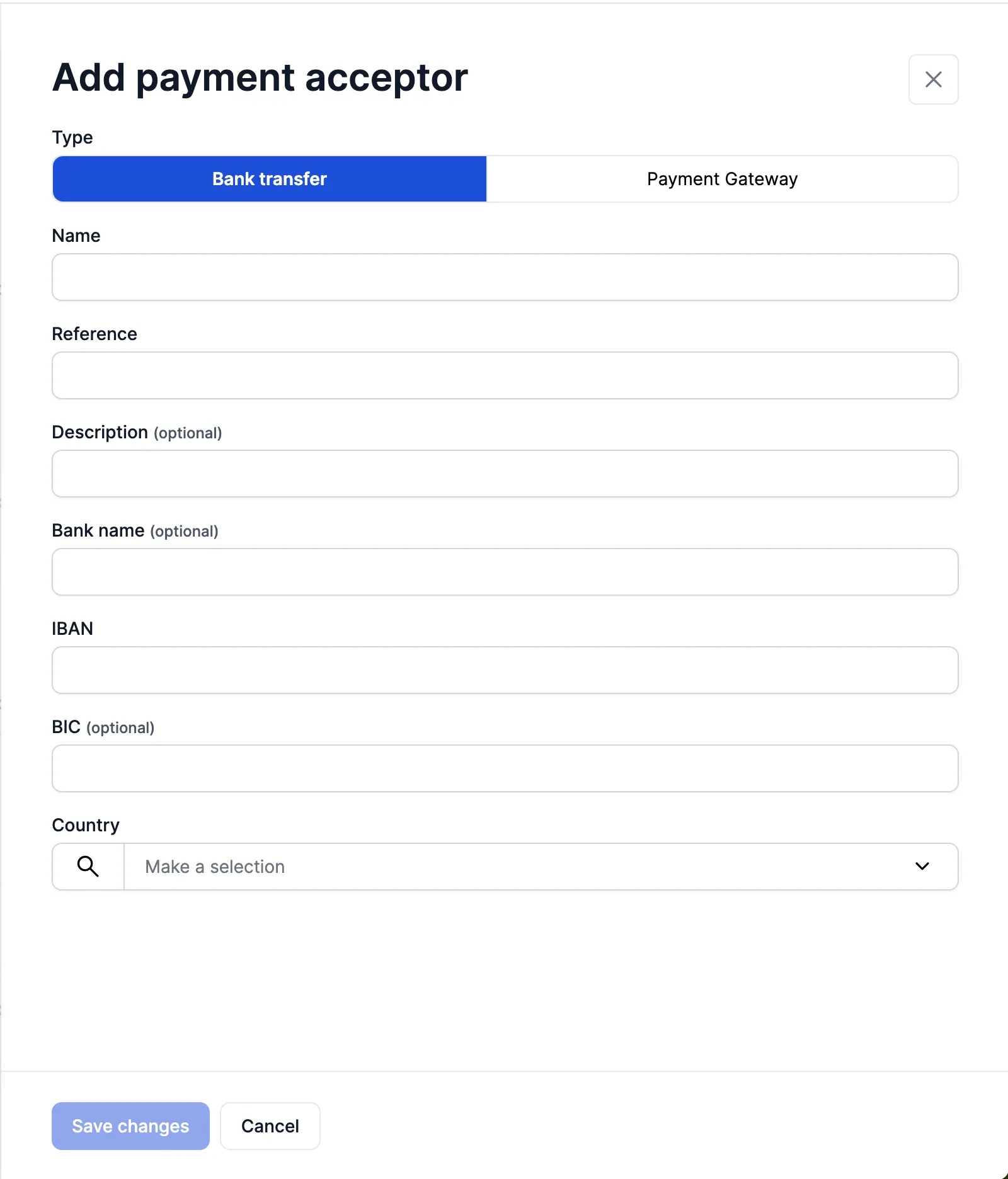
Bank account payment acceptor form

Stripe

The Stripe account only appears in the integrations dropdown once it has been connected to your Solvimon account.

Enter the Stripe account details and pick the account from the integration dropdown. It is then configured as a payment acceptor on that billing entity.
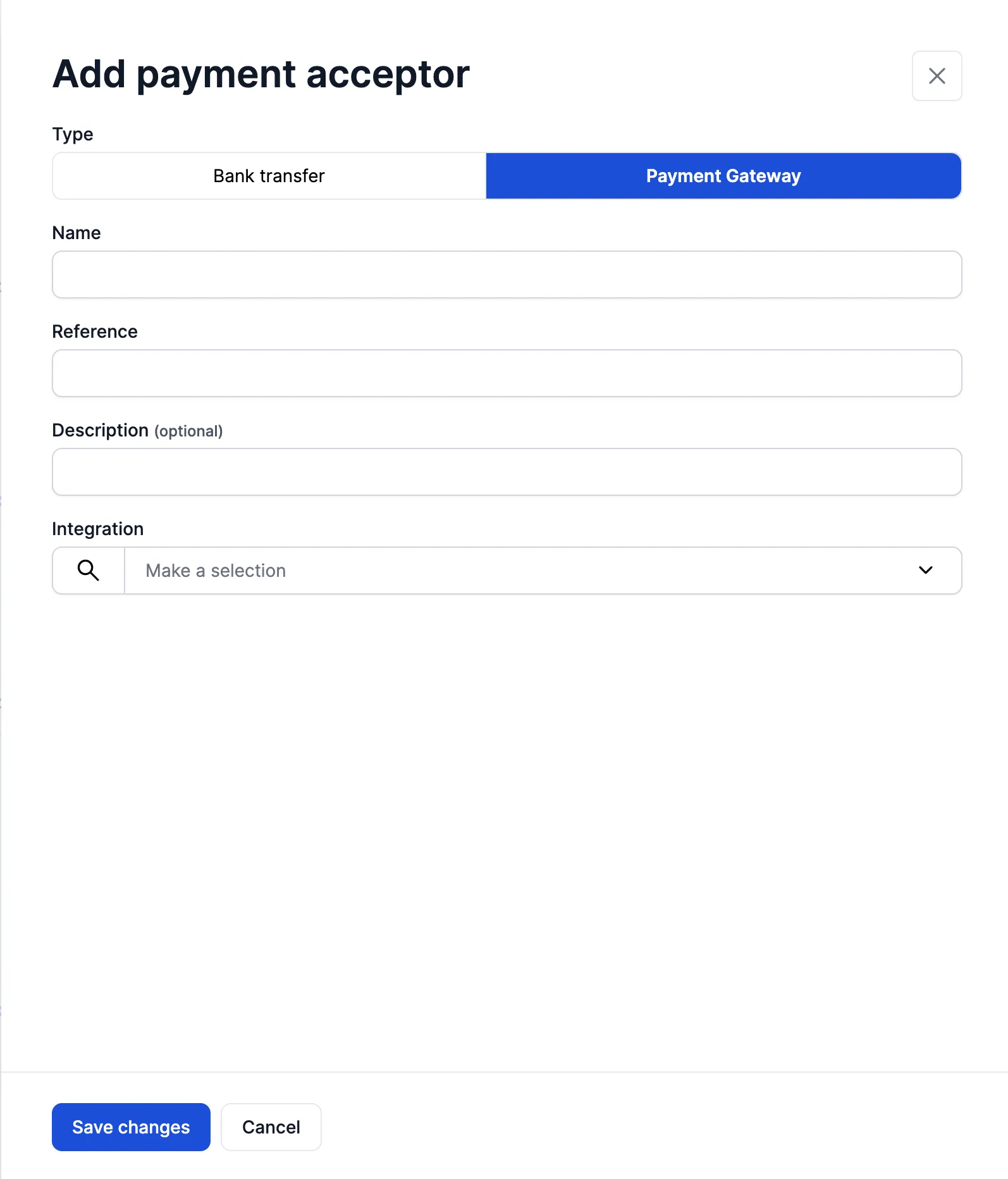
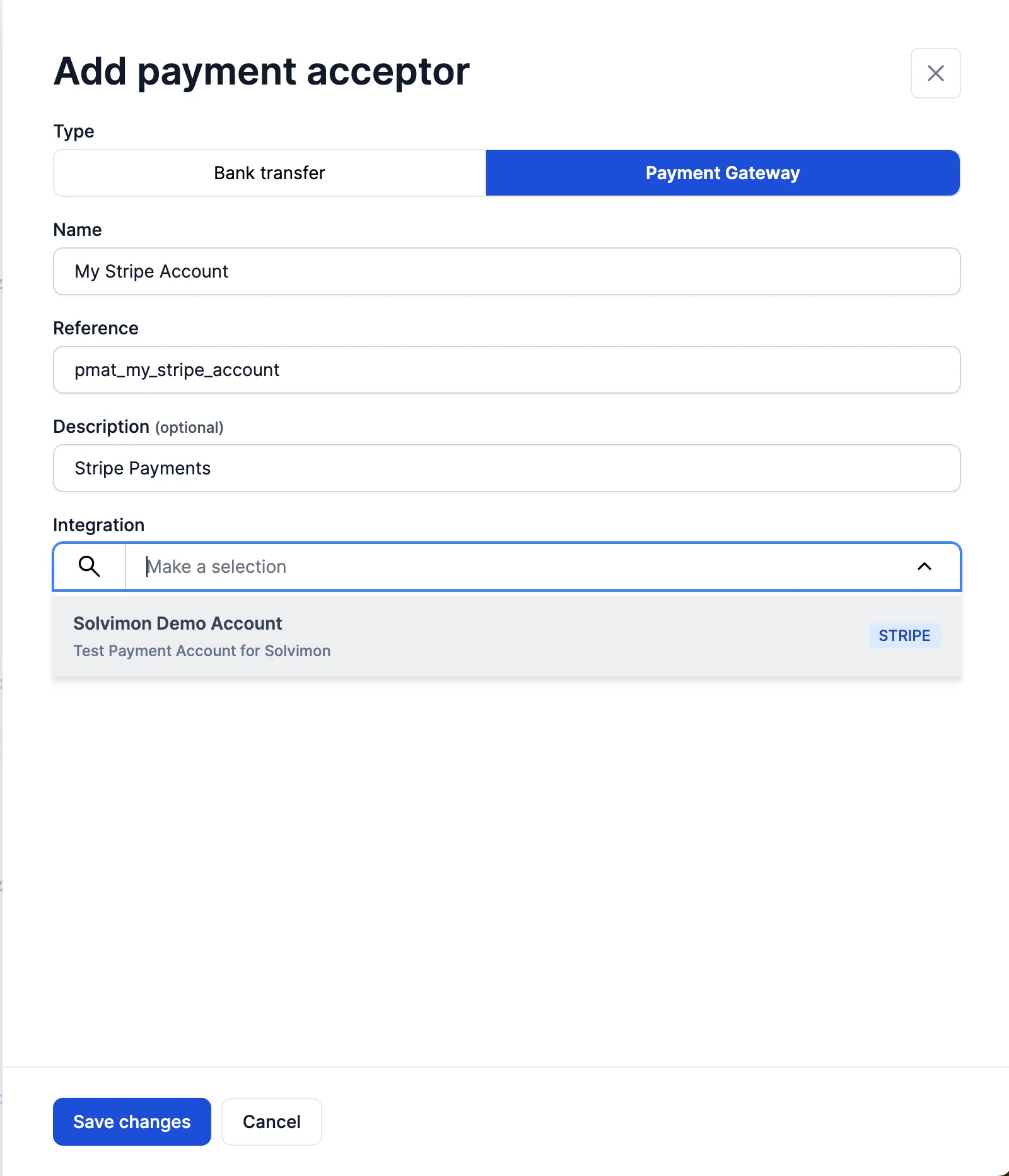
Stripe payment acceptor form

Stripe account selected in the integration dropdown


Payment methods

A payment acceptor is how the invoice can be paid. A payment method is the specific instrument a customer pays with, stored against that customer and collected through the acceptor’s provider.

TypeWhat it isNotes
CARDA stored cardCarries an expiry date, so it fails when the card expires. Retried automatically where the provider supports it
DIRECT_DEBITA bank account debited under a mandateCheapest for recurring billing. The mandate lives at the provider; see Direct debit
ONLINE_BANKINGA bank redirect, such as iDEALOne-off by nature: the customer authorises each payment
DIGITAL_WALLETA wallet such as Apple Pay or Google PayAvailability depends on the provider and the customer’s device
BUY_NOW_PAY_LATERA deferred payment providerAvailability depends on the provider and the market
UNKNOWNThe type could not be determinedUsually a method imported from another system

Which types and variants you can actually offer depends on the provider connected to the billing entity and the country involved. Read the combinations available to you rather than assuming:

Get available payment method options
curl -X POST https://test.api.solvimon.com/v1/payment-acceptors/payment-method-options \
-H "X-API-KEY: <apiKey>" \
-H "Content-Type: application/json" \
-d '{
"payment_acceptor_id": "paya_example",
"payment_method_type": "DIRECT_DEBIT"
}'
Response
[
{
"payment_acceptor": {
"id": "paya_example",
"type": "PAYMENT_GATEWAY"
},
"integration": {
"id": "intg_example",
"provider": "ADYEN"
},
"options": [
{
"payment_method_variant": "sepaDirectDebit",
"payment_gateway_variant": "sepadirectdebit"
}
]
}
]

Every stored method has a status of SETUP, ACTIVE, INACTIVE, or ARCHIVED, and one method per customer can be is_default. Create methods by tokenizing through the provider (POST /v{version}/payment-methods/tokenize) or by letting the customer add them in hosted checkout or the customer portal, rather than posting raw card or bank details.

List a customer's payment methods
curl -X GET "https://test.api.solvimon.com/v1/payment-methods?customer_id=cust_example" \
-H "X-API-KEY: <apiKey>"
Response
{
"data": [
{
"object_type": "PAYMENT_METHOD",
"id": "paym_example",
"customer_id": "cust_example",
"type": "DIRECT_DEBIT",
"status": "ACTIVE",
"is_default": true,
"direct_debit": {
"variant": "sepaDirectDebit",
"owner_name": "Acme Corp",
"iban": "DE89****1234",
"bic": "COBADEFFXXX",
"country": "DE"
},
"integration_id": "intg_example"
}
],
"page": 0,
"limit": 20,
"links": {
"current": "https://api.solvimon.com/v1/payment-methods?page=0"
}
}

For what happens when a payment on one of these methods fails, see Dunning & payment retries.