
Subscriptions
A subscription captures the commercial relationship between a customer and a billing entity: it ties a customer to a pricing plan and its terms, and is what eventually results in invoices.
Why this matters
Everything you bill flows through a subscription. It determines which pricing applies, in which currency, on what cadence, and how the resulting invoice is paid. Understanding its parts (details, terms, and schedules) is a prerequisite for the rest of this section.
How it works
A subscription connects a customer to one or more schedules, each of which points to a pricing plan version for a period of time. Invoices are generated per billing period from the active schedule.
Subscriptions follow their own lifecycle (DRAFT, ACTIVE, PAUSED, and terminal states); see Subscription lifecycle for the full state table.
Create a subscription
Via API
Create a subscription with the Create a pricing plan subscription endpoint:
The subscription is created in DRAFT status. To make it billable, add one or more schedules linking it to a pricing plan version.
If you want to create the subscription, its schedule, and the first invoice (optionally with a first payment attempt) in a single call, use the init endpoint instead. See Subscription initialisation.
Via Desk
Subscription details
Selecting the customer and the variant is mandatory when creating a subscription.
The variant defines the structure of invoicing and event calculation for that customer:
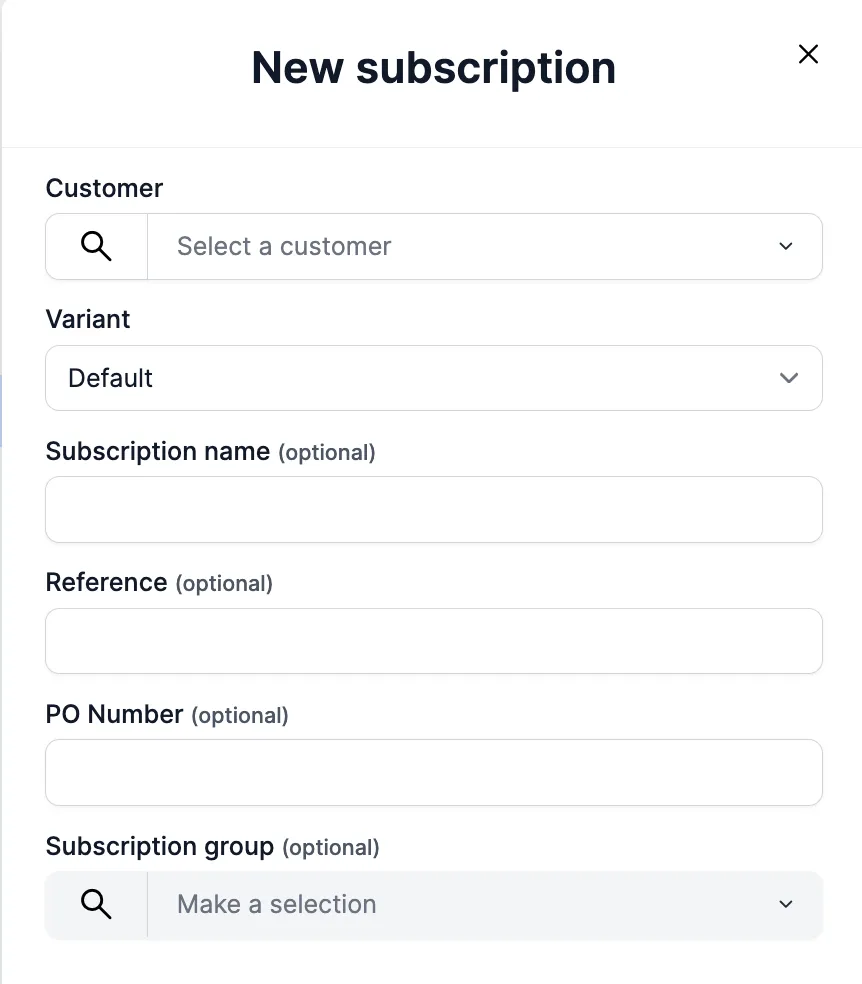
Optional information can also be added to a subscription:
- Reference: unique across all subscription resources; use it to identify individual subscriptions from your own systems.
- Name: a free-form label with no uniqueness validation.
- PO number: carried onto the generated invoices.
Subscription terms
Subscription terms are the billing and invoicing rules the subscription adheres to.
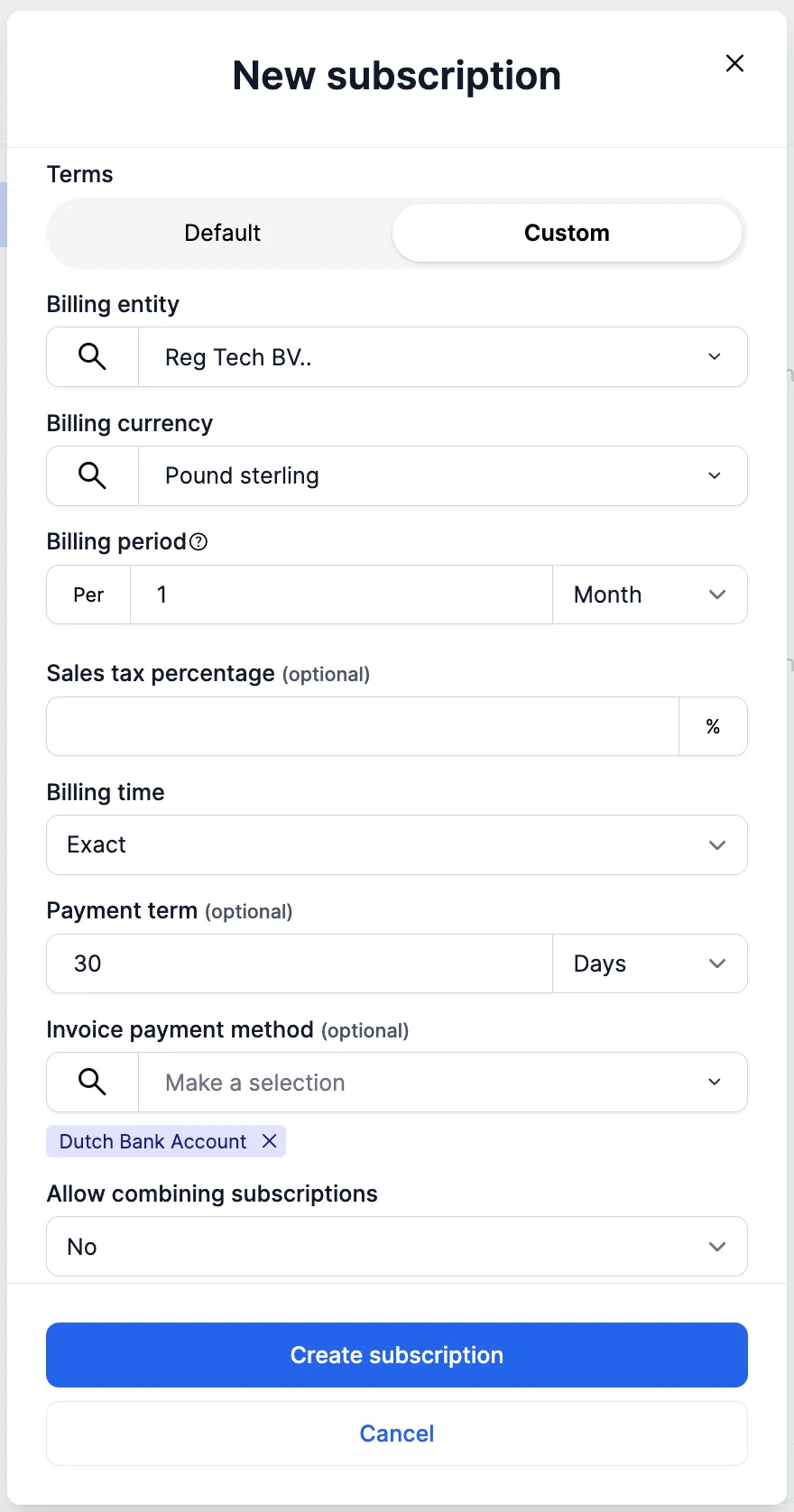
- Billing currency: the currency invoices are issued in.
- Payment terms: determine the invoice due date.
- Billing time:
CALENDAR(aligned to calendar periods) orEXACT(anniversary billing, aligned to the activation date). Read more in Billing cycles & pro-ration. - Taxation: the country code on the billing entity together with the country code on the customer decides the taxation of the invoice line items.
- Payment methods: setting the invoice payment method(s) on the subscription ensures this information is on the generated invoice. The dropdown populates based on the billing entity selected.
Default terms can be set at platform level in the subscription settings; any term you don’t set explicitly falls back to the platform default. Read more in Default platform settings.
Combining subscriptions
You can combine multiple subscriptions for one customer. If combine is enabled and the terms match (billing entity, currency, billing time, and payment terms), a single invoice is generated for that customer with the product items from each subscription showing up as invoice lines.
If one of the subscriptions in the combined group is voided and the invoice is not final, the invoice lines from that subscription are removed from the invoice.
For pooling volume across multiple customers that are billed individually, use subscription groups instead.
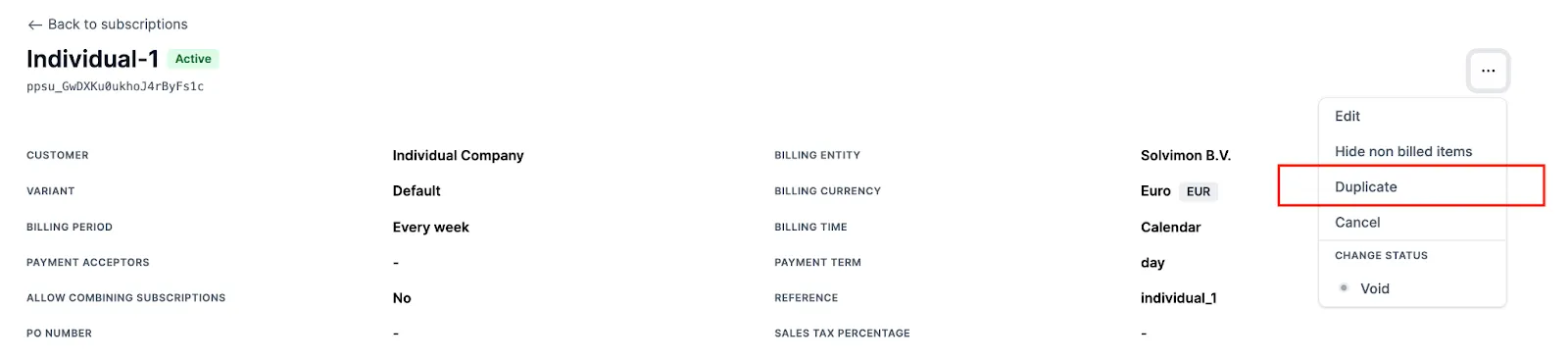
Duplicating subscriptions
You can duplicate a subscription to create a new one. This copies the entire subscription in DRAFT status, including all schedules, discounts, commitments, and overwrites. In Desk, use the duplicate action on the subscription; via the API, use the copy endpoint (POST /v1/pricing-plan-subscriptions/{resourceId}/copy).
Ramp-up periods
Ramp-up periods let you introduce customers to your product gradually with adjusted pricing in the early billing periods. By adding multiple schedules with adjusted pricing to a customer’s subscription, you can create any ramp-up that you want.
There are multiple ways to create ramp-up periods:
- Fixed ramp-up pricing plan template: if a ramp-up period is a standard offering and prices are fairly fixed, create the ramp-up prices in a standard pricing plan and version.
- Custom schedules per customer: for customer-specific ramp-ups, add multiple subscription schedules with discounts, commitments, or included volume adjusted per period.