Invoice reports
There are several reports that can be downloaded on invoice data:
- Invoice header data
- Invoice line data
- Tax summaries
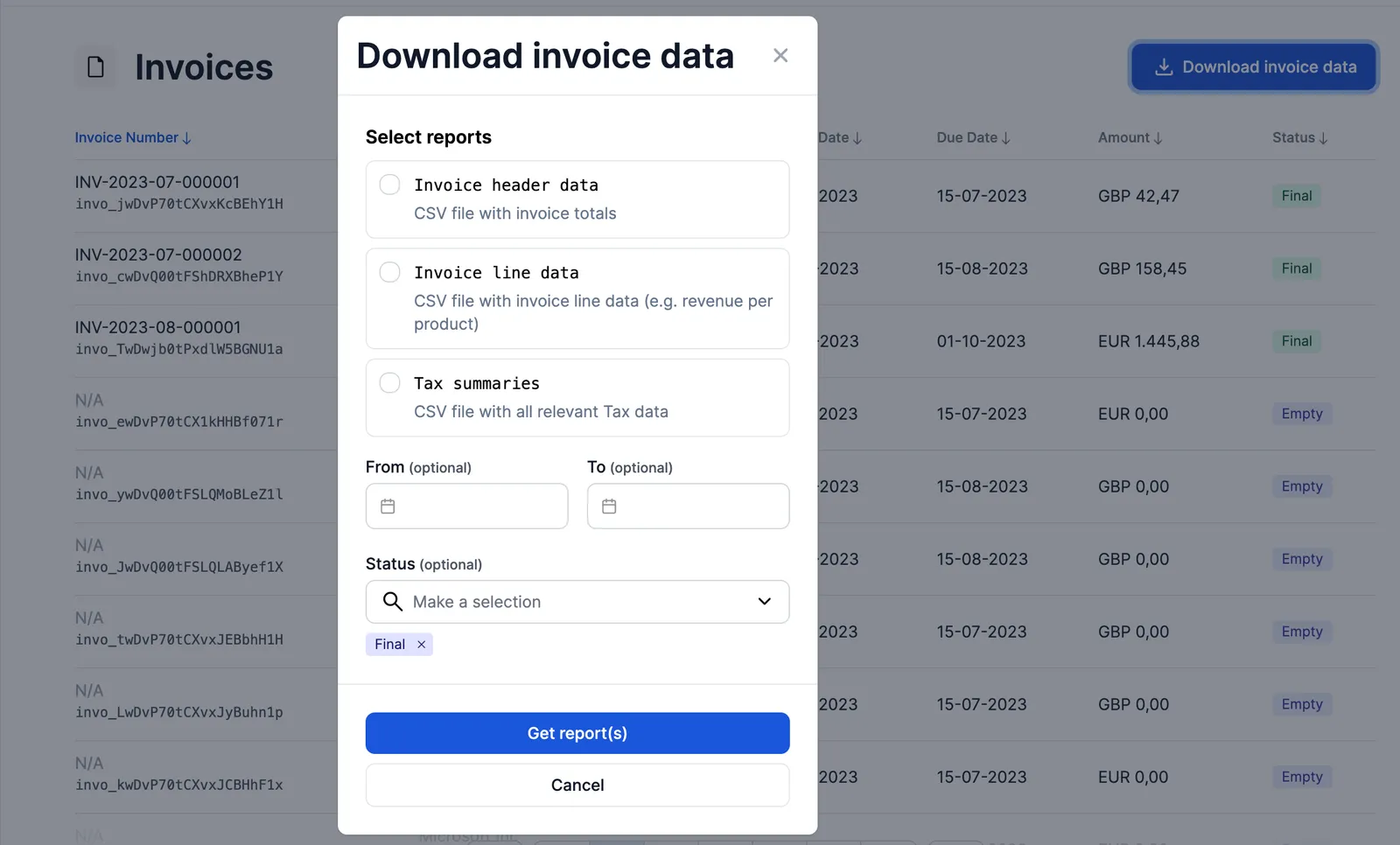
The reports can be found on the invoices page in Desk via the Download invoice data button.
Select the report you’d like to download, furthermore you can also select the time period and invoice status you’d like to filter on.
Invoice header data
The invoice header data report shows summarised information that contains information on the highest level of your invoices, without giving details about the unique invoice lines.
The report is mainly used to get a broad idea of the invoices and the total amounts and other header data that is on them.
The report consists of the following fields:
Invoice line data
The more detailed invoice line data report gives data on the invoice line levels, including details about the per-product revenue and quantities.
Tax summaries
The tax summaries report contains information on the applicable Tax found on the invoice. This report can be downloaded at the invoices overview page.
The report includes the following data:
Revenue recognition periods
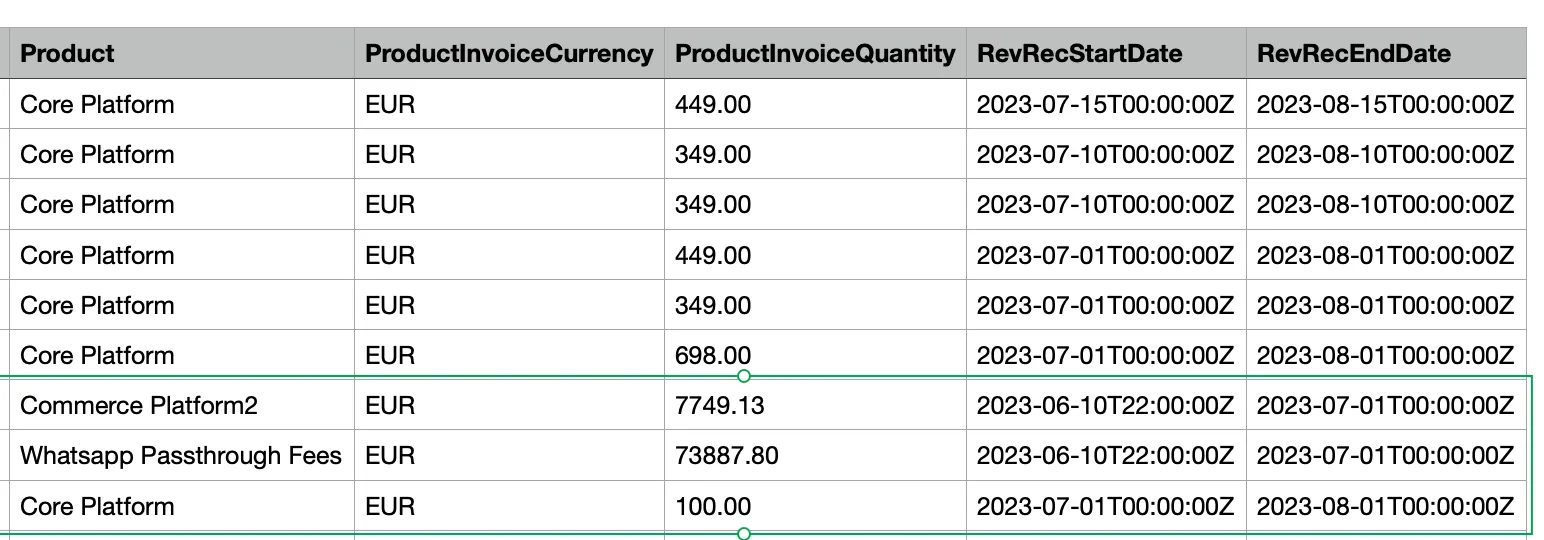
Solvimon captures all data needed to recognise revenue in the right period.
For example, see the invoice below. This is a screenshot of a monthly invoice with the invoice date of July 1st. It contains usage fees of the previous period and subscription fee for the following period.
The fees and rendered service date ranges are also available in CSV and invoice JSON.
Example Invoice PDF:
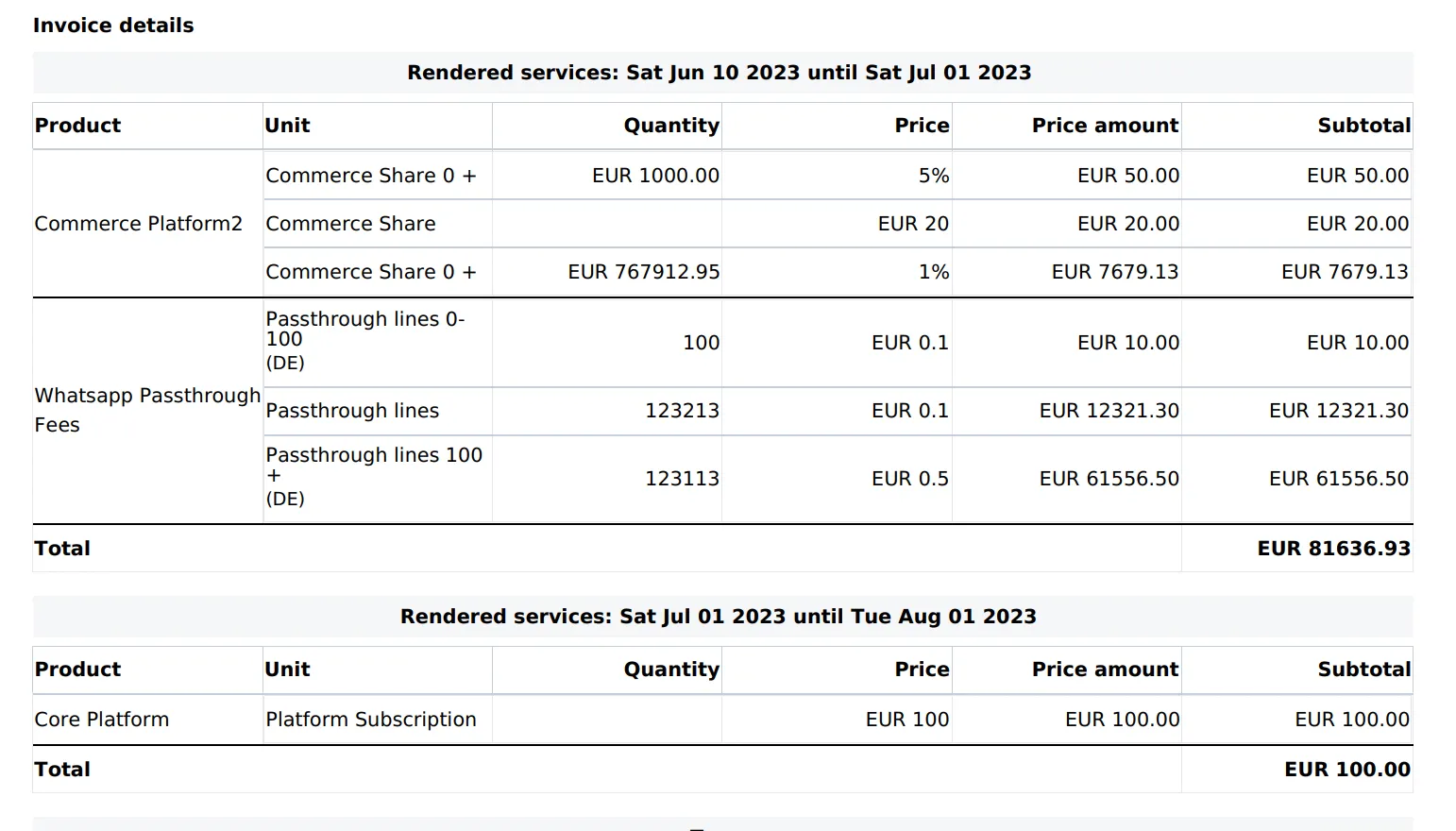
Example Invoice Report CSV: