
Manual usage ingestion
You can use the manual event ingestion functionality within Desk at any point in time and directly see the impact of the processed events on an invoice.
Go to the Events page > Select the usage meter > Ingest data.
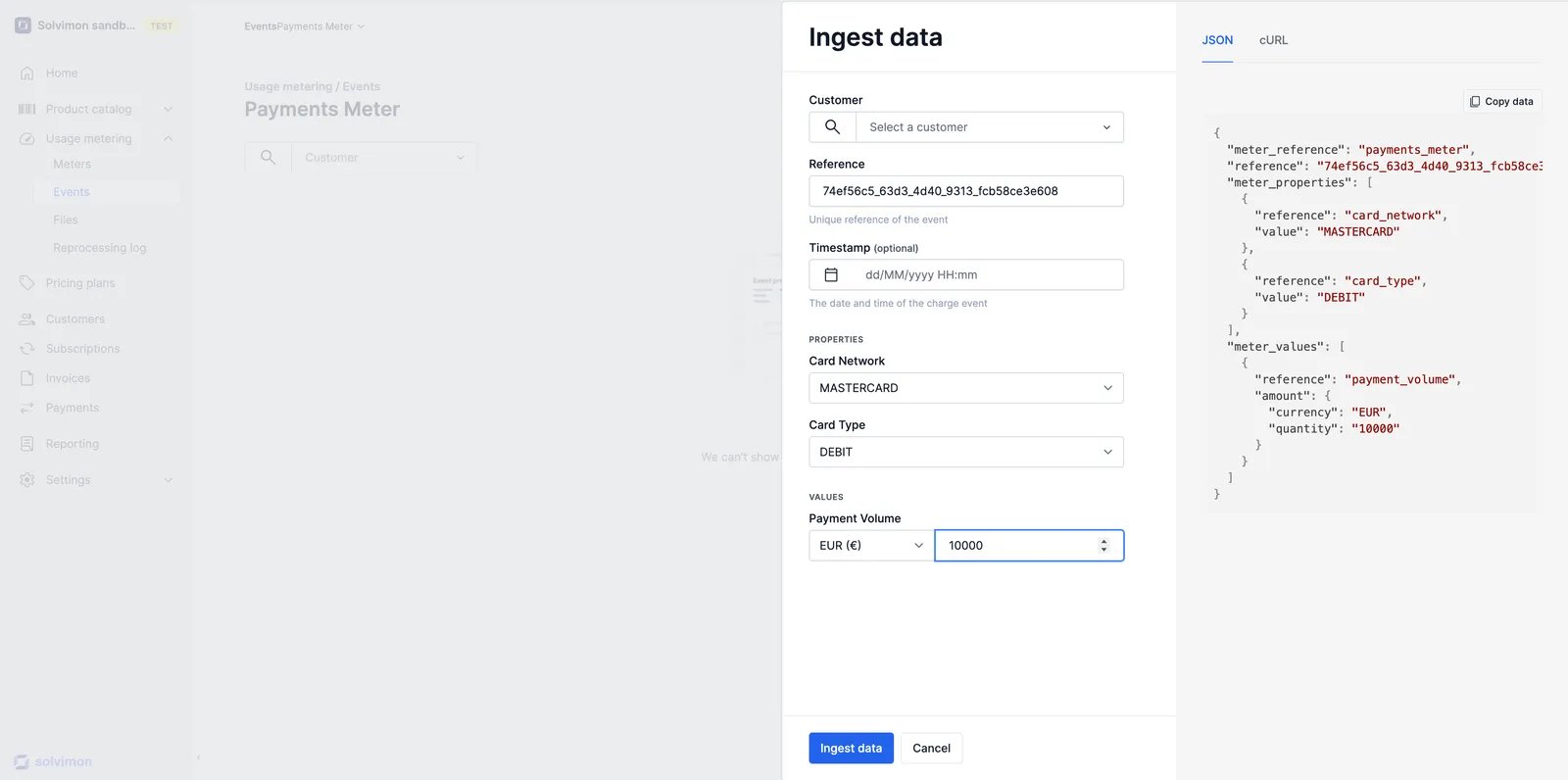
Ingesting historical data
It is possible to select a historical date. This is especially useful for creating old subscriptions that you still want to backfill and invoice via the Solvimon platform.
Be aware that the events are only processed for a billing period if the invoice for that period is in Open or Draft status. When you ingest historical events for a period whose invoice is already FINAL, Solvimon does not match them. They get the reason AFTER_INVOICE_FINAL. Read more about invoice statuses here and about unbilled usage, including how to bill late usage on the next open invoice.
Event processing details & cost estimation
Once the event is processed and turns up on top of the event page, you can check how it was processed and check the cost estimation. Read more about that here.