
Approval policy
What is an approval policy
Sales managers often need to review quotes before they are sent to prospects. Automating the quote approval process ensures requested changes are quickly sent to sales representatives, streamlining approvals for contacts.
When a sales rep submits a record for approval, Solvimon evaluates all active approval rules linked to the resource. If any rules meet the specified conditions, an approval request is sent to the assigned approver or group of approvers.
Approval rules can be configured to trigger when all specified conditions are met. Here are a few examples:
- If a discount exceeding 10% is applied to a quote, an approval request is sent to the VP of Sales.
- If a commitment below $500 per invoice is set, an approval request is sent to the Sales Manager.
Define the approval policy
Before implementing an approval process for quotes, it’s essential to define the workflow. This includes identifying who needs to approve the quote, the criteria it must meet, and how the process will be managed. Typically, the approval process involves multiple stakeholders such as sales representatives, managers, and executives.
How many approvals a quote needs before its status changes from Waiting approval to Final depends on the policy’s approval type and approval strategy. You choose both when you create the policy, and you cannot change them afterwards.
If a quote triggers more than one policy, the strictest strategy among them applies, in this order: ALL_LEVELS_MUST_APPROVE, HIGHER_LEVEL_CAN_OVERRIDE, ANYONE_CAN_DECIDE.
For an approval policy to be triggered, the following conditions must be met:
- If a policy contains multiple rules, at least one rule must be satisfied.
- Within a rule, all conditions defined must be fulfilled for the rule to be considered true.
Create an approval policy
In Solvimon, under Settings → Approval policies, you can see an overview of approval policies. Click Add policy
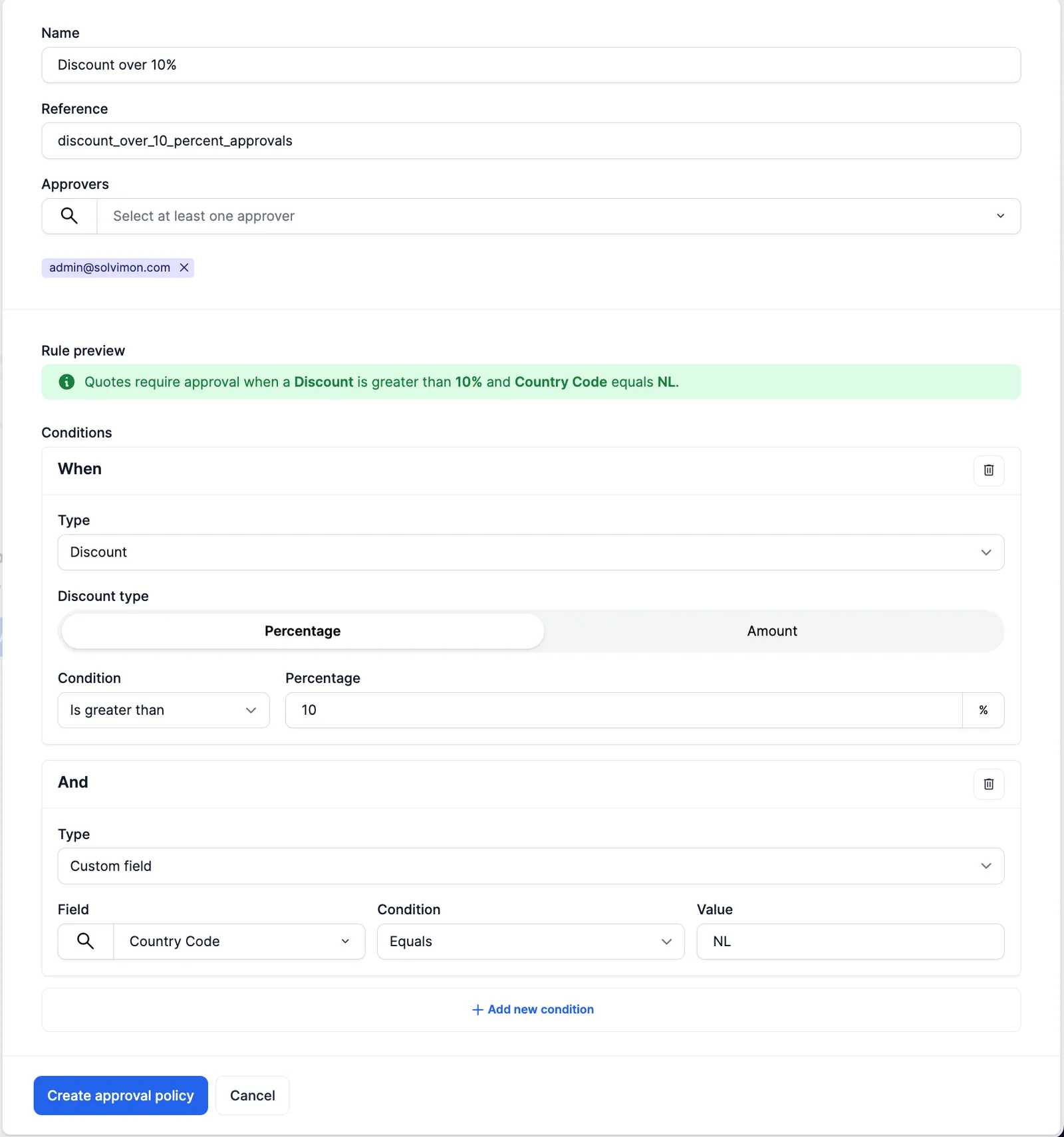
To create an approval policy, you need to select the following information -
- Policy name
- Reference (usually auto-generated, can be edited)
- Approver(s)
- Rules & conditions (optional)
Rules
Rules are the parameters on which an approval request is triggered. Each rule comprises of a condition(s) and it is configured as follows -
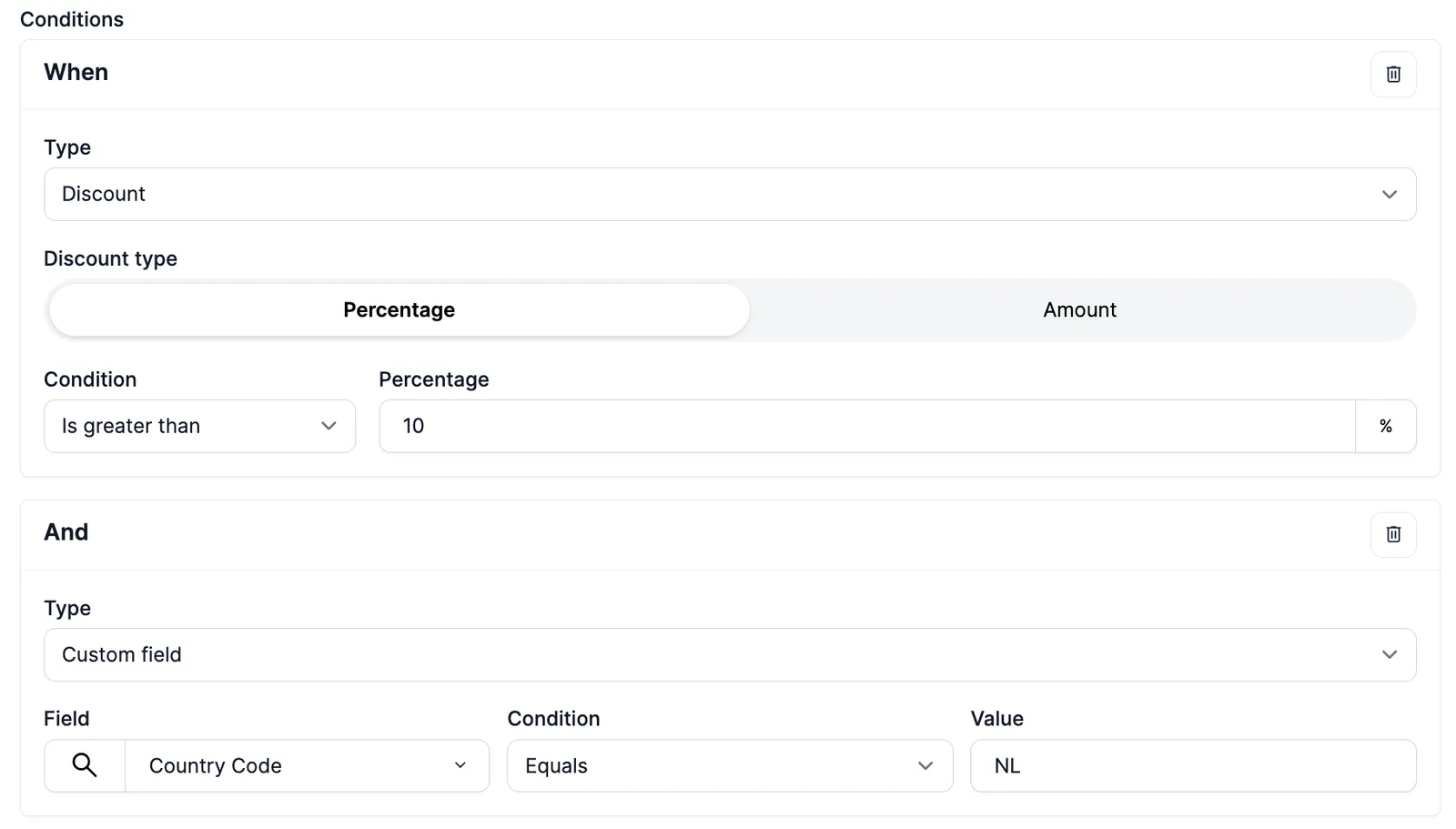
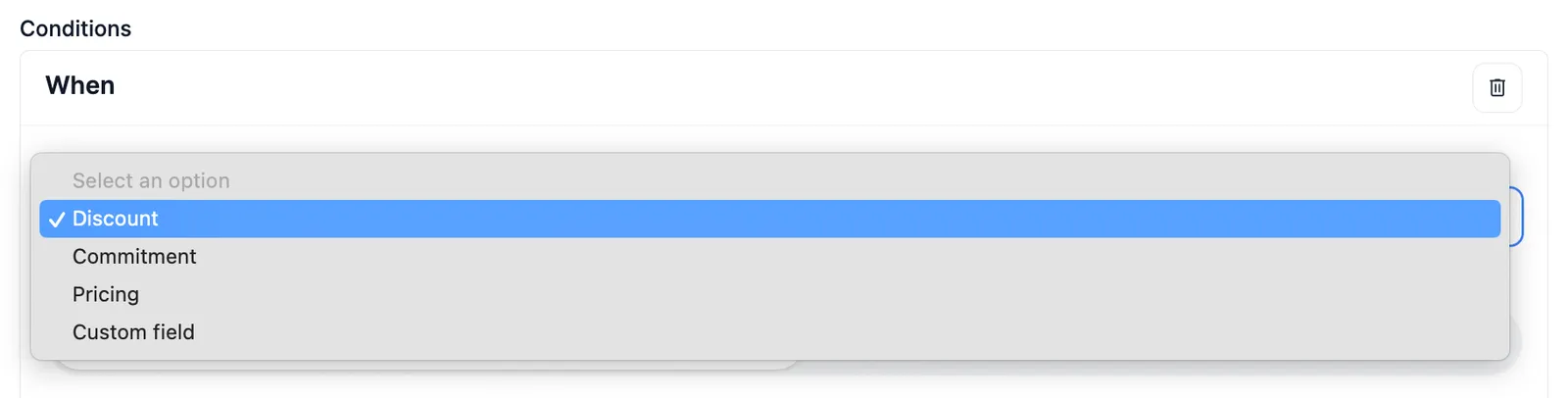
Every rule can have multiple conditions, and each condition has a type.
In Desk, a condition can be of type Discount, Commitment, Pricing or Custom field. Through the API, a condition’s type can also be:
ALWAYS_APPROVE: the condition is always met, so every quote needs approval. It cannot be combined with other conditions in the same rule.BILLING_ENTITY,BILLING_PERIOD,DUE_DATEorPAYMENT_ACCEPTOR: checksis_custom, whether the quote’s subscription uses a billing entity, billing period, due date or payment acceptors that differ from your default subscription terms.
Note: Within a rule, you can use each condition type once. Custom field is the exception: you can add one condition per custom field.
Conditions
For a rule to be fulfilled, all the conditions need to be met. The conditions can be set as follows -

For a rule to be fulfilled, all conditions need to be met within a rule. For eg, in the image below, the rule would only be applicable if a Quote is configured with a discount of more than 10% and the custom field selected (could be on any resource type, read more about custom fields here) equals value Netherlands
Adding more rules to an approval policy
Once you create an approval policy, you can view it in the overview page

For adding additional rules to an approval policy, you can click on the 3 dots on the right hand side and add rules
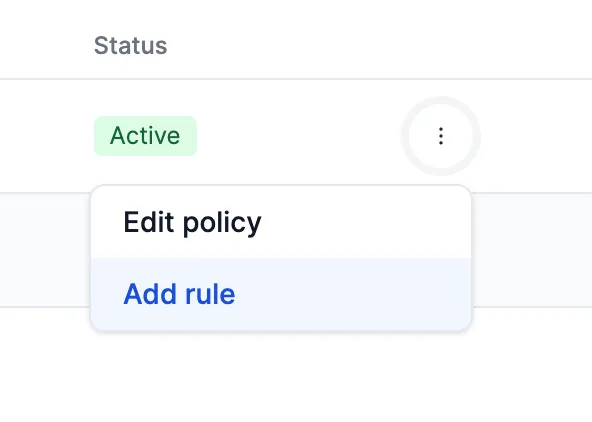
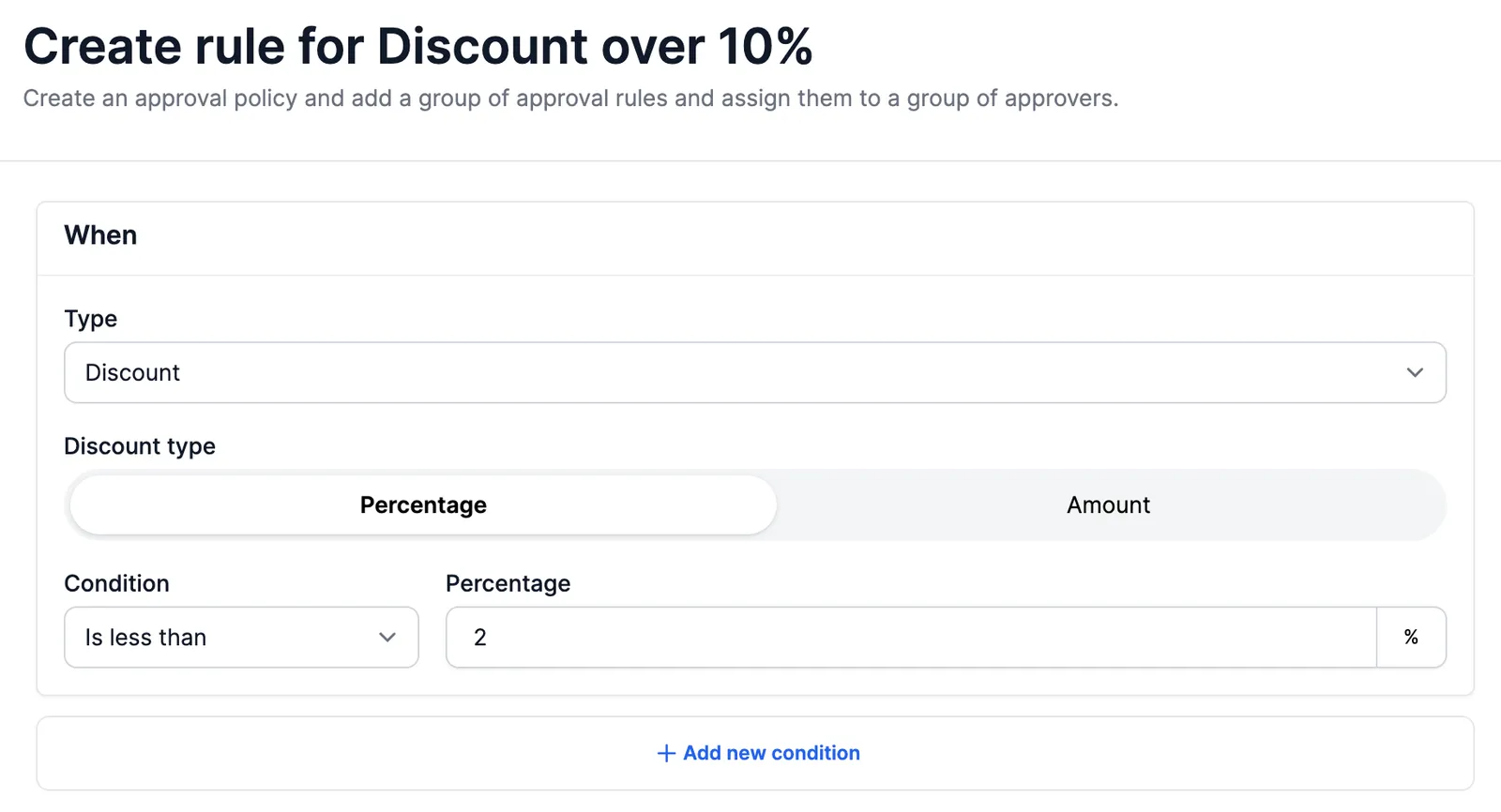
This will open up a form to add an additional rule(s) to the approval policy as shown in the image
Check approvals before finalizing
Solvimon evaluates your approval policies when you finalize a quote version. A triggered policy immediately sends an approval request to your colleagues. To see the result in advance, call POST /v1/approval-policies/evaluate with the quote version. The call runs the same evaluation as finalize, on the stored quote version. It does not create or change data, so you can call it after every edit.
approvers lists the users who will receive the approval request, at the top level and per policy.
The top-level status shows the result of a finalize call:
evaluated_policies lists every active quote policy, including the policies that did not trigger. You can thus show a sales rep why a quote needs approval, or how far it is from a threshold. Each rule reports its threshold, the actual value found on the quote version and the scope it came from. For an amount rule in another currency, converted_actual holds the value the comparison used. A rule’s status is one of:
The call requires both APPROVAL_POLICY.VIEW and QUOTE.VIEW, because the response contains policy thresholds and the quote’s own values. The Sales representative profile has both. It returns 400 if the quote version has no subscription linked and 404 if it does not exist.
When finalizing fails
If Solvimon cannot evaluate a rule, it never treats that rule as not triggered. If any rule of any active quote policy is MISCONFIGURED or UNEVALUATED, finalizing the quote version fails with 422. The quote version stays DRAFT, and Solvimon does not create an approval request.
The error message names the rule that Solvimon cannot evaluate, for example: “Approval policies for QUOTE_VERSION quve_zwDsvH0vxuCEuSCv6j18 hold a rule that could not be answered, so it cannot be determined whether approval is required: No exchange rate available from USD to EUR”.
The evaluate endpoint returns CANNOT_BE_DETERMINED in exactly this situation, with the rule and reason that caused it. To fix it:
MISCONFIGURED: correct or deprecate the policy. Because finalize checks every active policy, one broken rule blocks finalize for every quote on the platform until you correct it.UNEVALUATEDon an amount rule: add an exchange rate for the currency pair, or set the threshold in the quote’s currency.
A custom field rule only supports the equals comparator. The API currently accepts other comparators when you create the policy. After that, every quote fails to finalize with 422.
Summary
In summary, an approval policy applies to all quotes created in Solvimon. When a quote is created and meets any of the defined rules, the approval policy is triggered.
Approvers can view the list of quotes requiring their action on their dashboard and either approve or reject them directly.
Once a quote is approved, its status changes to “Final” and it can be shared with the customer for acceptance.
If an approver declines, the quote version’s status changes to DECLINED, and Solvimon cancels its subscription. To continue, create a new version of the quote