
Pricing rules
When setting up pricing, you might want to have a default pricing setting for a product, but also have certain conditions based on the meter property values of your customer’s usage and connect different pricing to it.
To create pricing rules (the API term is pricing item config), you need at least one meter property. The property must be connected to the meter of the product item for which you configure pricing. The property does not have to be required. You can select both required and optional properties in the pricing configurator.
The required flag on a meter property only controls event validation. Solvimon rejects an event that omits a required property. An event can omit an optional property. It does not affect which properties you can use in pricing rules.
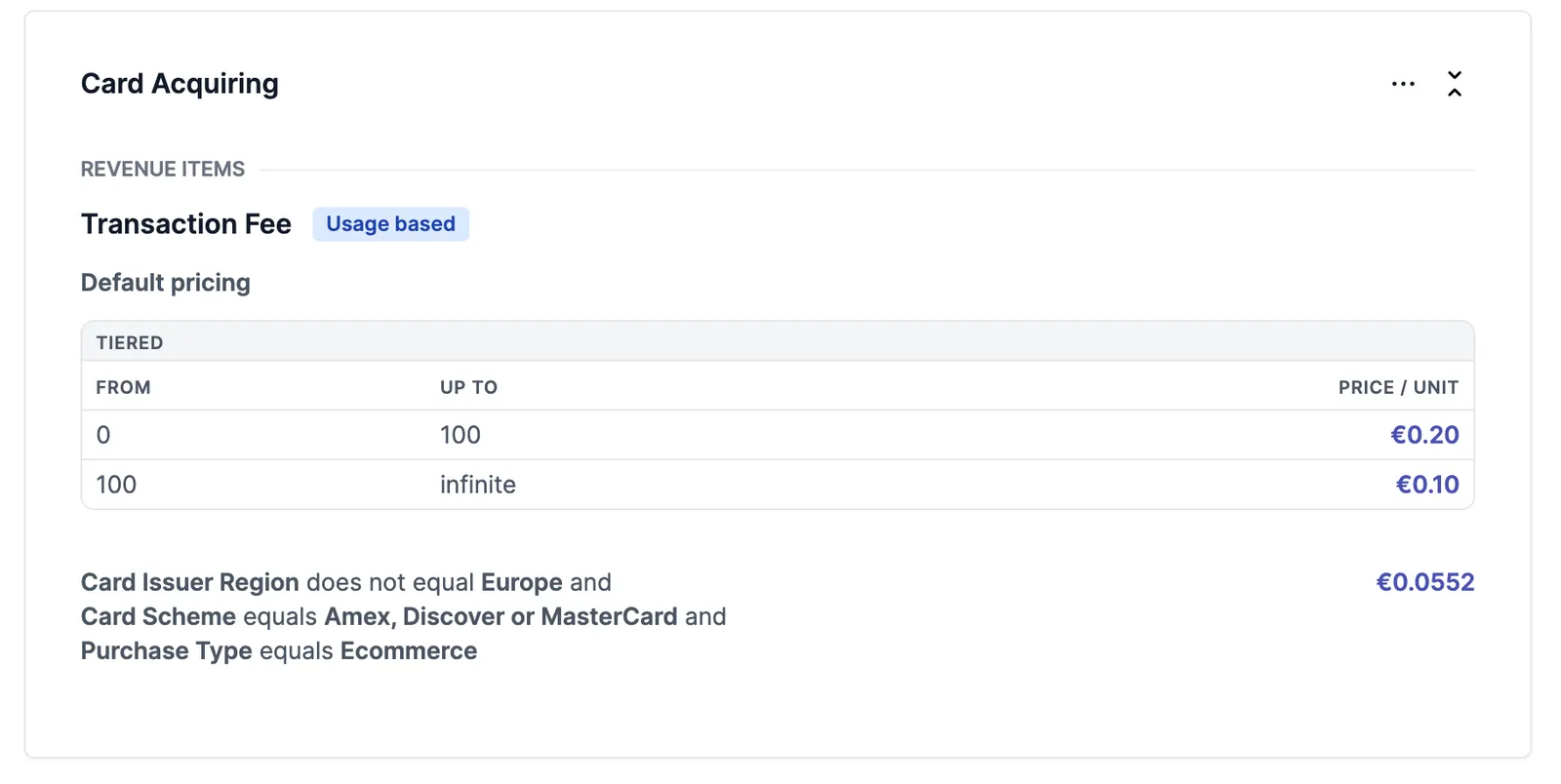
In the example below, the default pricing for transactions is tiered, but a pricing rule defines that if a meter event matches the given combination of conditions, the pricing is a flat rate of 5,52 cents.
Condition comparator types
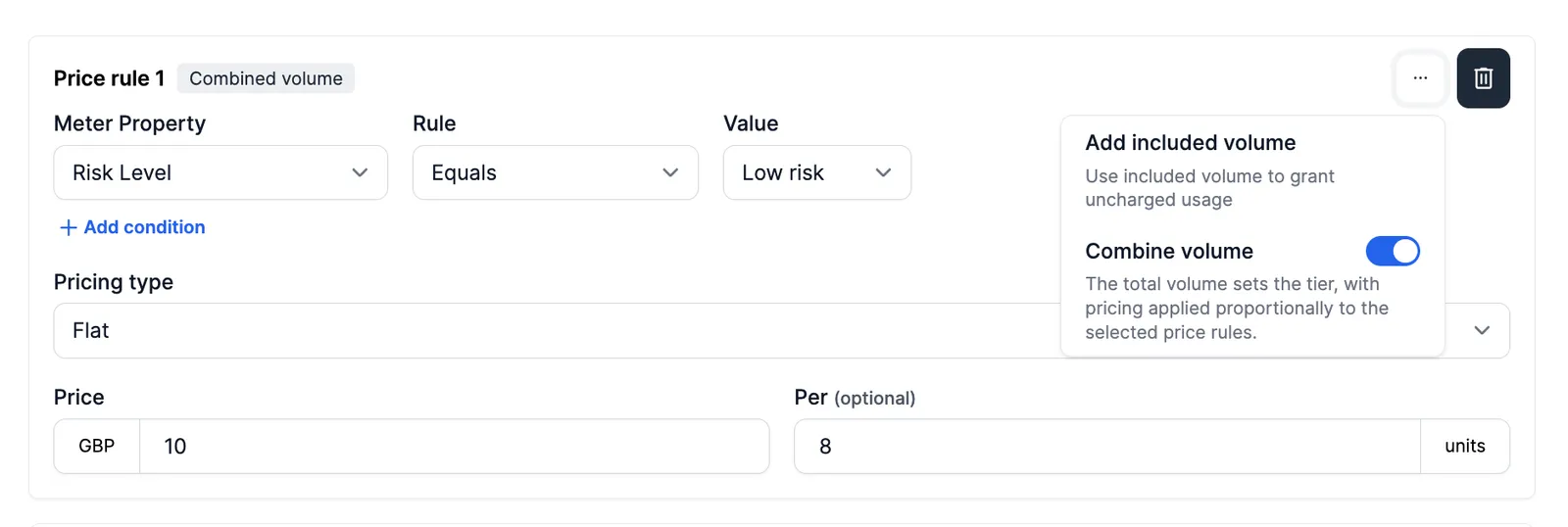
Pricing rules are applied when, for one specific event, all meter property conditions match the ones set up in the pricing rule.
Nested pricing rules
A pricing rule can hold other pricing rules. The child is only evaluated when its parent matches, and when it does match, its price replaces the parent’s rather than adding to it. See nested pricing rules for how a nested rule resolves and how to structure one.
Example use-cases
A meter property might be the country code in which a credit card is issued. Using pricing rules, a sales representative can then set a different price for cards issued in the US versus those issued outside the US. This allows the business to offer customised pricing that better meets the needs of its customers and probably helps you to seal the deal.
Price rules can be simple or more complex. A simple price rule can look like this:
Or more complex:
In the last example, you may have noticed that rule 3 does not have an entity location specified. When determining the appropriate price for a product, the system looks up the pricing rules in order. So, if the conditions of rule 1 are met, the pricing of rule 1 is applied. If the conditions of rule 2 are met, the pricing of rule 2 is applied, and so on. If none of the conditions are met, the default price for the product is used. This ensures that the right price is applied based on the specific circumstances of each transaction.
In the Solvimon platform, extensively difficult pricing methods and conditional pricing rules can be used. We are more than happy to help you define and configure them on your account.