For AI agents: a documentation index is available at the root level at /llms.txt and /llms-full.txt. Append /llms.txt to any URL for a page-level index, or .md for the markdown version of any page.
Logo
LoginSandbox
Platform GuidesAPI DocsSDKMCP ServerChangelog
  • Getting started
    • Introduction
    • Concepts
    • Onboarding guide
  • Use cases
    • Monetizing an AI agent
    • Pricing models for AI products
    • Configuring entitlements for AI products
  • Usage metering & events
    • Meters
    • Usage events
    • Unmatched events
    • Event reprocessing
  • Products & plans
    • Product Catalog
    • Pricing Plans
      • Usage-based pricing
        • Flat and fixed pricing
        • Progressive tiered pricing
        • Top-tiered pricing
        • Stairstep pricing
        • Pricing rules
        • Combining usage volumes
      • Recurring pricing
      • One-off pricing
      • Pricing groups
      • Add-ons
      • Seat-based pricing
      • Top up pricing
    • Features & Entitlements
  • Wallets & credits
    • Credit types & wallets
    • Credits in pricing plans
  • Customers & subscriptions
    • Customers
    • Subscriptions
    • Quotes
  • Invoicing
    • Invoices
    • Invoice corrections
    • Payment Collections
    • Tax
    • Currencies & Exchange rates
    • E-invoicing
  • Analytics & reporting
    • Insights
    • Report downloads
    • Revenue Recognition & Deferred Revenue
  • Integrations
    • CRM
    • ERP
    • Email Providers
    • Data Imports: Event File Uploads
    • Data Exports
    • Payment Service Providers
  • Settings & admin
    • Billing entities
    • Payment Options
    • User management
    • Customising invoices
    • Custom fields
    • Default platform settings
    • API key creation
    • Alert Rules
    • Workflows
  • Workflows
    • Workflow Triggers
    • Workflow Actions
    • Monitoring and Audit
    • Common Use Cases
  • For developers
    • Introduction
    • Authentication
    • Local development setup
    • API
    • Errors
    • Troubleshooting
    • Query Parameters
    • Expanding Responses
    • Idempotency
    • Timestamp formatting
    • Webhooks
    • Locale
    • MCP Server
LoginSandbox
On this page
  • Combining usage of multiple products
  • Combining volume across price rules
Products & plansPricing PlansUsage-based pricing

Combining usage volumes

Was this page helpful?
Previous

Recurring pricing

Next
Built with

There are several ways to combine usage volumes. This article explains how combining volumes can be done for one or more pricings for one customer.

If you want to combine volumes of multiple customers on an invoice for the parent customer entity, please read the article about parent-child contract setups here.


Combining usage of multiple products

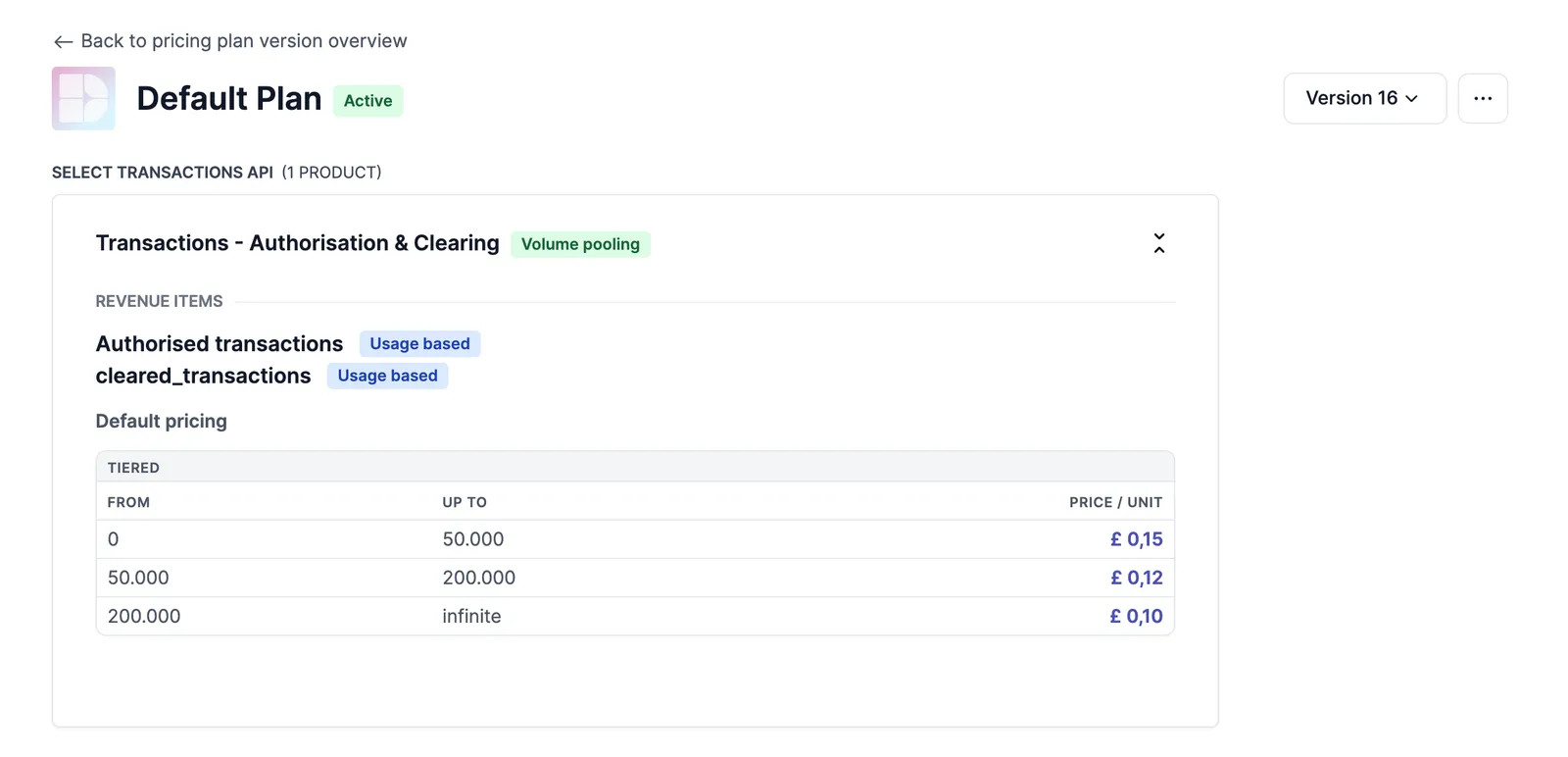
In various industries, usage volumes are often combined into one ‘pool’ for pricing tiers. This means that products are grouped together and treated as a single entity for the purpose of calculating fees and discounts.

Volume pooling are a way to negotiate pricing with customers and to give them better prices when volumes of multiple products within their usage go up.

To understand more about this, you can read about Subscription groups.


Combining volume across price rules

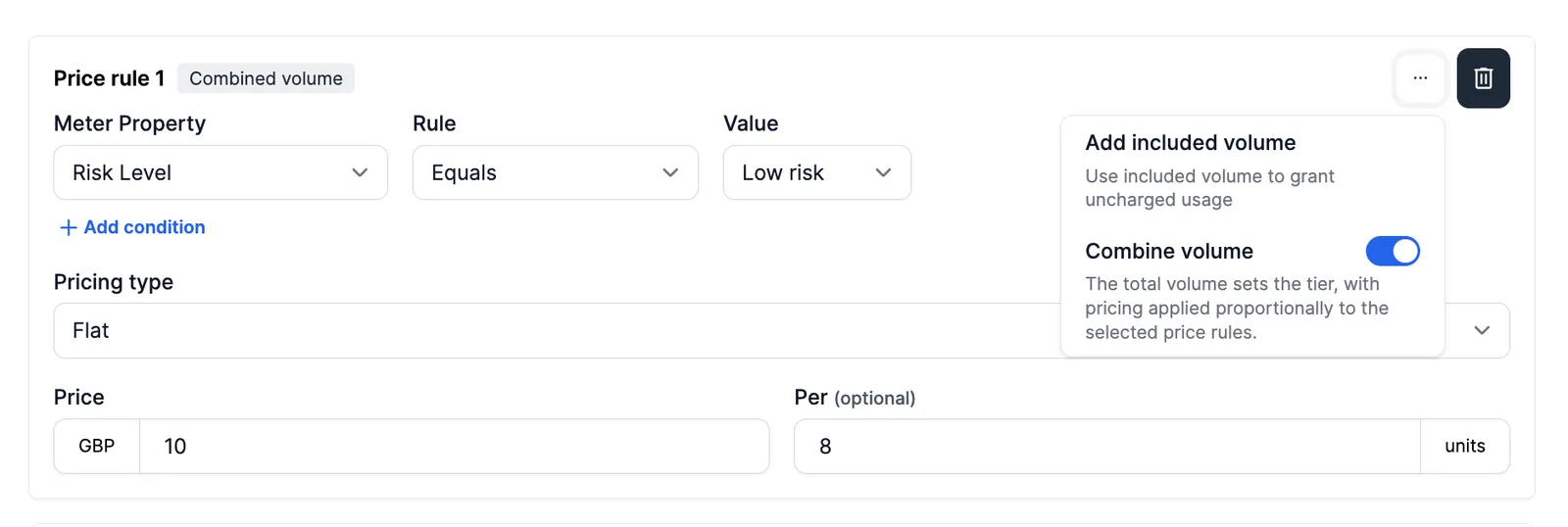
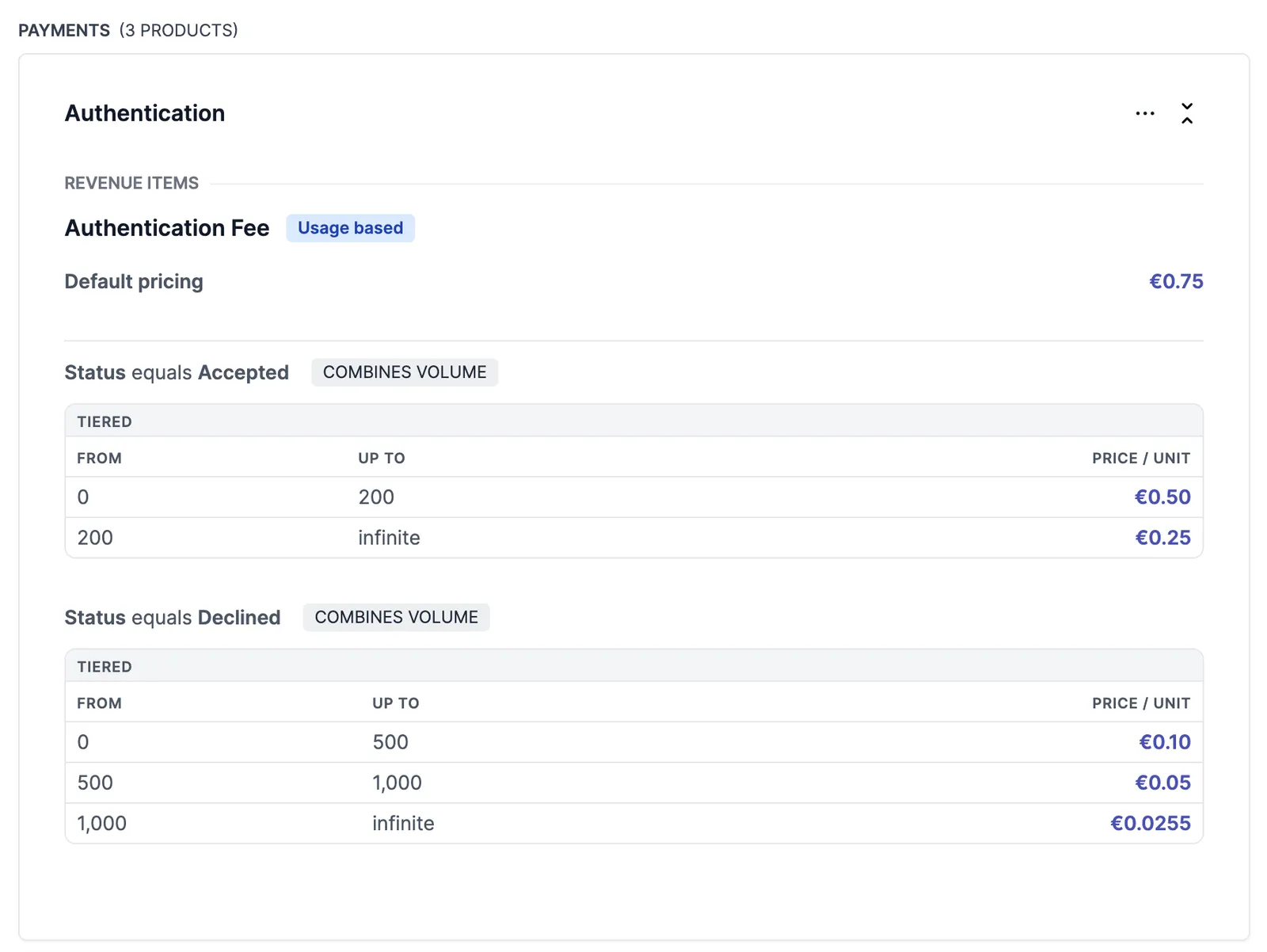
Another option for combining volumes is within pricing rules. For each rule, whether it is the ‘Default’ pricing rule or subsequent pricing rules with meter property conditions, can be set up with the ‘Combine volume’ tag.

When set, the total volume determines what tier is applied, but each pricing is applied proportionally according to the volume in that specific price rule.