For AI agents: a documentation index is available at the root level at /llms.txt and /llms-full.txt. Append /llms.txt to any URL for a page-level index, or .md for the markdown version of any page.
Logo
LoginSandbox
Platform GuidesAPI DocsSDKMCP ServerChangelog
  • Getting started
    • Introduction
    • Concepts
    • Onboarding guide
  • Use cases
    • Monetizing an AI agent
    • Pricing models for AI products
    • Configuring entitlements for AI products
  • Usage metering & events
    • Meters
      • Meter values
      • Meter properties
      • Usage metrics
    • Usage events
    • Unmatched events
    • Event reprocessing
  • Products & plans
    • Product Catalog
    • Pricing Plans
    • Features & Entitlements
  • Wallets & credits
    • Credit types & wallets
    • Credits in pricing plans
  • Customers & subscriptions
    • Customers
    • Subscriptions
    • Quotes
  • Invoicing
    • Invoices
    • Invoice corrections
    • Payment Collections
    • Tax
    • Currencies & Exchange rates
    • E-invoicing
  • Analytics & reporting
    • Insights
    • Report downloads
    • Revenue Recognition & Deferred Revenue
  • Integrations
    • CRM
    • ERP
    • Email Providers
    • Data Imports: Event File Uploads
    • Data Exports
    • Payment Service Providers
  • Settings & admin
    • Billing entities
    • Payment Options
    • User management
    • Customising invoices
    • Custom fields
    • Default platform settings
    • API key creation
    • Alert Rules
    • Workflows
  • Workflows
    • Workflow Triggers
    • Workflow Actions
    • Monitoring and Audit
    • Common Use Cases
  • For developers
    • Introduction
    • Authentication
    • Local development setup
    • API
    • Errors
    • Troubleshooting
    • Query Parameters
    • Expanding Responses
    • Idempotency
    • Timestamp formatting
    • Webhooks
    • Locale
    • MCP Server
LoginSandbox
On this page
  • Setting up a Meter
  • Required or optional
Usage metering & events

Meters

Was this page helpful?
Previous

Meter values

Next
Built with

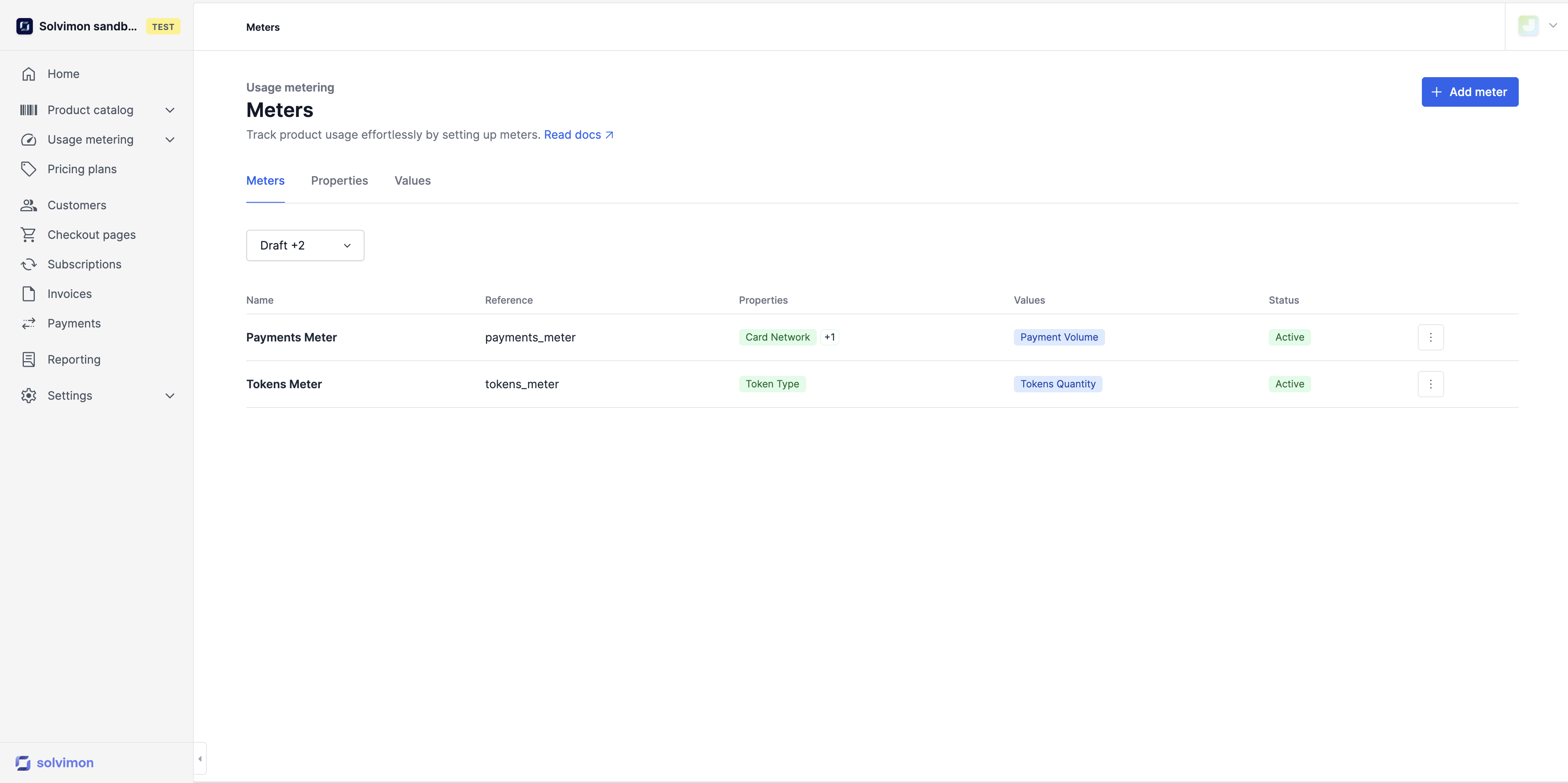
Usage meters are a users’ action within your product and consist of meter values and usage metrics, and meter properties.


Setting up a Meter

To start ingesting events, you simply need to set up and activate a meter. The APIs can handle high volumes of traffic and allow you to either ingest individual events in real-time or push predefined aggregated events. The option to send real-time events enables you and your customers to have up-to-date visibility into revenues throughout the billing period.

A Meter that is connected to a product consists of at least one meter value that, together with a calculation method, becomes a usage metric. Optionally, it also consists of one or more meter properties.

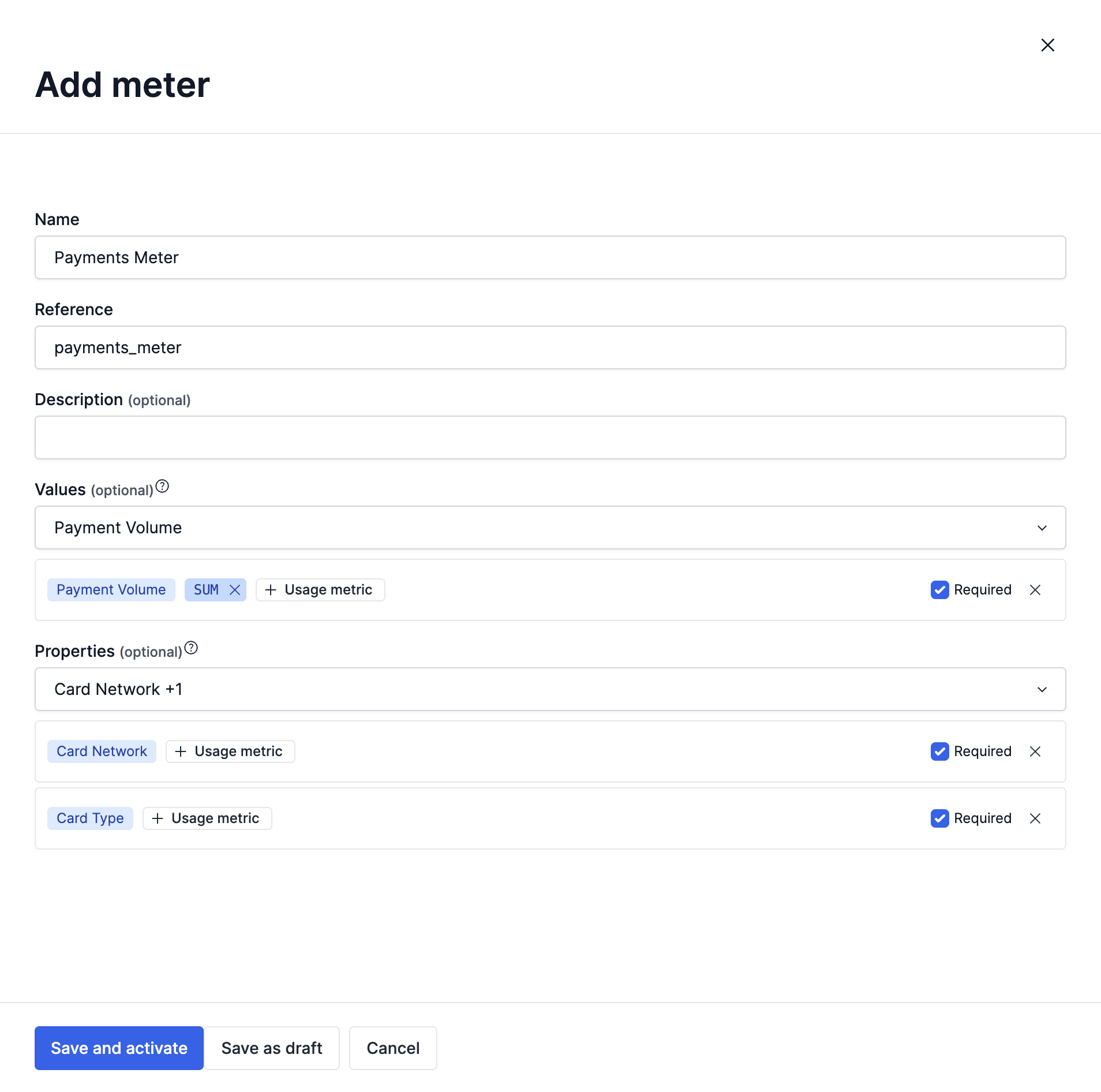
When you configure a meter, you need to fill in the following information as shown in the form below

  • Name
  • Reference
  • Meter value
  • Meter properties

Meters can consist of multiple meter properties and multiple meter values, but can also be configured with one of each only.

Required or optional

When adding a meter value and meter property, you need to specify if they are required, as shown in the screenshot above. Once you select the Required checkbox, you must add the usage metric information, which has been defined in the meter values and meter properties

Making a metric value and/or property required or not required determines the information you need to send for that meter in the events. If it’s not required, the event data for that meter can be ingested without those values or properties. Conversely, if it is required and missing, it may cause an error in event ingestion.

In order to use Properties when setting up different pricing conditions, the property must be configured as required
