For AI agents: a documentation index is available at the root level at /llms.txt and /llms-full.txt. Append /llms.txt to any URL for a page-level index, or .md for the markdown version of any page.
Logo
LoginSandbox
Platform GuidesAPI DocsSDKMCP ServerChangelog
  • Getting started
    • Introduction
    • Concepts
    • Onboarding guide
  • Use cases
    • Monetizing an AI agent
    • Pricing models for AI products
    • Configuring entitlements for AI products
  • Usage metering & events
    • Meters
    • Usage events
    • Unmatched events
    • Event reprocessing
  • Products & plans
    • Product Catalog
    • Pricing Plans
    • Features & Entitlements
  • Wallets & credits
    • Credit types & wallets
    • Credits in pricing plans
  • Customers & subscriptions
    • Customers
      • Parent-child accounts
      • Contacts
    • Subscriptions
    • Quotes
  • Invoicing
    • Invoices
    • Invoice corrections
    • Payment Collections
    • Tax
    • Currencies & Exchange rates
    • E-invoicing
  • Analytics & reporting
    • Insights
    • Report downloads
    • Revenue Recognition & Deferred Revenue
  • Integrations
    • CRM
    • ERP
    • Email Providers
    • Data Imports: Event File Uploads
    • Data Exports
    • Payment Service Providers
  • Settings & admin
    • Billing entities
    • Payment Options
    • User management
    • Customising invoices
    • Custom fields
    • Default platform settings
    • API key creation
    • Alert Rules
    • Workflows
  • Workflows
    • Workflow Triggers
    • Workflow Actions
    • Monitoring and Audit
    • Common Use Cases
  • For developers
    • Introduction
    • Authentication
    • Local development setup
    • API
    • Errors
    • Troubleshooting
    • Query Parameters
    • Expanding Responses
    • Idempotency
    • Timestamp formatting
    • Webhooks
    • Locale
    • MCP Server
LoginSandbox
On this page
  • Customer types: individuals and organizations
  • Linking customers
  • Timezones
  • Tax and VAT
Customers & subscriptions

Customers

Was this page helpful?
Previous

Parent-child accounts

Next
Built with

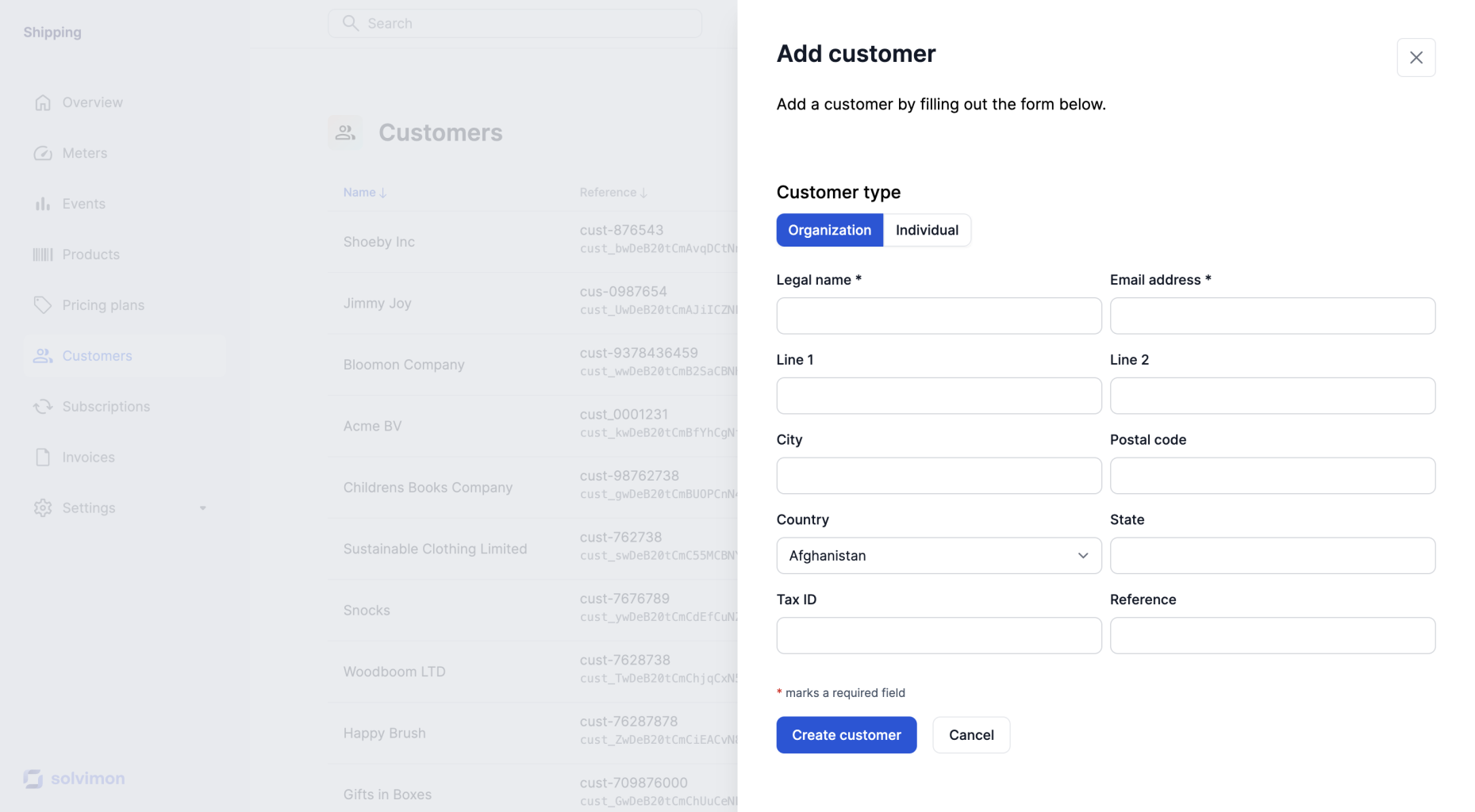
A customer is the counterparty of the invoice issued by the platform. Hence, In B2B (business-to-business) scenarios, a customer is an organization. And in B2C (business-to-consumer) scenarios, a customer is an individual. It is important to identify the customer type as it may have different tax and legal requirements.


Customer types: individuals and organizations

The type of customer determines the fields that are required to fill for data belonging to the customer and necessary for billing. Customers can also be linked in a parent-child relationship, allowing for a customer with type organization to have multiple child customers that are individuals or organizations themselves.


Linking customers

It is possible to link multiple customers to each other by defining a parent and child customers. This functionality is already available in the API and will be added to the Desk screens soon.


Timezones

The timezone of a customer also plays a role in determining how the platform should treat the cut-off moment for generating invoices. This is especially important for usage-based pricing, as billable events may be ingested continuously. A common practice is to set the time zone based on the timezone of the billing entity you are selling from. If a timezone is not set on the customer level, the platform’s time zone will be used.

Keep in mind that it is important to specify the correct timezone for each customer to ensure accurate billing. Once a customer is created, the timezone can not be updated anymore!


Tax and VAT

Depending on the location (country) of a customer organization, different data may be required for invoicing purposes. For example, EU platforms sending invoices to EU customers may need to capture and include a VAT number, while AU platforms sending invoices to Australian customers may need to include a registration number. It is important to consult with a tax advisor to understand the specific requirements for each country in which you operate. This will help ensure that you comply with local tax laws and regulations when invoicing customers.