For AI agents: a documentation index is available at the root level at /llms.txt and /llms-full.txt. Append /llms.txt to any URL for a page-level index, or .md for the markdown version of any page.
Logo
LoginSandbox
Platform GuidesAPI DocsSDKMCP ServerChangelog
  • Getting started
    • Introduction
    • Concepts
    • Onboarding guide
  • Use cases
    • Monetizing an AI agent
    • Pricing models for AI products
    • Configuring entitlements for AI products
  • Usage metering & events
    • Meters
    • Usage events
    • Unmatched events
    • Event reprocessing
  • Products & plans
    • Product Catalog
    • Pricing Plans
    • Features & Entitlements
  • Wallets & credits
    • Credit types & wallets
    • Credits in pricing plans
  • Customers & subscriptions
    • Customers
    • Subscriptions
    • Quotes
  • Invoicing
    • Invoices
    • Invoice corrections
    • Payment Collections
    • Tax
    • Currencies & Exchange rates
    • E-invoicing
  • Analytics & reporting
    • Insights
    • Report downloads
    • Revenue Recognition & Deferred Revenue
  • Integrations
    • CRM
    • ERP
    • Email Providers
    • Data Imports: Event File Uploads
    • Data Exports
    • Payment Service Providers
  • Settings & admin
    • Billing entities
    • Payment Options
    • User management
    • Customising invoices
    • Custom fields
    • Default platform settings
    • API key creation
    • Alert Rules
    • Workflows
  • Workflows
    • Workflow Triggers
    • Workflow Actions
    • Monitoring and Audit
    • Common Use Cases
  • For developers
    • Introduction
    • Authentication
    • Local development setup
    • API
    • Errors
    • Troubleshooting
    • Query Parameters
    • Expanding Responses
    • Idempotency
    • Timestamp formatting
    • Webhooks
    • Locale
    • MCP Server
LoginSandbox
On this page
  • 🔔 Types of Alerts
  • 1. Invoice Alerts
  • 2. Entitlement Alerts
  • 👥 Customer Scope
  • ✅ Summary
Settings & admin

Alert Rules

Was this page helpful?
Previous

Workflows

Next
Built with

The Alert Rules feature allows you to proactively monitor key events across your customers, helping you take timely action and reduce operational risks. Whether it’s an invoice that’s approaching or past due, or an entitlement nearing its consumption threshold, you can set up rules that trigger alerts—keeping your team informed and in control.

With Alert Rules, you can:

  • Get notified when invoices are overdue by a specific time period.
  • Track entitlement usage and receive alerts when thresholds are reached.
  • Configure alerts globally for all customers or tailor them to individual customer needs.

An Alert Rule can be created by going to Settings→ Alert Rules and then by clicking on the + Add Alert Rule button.

🔔 Types of Alerts

We currently support two types of alerts:

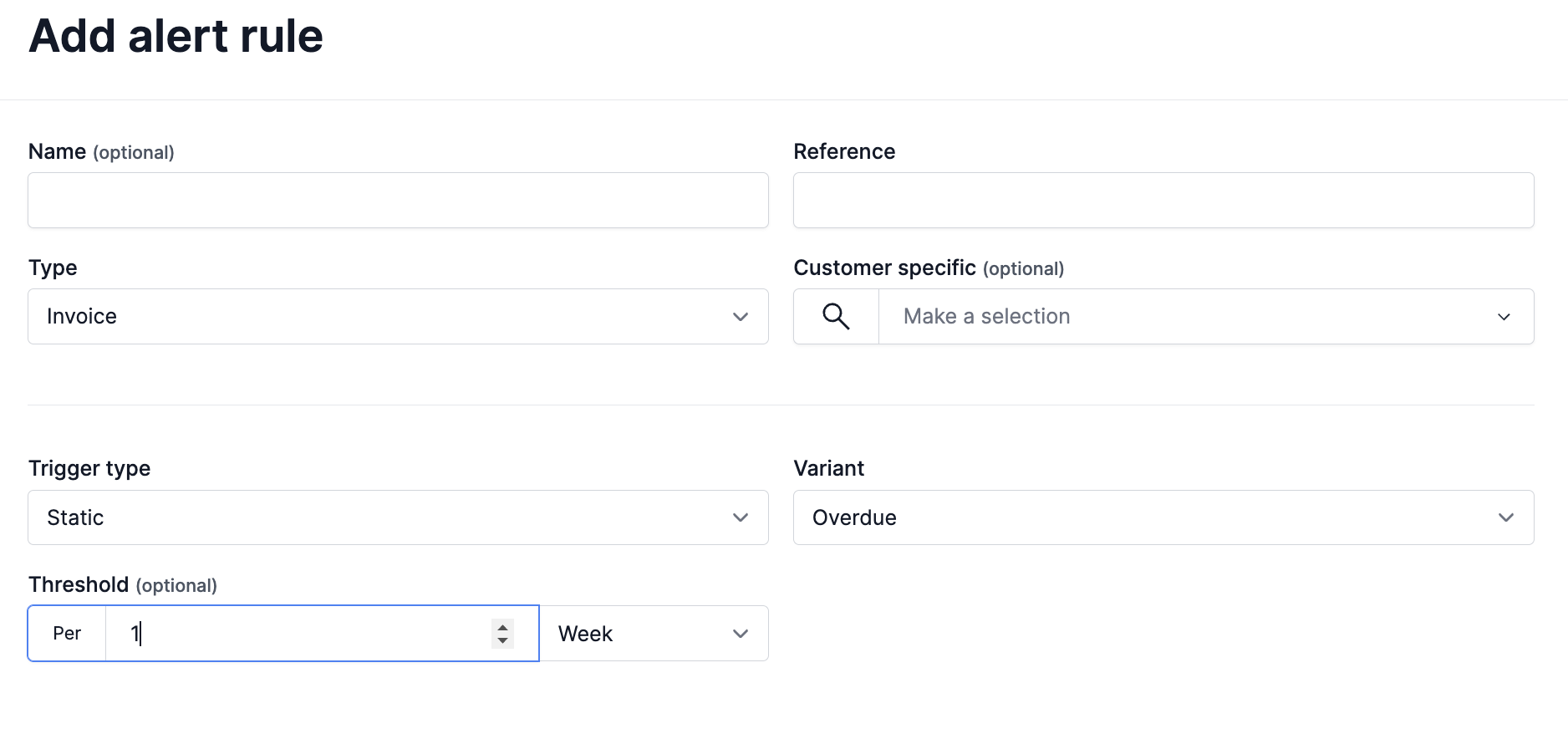
1. Invoice Alerts

Invoice Alerts notify you when an invoice is past due by a defined time period. You can specify how long after the due date the alert should be triggered.

  • Threshold Options:

    • Days
    • Weeks
    • Months
    • Years

For example, you can create a rule to alert if an invoice is unpaid 7 days after its due date, or 1 month after.


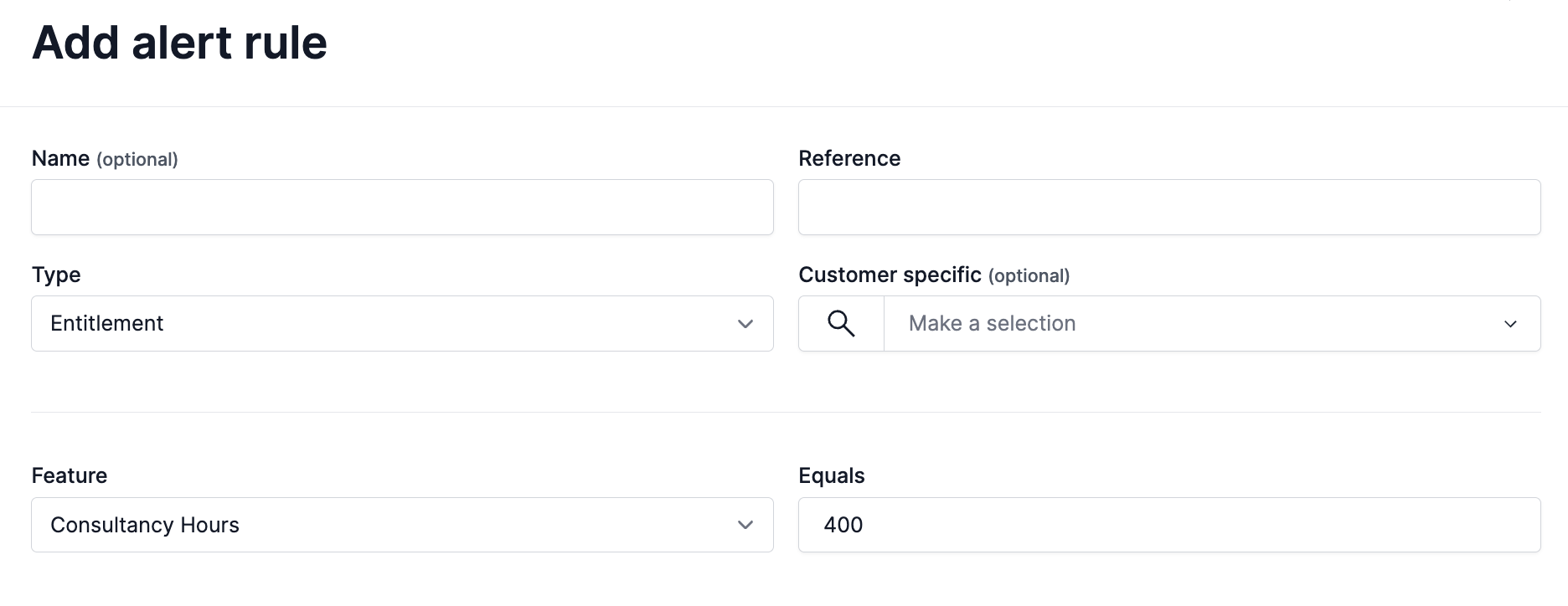
2. Entitlement Alerts

Entitlement Alerts are triggered when a customer’s entitlement reaches or exceeds a specified value. This is useful for tracking consumption-based usage or usage caps.

  • Threshold: A numeric value that, when reached, will trigger the alert.

For example, you can set an alert to notify you when a customer’s entitlement usage reaches 80% of their allocation.


👥 Customer Scope

Alert Rules can be applied in two ways:

  • Global Alerts: Apply the rule across all customers, ideal for company-wide monitoring policies.
  • Customer-Specific Alerts: Target the rule to individual customers when you need granular, tailored alerting.

This flexibility ensures you can define broad alerting strategies while still customising rules for high-priority or at-risk accounts.


✅ Summary

The Alert Rules feature helps your team stay ahead of missed payments and overused entitlements. With flexible rule definitions and targeting options, you can build a proactive alerting strategy that matches your business processes.

Alert rules and Alerts Webhooks can be configured to automatically inform your external systems when an alert is triggered!
