
For AI agents: a documentation index is available at the root level at /llms.txt and /llms-full.txt. Append /llms.txt to any URL for a page-level index, or .md for the markdown version of any page.
Logo
LoginSandbox
Platform GuidesAPI DocsSDKMCP ServerChangelog
  • Getting started
    • Introduction
    • Concepts
    • Onboarding guide
  • Use cases
    • Monetizing an AI agent
    • Pricing models for AI products
    • Configuring entitlements for AI products
  • Usage metering & events
    • Meters
    • Usage events
    • Unmatched events
    • Event reprocessing
  • Products & plans
    • Product Catalog
    • Pricing Plans
    • Features & Entitlements
  • Wallets & credits
    • Credit types & wallets
    • Credits in pricing plans
  • Customers & subscriptions
    • Customers
    • Subscriptions
      • Subscription lifecycle
      • Billing cycles & Pro-ration
      • Discounts, commitments, and included volume
      • Customising subscriptions & pricing
      • Subscription Groups
      • Subscription Initialisation
      • Subscription schedules
    • Quotes
  • Invoicing
    • Invoices
    • Invoice corrections
    • Payment Collections
    • Tax
    • Currencies & Exchange rates
    • E-invoicing
  • Analytics & reporting
    • Insights
    • Report downloads
    • Revenue Recognition & Deferred Revenue
  • Integrations
    • CRM
    • ERP
    • Email Providers
    • Data Imports: Event File Uploads
    • Data Exports
    • Payment Service Providers
  • Settings & admin
    • Billing entities
    • Payment Options
    • User management
    • Customising invoices
    • Custom fields
    • Default platform settings
    • API key creation
    • Alert Rules
    • Workflows
  • Workflows
    • Workflow Triggers
    • Workflow Actions
    • Monitoring and Audit
    • Common Use Cases
  • For developers
    • Introduction
    • Authentication
    • Local development setup
    • API
    • Errors
    • Troubleshooting
    • Query Parameters
    • Expanding Responses
    • Idempotency
    • Timestamp formatting
    • Webhooks
    • Locale
    • MCP Server
LoginSandbox
On this page
  • Subscription configurations
  • Customise pricing within subscriptions
  • US Sales Tax configuration
Customers & subscriptionsSubscriptions

Customising subscriptions & pricing

Was this page helpful?
Previous

Subscription Groups

Next
Built with

We understand that every business is unique, and one-size-fits-all pricing plans may not always align with your specific requirements. That’s why we offer the configuration of custom pricing plans that can be used for customers which do not fit your standard pricing offerings.


Subscription configurations

There are two types of custom settings that can be managed in a subscription. One of them is the subscription schedule configurations: settings for general tailoring of a pricing plan, such as discounts, commitments, included usage volume and included seats. These settings can easily be changed and do not change the underlying pricing structure of the plan.

The various ways of subscription configurations are handled here.


Customise pricing within subscriptions

When a customer needs tailored pricing, the underlying pricing structures are changed and a new, custom, pricing plan is created for a customer. A custom priced plan can be created within the subscription menu.

If you want to offer tailored pricing to your customer, you only need to click the edit button on a pricing configuration within a subscription schedule. The platform will create a custom pricing plan and take you to the price editing configuration screen right after. Once you are done editing the pricing, you can save the subscription.

You can Edit a pricing item to create a custom pricing plan as shown below by clicking on the three dots that appear when you hover on the product item
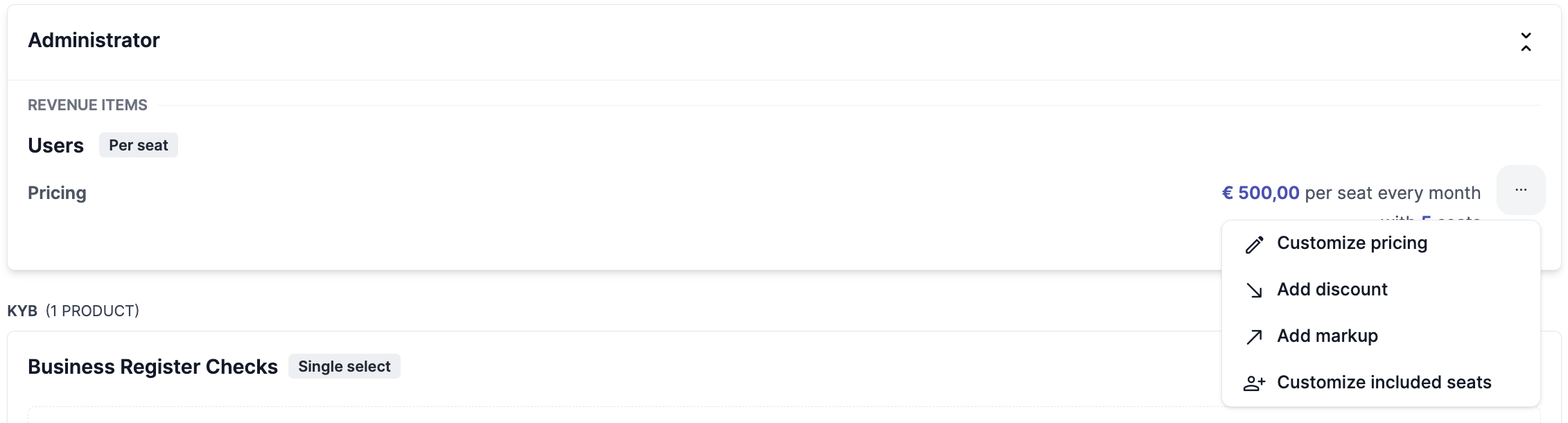
Select Customize pricce rule and add the custom pricing details in the form as shown below
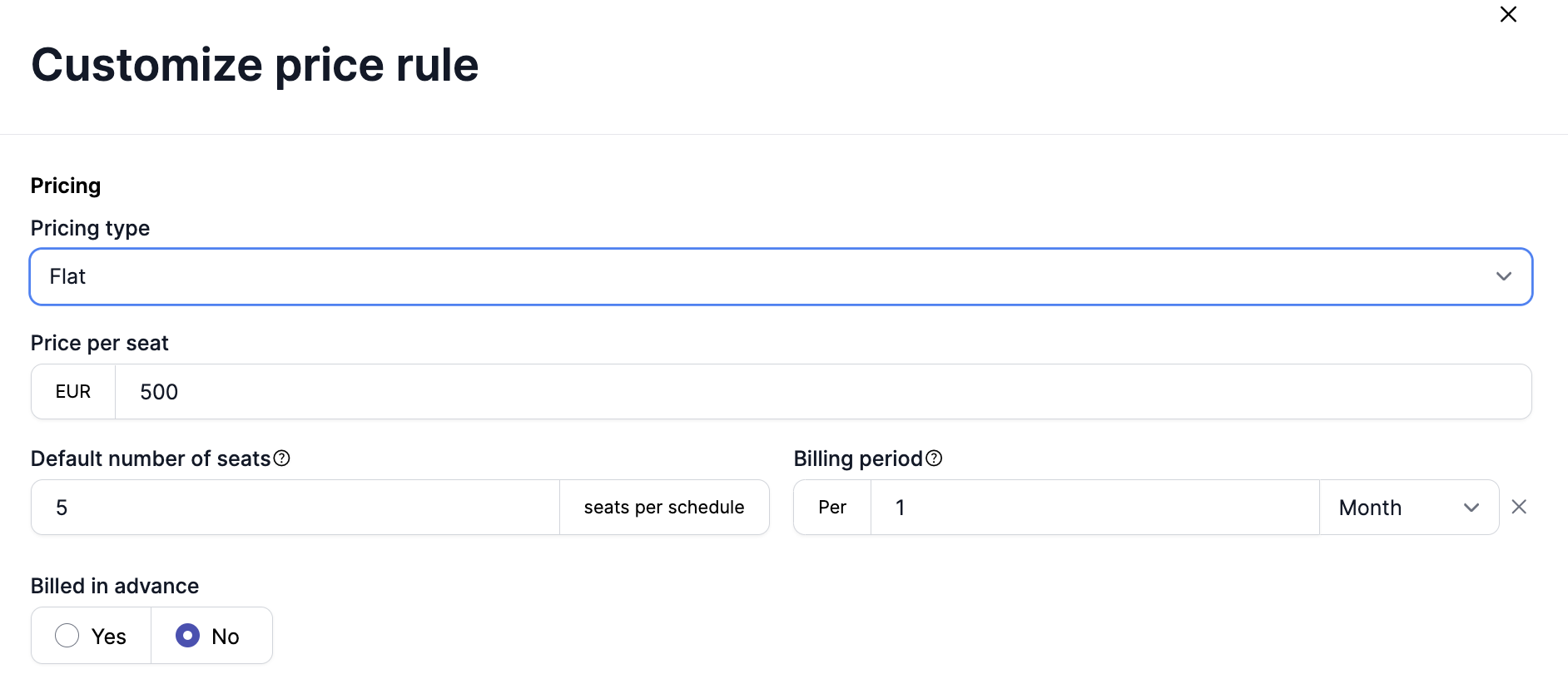


US Sales Tax configuration

You can read more about it here