
For AI agents: a documentation index is available at the root level at /llms.txt and /llms-full.txt. Append /llms.txt to any URL for a page-level index, or .md for the markdown version of any page.
Logo
LoginSandbox
Platform GuidesAPI DocsSDKMCP ServerChangelog
  • Getting started
    • Introduction
    • Concepts
    • Onboarding guide
  • Use cases
    • Monetizing an AI agent
    • Pricing models for AI products
    • Configuring entitlements for AI products
  • Usage metering & events
    • Meters
    • Usage events
    • Unmatched events
    • Event reprocessing
  • Products & plans
    • Product Catalog
    • Pricing Plans
    • Features & Entitlements
  • Wallets & credits
    • Credit types & wallets
    • Credits in pricing plans
  • Customers & subscriptions
    • Customers
    • Subscriptions
      • Subscription lifecycle
      • Billing cycles & Pro-ration
      • Discounts, commitments, and included volume
      • Customising subscriptions & pricing
      • Subscription Groups
      • Subscription Initialisation
      • Subscription schedules
    • Quotes
  • Invoicing
    • Invoices
    • Invoice corrections
    • Payment Collections
    • Tax
    • Currencies & Exchange rates
    • E-invoicing
  • Analytics & reporting
    • Insights
    • Report downloads
    • Revenue Recognition & Deferred Revenue
  • Integrations
    • CRM
    • ERP
    • Email Providers
    • Data Imports: Event File Uploads
    • Data Exports
    • Payment Service Providers
  • Settings & admin
    • Billing entities
    • Payment Options
    • User management
    • Customising invoices
    • Custom fields
    • Default platform settings
    • API key creation
    • Alert Rules
    • Workflows
  • Workflows
    • Workflow Triggers
    • Workflow Actions
    • Monitoring and Audit
    • Common Use Cases
  • For developers
    • Introduction
    • Authentication
    • Local development setup
    • API
    • Errors
    • Troubleshooting
    • Query Parameters
    • Expanding Responses
    • Idempotency
    • Timestamp formatting
    • Webhooks
    • Locale
    • MCP Server
LoginSandbox
On this page
  • Calendar billing
  • Pro-ration for first invoices
  • Exact (anniversary) billing
Customers & subscriptionsSubscriptions

Billing cycles & Pro-ration

Was this page helpful?
Previous

Discounts, commitments, and included volume

Next
Built with

There are several ways to configure billing cycles and invoice frequencies within the platform.

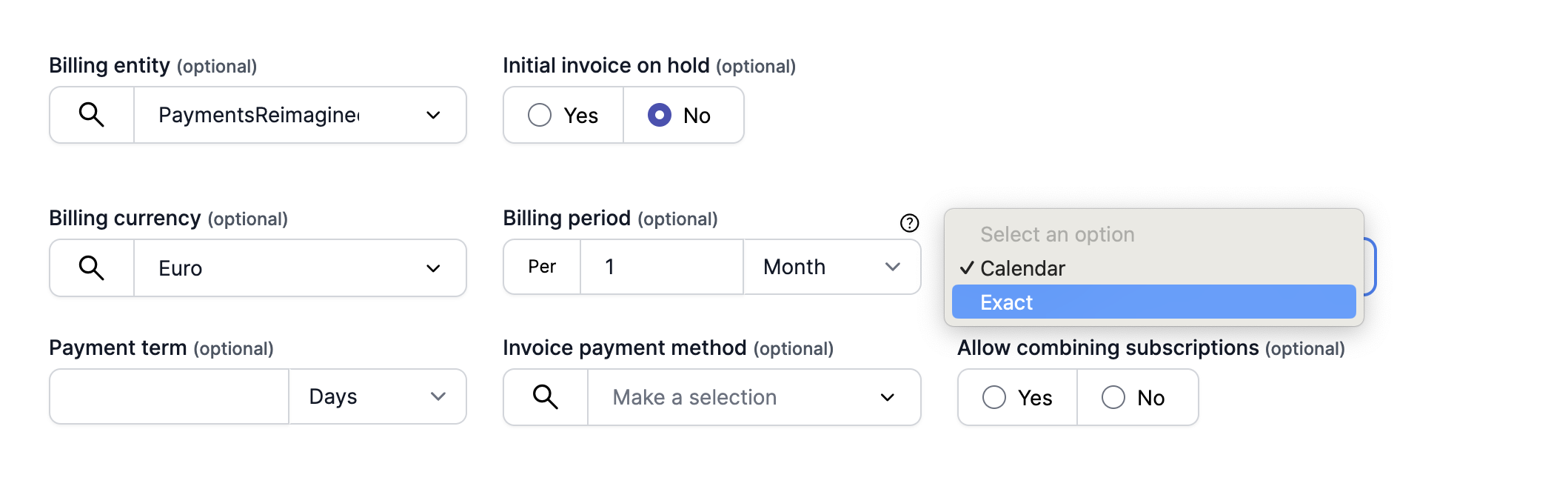
These settings are configured in the pricing plan, where for recurring and seat-based pricing a billing frequency setting can be configured.

Calendar billing

The most common billing cycle type is calendar billing, specifically calendar monthly billing. This means that the invoice is finalized on the last day of the calendar month and can be sent on the first day of the next month.


Pro-ration for first invoices

When a calendar billed subscription’s first schedule is started throughout the month (instead of the first of the month), any recurring costs will be pro-rated based on the number of days the contract was active in that month.

An example: when a Platform Fee is charged on a monthly basis of $1000.00 and the subscription was activated on the 16th of March, the first invoice will have $1000.00 / 31 days x 16 days = $516.13


Exact (anniversary) billing

Also called anniversary billing, this type is set when you want the contract to start on a specific date and keep the billing cycle on that day. The invoice might thus be sent on any day of the month or year, instead of on the first day of that period.

An example is any SaaS platform that sends you an invoice on the day you started your subscription, and keeps doing that on that specific day of the month. Thus, when starting a contract on the 18th of the month with a monthly billing cycle, the invoice is sent on the 18th day every month.

A yearly exact billing subscription, might start on the 5th of April 2024, and then be issued again on the 5th of April 2025.