
For AI agents: a documentation index is available at the root level at /llms.txt and /llms-full.txt. Append /llms.txt to any URL for a page-level index, or .md for the markdown version of any page.
Logo
LoginSandbox
Platform GuidesAPI DocsSDKMCP ServerChangelog
  • Getting started
    • Introduction
    • Concepts
    • Onboarding guide
  • Use cases
    • Monetizing an AI agent
    • Pricing models for AI products
    • Configuring entitlements for AI products
  • Usage metering & events
    • Meters
    • Usage events
    • Unmatched events
    • Event reprocessing
  • Products & plans
    • Product Catalog
    • Pricing Plans
    • Features & Entitlements
  • Wallets & credits
    • Credit types & wallets
    • Credits in pricing plans
  • Customers & subscriptions
    • Customers
    • Subscriptions
    • Quotes
  • Invoicing
    • Invoices
    • Invoice corrections
    • Payment Collections
    • Tax
    • Currencies & Exchange rates
    • E-invoicing
  • Analytics & reporting
    • Insights
    • Report downloads
    • Revenue Recognition & Deferred Revenue
  • Integrations
    • CRM
    • ERP
    • Email Providers
    • Data Imports: Event File Uploads
    • Data Exports
    • Payment Service Providers
      • Adyen
        • Step 1: Merchant Account configuration
        • Step 2: API Credential Configuration
        • Step 3: Connect Solvimon to Adyen
        • Step 4: Webhook configuration
        • Step 5: Adyen Auto Rescue
        • Step 6: Configure Payment Acceptor
        • Step 7: Share API URLS with Solvimon
      • Stripe
  • Settings & admin
    • Billing entities
    • Payment Options
    • User management
    • Customising invoices
    • Custom fields
    • Default platform settings
    • API key creation
    • Alert Rules
    • Workflows
  • Workflows
    • Workflow Triggers
    • Workflow Actions
    • Monitoring and Audit
    • Common Use Cases
  • For developers
    • Introduction
    • Authentication
    • Local development setup
    • API
    • Errors
    • Troubleshooting
    • Query Parameters
    • Expanding Responses
    • Idempotency
    • Timestamp formatting
    • Webhooks
    • Locale
    • MCP Server
LoginSandbox
On this page
  • Add Adyen as Payment Acceptor to your billing entity
  • Use Adyen as a payment method for subscriptions
IntegrationsPayment Service ProvidersAdyen

Step 6: Configure Payment Acceptor

Was this page helpful?
Previous

Step 7: Share API URLS with Solvimon

Next
Built with

Add Adyen as Payment Acceptor to your billing entity

Add the Adyen integration as a payment acceptor to the billing entity that you wish to collect payments for via Adyen. You can add this by going to Settings > Billing Entities > Add Payment Acceptor.

If you have multiple billing entities, you can connect the same Adyen merchant account to all of them, or connect separate Adyen merchant accounts to their own billing entities.
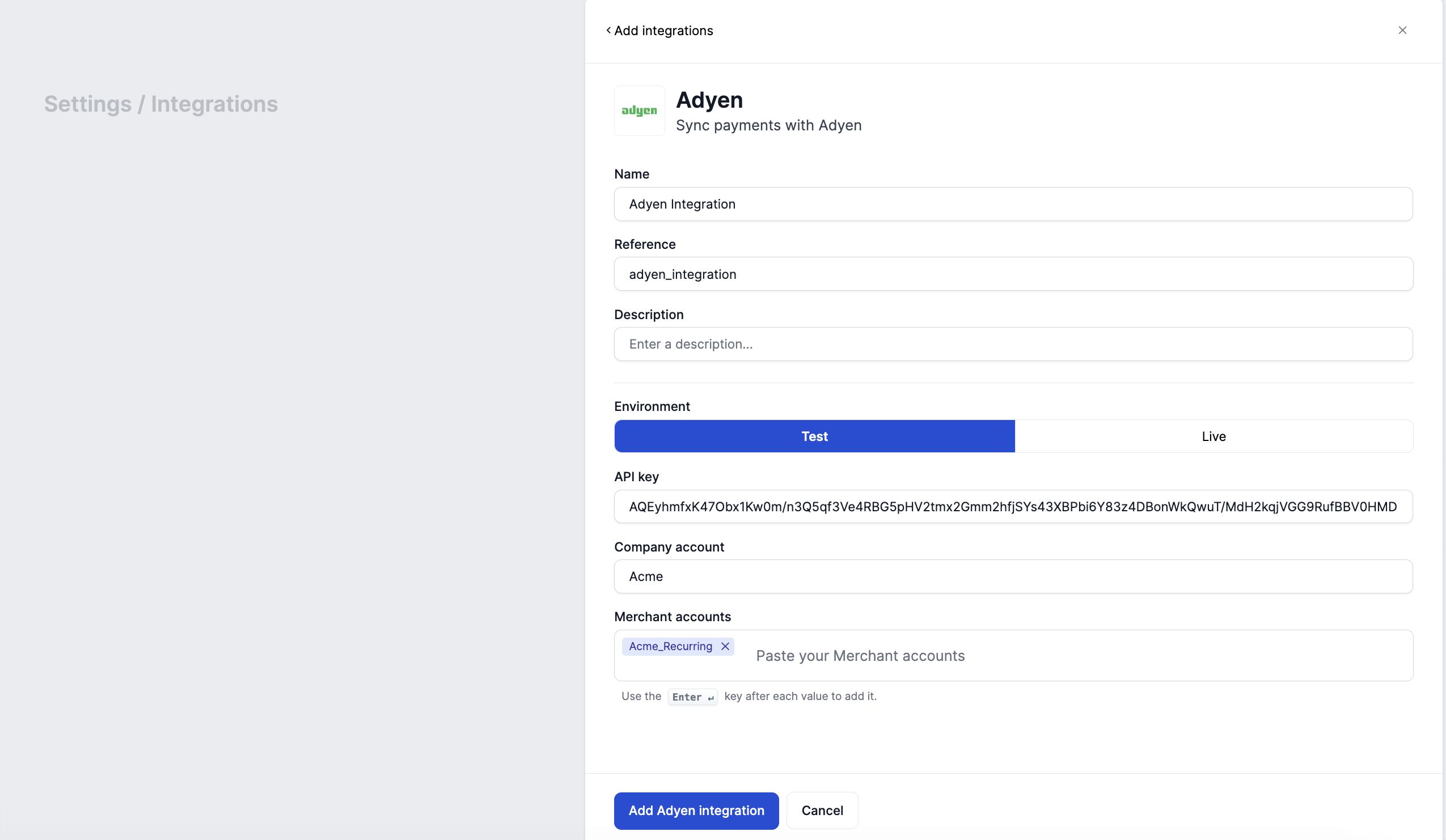
It is possible to connect multiple separate Adyen company and merchant accounts to Solvimon, if you are collecting payments for different billing entities through separate accounts.

Use Adyen as a payment method for subscriptions

From now on you and your users can select the Adyen payment integration as a way to pay for the subscriptions’ invoices.
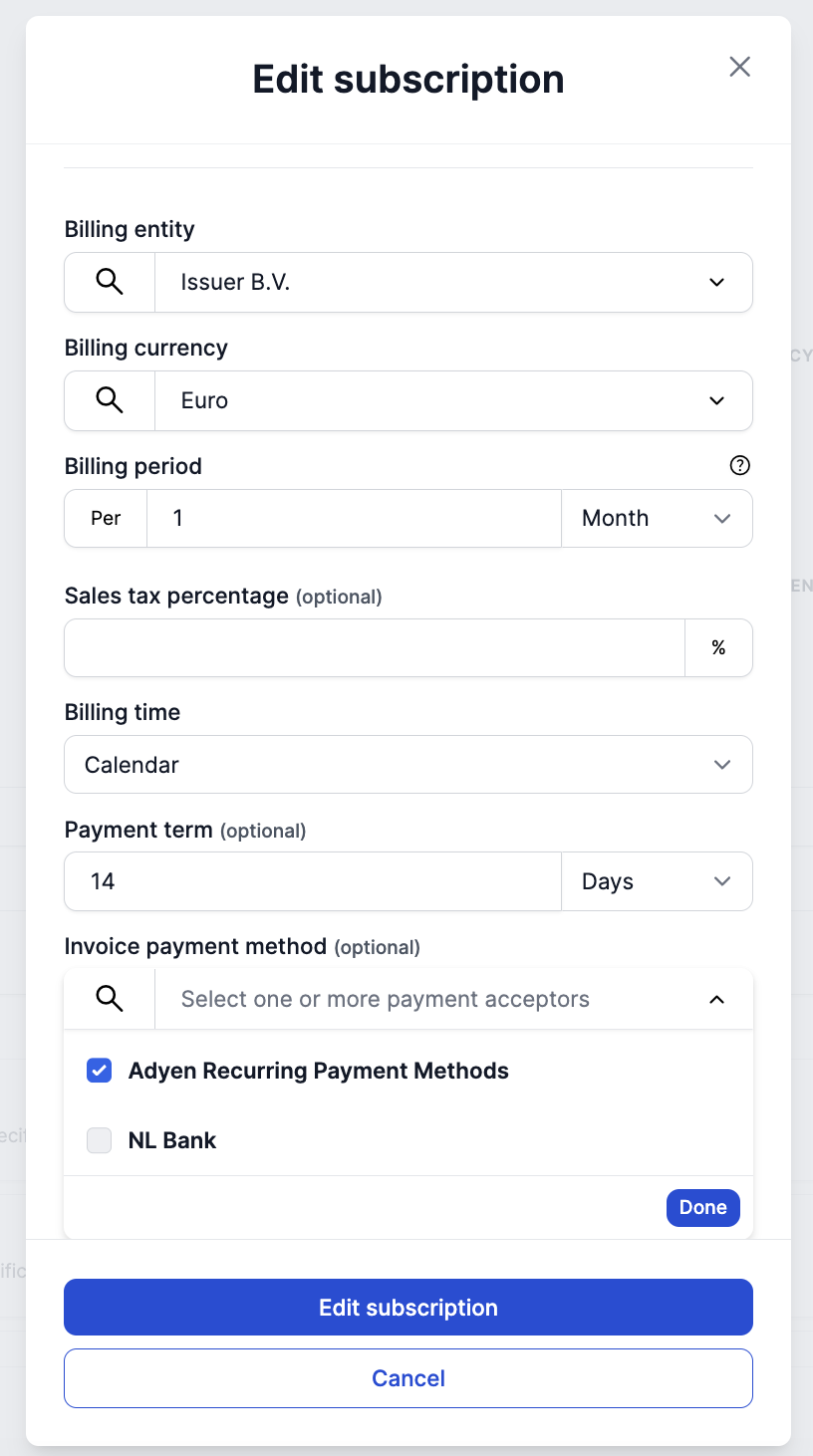
Once selected, the invoices generated for the subscription will have a payment link that is shown on the invoice PDF and on the invoice Portal page. Read more about payment collections and payment statuses here.