
Attio
Connect your Attio CRM to Solvimon to sync customer, subscription, and usage data in real-time. Your sales team gains complete visibility into customer spending across self-serve and sales-led motions without custom orchestration.
Why this matters
For teams running hybrid pricing models (seats + usage + credits), the gap between CRM and billing creates blind spots. Sales reps quote customers already spending through self-serve. Finance reconciles spreadsheets instead of syncing automatically. The Solvimon Attio integration closes that gap.
What the integration enables
- Bi-directional customer sync: Create a customer in Attio, it appears in Solvimon. Update billing details in Solvimon, they reflect in your CRM.
- Real-time usage visibility: See subscription status, usage metrics, and credit balances directly on company records in Attio.
- Unified PLG + SLG view: Self-serve signups and enterprise contracts appear in the same record. When a free user hits usage limits, sales sees the signal immediately.
- Automated data sync: Customers, contacts, subscriptions, usage events, credit balances, invoices, and custom billing attributes sync without manual entry.
- Embedded actions: Generate quotes, adjust subscriptions, or provision entitlements directly from deal records.
How it works
The native Solvimon integration, listed in Attio’s apps syncs data bidirectionally between Attio and Solvimon:
- From Attio to Solvimon: Companies and contacts create customers in Solvimon. Custom attributes flow to billing records.
- From Solvimon to Attio: Subscription details, usage metrics, credit balances, and invoice status appear on company records. Sales reps see current spending before every conversation.
- Sync frequency: Data syncs within minutes of updates in either system.
Getting started
Requirements
To use the Solvimon Attio integration, you need:
- An Attio workspace with admin access
- A Solvimon account with API key generation permissions
The integration syncs all companies and contacts from Attio to Solvimon. No filtering by pipeline, deal stage, or other criteria is required—setup is straightforward.
Setup
Generate an API key in Solvimon
- Log in to your Solvimon dashboard
- Go to Settings → API Keys
- Click Add API Key
- Name it “Attio token” (or your preferred name)
- Copy the generated token
Store your API key securely. Anyone with this key can access your Solvimon data via the Attio app.
Install the Solvimon app in Attio
- In Attio, go to Workspace settings → Apps
- Search for “Solvimon” and click Install, or click this link
- Authorize the app to access your Attio workspace
Connect your Solvimon instance
- In the Solvimon app settings (Attio), paste the API key from Step 1
- Select your Solvimon instance (if you have multiple)
- Click Test connection to verify the credentials are valid
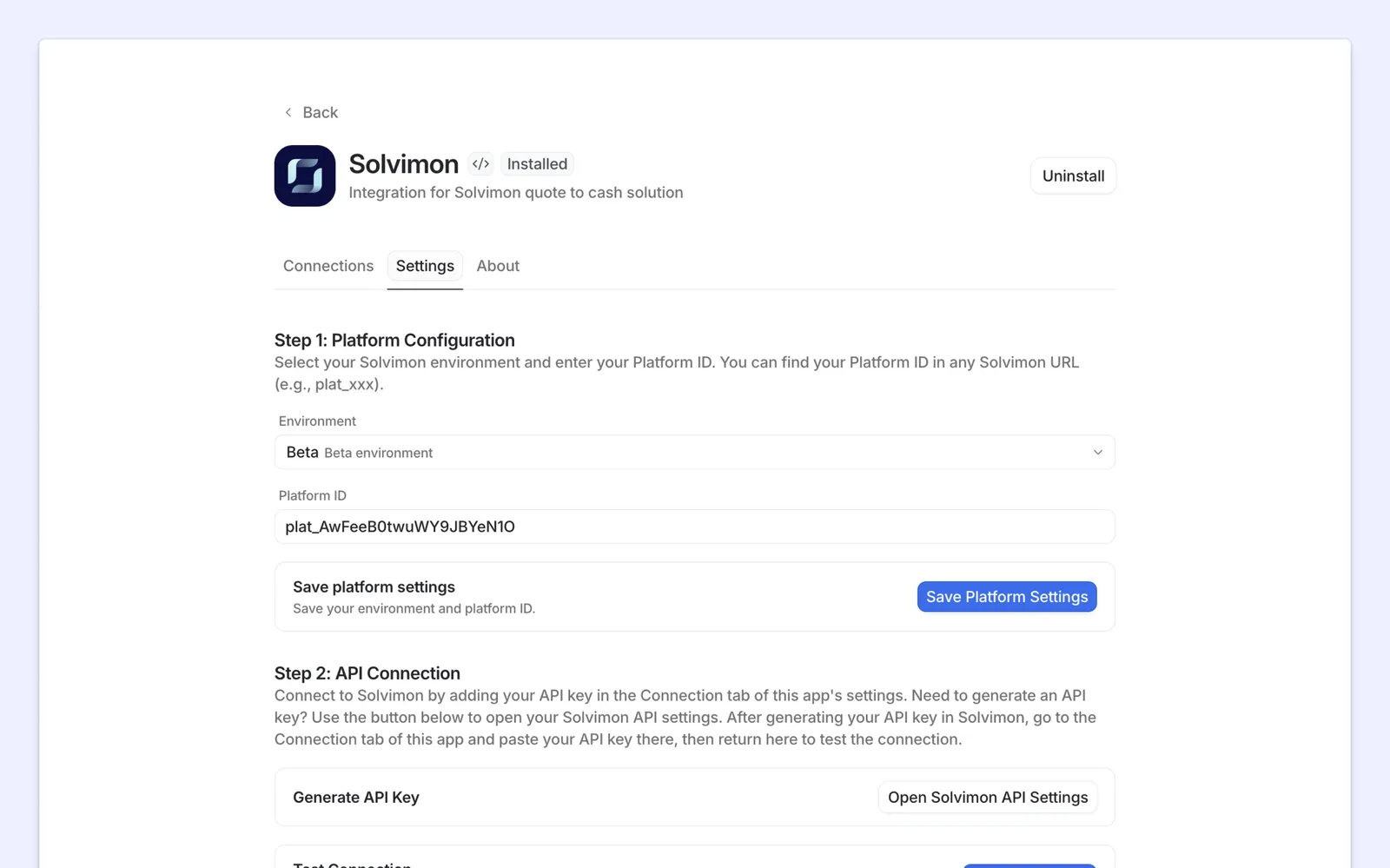
If the test succeeds, the initial sync begins automatically. Data will appear in Attio within minutes.
What gets synced
To Solvimon
- Companies: Creates a customer in Solvimon. Updates to company details sync automatically.
- Contacts: Synced to Solvimon contacts associated with the customer.
- Custom attributes: Any Attio attributes you configure for billing (account tier, ARR, etc.) sync to Solvimon.
To Attio
- Subscriptions: Current pricing tier, start date, and renewal date appear on company records.
- Usage metrics: Real-time usage consumption for metered products.
- Credit balances: Remaining credits or prepaid balance.
- Invoices: Invoice status, amount due, and payment date.
- Billing contact: Email and billing details for the primary contact.
Viewing billing and subscription data
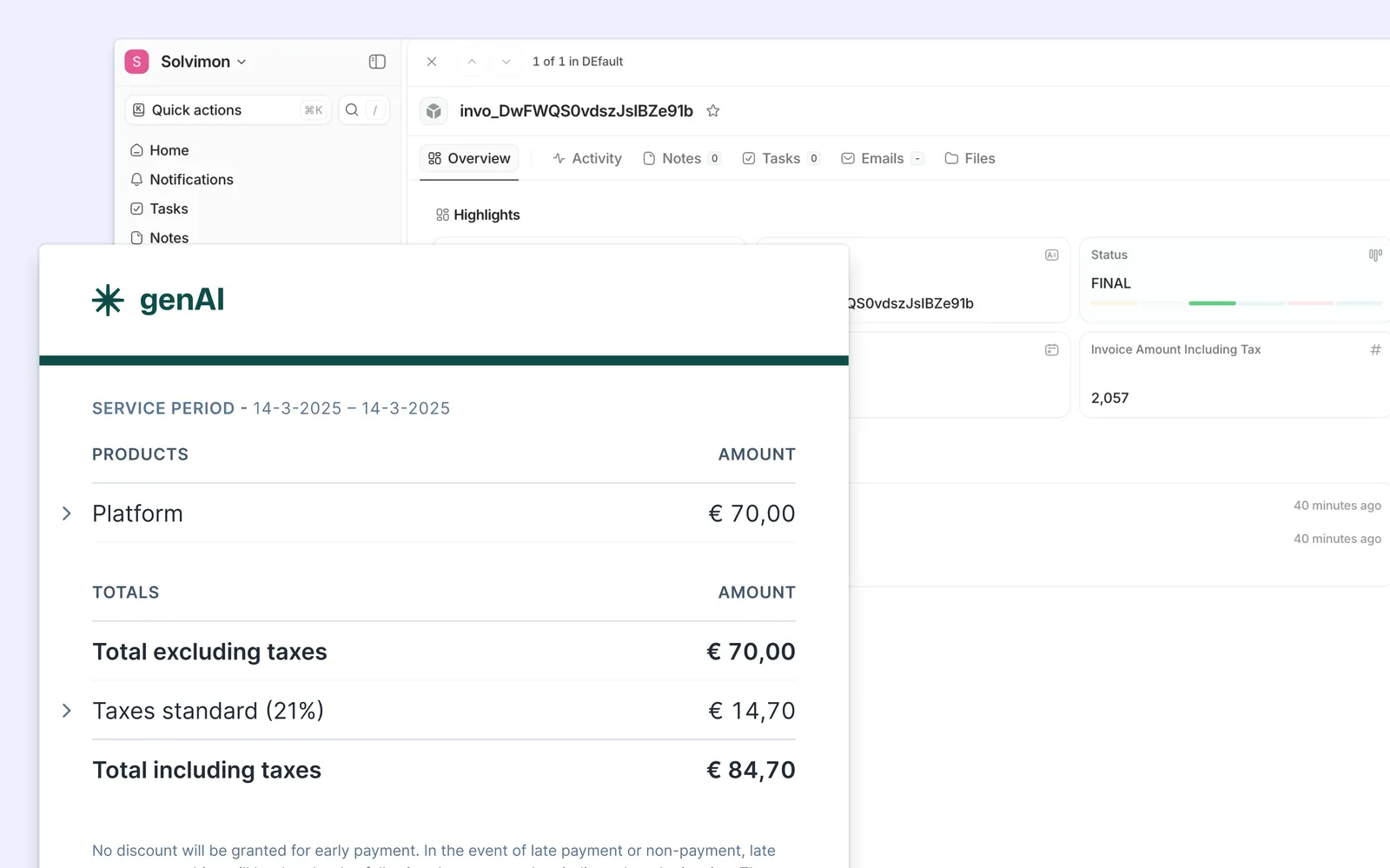
All billing information synced from Solvimon is displayed directly on company records in Attio. You can see subscriptions, usage metrics, credit balances, and invoices without leaving your CRM.
Using embedded actions
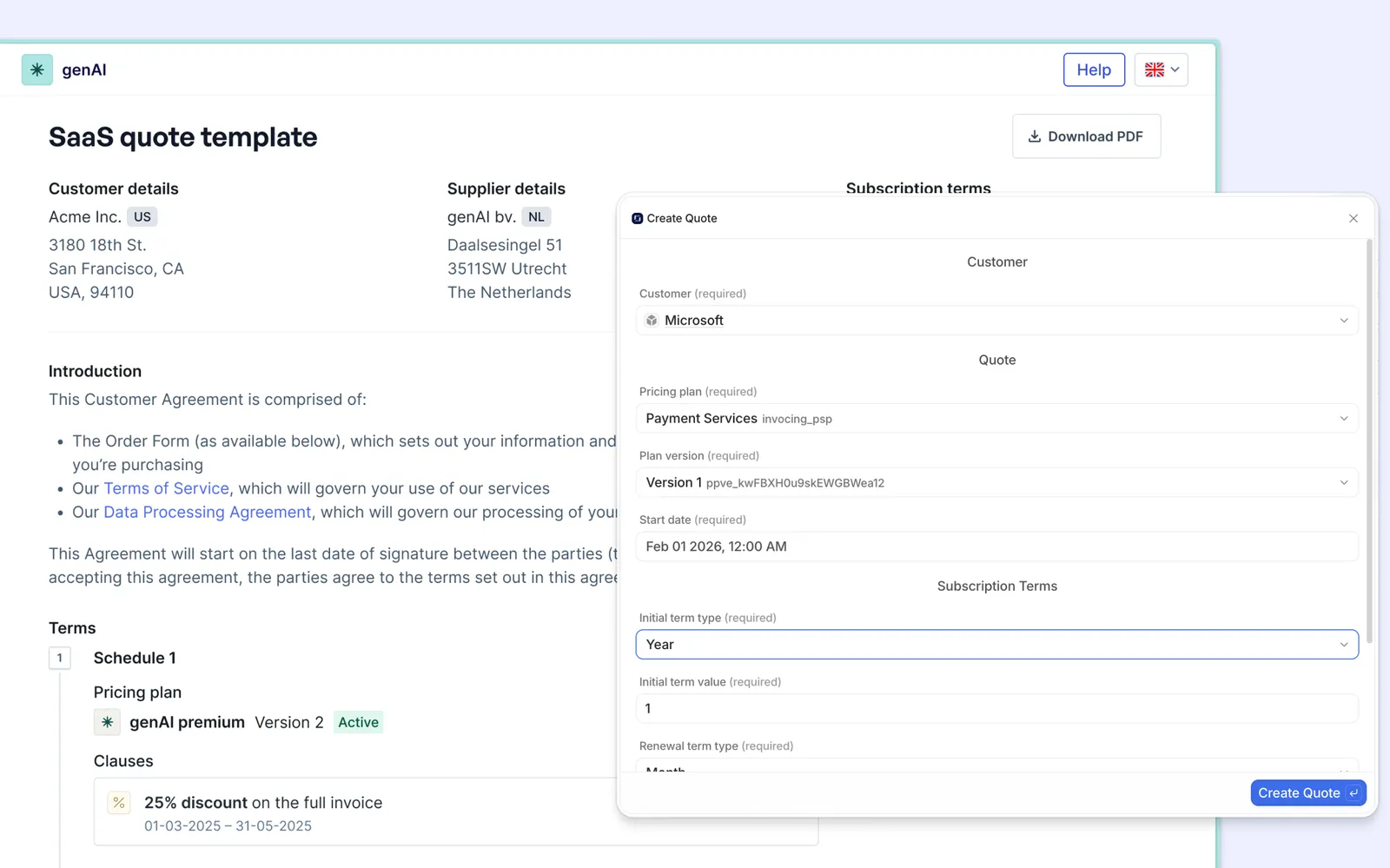
Once connected, you can take Solvimon actions directly from Attio deal records:
- Create a quote: Generate a custom quote for a deal opportunity
- Adjust a subscription: Upgrade or downgrade a customer’s tier mid-term
- Provision entitlements: Add features or credits to a subscription
These actions are available in deal and company record views. Click the Solvimon action button to open a quick action panel.
Bi-directional sync behavior
Creating a customer in Attio
When you create a company in Attio, a corresponding customer is created in Solvimon automatically. If that customer later signs up for a plan in Solvimon (or via a self-serve flow), the subscription data syncs back to Attio.
Updating billing details in Solvimon
Changes to customer billing address, payment method, or billing contact in Solvimon sync to the company record in Attio within minutes.
When sync conflicts occur
If the same field is edited in both systems simultaneously, Solvimon is the source of truth for billing data (subscriptions, invoices, credit balances). Attio is the source of truth for company and contact information.
Troubleshooting
Sync is not working
- Check the API key is correct and has not been revoked in Solvimon
- Verify the Solvimon app is installed and authorized in Attio
- Check Attio’s app activity log for error messages
- Test the connection again in the app settings
Data is not appearing on company records
- Confirm the sync completed (check the app status)
- Verify the company exists in both Attio and Solvimon with matching details
- Refresh the page or log out and log back in
- If using custom attributes, ensure they are configured in the app settings
A specific customer is missing
- Check the company exists in Attio
- Verify the company was created after the integration was set up, or manually trigger a resync
- Look for any errors in the Attio app activity log