
Exact Online
Connect Solvimon to Exact Online to import your customers, billing entities, and products, and to push finalised invoices to Exact as sales entries.
Prerequisites
- An active Exact Online account.
- Your Exact
Client IDandClient Secretfor authentication.
Connect Solvimon to Exact Online
Connect your Exact account
In Solvimon Desk, go to Menu → Settings → Integrations → Exact and click Connect to Exact. You’ll see a pop-up like the one shown below.
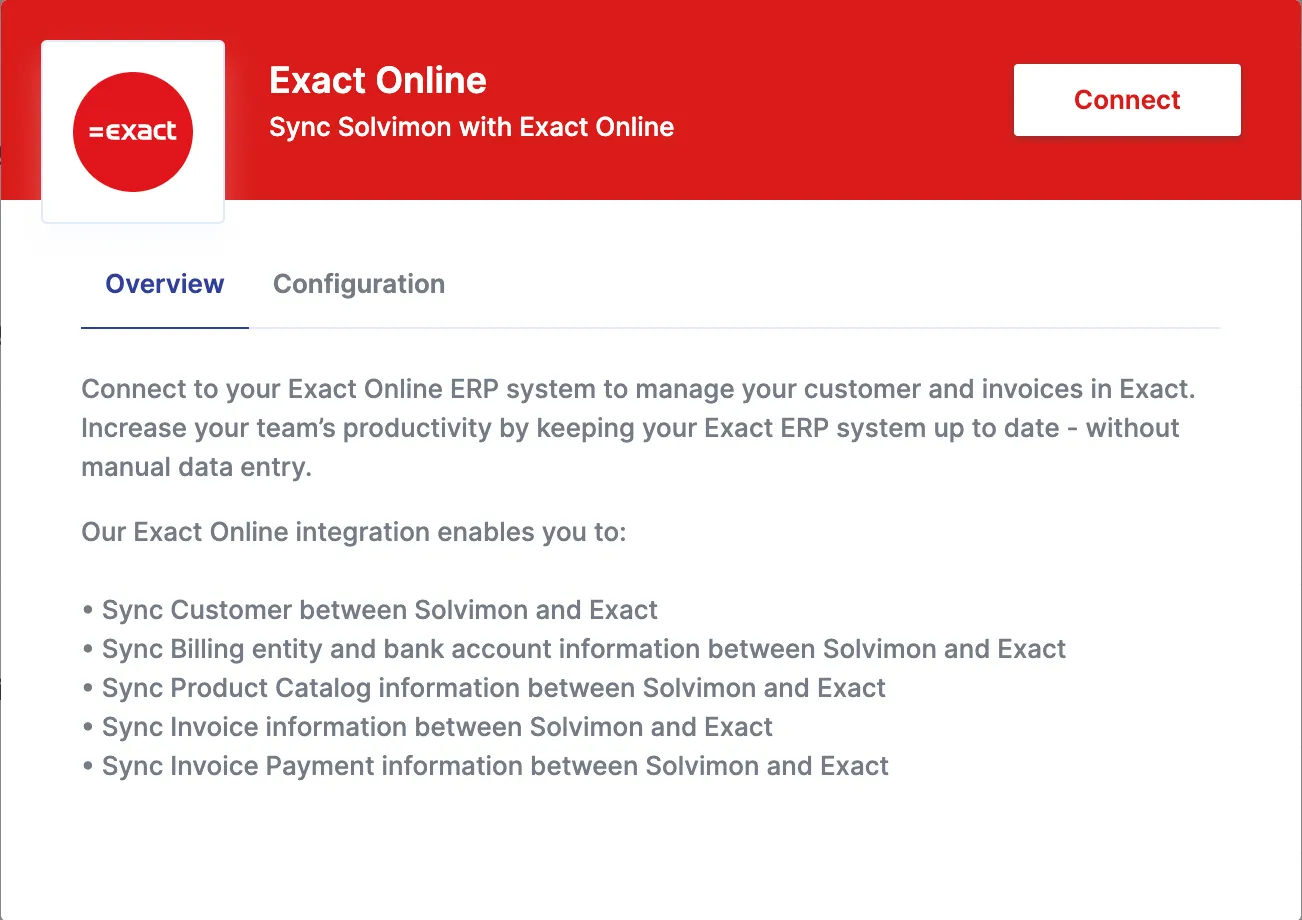
Click Connect and log in with your Exact account credentials, in this case the Client ID and Client Secret.
After authenticating, the Solvimon connect app is automatically installed on your Exact Online platform, enabling the integration.
Configure and enable workflows
Once authenticated, open the configurations tab to enable the workflows you want to run against your Exact Online platform. The supported out-of-the-box workflows are listed under configuration; if you don’t see the one you’re looking for, reach out to your Sales Executive.
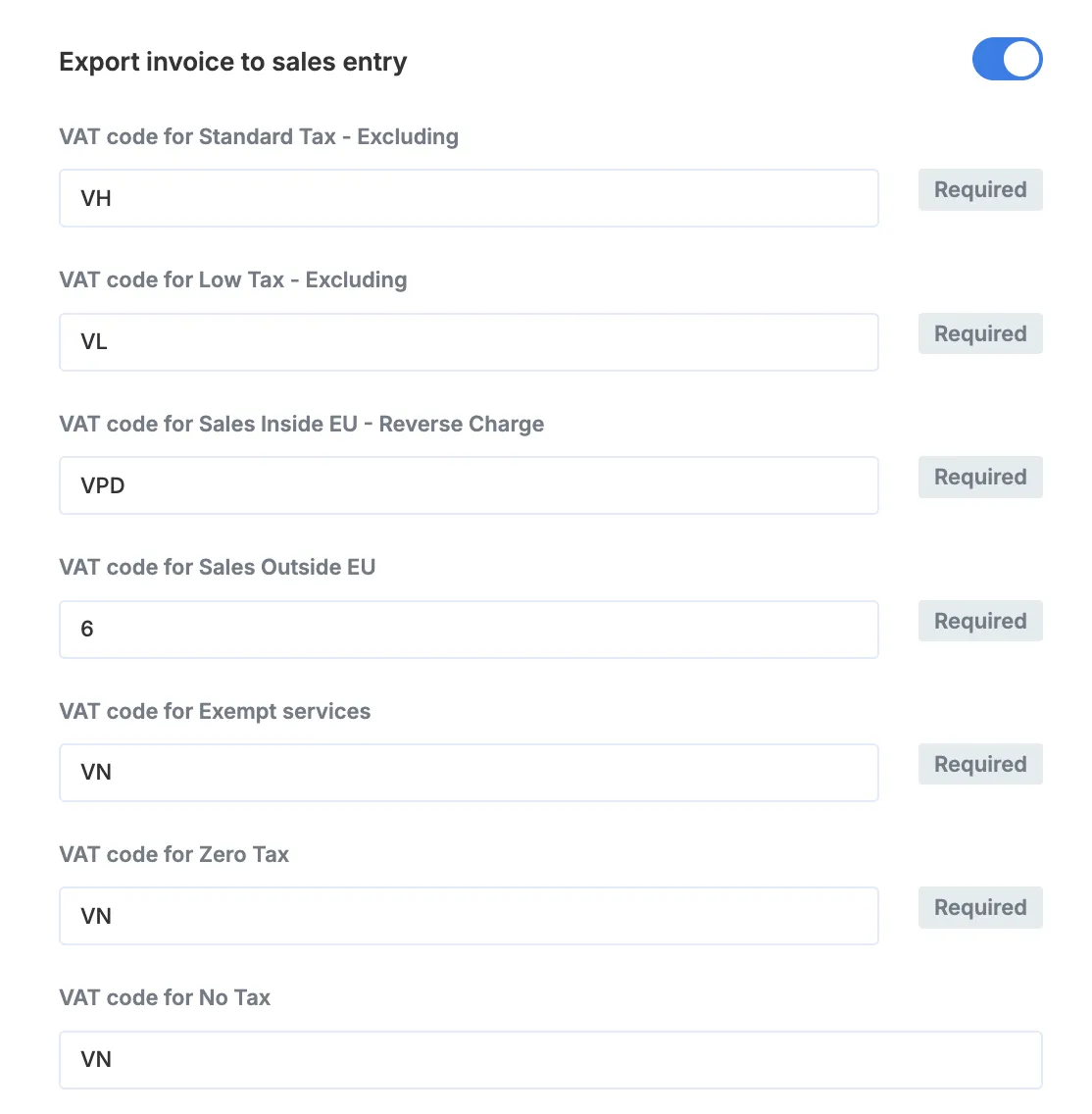
For exporting invoices, configure the TAX codes in the settings as shown below.
Data flow
Imports are triggered manually from the workflow list in Desk; invoice export runs automatically.
Import customers
You can import your Customers from Exact Online to Solvimon to speed up your onboarding process.
Every Division entity in Exact is treated as a Platform in Solvimon. All Accounts from Exact are synced as Customers in Solvimon along with their associated Contacts.
Import billing entities
You can import details of your billing entities.
You can add more than one Billing Entity to your platform. Each Division in Exact Online is treated as a separate Billing Entity in Solvimon.
To be valid and usable in Subscriptions and Invoicing, a Billing Entity needs a name, tax ID, and a complete address (first line, postal code, city, and country).
Import products
Products configured on your Exact account can be synced to Solvimon. They are created in the Products section of the settings menu under the category Exact Products.
This includes the product line items defined in the ERP along with their metadata, i.e. the GL product code.
Export invoices to sales entry
Whenever an invoice is finalised in Solvimon, it is automatically pushed to Exact as a sales entry.
Each Product is treated as a line item in the Exact invoice, along with its usage, quantity, price, and tax.
Each invoice line is mapped as follows:
Configuring the GL account codes for product or revenue items ensures that the corresponding line items from the invoice are booked to the mapped account.
Recommended workflow
To get the most value from the integration, follow these steps:
- Import your customers from Exact to Solvimon.
- Use Solvimon to create draft invoices.
- Review and edit invoices in Solvimon Desk as needed.
- Finalise and send invoices to customers using Solvimon.
- Invoices are synced to Exact for revenue recognition and general accounting.
Synchronisation is trigger-based by default. If you need custom triggers, reach out to your sales executive.