
Checkout

The Checkout screen renders a full subscription checkout flow for a customer. Mount it when you want to let a customer initiate a new subscription.
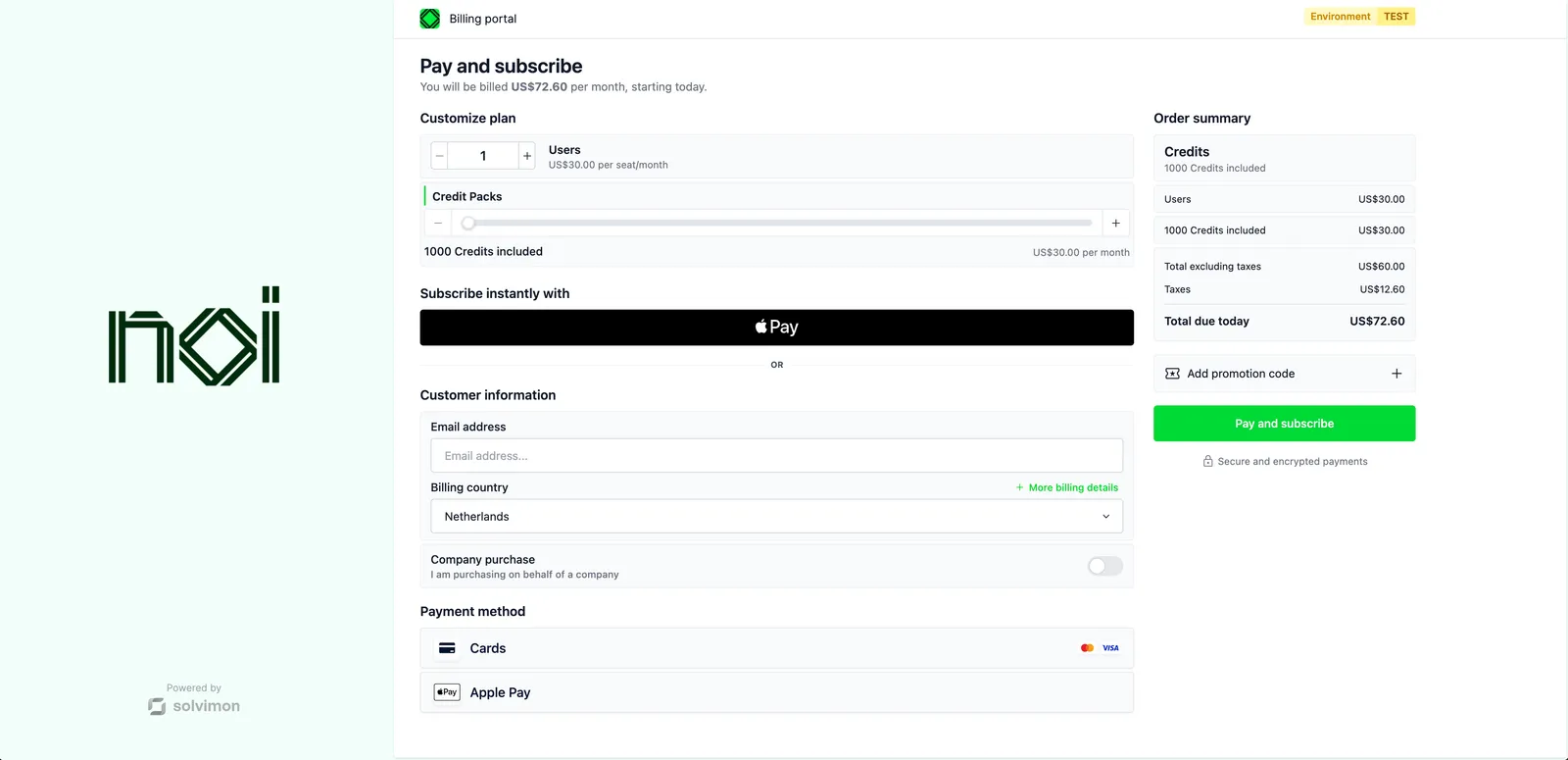


Overview

Checkout is driven by a portalObject your backend generates for a specific pricing plan. The SDK uses it to load the correct plan, pricing, and payment options for that customer. Your frontend never handles API keys directly.

The screen emits two events: ready when the checkout has loaded, and error if something goes wrong.

Mount the screen

Checkout screen
1import { createSolvimonCore } from '@solvimon/sdk/core';
2
3// Generated by your backend via the Solvimon API.
4const checkoutPortalObject = {
5 object_type: 'PORTAL_URL',
6 id: 'purl_example',
7 type: 'INIT_PRICING_PLAN_SUBSCRIPTION',
8 pricing_plan_id: 'ppl_example',
9 token: 'replace-with-a-real-portal-token',
10 status: 'PUBLISHED',
11};
12
13const solvimon = createSolvimonCore({
14 environment: 'TEST',
15 locale: 'en-US',
16 branding: {
17 colors: {
18 primary: '#1d4ed8',
19 secondary: '#0f172a',
20 },
21 },
22});
23
24const unmount = solvimon.createScreen('checkout', {
25 container: '#sdk-root',
26 portalObject: checkoutPortalObject,
27 configuration: {
28 email: 'john@example.com',
29 countryCode: 'NL',
30 },
31});
32
33window.addEventListener('beforeunload', () => {
34 unmount?.();
35});

Configuration

OptionTypeRequiredDescription
emailstringNoPre-fills the email field in the checkout form. Must be a valid email address.
countryCodestringNoTwo-letter country code (e.g. NL, US). Used to show the correct payment methods and tax.
enabledPricingIdsstring[]NoRestrict which pricing plans are available during checkout.
avatarstringNoURL of an avatar image shown in the checkout UI.

Events

Checkout fires DOM events on the container element.

Handling checkout events
1const container = document.getElementById('sdk-root');
2
3container.addEventListener('ready', () => {
4 console.log('Checkout is ready');
5});
6
7container.addEventListener('error', (event) => {
8 console.error(event.detail.title, event.detail.message);
9});
EventPayloadDescription
readynoneFired when the checkout has loaded and is ready for interaction.
error{ title: string, message: string }Fired if an error occurs during checkout.