
Subscriptions list

The Subscriptions list component renders a customer’s active subscriptions with cancel, renew, and view actions. Use it when you want to embed subscription management into your product.
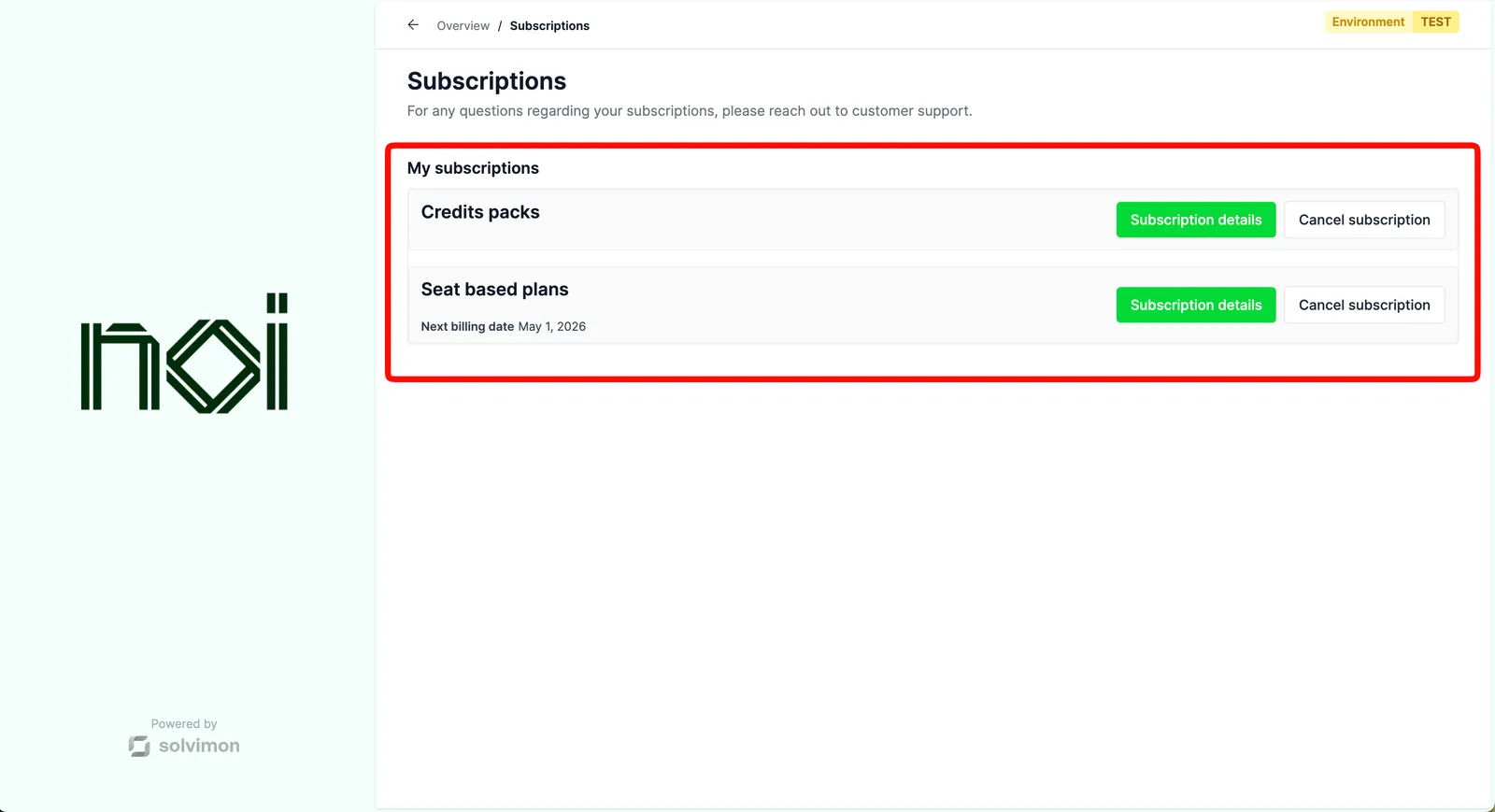


Overview

Subscriptions list is driven by a portalObject your backend generates for a specific customer. The SDK uses it to fetch and display that customer’s subscriptions. Your frontend never handles API keys directly.

Each subscription row can show a view details button, a cancel button, and a renew button, all configurable independently. You can also cap the number of subscriptions shown and optionally display a “View all” button.

Mount the component

Subscriptions list component
1import { createSolvimonCore } from '@solvimon/sdk/core';
2
3// Generated by your backend via the Solvimon API.
4const customerPortalObject = {
5 object_type: 'PORTAL_URL',
6 id: 'purl_example',
7 type: 'CUSTOMER_PORTAL',
8 customer_id: 'cust_example',
9 token: 'replace-with-a-real-portal-token',
10 status: 'PUBLISHED',
11};
12
13const solvimon = createSolvimonCore({
14 environment: 'TEST',
15 locale: 'en-US',
16});
17
18const unmount = solvimon.createComponent('subscriptions-list', {
19 container: '#sdk-root',
20 portalObject: customerPortalObject,
21 configuration: {
22 showViewDetailsButton: true,
23 showCancelButton: true,
24 showRenewButton: true,
25 },
26});
27
28window.addEventListener('beforeunload', () => {
29 unmount?.();
30});

Configuration

OptionTypeDefaultDescription
maxItemsnumberMaximum number of subscriptions shown.
showViewAllButtonbooleanShow a “View all” button when there are more subscriptions than maxItems.
showViewDetailsButtonbooleanShow a button to view subscription details.
showCancelButtonbooleanShow a button to cancel a subscription.
showRenewButtonbooleanShow a button to renew a subscription.

Events

Subscriptions list fires action-request DOM events when the customer interacts with subscription actions.

Handling action requests
1document.addEventListener('action-request', (event) => {
2 const { action, data } = event.detail;
3
4 switch (action) {
5 case 'view-subscription-details':
6 navigate(`/subscriptions/${data.subscriptionId}`);
7 break;
8 case 'cancel-subscription':
9 openCancelDialog(data.subscriptionId);
10 break;
11 case 'renew-subscription':
12 openRenewDialog(data.subscriptionId);
13 break;
14 case 'view-all-subscriptions':
15 navigate('/subscriptions');
16 break;
17 }
18});
EventPayloadDescription
view-subscription-details{ subscriptionId: string }Customer clicked to view subscription details.
cancel-subscription{ subscriptionId: string }Customer clicked to cancel a subscription.
renew-subscription{ subscriptionId: string }Customer clicked to renew a subscription.
view-all-subscriptionsnoneCustomer clicked to view all subscriptions.