
Invoices list

The Invoices list component renders a paginated list of a customer’s invoices. Use it when you want to embed invoice history into your product without building the list yourself.
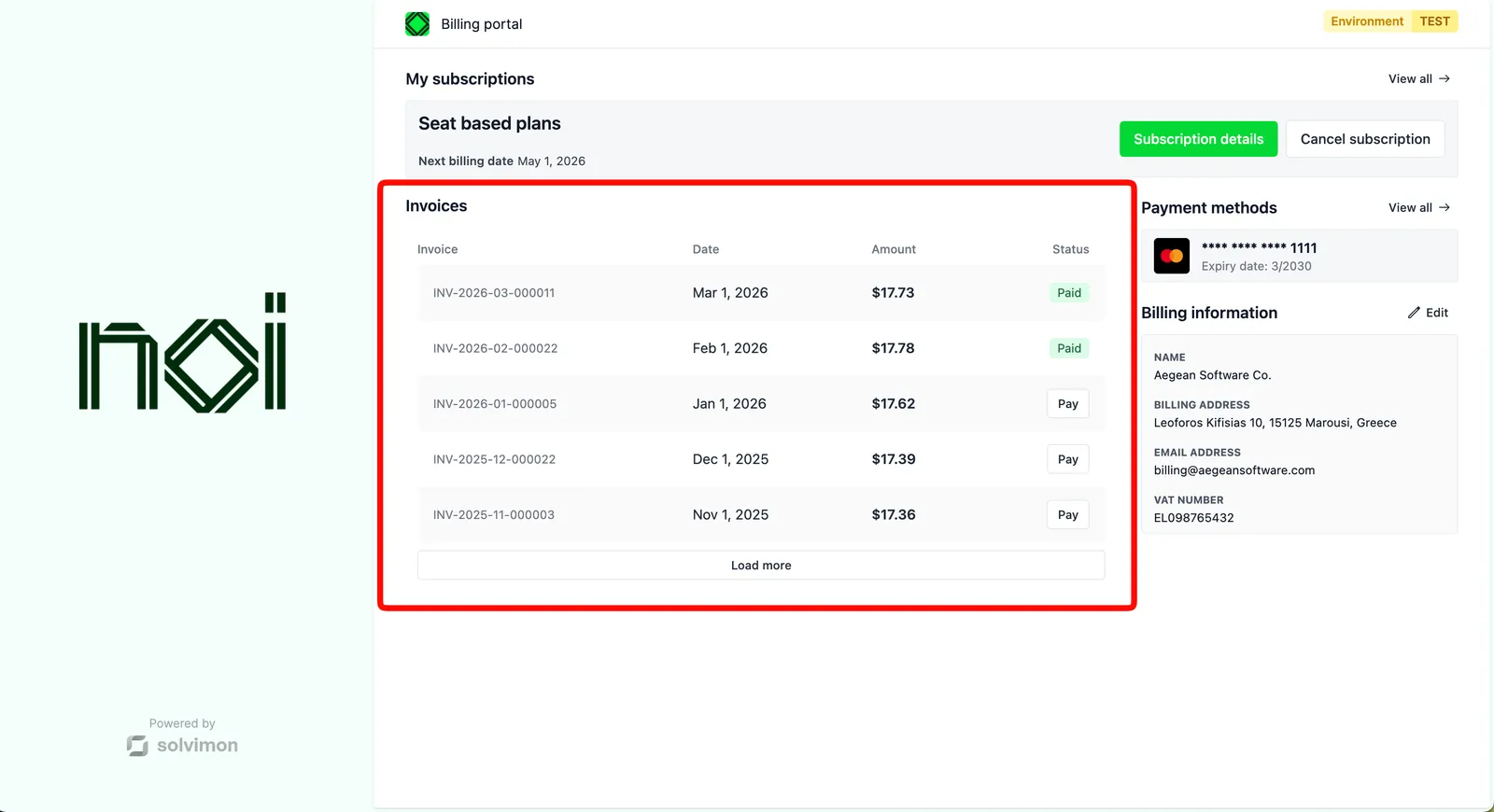


Overview

Invoices list is driven by a portalObject your backend generates for a specific customer. The SDK uses it to fetch and display that customer’s invoices. Your frontend never handles API keys directly.

Pagination is enabled by default, loading 15 invoices per batch. Each invoice row can show a pay button, a view button, or both, depending on your configuration.

Mount the component

Invoices list component
1import { createSolvimonCore } from '@solvimon/sdk/core';
2
3// Generated by your backend via the Solvimon API.
4const customerPortalObject = {
5 object_type: 'PORTAL_URL',
6 id: 'purl_example',
7 type: 'CUSTOMER_PORTAL',
8 customer_id: 'cust_example',
9 token: 'replace-with-a-real-portal-token',
10 status: 'PUBLISHED',
11};
12
13const solvimon = createSolvimonCore({
14 environment: 'TEST',
15 locale: 'en-US',
16});
17
18const unmount = solvimon.createComponent('invoices-list', {
19 container: '#sdk-root',
20 portalObject: customerPortalObject,
21 configuration: {
22 showPayButton: true,
23 showViewButton: true,
24 pagination: {
25 enabled: true,
26 batchSize: 15,
27 },
28 },
29});
30
31window.addEventListener('beforeunload', () => {
32 unmount?.();
33});

Configuration

OptionTypeDefaultDescription
showPayButtonbooleantrueShow a pay button on unpaid invoices.
showViewButtonbooleantrueShow a view button on invoices.
pagination.enabledbooleantrueEnable pagination.
pagination.batchSizenumber15Number of invoices loaded per batch. Maximum is 50.

Events

Invoices list fires action-request DOM events when the customer interacts with invoice actions.

Handling action requests
1document.addEventListener('action-request', (event) => {
2 const { action, data } = event.detail;
3
4 switch (action) {
5 case 'view-invoice':
6 navigate(`/invoices/${data.invoiceId}`);
7 break;
8 case 'pay-invoice':
9 openPaymentModal(data.invoiceId);
10 break;
11 }
12});
EventPayloadDescription
view-invoice{ invoiceId: string }Customer clicked to view an invoice.
pay-invoice{ invoiceId: string }Customer clicked to pay an invoice.