
Invoice

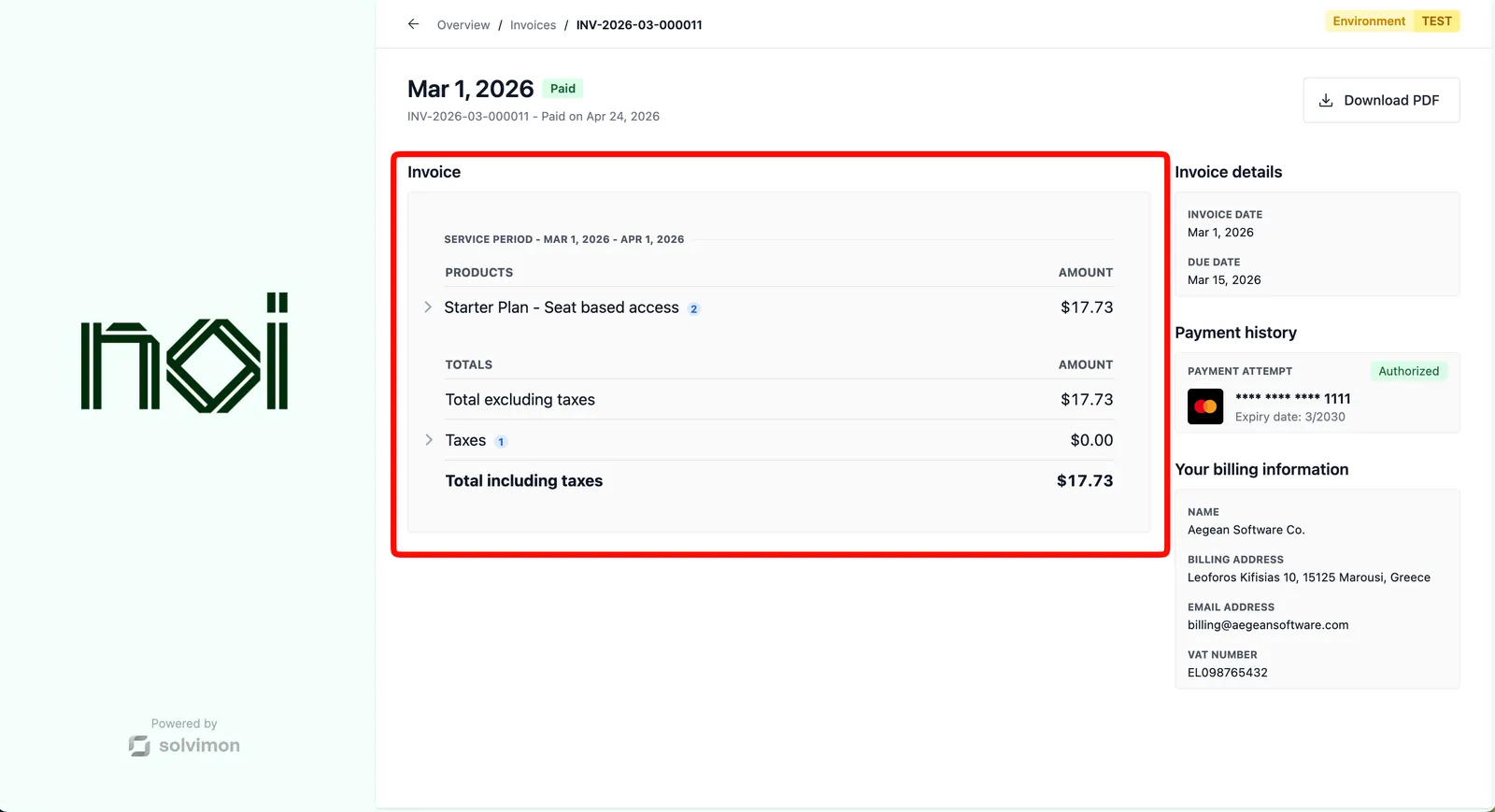
The Invoice component renders a single invoice in full detail. Use it when you want to show a customer a specific invoice, including line items, billing information, and payment attempts.


Overview

Invoice is driven by a portalObject your backend generates for a specific customer, combined with an invoiceId you pass in configuration. The SDK fetches and displays that invoice. Your frontend never handles API keys directly.

The component can optionally show a PDF download button, the customer’s billing information, and a list of payment attempts, each of which can be toggled independently.

Mount the component

Invoice component
1import { createSolvimonCore } from '@solvimon/sdk/core';
2
3// Generated by your backend via the Solvimon API.
4const customerPortalObject = {
5 object_type: 'PORTAL_URL',
6 id: 'purl_example',
7 type: 'CUSTOMER_PORTAL',
8 customer_id: 'cust_example',
9 token: 'replace-with-a-real-portal-token',
10 status: 'PUBLISHED',
11};
12
13const solvimon = createSolvimonCore({
14 environment: 'TEST',
15 locale: 'en-US',
16});
17
18const unmount = solvimon.createComponent('invoice', {
19 container: '#sdk-root',
20 portalObject: customerPortalObject,
21 configuration: {
22 invoiceId: 'inv_example',
23 enableDownloadButton: true,
24 enableCustomerBillingInformation: true,
25 enablePaymentAttempts: true,
26 },
27});
28
29window.addEventListener('beforeunload', () => {
30 unmount?.();
31});

Configuration

OptionTypeRequiredDefaultDescription
invoiceIdstringYesThe ID of the invoice to display.
enableDownloadButtonbooleanNotrueShow a button to download the invoice as PDF.
enableCustomerBillingInformationbooleanNotrueShow the customer’s billing information on the invoice.
enablePaymentAttemptsbooleanNotrueShow the list of payment attempts for the invoice.

Events

This component does not fire any events.