
For AI agents: a documentation index is available at the root level at /llms.txt and /llms-full.txt. Append /llms.txt to any URL for a page-level index, or .md for the markdown version of any page.
Logo
LoginSandbox
Platform GuidesAPI DocsSDKMCP ServerChangelog
  • Frontend Components
    • Overview
    • Quickstart
    • Core
      • Invoices list
      • Invoice
      • Invoice details
      • Payment history
      • Subscriptions list
      • Subscription schedules
      • Billing information
      • Billing information form
      • Customer payment methods
      • Payment method form
      • Wallet balances
    • Release notes
LoginSandbox
On this page
  • Overview
  • Mount the component
  • Configuration
  • Events
Frontend ComponentsUI components

Subscription schedules

Was this page helpful?
Previous

Billing information

Next
Built with

The Subscription schedules component renders the schedule of upcoming plan changes for a specific subscription. Use it when you want to show customers what changes are planned for their subscription.
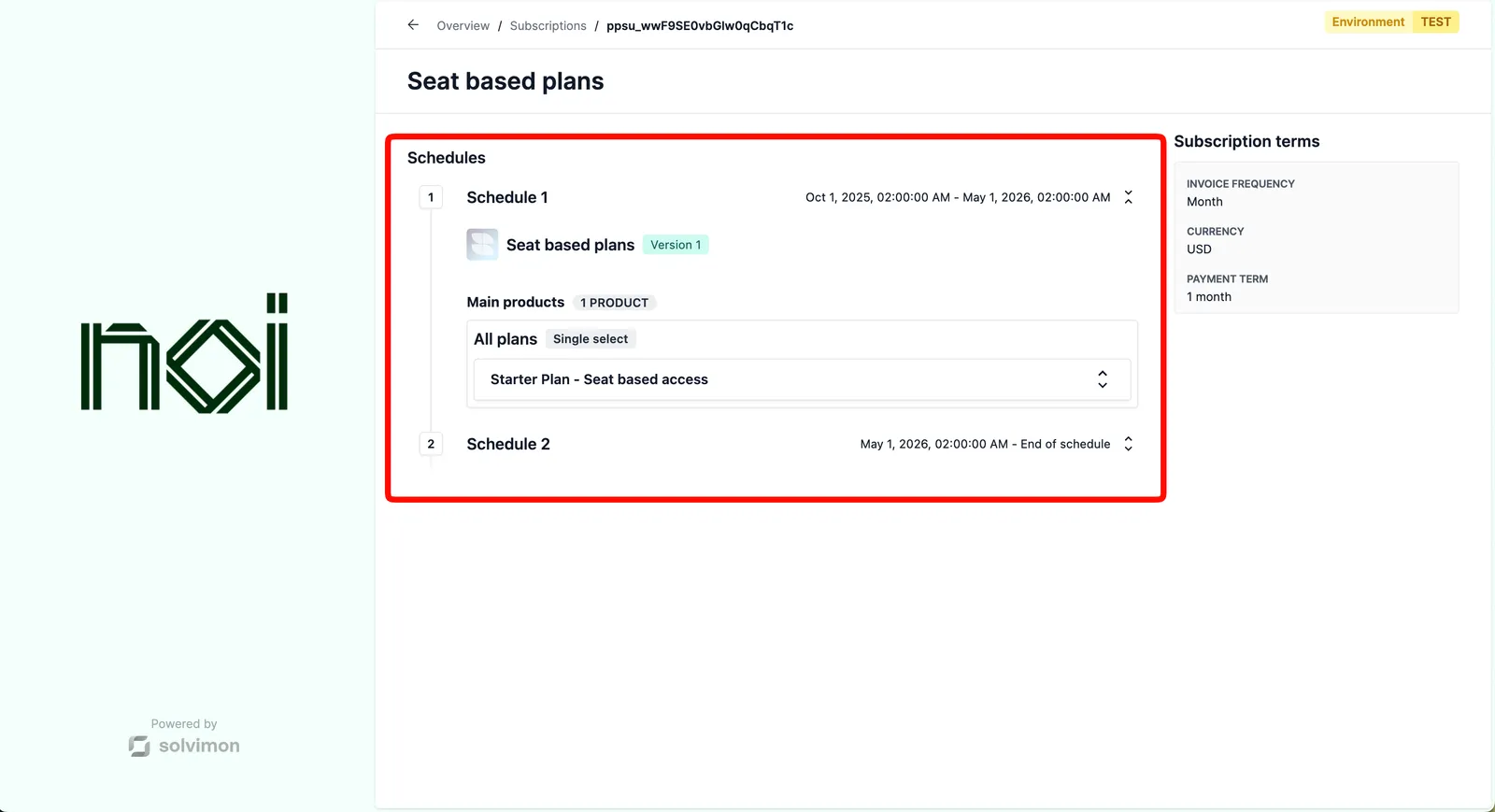


Overview

Subscription schedules is driven by a portalObject your backend generates for a specific customer. The SDK uses it to load the schedule data for the given subscription. Your frontend never handles API keys directly.

Mount the component

Subscription schedules component
1import { createSolvimonCore } from '@solvimon/sdk/core';
2
3// Generated by your backend via the Solvimon API.
4const customerPortalObject = {
5 object_type: 'PORTAL_URL',
6 id: 'purl_example',
7 type: 'CUSTOMER_PORTAL',
8 customer_id: 'cust_example',
9 token: 'replace-with-a-real-portal-token',
10 status: 'PUBLISHED',
11};
12
13const solvimon = createSolvimonCore({
14 environment: 'TEST',
15 locale: 'en-US',
16});
17
18const unmount = solvimon.createComponent('subscription-schedules', {
19 container: '#sdk-root',
20 portalObject: customerPortalObject,
21 configuration: {
22 subscriptionId: 'sub_example',
23 },
24});
25
26window.addEventListener('beforeunload', () => {
27 unmount?.();
28});

Configuration

OptionTypeRequiredDescription
subscriptionIdstringYesThe ID of the subscription whose schedules to display.

Events

This component does not fire any events.