
For AI agents: a documentation index is available at the root level at /llms.txt and /llms-full.txt. Append /llms.txt to any URL for a page-level index, or .md for the markdown version of any page.
Logo
LoginSandbox
Platform GuidesAPI DocsSDKMCP ServerChangelog
  • Frontend Components
    • Overview
    • Quickstart
    • Core
      • Invoices list
      • Invoice
      • Invoice details
      • Payment history
      • Subscriptions list
      • Subscription schedules
      • Billing information
      • Billing information form
      • Customer payment methods
      • Payment method form
      • Wallet balances
    • Release notes
LoginSandbox
On this page
  • Overview
  • Mount the component
  • Configuration
  • Events
Frontend ComponentsUI components

Invoice details

Was this page helpful?
Previous

Payment history

Next
Built with

The Invoice details component renders the line items and breakdown of a specific invoice. Use it when you want to show invoice details in isolation, without the full invoice view.
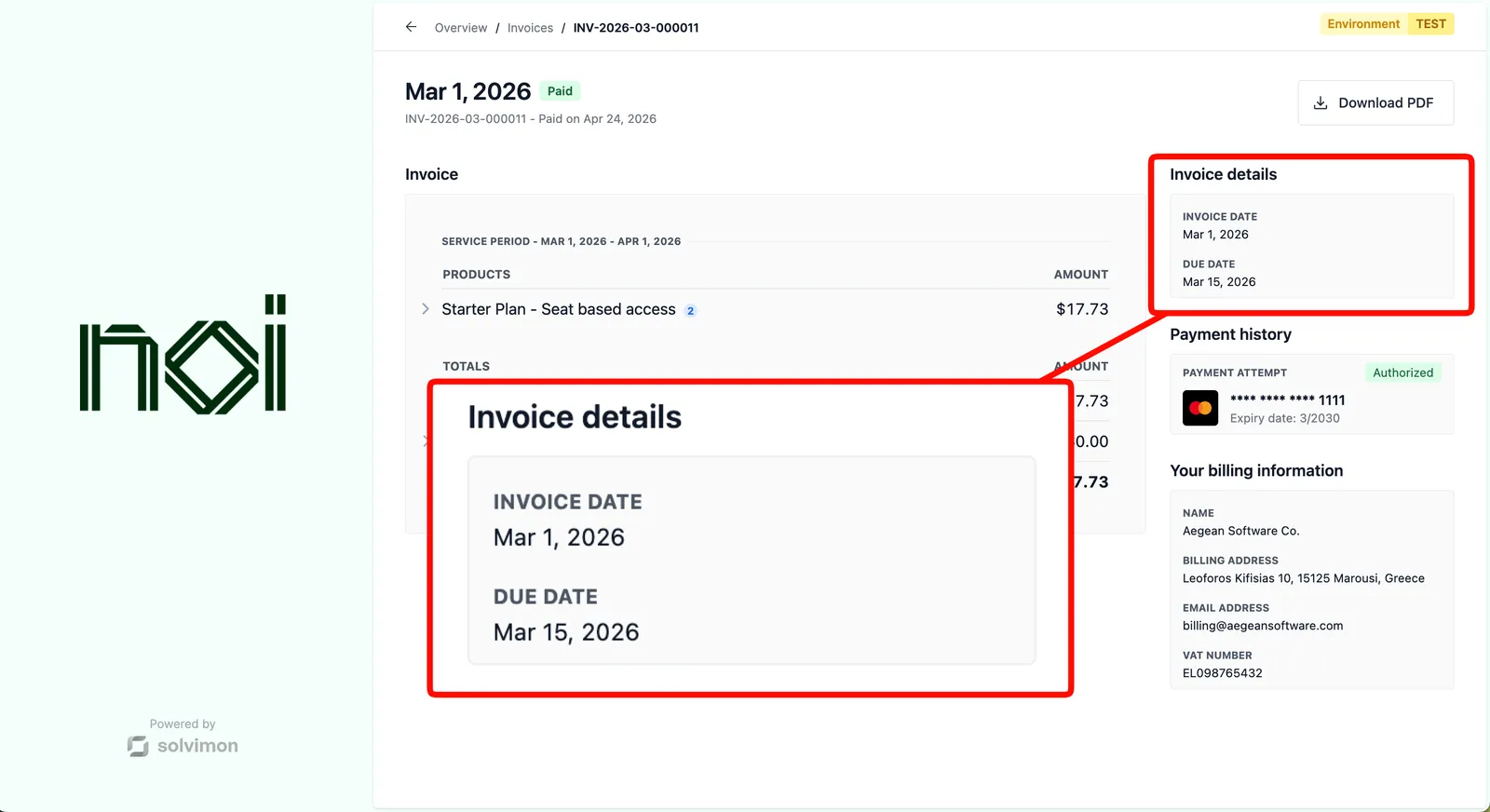


Overview

Invoice details is driven by a portalObject your backend generates for a specific customer, combined with an invoiceId you pass in configuration. The SDK fetches and displays the details for that invoice. Your frontend never handles API keys directly.

Mount the component

Invoice details component
1import { createSolvimonCore } from '@solvimon/sdk/core';
2
3// Generated by your backend via the Solvimon API.
4const customerPortalObject = {
5 object_type: 'PORTAL_URL',
6 id: 'purl_example',
7 type: 'CUSTOMER_PORTAL',
8 customer_id: 'cust_example',
9 token: 'replace-with-a-real-portal-token',
10 status: 'PUBLISHED',
11};
12
13const solvimon = createSolvimonCore({
14 environment: 'TEST',
15 locale: 'en-US',
16});
17
18const unmount = solvimon.createComponent('invoice-details', {
19 container: '#sdk-root',
20 portalObject: customerPortalObject,
21 configuration: {
22 invoiceId: 'inv_example',
23 },
24});
25
26window.addEventListener('beforeunload', () => {
27 unmount?.();
28});

Configuration

OptionTypeRequiredDescription
invoiceIdstringYesThe ID of the invoice to display.

Events

This component does not fire any events.