
Customer payment methods

The Customer payment methods component renders a customer’s saved payment methods. Use it when you want to let customers view and manage their payment methods in your product.
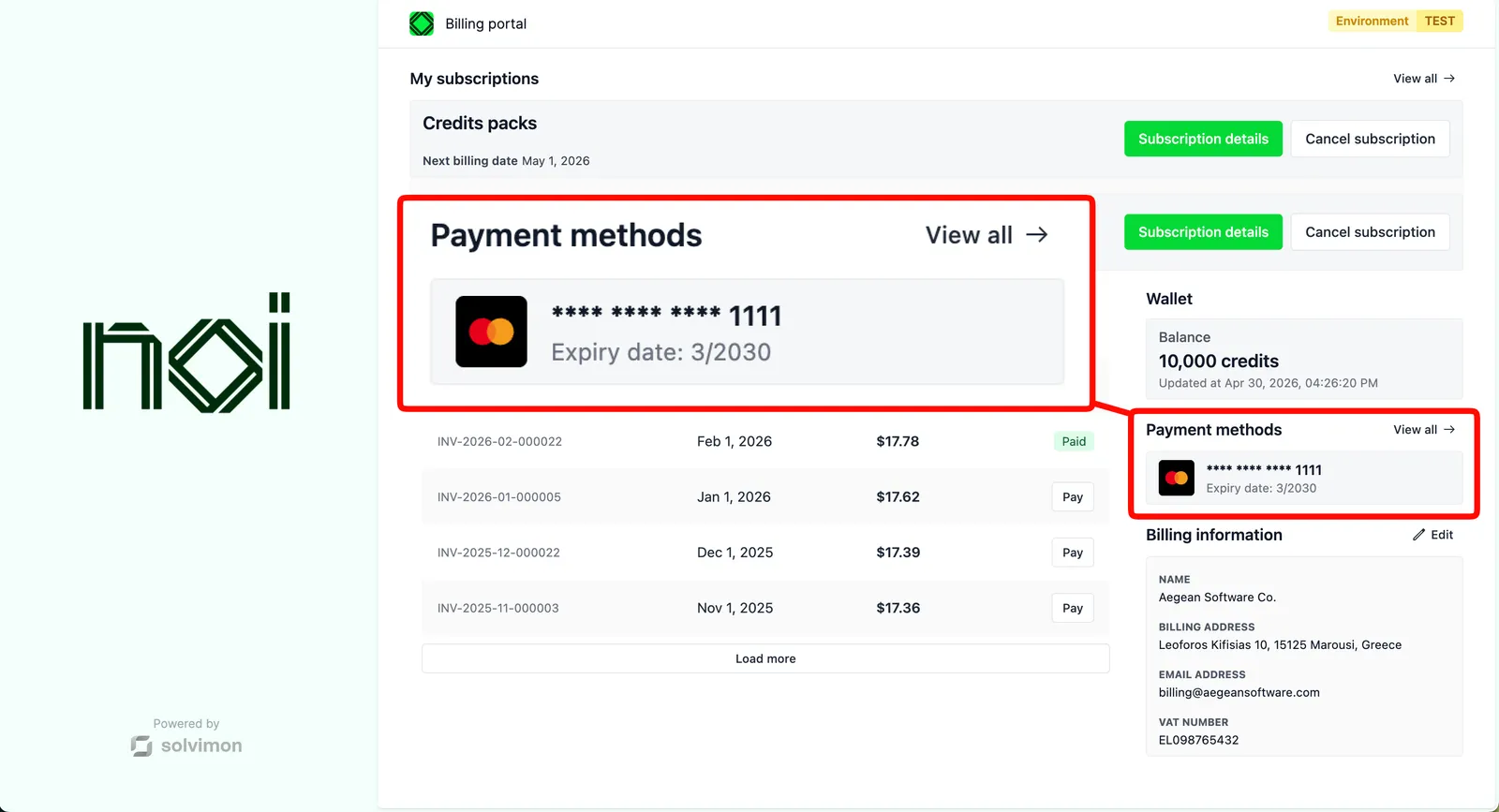


Overview

Customer payment methods is driven by a portalObject your backend generates for a specific customer. The SDK uses it to fetch and display that customer’s saved payment methods. Your frontend never handles API keys directly.

You can cap the number of methods shown and control whether “View all” and “Add” buttons are displayed. Both buttons fire action requests for your app to handle.

Mount the component

Customer payment methods component
1import { createSolvimonCore } from '@solvimon/sdk/core';
2
3// Generated by your backend via the Solvimon API.
4const customerPortalObject = {
5 object_type: 'PORTAL_URL',
6 id: 'purl_example',
7 type: 'CUSTOMER_PORTAL',
8 customer_id: 'cust_example',
9 token: 'replace-with-a-real-portal-token',
10 status: 'PUBLISHED',
11};
12
13const solvimon = createSolvimonCore({
14 environment: 'TEST',
15 locale: 'en-US',
16});
17
18const unmount = solvimon.createComponent('customer-payment-methods', {
19 container: '#sdk-root',
20 portalObject: customerPortalObject,
21 configuration: {
22 maxItems: 3,
23 showViewAllButton: true,
24 showAddButton: true,
25 },
26});
27
28window.addEventListener('beforeunload', () => {
29 unmount?.();
30});

Configuration

OptionTypeDefaultDescription
maxItemsnumber3Maximum number of payment methods shown.
showViewAllButtonbooleanShow a “View all” button when the customer has more payment methods than maxItems.
showAddButtonbooleanShow an “Add” button when the customer has fewer than maxItems payment methods.

Events

Handling action requests
1document.addEventListener('action-request', (event) => {
2 const { action } = event.detail;
3
4 switch (action) {
5 case 'view-all-payment-methods':
6 navigate('/payment-methods');
7 break;
8 case 'add-payment-method':
9 openAddPaymentMethodFlow();
10 break;
11 }
12});
EventPayloadDescription
view-all-payment-methodsnoneCustomer clicked to view all payment methods.
add-payment-methodnoneCustomer clicked to add a new payment method.